Best 15 Inch Laptops Under 1000: 2026 Checklist and Price Tier Guide
Disclosure: We may earn a commission when you buy through links on this page, at no extra cost to you. As an Amazon Associate I earn from qualifying purchases. Learn more

Use this buyer checklist for the best 15 inch laptops under 1000, covering realistic specs, RAM, display, build quality, and red flags to avoid.
A budget ceiling near one thousand dollars is a generous place to shop, but only if you know which specifications deserve your money and which are decoration. This checklist for best 15 inch laptops under 1000 sets clear thresholds for the processor, display, memory, and build, then shows the warning signs that should send you back to the list. Work through it in order and each candidate becomes easy to judge.
The product table holds the quick facts. Measure every model there against the realistic expectations in the next section, because at this price you should not have to accept the compromises that define much cheaper machines.
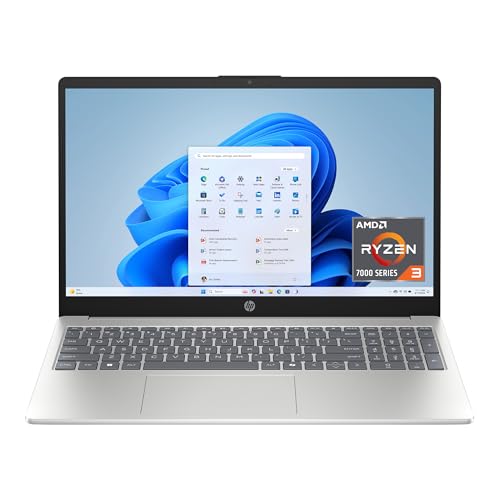

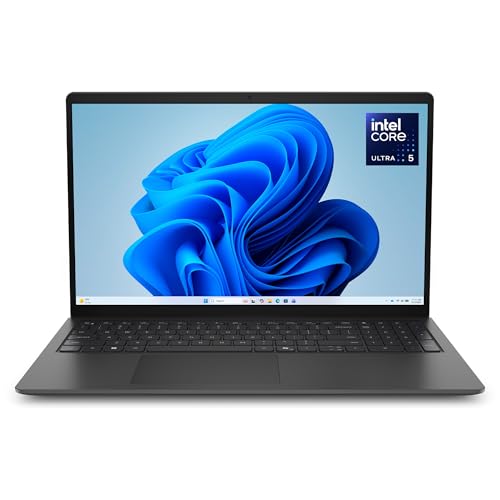
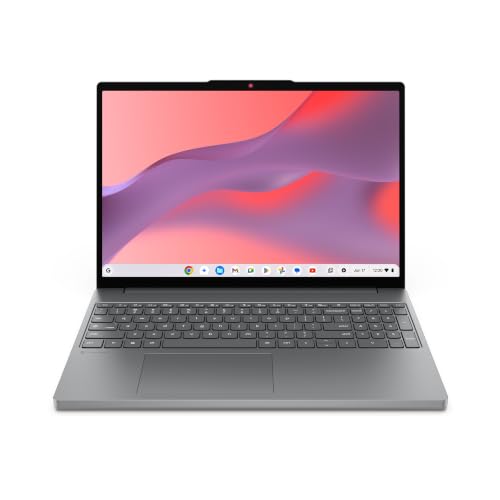
How We Evaluate 15 Inch Laptops
Evaluation at this level is about balance. A strong candidate has no weak basic: the screen is bright, the memory is sufficient, storage is fast and roomy, and the body feels built to travel. One flashy feature, such as a very fast processor paired with a dim screen, is a worse buy than even competence across the board.
What You Can Realistically Get Under $1000
Under $1000 you can realistically expect a current midrange or upper midrange processor, 16GB of RAM, a 512GB SSD, and a bright full HD screen, often with a metal body on sale models. What gets cut first is usually graphics power, screen color range, and battery size, so decide if those matter to you. Do not save money by accepting 8GB of RAM or a small 256GB drive at this price, because both are common and both limit the machine early. Around $700 to $1000 is the heart of this market.
Processor and Performance Tier
Current Intel Core Ultra, AMD Ryzen, and Apple M series processors in the midrange tiers handle office work, study, photo editing, and light creative tasks with ease. Step up within the budget if you compile code, edit video, or run data tools, since extra cores shorten waits you feel daily. Avoid older generation chips dressed up as deals unless the discount is large. A balanced choice pairs a modern processor with fast storage, because that pairing is what makes a laptop feel quick in ordinary use.
Display Size, Resolution, and Brightness
At 15 inches, full HD resolution is the sensible baseline and looks sharp at normal viewing distance, while higher resolution panels help photo and design work at extra cost. Brightness should reach about 300 nits or more so the screen stays readable near windows and in bright offices. A matte finish reduces glare during long sessions. Higher refresh rate screens appear in this band and feel smoother for scrolling and casual gaming, but color accuracy and brightness matter more for most buyers.
RAM and Storage
Treat 16GB of RAM as the standard at this price, not an upgrade, because it keeps browsers, office suites, and creative apps running together without slowdowns. For storage, 512GB on a fast SSD is the comfortable target, and 1TB appears during strong sales. Check whether the memory is replaceable or fixed, since fixed memory makes the initial choice final. Cloud storage can hold archives and backups, but your active projects deserve local space and speed.
Weight and Portability
Most strong candidates weigh between three and a half and four and a half pounds, light enough for a daily commute with the right bag. Slim metal models sit at the low end, while gaming capable designs sit higher and carry larger chargers. Weigh the full travel load, not the laptop alone, before judging. If the machine will mostly live on one desk, you can trade some portability for a bigger battery or stronger cooling without regret.
For shoppers who would rather go larger, our guide to the best 17 inch laptops under 1000 covers the same budget at a bigger size.
Keyboard, Trackpad, and Build
A good keyboard at this price has firm, even keys, sensible spacing, and backlighting for low light work. The trackpad should be large, smooth, and accurate, with clicks that feel consistent at the corners. Build quality separates this tier from cheaper machines: look for an aluminum lid or body, minimal flex in the keyboard deck, and a hinge that holds the screen steady. These qualities decide whether the laptop still feels pleasant in year four, long after specification differences fade.
Operating System
Windows gives the widest hardware choice under this budget and runs the broadest software library, including most games and business tools. macOS enters this price range during sales and suits buyers in the Apple ecosystem who value battery life and build quality. ChromeOS costs less but wastes much of this budget unless you specifically want its simplicity, since its hardware needs are modest. Let required software lead: list your must run programs, then buy the system that runs them best.
Three Price Tiers Inside the Budget
Rather than naming individual models, judge the options in the product table against these three tiers inside the budget. Each tier is a complete, sensible configuration for a different buyer. If a machine fits a tier and avoids the red flags below, it deserves your consideration.
The Balanced Tier
The balanced tier, about $800 to $1000, combines a modern upper midrange processor, 16GB of RAM, a 512GB SSD, and a bright, accurate screen in a metal body near four pounds. It fits professionals, students, and home users who want one machine for everything except heavy gaming. Battery life is usually strong and ports are generous. Its only real limit is demanding creative or gaming work, where a dedicated graphics card would still help.
The Value Tier
The value tier, about $550 to $750, keeps the essentials intact: 16GB of RAM, a 512GB SSD, and a screen at or near 300 nits, while accepting a plastic or mixed material body and a midrange processor. It is the smart buy for office work, study, and family use. Inspect the keyboard and screen in person if you can, because this tier varies most in those two areas. A value model that passes both checks is hard to beat.
The Premium Tier
The premium end of this budget, right under $1000, buys refinements rather than raw speed: a lighter and thinner metal body, a sharper or higher refresh display, longer battery life, and faster charging. It suits frequent travelers and anyone who keeps a laptop for five years or more. You may also get a better webcam and speakers for calls. The caution is value: make sure the refinements match your routine instead of paying for a beautiful screen you rarely appreciate.
Quick Buyer Checklist
- Is the processor a current generation model rather than old stock at a small discount?
- Does it include 16GB of RAM and at least a 512GB SSD without extra upgrade costs?
- Is the screen brightness stated clearly and at about 300 nits or higher?
- Does the weight, including the charger, suit how often you will carry it?
- Do the ports cover your monitor, drives, and accessories without daily adapter use?
- Is the keyboard backlit, and does the body feel free of distracting flex?
- Does the warranty run at least one year with service you can reach easily?
- Will your required software run well on the operating system it ships with?
Red Flags to Watch For
- Only 8GB of RAM or a 256GB drive at a price near the top of this budget.
- Specification pages that hide the exact processor, screen brightness, or memory details.
- A short warranty or unclear service terms for a machine at this price.
- Very old graphics or processors presented with current sounding marketing names.
- Weight and battery claims with no clear basis, especially on unknown brands.
Tighter budgets need different tradeoffs, so see our guide to the best 15 inch laptops under 700 if this ceiling feels high.
Choosing the Best 15 Inch Laptops Under 1000 for Your Situation
What to Check Before You Pay
Shoppers searching best 15 inch laptops for 1000 should check allocation first: where did the maker spend the money? A sensible split favors memory, storage, and screen over decoration like oversized speakers or novelty features. Confirm the exact configuration in the cart, since similar listings often differ in RAM or storage. Finally, compare the total with a bag, a mouse, and any software you need, so the full purchase stays inside your real budget.
Tips to Get the Most From Your 15 Inch Laptop
Keep the operating system and firmware updated for security, stability, and battery gains. Avoid running at full charge all the time if a battery limit setting is offered and you work mostly at a desk. Use a padded sleeve when commuting, set up automatic backups in the first week, and register the warranty while the receipt is handy. These small steps protect a meaningful purchase and cost almost no time.
If a smaller screen would serve you better, compare options in our guide to the best laptops under 15 inches and the best 14 inch laptops under 1000.
FAQs
Can you get a good 15 inch laptop under $1000?
Yes, you can get a genuinely good 15 inch laptop under $1000, and this is one of the strongest value bands in the market. Expect 16GB of RAM, a 512GB SSD, a bright screen, and a modern processor from a reputable maker, especially during sales. The main things you give up versus pricier machines are high end graphics, the sharpest displays, and the thinnest bodies. For work, study, and everyday creativity, most buyers lose nothing that matters.
How long should a 15 inch laptop last?
A well bought 15 inch laptop in this range should last about five years for work and study. Longevity comes from the configuration: 16GB of RAM and generous fast storage prevent the slowdowns that make machines feel old. Battery capacity will fade gradually, and a battery replacement can refresh a travel routine. Physical care also counts, since hinges, keyboards, and charging ports wear with daily use and are costly to repair.
How much RAM do I need?
At this budget you should get 16GB of RAM, because it supports heavy multitasking now and keeps the machine comfortable as software grows. 8GB belongs in much cheaper laptops and forces compromises you should not accept near $1000. Creative users working with large photo or video files may look for 32GB, but it is uncommon in this band. If memory is fixed and cannot be upgraded, that is one more reason to insist on 16GB at purchase.
Is a Chromebook enough for school?
A Chromebook can be enough for school when coursework is entirely browser based, but spending near $1000 on one rarely makes sense for students. The same money buys a Windows or macOS laptop that also runs installed software for labs, statistics, design, and programming. If your school confirms a fully web based program, a mid priced Chromebook plus money saved is wiser. Otherwise, the flexibility of a full operating system protects you as courses change.
Should I buy a laptop or a tablet?
Buy the laptop if it will be your main computer, because a full keyboard, desktop software, easy file management, and generous storage handle work and study without friction. A tablet excels at reading, notes, drawing, and media, and it can serve light tasks with a keyboard case. At this budget, some buyers pair a solid midrange laptop with an inexpensive tablet later. If only one device is possible, the laptop covers far more needs.
Is a dedicated GPU worth it?
A dedicated GPU is worth it in this budget only if you game or create video and 3D work regularly, because it consumes a large share of the price. Models that include one usually trim the screen, battery, or build to fit it under the ceiling. For office work, study, and photo editing, integrated graphics in modern processors are capable and leave money for memory and storage. Decide from your weekly software, not from a fear of missing out.
Final Thoughts
Hold every candidate to the same thresholds: current processor, 16GB of RAM, a roomy SSD, a bright screen, and solid build. The product table then turns the final choice into a quick price and feature check. Bought with that discipline, the best 15 inch laptops under 1000 deliver years of fast, comfortable use without a dollar wasted.
Readers working with a much smaller budget can finish their research with our guide to the best 15 inch laptops under 600.