
Best 15 Inch Laptops for Students: The Buyer Checklist for 2026
Disclosure: We may earn a commission when you buy through links on this page, at no extra cost to you. As an Amazon Associate I earn from qualifying purchases. Learn more

Use this buyer checklist for the best 15 inch laptops for students, covering processor, battery, keyboard, ports, RAM, and red flags to avoid.
A student laptop has to survive lectures, library sessions, group projects, and a backpack ride every single day, so a simple checklist beats a long specification sheet. This guide to best 15 inch laptops for students explains the exact criteria to check, the thresholds that separate a good choice from a poor one, and the warning signs to walk away from. Use it in order and your short list will build itself.
The product table gives you the quick facts for each candidate. Run every model you consider through the criteria in the next section before you let a sale price decide for you.
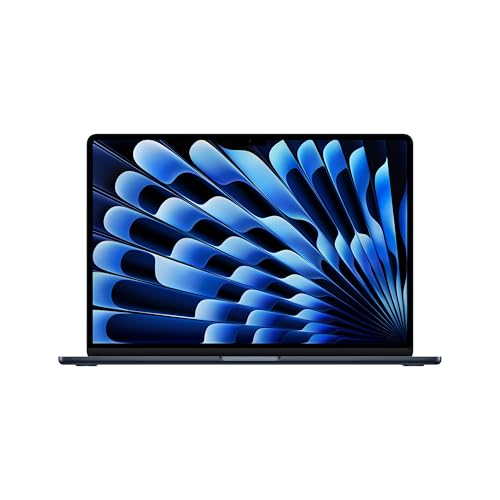
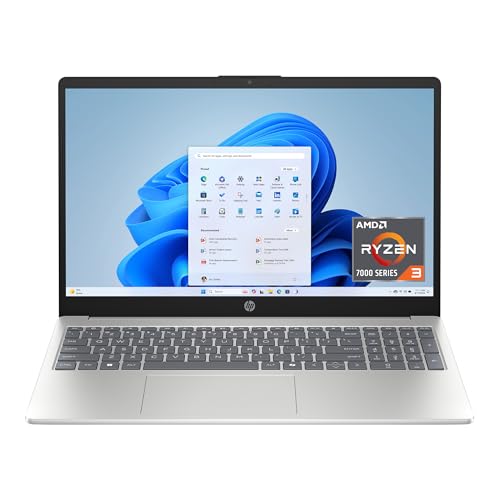

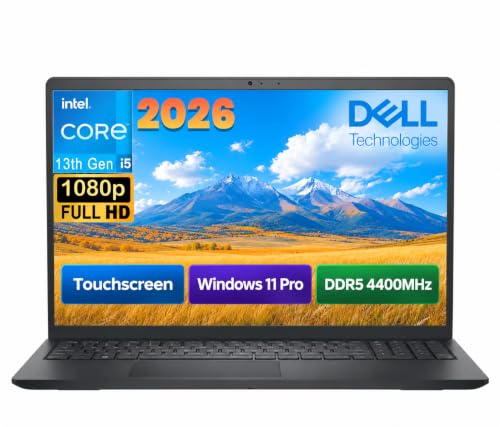
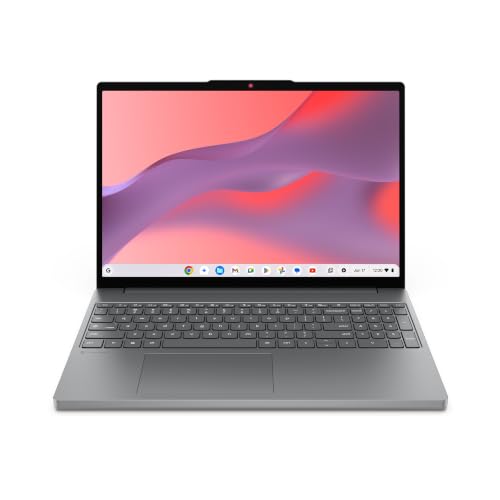
How We Evaluate 15 Inch Laptops
Think of this section as a scoring sheet. A laptop does not need to win every category, but it should pass the basics without exception: enough memory, a real SSD, a screen you can read outdoors, and battery life that covers a school day. Weakness in one basic area tends to annoy you daily, while a modest processor rarely does.
What Students Should Look For
Students should look for a balance of screen space, weight, and durability before anything else. A 15 inch display makes essays, spreadsheets, and research side by side comfortable, but the machine should stay near four pounds or less for daily carrying. A sturdy hinge, a spill resistant keyboard if available, and a charger that is small and cheap to replace all matter on campus. Good WiFi and a decent webcam round out the daily essentials for classes and group calls.
Processor and Performance Tier
For notes, browsing, documents, and streaming, any current midrange processor from the Intel Core Ultra, AMD Ryzen, or Apple M series lines feels fast. Students in engineering, design, or data courses should step up a tier, because their software compiles code, renders models, or processes large files. Check your course software requirements before buying, since one required program can change the right tier. Avoid very old processors sold as bargains, because slow everyday response never improves with age.
Battery Life in Real World Use
Judge battery claims by real world mixed use, not the maker headline number. Aim for a model widely reported to give eight hours or more of browsing and document work, so a full lecture day fits with margin. Fast charging over USB C is a practical bonus, since a short top up between classes can rescue a low battery. Remember that bright screens and video calls drain power fastest, so a larger battery matters if your timetable is packed.
Keyboard, Trackpad, and Build
You will type thousands of words on this machine, so keyboard comfort is a core criterion, not a luxury. Look for steady keys with clear travel, a layout without shrunken keys, and backlighting for evening study. The trackpad should track smoothly and click evenly across its surface. An aluminum lid or reinforced body resists backpack life better than thin flexible plastic, and a hinge that opens without wobbling protects the screen over years of daily use.
Ports and Connectivity
Count ports against your real accessories: a mouse, a flash drive, an external monitor in the library, and headphones. USB C with charging, at least one USB A port, and HDMI cover most student needs without adapters. WiFi 6E or WiFi 7 keeps connections stable in crowded lecture halls and dorms. An SD slot helps media students move photos and video quickly. Fewer ports can work, but only if you are willing to carry a small hub every day.
Once the laptop is chosen, see our guide to the best backpacks for 15 inch laptops for safe daily carrying options.
RAM and Storage
Set 16GB of RAM as your target, because browsers, office apps, video calls, and background tools together pass 8GB easily during a busy day. For storage, insist on an SSD and treat 512GB as the comfortable size for coursework, photos, and a few large programs. 256GB can work if your files live in cloud storage and your courses use light software. If a model allows a later memory or storage upgrade, that flexibility adds real long term value.
Operating System
Choose the operating system your courses and habits already depend on. Windows runs the widest range of course software and offers the most hardware choices at student prices. macOS suits students in the Apple ecosystem and those who value long battery life and strong build quality. ChromeOS is simple and affordable for browser based work but can fail when a course requires installed software. Confirm required programs for your major first, then shop confidently inside that system.
Three Configurations That Pass Our Checklist
Use these three configuration profiles to judge anything in the product table. Each profile suits a different budget and workload, and each keeps the basics strong. If a machine matches one profile closely and passes the red flag check below, it is a sound student choice.
The Balanced Profile
The balanced profile pairs a current midrange processor with 16GB of RAM, a 512GB SSD, and a bright 15 inch screen in a body near four pounds. Expect to pay about $700 to $1000 depending on sales and build quality. This profile handles any humanities, business, or social science workload with ease and stays comfortable for four years. Its main limit is heavy creative or engineering software, where a stronger processor or dedicated graphics would help.
The Value Profile
The value profile keeps an SSD and as much RAM as the budget allows but accepts a slightly older processor, a plastic body, and a basic screen to reach about $450 to $650. It suits students whose work is writing, research, and streaming, and who can charge most evenings. Check the screen brightness and keyboard feel carefully at this level, because those are the corners most often cut. A value model with a dim screen is a false saving you will regret in bright classrooms.
The Premium Profile
The premium profile, around $1000 to $1400, buys a lighter metal body, a sharper and brighter display, longer battery life, and a higher tier processor. It suits students with demanding majors, heavy multitasking, or a wish to keep one machine through graduation and into a first job. You also tend to get a better webcam, quieter fans, and faster charging. The tradeoff is simple cost, plus more worry about theft or damage, so a good bag and backup routine matter.
Quick Buyer Checklist
- Does it have 16GB of RAM, or a clear and affordable way to upgrade to 16GB later?
- Is storage a real SSD of at least 256GB, with 512GB preferred for media heavy courses?
- Can the battery realistically cover your longest day of classes away from an outlet?
- Is the screen bright enough for classrooms and libraries with large windows?
- Does the weight, with its charger, feel acceptable for your daily walk or commute?
- Do the ports match your monitor, drives, and accessories without a hub you must always carry?
- Does your major require any installed software that rules out a simpler operating system?
- Is the warranty at least one year, with a service option you can actually reach from campus?
Red Flags to Watch For
- Vague specifications that hide the exact processor model, screen brightness, or memory type.
- Only 4GB of RAM or a slow spinning hard drive presented as if it were modern storage.
- A very short warranty or no clear service channel in your country.
- Prices far below similar models with no clear reason, which can signal old stock or gray imports.
- Ports so limited that basic tasks need several adapters from day one.
Shoppers set on the Windows route can compare focused options in our guide to the best 15 inch windows laptops.
Best 15 Inch Laptops for Students: Specific Needs
Best 15 Inch Laptops for College Students
College students add dorm life and a four year horizon to the checklist. Prioritize battery life for long library sessions, a durable body for shared spaces, and enough storage for years of files without constant cleanup. A model with a good webcam and microphone earns its keep in group projects and remote classes. Theft protection, regular backups, and a lock slot or cable are small extras with real value in dorms.
Tips to Get the Most From Your 15 Inch Laptop
Keep the operating system and firmware updated for security and battery improvements. Avoid running at full charge all the time if a battery limit setting exists for desk heavy weeks. Use a padded sleeve when commuting, set up automatic cloud backup for coursework in the first week, and learn your library printing and software resources early. Small habits like these protect both the machine and the work stored on it.
If you are still deciding on screen size, our guide to the best laptops with 15 inch screen explains what this size does best.
Frequently Asked Questions
What makes 15 inch laptops for students different?
Student focused 15 inch laptops differ by balancing price, weight, battery life, and durability rather than chasing peak power. A student carries the machine daily, types constantly, and keeps it for years, so keyboard quality and service support matter more than small speed gains. They also need reliable webcams and WiFi for classes. A gaming or workstation model may be faster, but it is usually heavier, louder, and shorter lived on battery.
How long should a 15 inch laptop last?
A student 15 inch laptop should last about four to five years, covering a full degree for most buyers. Choosing 16GB of RAM and a 512GB SSD at purchase is the main way to reach that span without upgrades. Battery capacity fades gradually, so later years may need more charging. Physical care matters too: a cracked hinge or worn keyboard often ends a student laptop before its processor feels slow.
Should I buy a laptop or a tablet?
Buy a laptop as your main student device, because essays, research, spreadsheets, and course software need a real keyboard, easy file handling, and full desktop programs. A tablet works well as a second device for reading, handwritten notes, and media. Some students use a tablet with a stylus for lectures and a laptop for assignments. If the budget allows only one device, the laptop covers far more of a typical course load.
Is a dedicated GPU worth it?
A dedicated GPU is worth it only for students whose courses or hobbies truly need it, such as 3D design, engineering graphics, video production, or gaming. For writing, research, coding basics, and office work, integrated graphics are enough and give better battery life and lower cost. Check your syllabus and software list before paying for graphics power. Money saved there usually serves you better as extra RAM or storage.
How much RAM do I need?
Most students need 16GB of RAM for smooth multitasking across a full degree. A typical day of browser tabs, documents, slides, chat, and a video call can strain 8GB and cause slowdowns at the worst moments. 8GB remains workable for very light, browser only study on a tight budget. If your courses involve data tools, design software, or virtual machines, treat 16GB as the minimum rather than the upgrade.
Is a Chromebook enough for school?
A Chromebook is enough for school when all coursework happens in the browser and your school provides web based tools. It is affordable, secure, and simple to maintain. It is not enough when a course requires installed software for labs, statistics, design, or programming environments. Because majors often add such courses in later years, many students are safer with Windows or macOS unless the school confirms a Chromebook friendly program.
The Bottom Line
Run every candidate through the same checklist: memory, storage, battery, screen, weight, and warranty. The product table then lets you compare options that fit your budget and major. Chosen this way, the best 15 inch laptops for students stop being a guess and become a match you can defend for four years.
Students open to a slightly smaller screen can also see our guide to the best laptops under 15 inches for lighter alternatives, and our guide to the best bags for 15 inch laptops for carrying choices.


