
Best Computer Speakers for Home Studio: A First Time Buyer's Guide for 2026
Disclosure: We may earn a commission when you buy through links on this page, at no extra cost to you. As an Amazon Associate I earn from qualifying purchases. Learn more
Shopping for the best computer speakers for home studio for the first time? Learn the terms, compare options, and avoid rookie mistakes with this easy guide.
Buying studio speakers for the first time feels like learning a new language, because listings throw around terms like frequency response, nearfield, and balanced inputs with no translation. Take a breath. This guide starts with the plain basics, explains each spec in everyday words, and shows you which numbers actually matter for a small home studio. By the end you will be able to judge the best computer speakers for home studio use without guessing or overspending. The comparison table below is your shortcut once the terms make sense.




Computer Speakers 101: The Basics
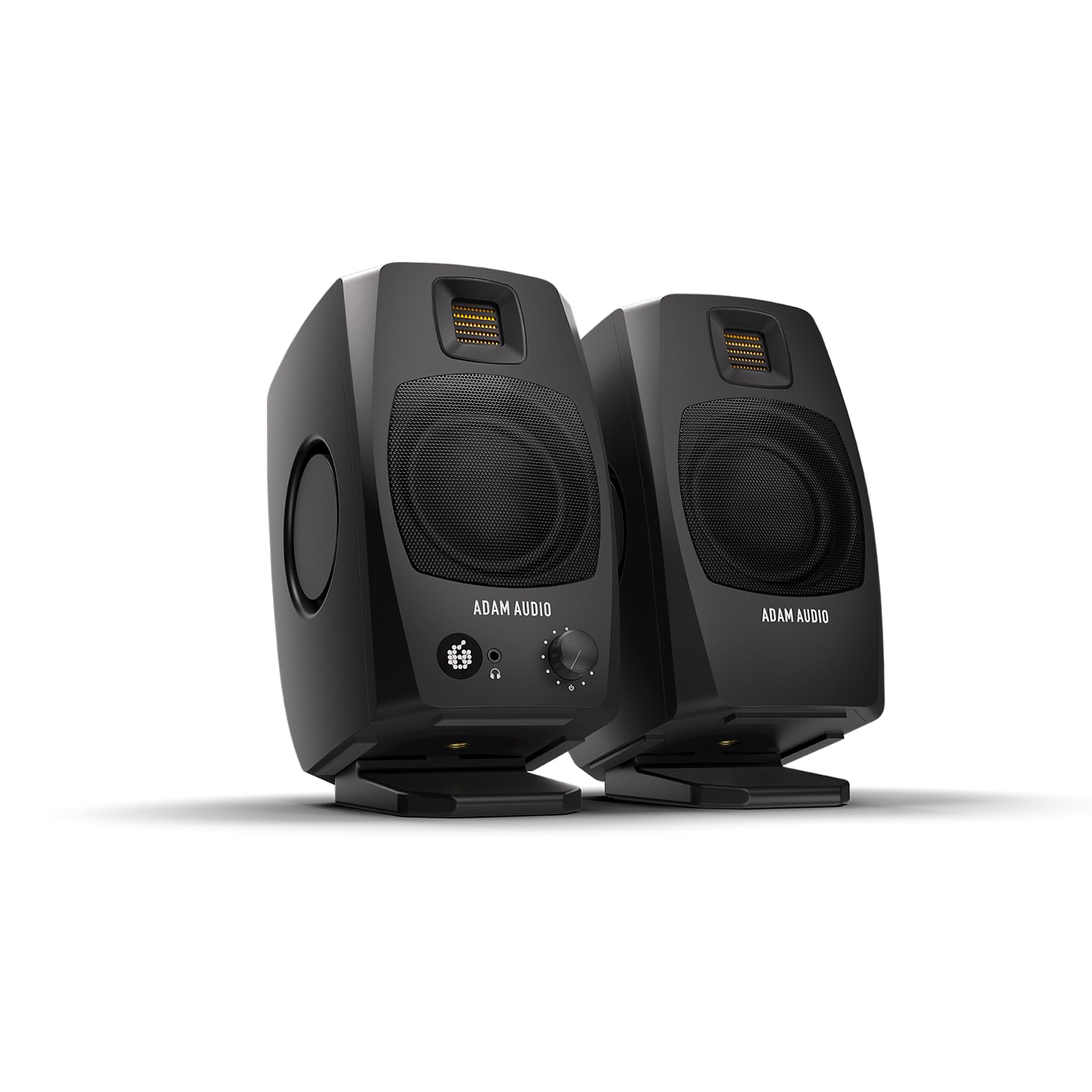
A computer speaker is simply a powered box that turns the audio signal from your computer into sound you can hear. For studio work, buyers usually mean studio monitors, which are speakers designed to sound accurate rather than flattering. A normal entertainment speaker adds bass and sparkle so music feels exciting. A monitor tries to tell the truth, so a mix that sounds good on it will also sound good on earbuds, in a car, and on a phone.
Most studio speakers are active, meaning each cabinet has its own built in amplifier and plugs into the wall. You connect them to an audio interface or directly to your computer, place them near your desk facing your ears, and that distance has a name: nearfield listening. Everything in this guide assumes that simple setup, a desk, a chair, and two speakers close enough to hear detail at modest volume.
Key Specs Explained in Plain English
Features That Matter for Home Studio
Studio use demands accuracy, connection quality, and placement flexibility. Look for balanced inputs, usually labeled TRS or XLR, because balanced cables reject the hum and buzz that unbalanced cables pick up from computer gear. Aim for a driver size of about 4 to 5 inches for a small room, which balances detail and low end without overwhelming the space. Room controls on the back panel, such as a bass trim for placement near a wall, are genuinely useful. For a wider view of the category, our guide to the best home studio speakers covers larger setups beyond a first desk rig.
Sound Quality and Tuning
Sound quality for studio work means an even frequency response, which is a measure of how loudly the speaker plays each pitch from low to high. A response written as 20 Hz to 20 kHz with a small variation, such as plus or minus 3 dB, signals an honest speaker. Big bass numbers with no variation listed usually hide an uneven sound. Tuning should feel almost boring at first. If a speaker makes every song sound huge and exciting, it is adding something, and your mixes will come out thin everywhere else.
Ecosystem and App Features
Some speakers connect to an app or computer software for equalizer adjustments and firmware updates. For a first setup, treat software as a bonus, not a requirement. Physical controls and room switches on the cabinet cover most small room problems, and they never need a login. Software earns its keep when it offers measurement based room correction, which adjusts the speaker to your actual space. If you go that route, confirm the software supports your operating system before you buy, and keep the manual controls as your fallback.
Noise Cancellation and Isolation
Studio speakers do not offer ANC, and you should be glad, because cancellation processing would change the sound you are trying to judge. Isolation in a studio means two simpler things. First, keep outside noise out of your room with a closed door and soft furnishings, so quiet mix details stay audible. Second, keep speaker vibration out of your desk with foam pads or small stands, because a buzzing desk adds notes that are not in your recording. Both fixes cost little and help more than any electronic feature.
Battery Life and Charging
Studio speakers plug into the wall, full stop, so battery life is a spec you can ignore in this category. Steady wall power is part of why monitors sound consistent, since the amplifier never throttles output to save a charge. If a listing for a supposed studio speaker leads with battery hours, it is a portable entertainment speaker wearing studio clothes, and its tuning will almost certainly flatter rather than reveal. Put your money into the wired models compared in our guide to the best speaker monitors for home studio instead.
Microphone Quality
Speakers do not record, so microphone quality is not a speaker spec at all. If you plan to record voice or instruments, that job belongs to a microphone and an audio interface, which is a small box that converts mic signals for your computer and usually drives your speakers too. Buying the interface and speakers as a matched plan avoids the classic beginner trap of great speakers fed by a noisy headphone output. Our guide to the best speakers for home recording studio walks through that pairing in more detail.
Rookie Mistakes to Avoid
- Buying speakers that are too big for the room. Large cabinets in a tiny room produce boomy, confusing bass. Match driver size to your space, not your ambition.
- Judging by wattage alone. Watt numbers are measured in inconsistent ways and say little about clarity at desk distance, where you will use very little power.
- Placing speakers flat on the desk pointing at your chest. Tweeters should aim near ear level. A pair of books under each speaker beats a costly upgrade placed badly.
- Skipping the audio interface to save money. A noisy computer output can add hiss that you will blame on the speakers. Even a modest interface cleans up the signal.
- Mixing at high volume. Loud playback tires your ears and hides balance problems. Most detail work happens at a comfortable conversation level.
Getting Started: Setup and First Use
Unbox the speakers and place them so the three points of your two speakers and your head form a triangle with roughly equal sides, often about 3 to 4 feet per side at a desk. Angle each cabinet inward until the front panels face your ears. Connect the interface or computer output to the speaker inputs, set the speaker volume controls to the middle, and play a song you know well. Walk the volume up slowly and listen for rattles from the desk or shelves, then fix those before touching any tone controls. Keep firmware updated if your speakers support it, and store any portable gear you also own in a case to protect its drivers.
Best Computer Speakers for Home Studio: Your Questions Answered
What features matter most in computer speakers for home studio?
Balanced inputs, an even frequency response, and room adjustment switches matter most. Together they give you a clean signal and an honest sound you can trust. One beginner friendly extra is a front panel volume control or headphone jack, because reaching behind a speaker every time you switch to headphones gets old fast. Convenience features like that shape how often you actually use the setup.
Is ANC worth the extra cost?
No, because studio speakers do not use ANC and should not. Cancellation would alter the sound you are judging and hide problems in your mix. If room noise bothers you, spend on door seals, curtains, or recording at quieter hours. Those changes improve both your listening and your recordings, which no processing feature inside a speaker can claim.
How long does the battery last?
Studio speakers have no battery, since they run on wall power for consistent output. Battery figures you see on portable speakers, usually about 8 to 20 hours, apply to a different product type built for travel. If your studio sometimes moves, the practical answer is a small portable speaker for reference checks on the road, while the real monitors stay wired at your desk.
What IP rating do I need for outdoor use?
You do not need one, because studio monitors belong indoors where their open ports and untreated drivers stay safe. IPX4 and IP67 ratings describe rugged portable speakers for splashes and rain. Taking monitors outside exposes them to moisture and dust that can damage the cones and electronics. If you want outdoor sound, buy a separate inexpensive portable speaker and keep the studio pair protected.
Wired or wireless: which sounds better?
Wired sounds better for studio work, and it is not close. A cable adds no delay, no compression, and no dropouts, and it keeps your speakers in exact sync with your recording software. Wireless is handy for casual listening from a couch, but Bluetooth delay makes recording and editing feel disconnected. Every serious home studio runs on cables, and yours should too.
Do I need a special codec?
No codec matters once you use a wired connection, which this guide recommends for studio work. Codecs only describe how Bluetooth audio is compressed for wireless playback. Chasing a premium codec on a speaker you will connect by cable is wasted money. Spend that part of the budget on placement aids like pads or stands, which change what you hear far more.
Final Thoughts
Your first studio speakers should be honest, right sized for your room, and connected by clean balanced cables. Learn the terms, respect placement, and resist entertainment tuning that flatters your mixes into trouble. If you also need speakers for everyday listening elsewhere in the house, our guide to the best home computer speakers covers that separate job. For the studio desk itself, the best computer speakers for home studio pick is the pair whose plain, truthful sound you stop noticing because you are busy making music. Check the product table above to compare your finalists.


