Best Compact Keyboards of 2026: Complete Buying Guide
Disclosure: We may earn a commission when you buy through links on this page, at no extra cost to you. As an Amazon Associate I earn from qualifying purchases. Learn more

The best compact keyboards free desk space without costing the keys you use; compare layouts, switches, wireless options and battery life.
The best compact keyboards can transform a small desk, because a shorter board frees room for a mouse and keeps shoulders in a more natural position. The trade off is fewer dedicated keys, so layout and layers matter. This guide explains layouts, switches, and wireless options clearly, and the product table lists current models.
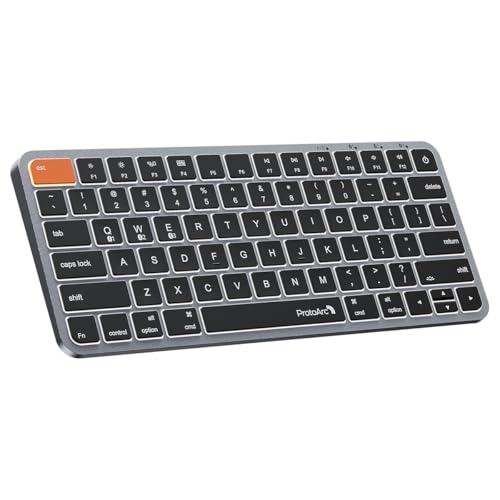
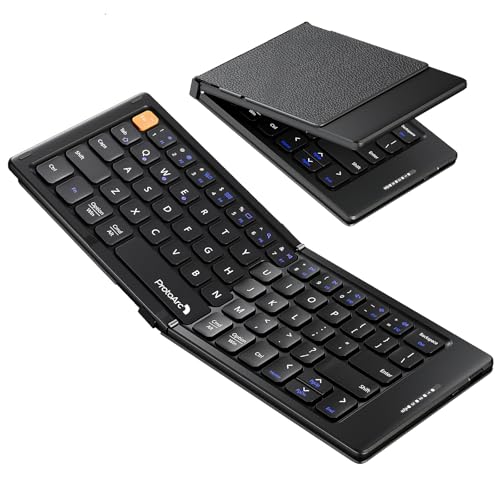
Compact keyboards suit small desks, travel bags, and minimalist setups where a full size board feels crowded. They also suit programrs and writers who value a comfortable typing position. The sections below help you pick a layout that matches your work. The table below gives a quick overview of the main types before the detailed guidance that follows.




Who Should Buy a Compact Keyboard
Work style decides which compact layout will feel natural rather than cramped.
For Small Desk Workers
A small desk worker needs a board that leaves room for a mouse and documents. A 65 percent or 75 percent layout keeps arrows and useful keys while saving space. Check that your most used shortcuts are easy to reach.
For Travelers
A traveler needs a light, sturdy board that fits a bag and connects quickly. Wireless models with long battery life suit laptops and tablets. A protective case helps, because keys and switches can be damaged in transit.
For Programmers and Writers
A programr or writer needs comfortable switches and easy access to symbols and function keys. Hot swappable switches let you change feel without soldering. A solid build reduces flex during long typing sessions.
Types Compared
Layout is the biggest difference, and each one removes a different set of keys.
| Type | Best For | Typical Price |
|---|---|---|
| 65 Percent Keyboards | Small desks | about $20 to $100 |
| 75 Percent Keyboards | Balanced compact | about $20 to $130 |
| 60 Percent Keyboards | Maximum portability | about $15 to $100 |
65 Percent Keyboards
65 percent keyboards keep letters, numbers, and arrows in a compact frame. They drop the function row and number pad. They suit most desk work, with function keys reached through a layer key.
75 Percent Keyboards
75 percent keyboards keep a function row and arrows in a tight layout. They suit users who need function keys often but still want a small footprint. They are slightly wider than 65 percent boards.
60 Percent Keyboards
60 percent keyboards are the smallest common layout, keeping only letters, numbers, and modifiers. They suit travelers and minimal setups. They require layer shortcuts for arrows and function keys, which takes practice.
Key Features to Compare
These features affect typing feel and daily usability more than appearance.
Switch Type and Feel
Switch type decides typing feel, sound, and actuation force. Linear switches feel smooth, tactile switches give a bump, and clicky switches add sound. Try switches if possible, because personal feel matters more than popularity.
Layout and Key Layers
Layers let a small board access extra functions through a held key. Check that arrows, function keys, and media controls are placed sensibly. A confusing layer layout will slow you down every day.
Wireless and Battery Life
Wireless options include Bluetooth for multiple devices and a 2.4 GHz receiver for low latency. Battery life varies from weeks to months depending on lighting and use. Check charging method, because a dead board mid work is frustrating.
Build Quality and Keycaps
Build quality affects flex, sound, and durability. Metal cases feel solid, while plastic cases are lighter for travel. Keycap material affects texture and wear, with PBT caps usually lasting longer than ABS caps.
Price and Value
Budget boards around $15 to $50 suit first time compact buyers and travelers. They offer decent switches and layouts at a modest price. They may use lighter cases and simpler keycaps.
Mid range boards around $50 to $100 suit daily workers and programrs. They usually add better switches, hot swap support, and sturdier build. Most buyers will find the best balance here.
Premium boards above about $100 suit enthusiasts who want premium cases, custom switches, and refined sound. Spend at this level only if typing feel and build quality are top priorities.
Fit, Setup, and Everyday Care
Keep the board clean by shaking out dust and wiping keycaps regularly. Remove keycaps carefully for deeper cleaning, and check switch orientation before refitting. Store wireless boards with a charge level that avoids full discharge during long breaks.
Practice layer shortcuts for a week before judging a new layout, because muscle memory takes time to adjust. Remap keys if your software allows it, so your most used functions sit under comfortable fingers. A layout that feels awkward after two weeks may need remapping, not replacement.
Mistakes to Avoid
Avoid these layout mistakes to get a compact board you actually enjoy typing on.
- Choosing the smallest layout without checking arrow and function key access.
- Buying switches by popularity instead of trying the feel first.
- Ignoring battery life and charging needs for wireless use.
- Forgetting to check desk width and mouse room after the board arrives.
- Skipping layer practice and judging a new layout after one day.
Related Guides
For more compact options, see our guides to the best compact gaming keyboards, the best compact wireless keyboards, the best compact mechanical keyboards, and the best sounding keyboards.
Frequently Asked Questions
Will I miss the number pad?
You may miss it for heavy number entry, but most users adapt with a number row or a separate pad. If you enter numbers all day, keep a small external pad beside a compact board. That combination gives desk space plus fast number entry.
Are compact keyboards good for programming?
Yes, if the layout gives easy access to symbols, brackets, and function keys. Programmers often prefer 65 percent or 75 percent layouts for this reason. Check symbol placement before buying, because awkward layers slow coding.
How long does battery last on wireless boards?
Battery life ranges from a few weeks with bright lighting to several months with lighting off. Usage pattern and connection type affect the result. Choose a board with a clear battery indicator and a convenient charging port.
Can I change switches later?
Hot swappable boards let you change switches without soldering, which is useful for finding your preferred feel. Soldered boards need tools and skill to change. If you are unsure about switch feel, choose hot swap support.
Do compact keyboards work with tablets?
Most Bluetooth compact boards work with tablets, but check operating system support for special keys. A board with multi device pairing lets you switch between laptop and tablet quickly. Check pairing before relying on it for travel work.
Final Thoughts
The right pick among the best compact keyboards is the layout that keeps your most used keys within easy reach while freeing desk space. The product table above is a useful starting point, and the sections in this guide explain how to weigh each factor for your own situation.