
Best Compact Mechanical Keyboards: Matching the Right Model to Your Routine
Disclosure: We may earn a commission when you buy through links on this page, at no extra cost to you. As an Amazon Associate I earn from qualifying purchases. Learn more

Best compact mechanical keyboards for travel, gaming, remote work and study: compare 60, 65 and 75 percent layouts, switches and wireless modes.
There is no single keyboard that suits every desk, every commute, and every game. A board that feels perfect for long writing sessions may frustrate a competitive player, and the tiniest travel board can cramp a full day of spreadsheet work. That is why choosing the best compact mechanical keyboards starts with your routine rather than with a specification sheet. This guide matches each type of user to the layout, switches, and connection style they actually need, and the comparison table below gathers the key details in one place.


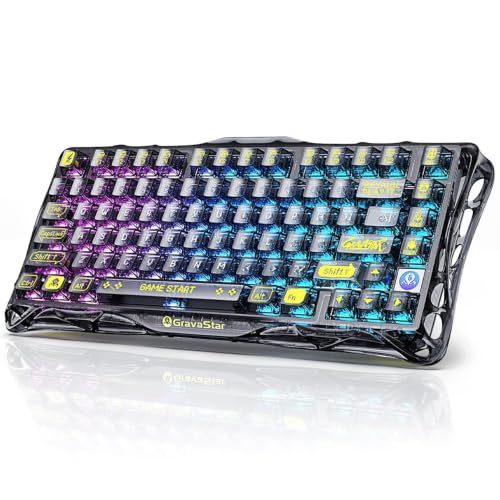
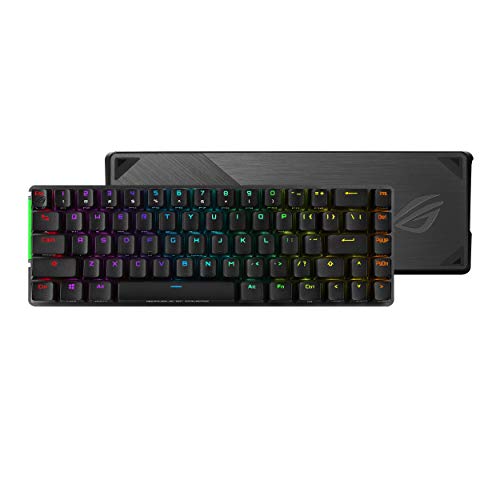
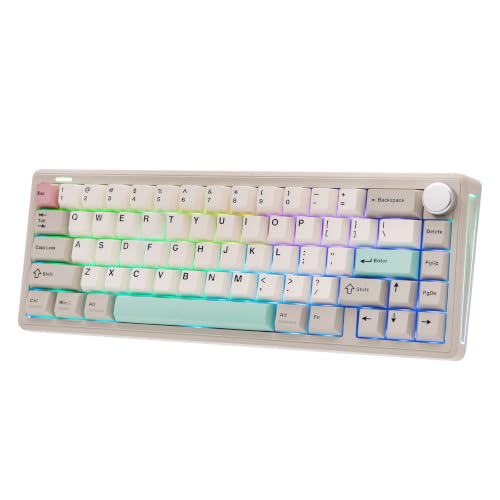
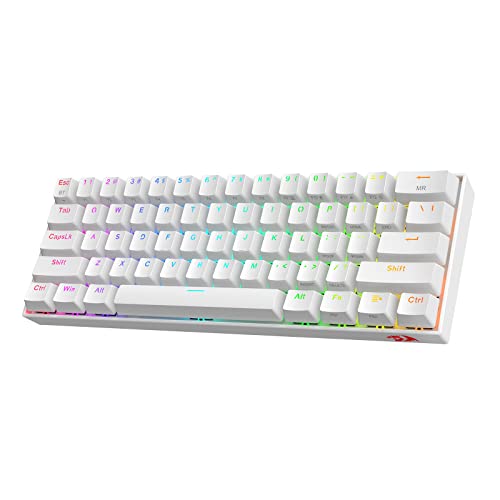

Who Should Buy Which Compact Mechanical Keyboards?
Start by finding yourself in one of the four groups below. Each group lists the needs that matter most, the features worth paying for, and the compromises you can safely accept.
For Travelers and Commuters
You need a board that survives a bag, connects without fuss, and works on any desk or train table. Prioritize low weight, a slim low profile design, Bluetooth that pairs with several devices, and battery life measured in weeks rather than days. A 65 percent layout keeps arrow keys while dropping the number pad, which saves real space. Accept a smaller battery and fewer ports as the price of portability, and carry a simple case, because exposed switches and keycaps take knocks in transit.
For Gamers and Power Users
You need speed and consistency: a wired connection or fast 2.4 GHz wireless, a high polling rate, and switches with a light, predictable press. Rapid response features and per key customization matter more to you than battery life. A 75 percent layout is a smart middle ground, keeping the function row for games and work. Desk space saved by going compact also leaves more room for wide mouse movement, which is a genuine competitive benefit. Skip Bluetooth only models, since their latency and connection limits will annoy you.
For Remote Workers and Creators
You need reliability across a long day: a comfortable typing feel, quiet enough switches for calls, and easy switching between a work laptop and a personal computer. Look for multi device Bluetooth, a solid case that does not flex, and key legends that stay readable. If your work involves calls and shared rooms, our guide to the best silent mechanical keyboards explains which switch and damping choices keep noise down. Creators who remap shortcuts should also value simple software that stores settings on the board itself.
For Students and Everyday Users
You need value and simplicity: a board that works the moment it is plugged in, survives dorm desks and library tables, and does not demand a weekend of setup. A wired 75 percent or tenkeyless model around $50 to $100 covers essays, browsing, and casual games well. Hot swappable switches are a bonus worth having at this level, because one faulty switch can be replaced in minutes instead of ending the life of the whole board. Battery life matters less if you mostly work in one place.
Key Features to Compare
Features only matter when they change your day. The five checks below connect each specification to a real situation, so you can judge the best compact mechanical keyboards by fit rather than by the longest feature list.
Wired vs Wireless: 2.4 GHz and Bluetooth
A wired connection is simplest and fastest, with no charging and no interference, and it suits a fixed desk. Wireless 2.4 GHz, using a small USB receiver, comes close to wired speed and is the right wireless choice for gaming. Bluetooth is slower but pairs with tablets, phones, and several computers at once, and it sips power. Many compact boards offer all three modes, which is ideal if you game at home and type on a tablet elsewhere. Check the stated battery life for each mode, because wireless lighting can cut runtime dramatically.
Switch Type and Performance
Switches decide how every keystroke feels and sounds. Linear switches press smoothly and suit fast gaming. Tactile switches add a small bump you can feel, which many typists prefer for accuracy. Clicky switches add an audible click that is satisfying alone and irritating in shared rooms. If typing is your main work, our guide to the best mechanical keyboards for typing goes deeper on switch weight and travel. Also check the polling rate, which describes how often the board reports to the computer; 1000 Hz is standard for wired gaming boards and plenty for everyone else.
Customization and Software
Useful customization includes remapping keys, recording macros for repeated tasks, and saving profiles in onboard memory so your settings travel with the board. Lighting control is fun but secondary. Good software should be optional rather than required for basic use, and it should work on your operating system. Hot swappable sockets deserve special mention: they let you change switches without soldering, so you can try a new feel or replace a worn switch in minutes. PBT keycaps also outlast cheaper ABS caps and resist the shiny, slippery surface that develops with heavy use.
Measuring for Size and Portability
Measure your desk depth and the space between your keyboard tray edges before choosing a layout. A 60 percent board is roughly 11 inches wide, a 75 percent board adds a function row, and a tenkeyless board keeps navigation keys at the cost of more width. Smaller is not always better: if you use arrow keys and shortcuts constantly, a 65 percent or 75 percent layout saves the frustration of layered key combinations. If you are unsure where compact boards sit within the wider category, our overview of the best compact keyboards compares membrane and mechanical options together.
Compatibility: PC, Mac, and Console
Most compact boards work with Windows and macOS, but check for a Mac mode switch or extra Mac keycaps if you use Apple gear, since modifier key labels differ. Our guide to the best mechanical keyboards for mac covers those details. Console support varies by platform and by game, and wireless receivers may not work on every console, so wired mode is the safe choice. Also confirm the cable and receiver types, because a board with only USB C ports can be awkward on older computers without an adapter.
Common Mistakes to Avoid When Buying Compact Mechanical Keyboards
Most regrets follow a familiar pattern. Watch for these before you order:
- Choosing by price alone and ending up with switches you dislike, when switch feel is the one thing you notice in every single keystroke.
- Ignoring the connection type, then discovering your Bluetooth only board feels laggy in games or cannot wake your computer.
- Buying too small a layout and missing arrow keys or a function row that your work quietly depends on every day.
- Skipping the warranty and return terms, even though compact boards travel more and take more knocks than full size ones.
- Paying for elaborate lighting while settling for thin, cheap keycaps that will feel worse within months.
Tips to Get the Most From Your Compact Mechanical Keyboard
A few habits keep a compact board feeling new. Clean between the keycaps monthly with a soft brush and compressed air, because compact cases trap crumbs and dust quickly. Update the firmware through the companion app when the maker releases fixes, since updates often improve wireless stability and battery behavior. Learn the layer shortcuts printed in the manual during your first week, while the layout is new, rather than months later. If sound matters, a desk mat under the board softens case echo noticeably. Finally, if you enjoy tuning the feel and tone of your board, our guide to the best sounding mechanical keyboards explains how case foam, keycaps, and switch choice shape the sound.
Compact Mechanical Keyboards: Your Questions Answered
Wired or wireless: which is better for gaming?
Wired is the safest choice for gaming because it removes latency worries and charging entirely. A good 2.4 GHz wireless board is close enough that most players cannot feel a difference, and it keeps the desk clear. Bluetooth is the weak option for fast games. One point buyers miss is polling rate consistency: a stable connection at standard rates beats an unstable one that advertises higher numbers, so favor reputable wireless implementations over headline figures.
Are mechanical keyboards worth it?
Yes for most people who type or play daily, because the consistent feel, repairable switches, and durable keycaps outlast cheap membrane boards. The value is clearest over years rather than weeks. Mechanical boards also let you change switches and keycaps instead of replacing the whole unit. If you type only occasionally on a laptop keyboard you already like, the upgrade is optional. A good measure is how your fingers feel after your longest regular typing session each week.
What polling rate do I need on a compact mechanical keyboard?
A polling rate of 1000 Hz, standard on wired boards, is more than enough for typing and for all but the most demanding competitive gaming. Higher rates exist on specialist gaming models and offer diminishing returns that most users cannot perceive. Note that polling rate is the keyboard equivalent of the sensitivity question people ask about mice; what matters in practice is a stable connection and switches you can press consistently. Battery life drops as polling rises on wireless boards, which is another reason to stay at standard settings.
Does a compact mechanical keyboard work with Mac and console?
Most do, with small caveats. On Mac, look for a dedicated mode switch or included Mac keycaps so the command and option keys sit where you expect. On consoles, wired connections are the most reliable, support varies by game, and some systems limit keyboard use to certain titles. Before buying for console play, check the console maker support pages for your exact games, because a board that works in menus may still be blocked inside a specific multiplayer title.
Final Thoughts
Let your routine lead. Pick the layout that fits your desk and your shortcut habits, choose switches by feel and noise, and match the connection to how you play and work. Do those three things and the best compact mechanical keyboards decision narrows quickly. Use the comparison table above to check layouts, switch options, and battery claims side by side, and spend your money on switches and keycaps before lighting or extras.


