
Best Compact Gaming Keyboards 2026 by Budget: A Smart Buying Guide
Disclosure: We may earn a commission when you buy through links on this page, at no extra cost to you. As an Amazon Associate I earn from qualifying purchases. Learn more

The best compact gaming keyboards free mouse room without costing keys you need; compare layouts, switches, connectivity and price tiers.
A compact gaming keyboard frees desk space for mouse movement, which matters in fast paced games. The best compact gaming keyboards question is not just about size, though. Layout, switch feel, and build quality decide whether a small board helps your game or frustrates it. The layout table in the first section previews the main options.
This guide explains 60 percent, 65 percent, and tenkeyless layouts, compares switch types, and shows what each price tier delivers. No product rankings appear here, only the buying logic that matches a compact board to your games and desk.


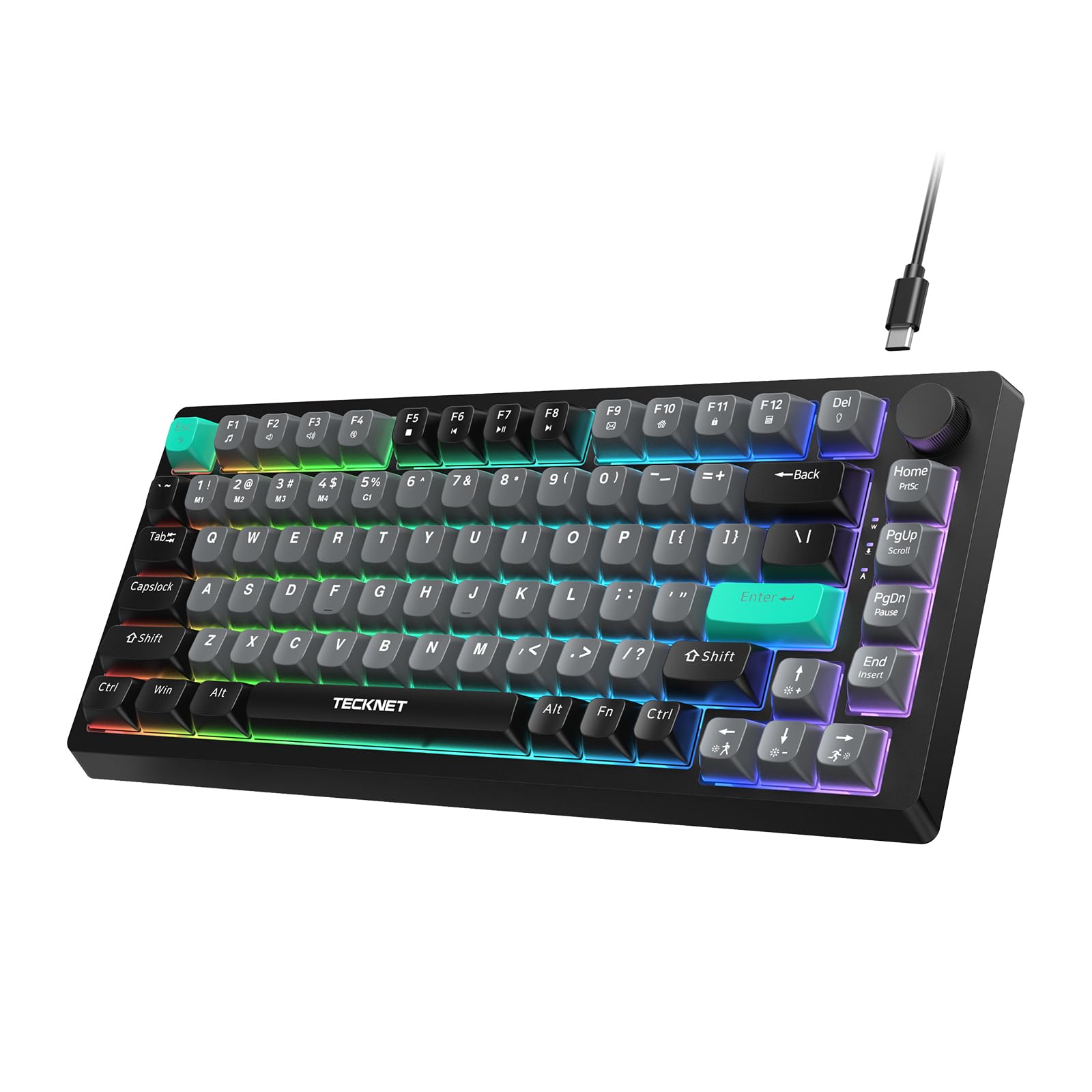
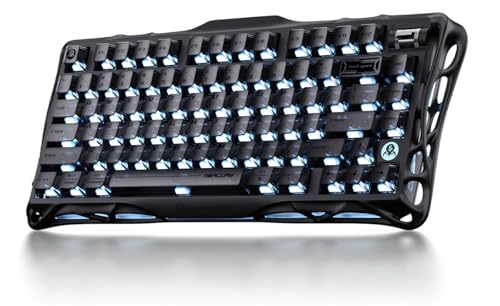

Compact Layouts Explained
| Layout | Keys Kept | Best For |
| 60 percent | Core keys only | Maximum mouse space |
| 65 percent | Core plus arrows | Balanced compact use |
| Tenkeyless | Core plus function row | Easiest transition |
A 60 percent board drops the function row, navigation cluster, and number pad, keeping only the core typing area. It gives the most mouse room but requires layer shortcuts for arrows and function keys. Gamers who rarely need those keys love the space, while others find layers annoying mid game.
A 65 percent board adds arrow keys and a few navigation keys to the 60 percent core, which helps in games and daily use without much extra width. A tenkeyless board keeps the function row and navigation cluster but drops the number pad, making it the easiest compact layout for newcomers. Choose by how often you use arrows and function keys in your games.
What Your Money Gets You at Each Price Tier
Budget Tier: What to Expect
Budget compact keyboards, typically about $20 to $50, offer basic mechanical or membrane switches, simple backlighting, and plastic cases. They suit first time compact buyers finding out whether a small layout suits them. Key feel may vary between units, and software is often minimal.
At this tier, prioritize a layout you can live with and switches that feel good to you. A budget board that fits your hands beats a pricier board with a layout you fight daily. Expect some case flex and simpler keycaps, which matter less for casual play.
Midrange Tier: The Sweet Spot for Most Buyers
Midrange compact keyboards, typically about $50 to $100, bring hot swappable switches, better keycaps, per key lighting, and sturdier cases. This tier suits regular gamers who want to customize switch feel without soldering. Build quality improves noticeably, with less flex and cleaner typing sound.
Most gamers find their strongest return here. You gain the customization that makes compact boards fun, plus durability for daily use. For serious but not professional play, midrange delivers the features that actually affect games.
Premium Tier: When Spending More Pays Off
Premium compact keyboards, typically about $100 and up, offer aluminum cases, advanced software, rapid trigger switches, and premium keycaps. They suit competitive players who value consistent actuation and a refined typing feel. The weight and solidity also keep the board planted during intense play.
Premium makes sense for daily competitive play where small advantages compound. For casual gamers, midrange covers the essentials. Weigh hours played per week against price, and remember that practice improves aim more than any keyboard feature.
Features Worth Paying For
Switch Types and Feel
Linear switches move smoothly without a bump, which suits fast double taps in shooters. Tactile switches give a bump at actuation, which helps typing accuracy. Clicky switches add sound to the bump, which some love and housemates may not. Try switches before buying if possible, since feel is personal.
Actuation force matters too. Lighter switches fatigue fingers less over long sessions, while heavier switches resist accidental presses. Gamers with a heavy typing style often prefer medium weight switches. Hot swappable boards let you change switches later without buying a new keyboard.
Keycaps, Backlighting, and Software
Keycap material affects feel and longevity. ABS keycaps feel smooth but shine with wear, while PBT keycaps feel textured and resist shine longer. Double shot legends last longer than printed ones, since the legend is molded into the cap rather than printed on top.
Backlighting helps in dark rooms, but per key RGB is a luxury rather than a gaming necessity. Software matters more: it should let you remap keys, set layers, and save profiles without constant cloud logins. Check software usability before committing, since clunky software wastes the board potential.
Connectivity and Latency
Wired connections offer the lowest latency and simplest setup, which suits competitive play. Wireless boards with 2.4 GHz dongles now approach wired latency, while Bluetooth suits casual use and travel. Check polling rate and battery life if you choose wireless, since a dead battery mid match is a real frustration.
Related gaming gear guides complete the setup. Articles about best gaming keyboard cover full size boards, while best compact keyboards and best affordable gaming keyboards focus on small layouts and value. Also see best gaming keyboards and mice for matched sets.
Compact Keyboards for Work and Play Balance
Many gamers use one keyboard for both work and play, and compact boards suit that dual life well. A 65 percent board keeps arrow keys for spreadsheets and documents, while a 60 percent board demands layer shortcuts that slow some work tasks. Tenkeyless boards suit number heavy work best, since they keep the function row and navigation cluster familiar to office users.
Switch choice bridges work and play too. Tactile switches suit typing accuracy during work hours, while linear switches suit fast gaming inputs in the evening. A hot swappable board lets you try both without buying twice, and many users settle on a medium tactile switch as a compromise. Keycap legends matter for work as well: clear, legible legends beat novelty sets when you type documents all day.
Desk setup ties the balance together. A compact board leaves room for notebooks, a mouse, and a coffee mug without crowding, which improves both work comfort and gaming aim. Pair the board with a wrist rest if you type for hours, and keep the keyboard centered rather than angled sharply, which strains wrists over time. A board that serves both roles well earns its desk space daily.
One last consideration is desk ergonomics beyond the keyboard itself. Pair a compact board with a mouse position that keeps your shoulder relaxed, since the extra mouse space only helps if you actually use it. Keep your wrists straight and your elbows near ninety degrees, and take short stretch breaks during long sessions. A comfortable setup is a system, and the keyboard is only one part of it.
Frequently Asked Questions
Is a 60 percent keyboard good for gaming?
Yes, a 60 percent keyboard works well for gaming when your games rarely need arrow or function keys. It frees maximum mouse space, which helps low sensitivity players. Layer shortcuts handle missing keys, but they take practice. If you use arrows often, a 65 percent board is a safer compact choice.
What switch is best for gaming?
Linear switches suit most gamers because they actuate smoothly and reset quickly for repeated presses. Tactile switches suit players who also type a lot and want feedback. There is no universal best switch, since hand strength and game genre matter. Try a switch tester or a hot swappable board to find your preference.
Do compact keyboards hurt productivity?
Compact keyboards can slow productivity at first, since missing keys require layer shortcuts. Most users adapt within a week or two, especially on 65 percent and tenkeyless layouts. If your work needs a number pad daily, keep a separate pad or choose tenkeyless. Gamers who also work long hours often prefer tenkeyless for balance.
Are wireless gaming keyboards fast enough?
Modern 2.4 GHz wireless keyboards approach wired latency closely enough for most competitive play. Bluetooth adds more latency and suits casual gaming better.
Check the polling rate, usually 1000 Hz for gaming wireless, and keep the dongle close to the board. For tournament play, wired remains the safest choice.
How do I clean a compact gaming keyboard?
Remove keycaps with a puller, brush out dust, and wipe the case with a damp cloth. Wash keycaps in warm soapy water, rinse, and dry fully before replacing them. Avoid harsh solvents on printed legends. Clean every few months, or sooner if you eat at your desk, to keep switches feeling crisp.
Can a compact keyboard replace a full size keyboard?
A compact keyboard can replace a full size board for most users, especially on 65 percent and tenkeyless layouts that keep arrows and function keys. Number pad heavy users may miss the pad, but a separate USB pad solves that cheaply. Most gamers and typists adapt within a week or two. Keep a full size board only if your work demands constant number entry.
Final Thoughts
A compact gaming keyboard should match your layout habits, your switch preference, and your desk space in that order. Try layouts before buying, spend at the tier that matches your play hours, and prioritize feel over lighting. Review the product table above, and your best compact gaming keyboards choice will give your mouse room without costing you keys you actually need.


