Best Compact Wireless Keyboards 2026 Buying Guide
Disclosure: We may earn a commission when you buy through links on this page, at no extra cost to you. As an Amazon Associate I earn from qualifying purchases. Learn more

Best compact wireless keyboards: how layout, key feel, battery life, and Bluetooth switching compare for small desks and travel.
A compact wireless keyboard frees desk space and travels well, but size, key feel, and battery life vary widely. Missing keys, cramped layouts, and weak connections can frustrate daily work. This guide to the best compact wireless keyboards explains how to judge layout, typing feel, and device switching so you choose a keyboard that suits your desk, your devices, and your hands.
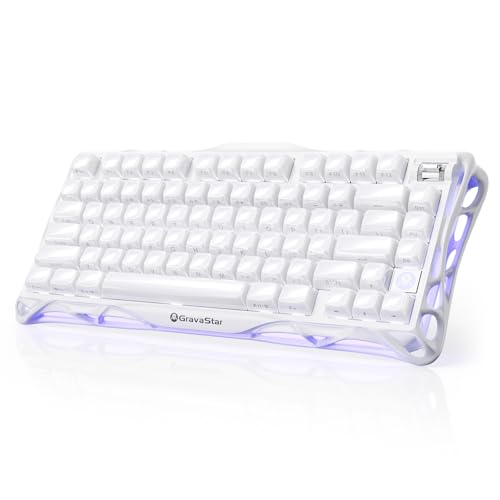
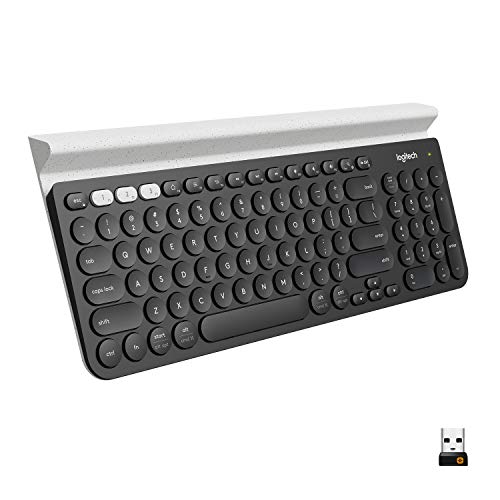
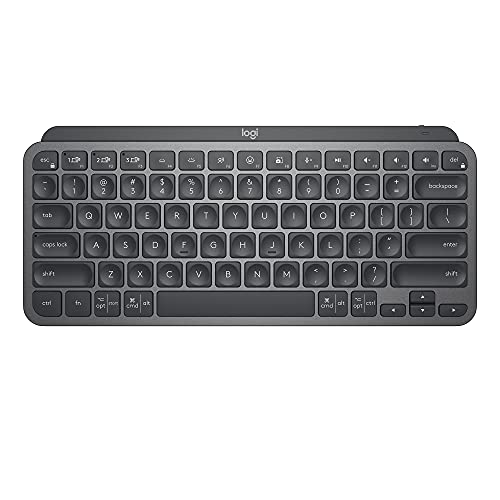
The product table below sets out a range of models, and the sections that follow explain what each choice means in daily use.


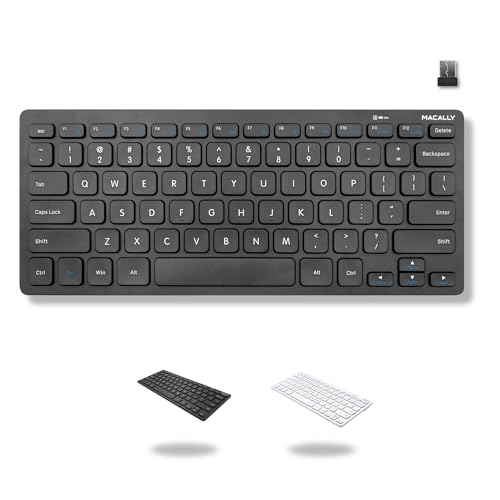
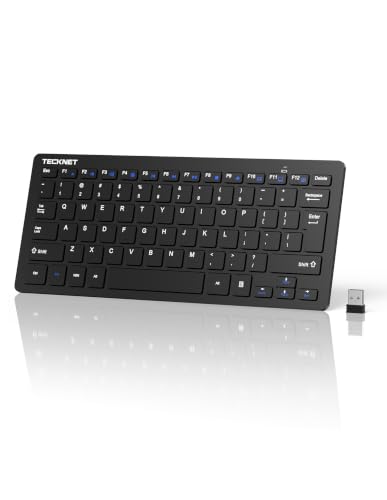


Who Should Buy Which Type
Small Desks
Small desks need a keyboard without a number pad, a slim profile, and no cable. A compact layout leaves room for a mouse and papers. Check that the keys you use every day are easy to reach, since some compact layouts move keys to a function layer.
Travelers
Travelers need a light, slim keyboard that packs flat and pairs quickly with a tablet or laptop. Battery life matters, since charging on the road is inconvenient. A protective case helps, and a keyboard that pairs with several devices saves time.
Multi Device Users
If you move between a computer, a tablet, and a phone, look for dedicated switch keys. Check operating system support, since key labels and shortcuts differ between Windows, macOS, iPadOS, and Android.
Layout and Size
Layout decides daily comfort. Tenkeyless keyboards drop the number pad but keep function and arrow keys, which suits most desk work. Smaller 75 percent and 65 percent layouts pack the main keys and arrows into a tighter frame, while mini and foldable models suit short typing bursts and tablets. Choose the smallest layout that keeps the keys you use daily, and check where the arrow keys, delete, and function row sit before you buy.
Key Feel and Travel
Key feel affects typing speed and comfort. Low profile keys suit quiet offices and travel, while deeper keys suit long typing sessions. Scissor switches feel crisp and quiet, membrane keys feel soft, and mechanical switches vary from light and quiet to loud and clicky. If you share a room, a quiet switch matters. A mushy or rattly key will annoy you daily, so read what typists say about stability across the board.
Battery and Charging
Battery life should cover weeks of normal use, not just days. Rechargeable keyboards need a standard cable, while battery models need spare cells. Backlighting drains the battery quickly, so look for an easy way to turn it off. A low battery warning prevents surprise outages, and a keyboard that works while charging is a safety net for a long work day.
Connection and Switching
Bluetooth is the usual wireless link, and a small USB receiver is a common alternative that avoids pairing steps. Both should be stable at normal desk distance. Multi device switching should be quick and reliable, and the keyboard should wake quickly from sleep. If you work from a docking station, check that the receiver port is free, and keep the receiver away from large metal objects.
Comfort and Desk Setup
A compact keyboard puts your hands closer together, which many people find more comfortable because the mouse sits nearer. Keep wrists straight, and consider a wrist rest or a small tilt stand if the keyboard sits flat. Rubber feet that grip the desk keep a light travel keyboard from sliding. If you type for hours, take short breaks, and pick a layout you can learn within a week rather than an exotic one you will fight.
Main Types Compared
Tenkeyless Wireless Keyboards
These keep function and arrow keys and drop the number pad. They save space without losing essential keys, and suit anyone who rarely types long number sequences.
Small 75 Percent Keyboards
75 percent layouts keep the function row in a tighter frame, suiting small desks and travel. They need a short adjustment period, since key spacing is tighter.
Mini and Foldable Keyboards
Mini keyboards suit travel and tablets with very small size and light weight, and foldable models pack even smaller. They may feel cramped for long documents.
Checks Before You Order
Check operating system support, the key layout for your language, and whether you need a number pad. Think about typing volume, desk space, and device switching. A keyboard that feels good for five minutes may tire your hands after an hour, so test it for longer when you can, and keep the receipt for the first few days of typing.
Care and Long Term Use
Keep the keyboard clean and dry, wipe keys gently, and avoid eating over it. Charge or replace batteries before they run flat during important work. Store travel keyboards in a case, and update firmware when the maker offers it. Good care keeps keys responsive and connections stable.
Related Guides
For a wider view, see our guides to the best wireless keyboards, the best compact keyboards, and the best wireless keyboard and mouse. Mac users can also check the best wireless keyboards for macbook.
Frequently Asked Questions
Will I miss the number pad on a compact keyboard?
You may miss it if you type numbers often for work or accounts. Tenkeyless keyboards drop the pad but keep other keys, while smaller models need a function layer for numbers. A separate number pad can fill the gap when needed.
Are wireless keyboards reliable for daily work?
Modern wireless keyboards are reliable when the receiver or Bluetooth link is stable and the battery is fresh. Keep the receiver clear of metal objects, and consider a wired backup for critical work.
How long should a wireless keyboard battery last?
Unlit keyboards often last weeks or months between charges, while backlit ones drain faster, especially at high brightness. Check the maker's figures for your use pattern and turn off backlighting when you do not need it.
Can one keyboard work with a computer and a tablet?
Yes, many compact wireless keyboards pair with several devices and switch with a key or button. Check operating system support and shortcut labels, and test switching before relying on it.
Are compact keyboards comfortable for long typing?
They can be, if key spacing, travel, and wrist position suit your hands. Use a wrist rest if needed, take breaks during long sessions, and talk with a clinician about ergonomics if wrist pain persists.
Final Thoughts
A compact wireless keyboard should fit your desk, your devices, and your typing style. Use the product table above to compare layouts, then test key feel and switching before you commit. The best compact wireless keyboards for you are the ones that still feel natural after a full day of typing.