Best Competitive Gaming Mouse in 2026: Which Type Is Right for You?
Disclosure: We may earn a commission when you buy through links on this page, at no extra cost to you. As an Amazon Associate I earn from qualifying purchases. Learn more

Compare competitive gaming mouse types by shape, grip, weight, sensor, and connection, with clear price ranges and fit guidance for ranked play at home.
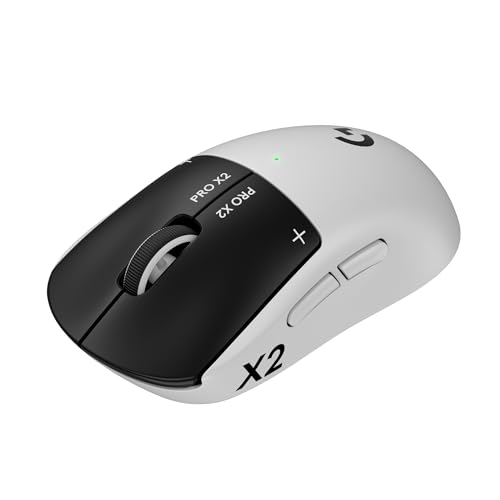
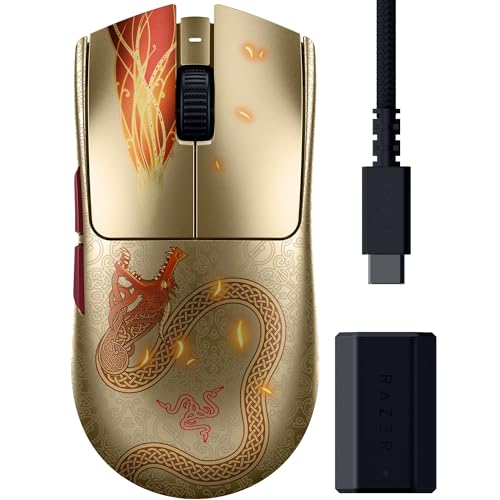
Ranked play punishes slow aim, and the mouse shelf splits into shapes and weights that suit very different hands. This guide compares the types that make up the best competitive gaming mouse shortlist, so you can match a shape to your grip before you spend anything. The product table at the top of the page lists current models, and the table below sets the types side by side, and the sections after it explain where each one wins and loses.
Start with fit, not figures. The shape under your hand decides how you aim for hours at a time, and a sensor with bigger numbers cannot rescue a shell that fights your grip. Weight matters next, then the sensor, then the cable or battery question.

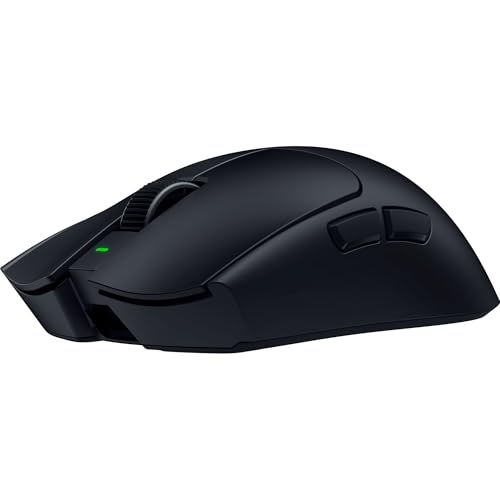


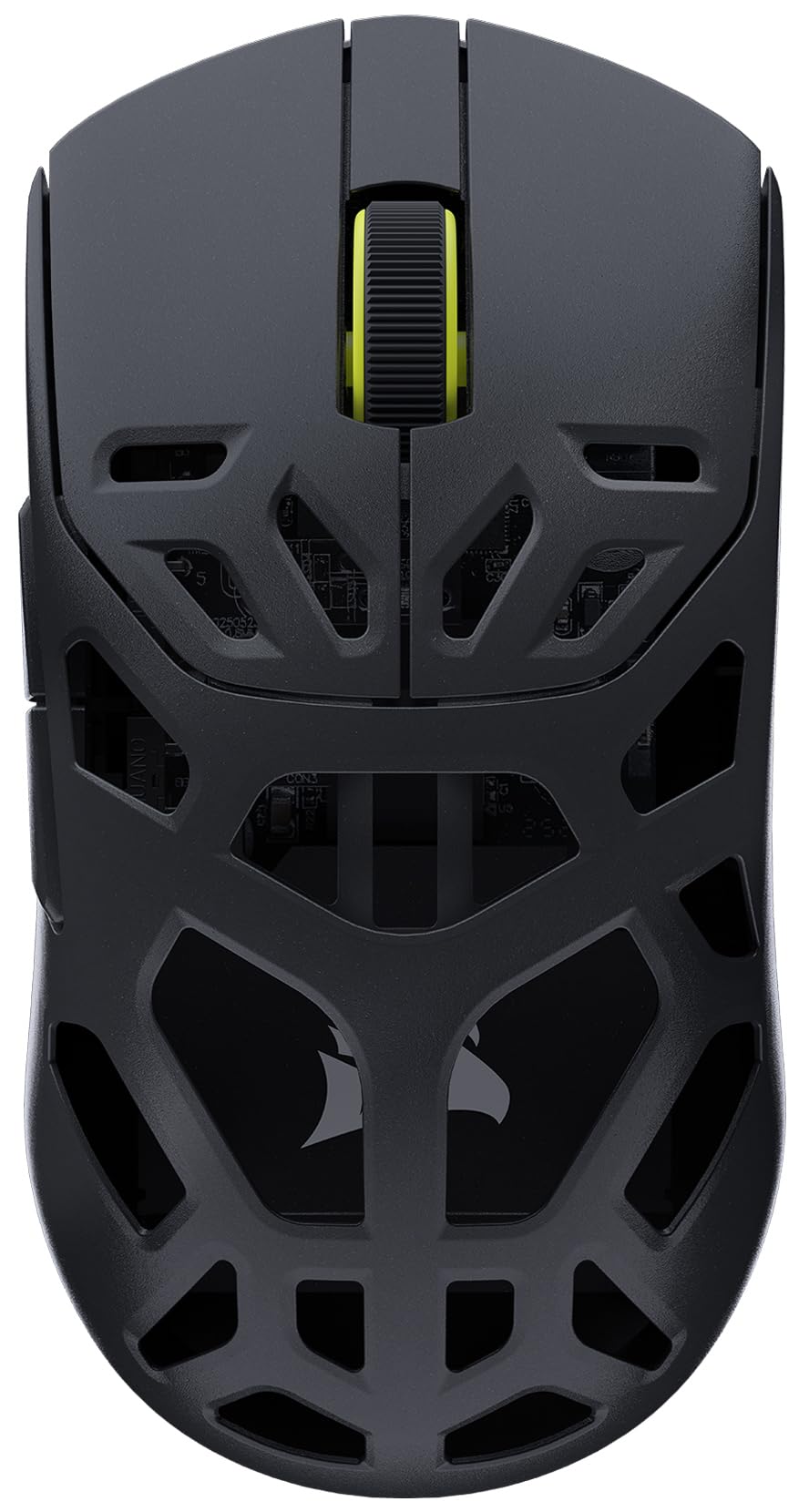

How Competitive Gaming Mice Compare to Other Options
The table below lines the main types up by shape and connection, since those two choices shape aim more than any spec sheet figure. Stores also sell a mouse bundled with a pad as a single listing, and guides to the best gaming mouse and pad treat that bundle as its own purchase, separate from choosing the mouse itself.
| Type | Best For | Pros | Cons | Typical Price |
|---|---|---|---|---|
| Lightweight symmetrical mice | Claw and fingertip aimers | Fast flicks, low fatigue, suits either hand | Less palm support | about $50 to $120 |
| Ergonomic shaped mice | Palm grip and long sessions | Natural hand rest, relaxed wrist angle | Heavier, right hand fit only | about $50 to $100 |
| Wired models | Players who hate charging | No battery weight, no charging, lower prices | Cable drag without a bungee | about $40 to $80 |
| Wireless models | Clean desks and free movement | No cable drag, tidy setup | Battery weight, charging routine, higher prices | about $70 to $150 |
Competitive Gaming Mice vs Ergonomic Models
Competitive mice use low, mostly symmetrical shells that let your fingers steer the aim, while ergonomic models fill the palm and rest the whole hand. The ergonomic shape feels calmer over a long evening, but its size and weight slow down fast vertical flicks. Players who aim with their fingers or a claw grip usually prefer the competitive shell. Players with wrist aches or a relaxed palm grip often settle happier on the ergonomic side.
Wired Models: What the Cable Gives and Takes
A wired connection gives a steady signal, zero charging, and a lower price for the same sensor class. The cable also removes battery weight, which is why many light mice still plug in. What it takes is freedom, since the cord can drag across the desk edge during wide swipes and pull your aim off line. A simple cable bungee fixes most of that drag.
Wireless Models: What Freedom Costs
Wireless mice clear the desk and move in any direction with nothing pulling back, which feels natural in fast tracking fights. Modern gaming links have closed the old delay gap, so the signal itself is no longer the worry. The costs are real instead: a battery adds grams, prices run higher for the same shape, and a dead battery mid match is a failure wired players never meet. You also gain a charging habit, covered in the battery section below.
Who Should Choose a Competitive Gaming Mouse?
Ranked shooter players gain the most, since their aim lives on fast flicks and small corrections that a light, well fitted shell makes repeatable. Claw and fingertip grip players also belong here, because symmetrical shapes are built around those grips. Players who sit in long sessions benefit too, provided the shape fits, since a lighter mouse asks less of the wrist across an evening.
Some players should look elsewhere. MMO and strategy players who lean on many side buttons will find competitive shells too plain, and comfort first casual players may prefer a padded ergonomic shape. If you play for fun a few nights a week, our broader guide to the best mouse for gaming weighs comfort and price ahead of tournament figures.
How to Choose the Right Competitive Gaming Mouse
Ergonomics, Size, and Grip Style
Grip decides the shape, and shape decides the shortlist. Palm grip covers the shell with your whole hand and suits larger, fuller mice, claw grip arches the fingers for fast clicks, and fingertip grip steers with the fingers alone on the smallest shells. Match the shell length to your hand, since a mouse that fills your grip style leaves your fingers free instead of stretched or cramped. Weight acts on aim the same way, because lighter mice start and stop faster and tire the wrist less across long matches, while heavier ones can feel steadier for slow tracking.
One related choice sits outside the mouse itself. The surface under the mouse is a separate accessory purchase, and guides to the best gaming mouse mat cover that decision on its own, so settle your shape and weight first.
Sensor and Switch Performance
Sensor figures on the box are lab numbers, and past a modest threshold they stop predicting how aim feels. Tracking stays clean on any current gaming sensor, so shape and weight will shape your results long before a bigger DPI figure does. Polling rate matters a little more, since higher rates report movement more often and can feel smoother on fast screens. Switches deserve a look too, because optical and mechanical switches differ in click feel and in how they resist double clicks as they age. Players who compete in tactical shooters can compare the narrower field in our guide to the best gaming mouse for competitive fps.
Wired vs Wireless
For competitive play, the real contest is between wired and a 2.4 GHz wireless link, and both deliver a signal fast enough that players cannot feel a difference in blind comparisons. Bluetooth is the slower option and belongs to travel and casual use, not ranked matches. Wireless adds freedom and a battery to manage, while wired adds cable drag and removes every charging worry. Pick by desk habits rather than delay fears, since the signal gap has effectively closed.
Battery Life and Charging
Wireless battery life runs from about 40 to 90 hours of play depending on polling rate and lighting, so a charge roughly once a week covers most players. USB C charging is now standard on this class and tops the battery up quickly during a break. Turning off shell lighting stretches a charge further than any other setting. If charging sounds like a chore you will forget, a wired model removes the question entirely.
Durability and Warranty
Click ratings run into the tens of millions on switches in this class, and the rating is best read as a rough guide rather than a promise. The parts that wear first in daily use are usually the cable flex point on wired models and the glide feet on every model. A warranty of two years or more is a good sign the maker expects the mouse to last through heavy seasons.
Care and Maintenance Tips
A few habits keep aim consistent season after season. Wipe the shell and side grips with a slightly damp cloth to clear the oils that make a mouse feel slippery, and clean the sensor lens with a dry cloth or a gentle puff of air, never a fingernail. Update the firmware through the maker companion app when it offers one, since updates can fix tracking and battery quirks. A pad is an accessory rather than part of the mouse, and guides to the best mouse pad for competitive gaming cover that separate surface choice, so wash or replace your pad when glide starts to feel uneven.
Frequently Asked Questions
What DPI settings do competitive players actually use?
Most competitive players land between 400 and 1600 DPI, far below the headline figures on the box. What matters is effective sensitivity, which multiplies your DPI by your in game sensitivity setting to give the distance your hand moves for a full turn. Low effective sensitivity suits wide arm aiming, while higher values suit wrist aiming on a small desk. Copy a setting you like, then adjust in small steps over a week rather than changing daily.
Wired or wireless: which is better for competitive gaming?
Neither holds a real signal edge anymore, so the better pick is the one that fits your desk routine. Wireless wins on freedom, wired wins on never needing a charge. One practical point decides many setups: place the wireless receiver on its extension cable close to the pad, since a receiver buried behind a metal PC case can weaken the link. If you travel to LAN events, wired also removes any worry about crowded wireless airspace.
How do I measure my hand for a competitive gaming mouse?
Measure from the tip of your middle finger to the crease at your wrist for length, then across the knuckles for width, and write both numbers down before you shop. A shell length around 60 percent of your hand length suits palm grip, while claw and fingertip grips can go a little shorter. Compare those figures against the size charts makers publish for each shape. If your hand sits between sizes, the smaller shell is usually the safer pick for fingertip control.
How long does a wireless gaming mouse battery last between charges?
Expect roughly a week of evening play per charge for most players, since real life polling settings and lighting pull the figure below the lab maximum. Heavy weekend sessions shorten that, while turning lighting off can add days. A quick top up during a meal break restores hours of play on USB C models. If you often forget, pick a model with a battery indicator you can check without opening software.
When should I replace the feet on a gaming mouse?
Replace the feet when the glide turns scratchy or uneven, or when you can see the plastic base showing through a worn pad. Fresh feet restore the smooth, even glide the mouse had when new and cost very little. Peel the old set off fully, clean the residue, and let the new adhesive settle for a day before a long session. Spares are sold by shell shape, so match them to your exact mouse outline when you order.
Final Thoughts
Fit comes first, weight second, and the sensor a distant third, whatever the box art claims. Match the shell to your hand and grip, check it against the product table at the top of the page, and the connection choice becomes a simple matter of desk habits. The best competitive gaming mouse for you is the one whose shape disappears under your hand, so your attention stays on the match instead of the mouse.