Best Commercial Color Printers: Buying Guide for 2026
Disclosure: We may earn a commission when you buy through links on this page, at no extra cost to you. As an Amazon Associate I earn from qualifying purchases. Learn more
Compare the best commercial color printers by print type, cost per page, paper handling and office fit to cut color costs.
Color printing for a business looks easy until the quotes, flyers, and reports start stacking up and the wrong machine eats your budget in ink. Choosing among the best commercial color printers means balancing print quality, running cost, and reliability for the volume your team actually produces each month.
This guide breaks the decision into plain steps: what each price tier delivers, which features matter for color work, and how the main printer types compare. Start with the comparison table below to see current options together, then use the sections that follow to judge cost per page and paper handling like a fleet manager, not a gambler.


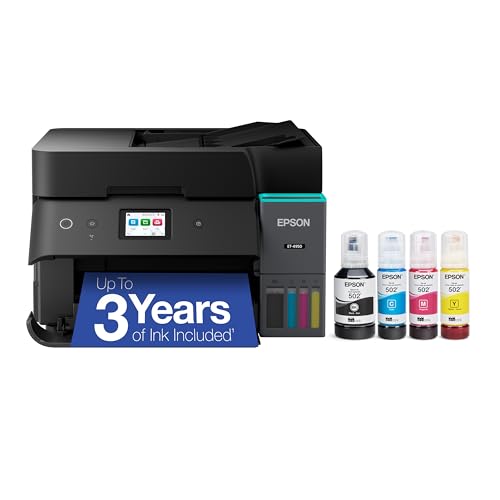
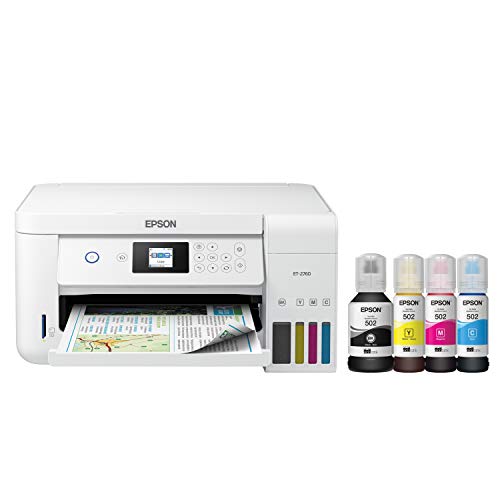
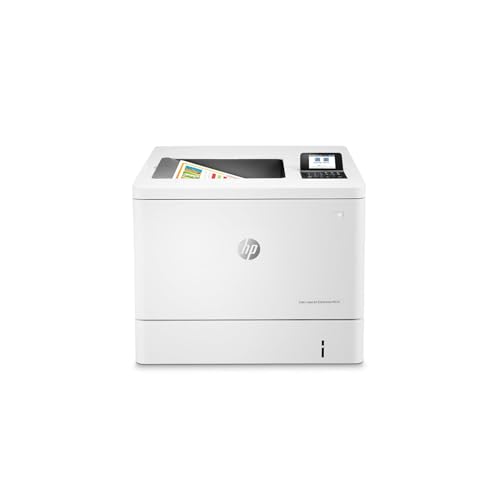


Price Tiers at a Glance: What Each Level Delivers
The Balanced Tier for Most Small Offices
The middle tier, often around $300 to $600, covers the needs of most small offices and busy home workspaces. Machines here print color at respectable speeds, include automatic two sided printing, and offer wired network connections alongside WiFi. Color accuracy is good enough for proposals, charts, and marketing drafts that clients will see.
The compromise is duty cycle. A mid tier machine handles a few thousand pages a month comfortably but is not built for nonstop departmental volume. If your team prints heavily every day, stepping up a tier costs less than replacing an overworked machine in year two.
The Value Tier for Light Color Needs
Value tier printers, often under $300, suit teams that print color occasionally: a logo on invoices, a chart in a weekly report, school materials at home. Purchase prices are friendly, and setup is quick. Many are inkjet models with low starting costs and compact bodies that fit a spare desk.
The catch is running cost. Small cartridges empty fast, so cost per page climbs quickly once color volume grows. A value machine is a sensible buy only when your color pages stay in the low hundreds per month. Count your pages honestly for one month before choosing this tier.
The Premium Tier for Volume and Color Fidelity
Premium machines, often above $600, are built for volume, speed, and consistent color across long runs. They carry larger paper trays, faster engines, high yield supplies, and stronger rated duty cycles. Businesses that print brochures, menus, or client facing documents in house save real money here because outsourcing those jobs costs far more over a year.
You also gain better color controls, including the ability to match brand colors more closely across reprints. The trade offs are size, weight, and a bigger upfront check. Measure your space and confirm your monthly volume justifies the spend before committing to this tier.
How to Choose the Best Commercial Color Printers: Buying Guide
Printer Type: Inkjet, Laser, and Tank Models
Inkjet printers lay liquid ink on the page and excel at smooth color blends and photo style images. Laser printers fuse dry toner and produce crisp text at high speed, which suits offices that print mostly documents with color accents. Ink tank models are inkjets with refillable reservoirs instead of cartridges, cutting ink costs sharply for high volume color work.
For a broader look at the category, our guide to the best color printers compares models for lighter workloads as well.
Reliability and Support
A commercial printer earns its keep by working every day, so reliability and support deserve as much attention as speed. Look for a clear rated monthly duty cycle and plan to run well below its maximum, around a third to a half, for a long service life. Check that drivers are updated for current operating systems and that the brand publishes firmware updates.
Support quality shows up when something jams or a roller wears out. Favor brands with local service networks, published spare parts, and warranties that cover on site repair for business models. A cheap machine with no parts support becomes e waste the first time a small component fails.
Footprint and Noise
Commercial color machines are larger than home printers, and laser models in particular need depth for their paper path. Measure the shelf or credenza, leave room behind for cables and ventilation, and check the weight if the printer will sit on furniture rather than a stand. Output trays and open paper cassettes add inches during use, so measure with the machine in working position.
Noise matters in small offices where the printer shares a room with phone calls. Laser printers make fan and roller noise in bursts, while inkjets are quieter but slower. If the machine will live beside desks, look for a quiet mode setting and accept the slower speed it brings.
Paper Handling and Duplex Printing
Paper handling decides how often someone stands at the machine refilling it. A main tray of 250 sheets is a practical minimum for an office, and a second tray lets you keep letterhead or card stock loaded alongside plain paper. Automatic duplex printing cuts paper use nearly in half for reports and saves the awkward manual flipping that causes misprints.
Check the maximum paper weight the trays accept if you print covers, labels, or envelopes. An automatic document feeder on a multifunction model speeds up scanning and copying of multi page documents. For image heavy work on special media, our guide to the best color printers for pictures goes deeper into media choices.
Cost per Page and Ink or Toner Costs
Cost per page is the purchase price story that actually matters. Divide the price of a cartridge or tank refill by its rated page yield to estimate the cost of each printed page, then weigh color pages more heavily because they use several inks at once. High yield supplies nearly always lower the per page figure, even though the upfront cost stings.
Ink tank systems usually deliver the lowest color cost per page, while laser toner wins for heavy text volume. Subscription ink plans can smooth costs for steady users but punish anyone whose volume drops. Run the math on your real monthly page count before falling for a low sticker price.
Connectivity and Mobile Printing
Every office machine should offer WiFi and Ethernet, so it can sit on the network once and serve everyone. AirPrint and standard mobile printing support let phones and tablets print without driver installs, which guests and field staff appreciate. USB ports remain useful for a direct connection during network outages.
Look at the software side too. A good companion app makes scanning to email or cloud folders painless, and admin controls let you restrict color printing to people who truly need it. That one setting can cut color supply costs noticeably in a shared office. Our guide to the best commercial printers covers wider fleet questions if you are outfitting several rooms.
Types of Commercial Color Printers
Inkjet Printers
Inkjet models produce the smoothest color gradients and handle glossy and specialty papers well, which makes them favorites for image rich documents. Their weakness is speed with heavy coverage and the risk of clogged nozzles when the machine sits unused. Offices that print color daily and value image quality over raw pace are the natural fit.
Laser Printers
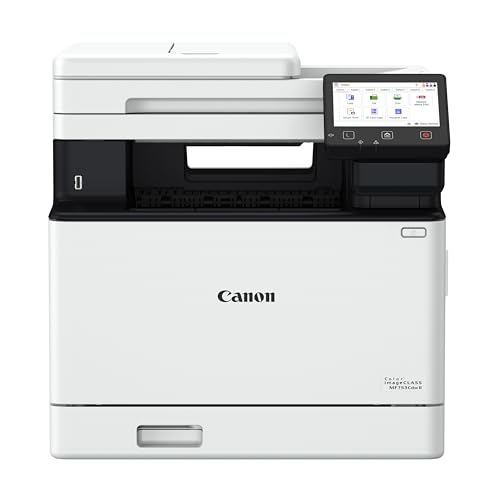
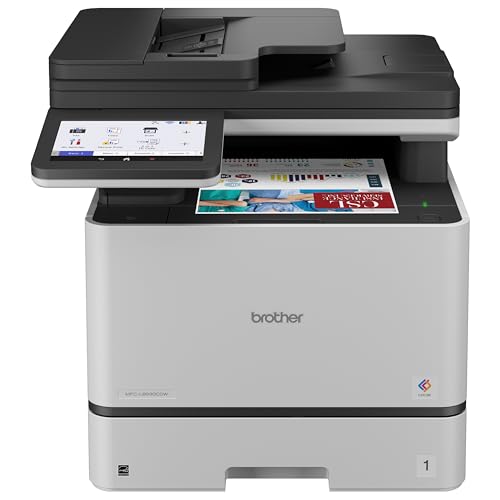
Laser models print fast, sharp text with color graphics that look clean and professional, and toner never dries out during quiet weeks. Pages come out dry and resist smudging, which suits handouts and mailings. Color fidelity for photographs is weaker than a good inkjet, so design studios rarely choose laser as their only machine.
All in One Printers
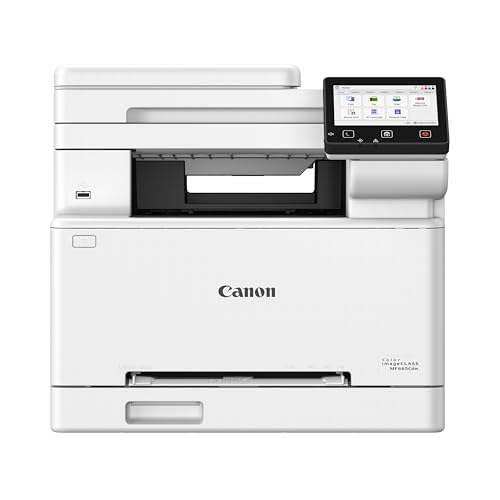
All in one models add scanning, copying, and sometimes faxing to the printer, replacing three devices with one footprint and one supply shelf. They suit small offices that need document capture for records and contracts. The risk is a single point of failure, so busy teams sometimes pair an all in one with a basic second printer as backup. For photo focused needs, see our guide to the best color printers for photos.
Care and Maintenance Tips
- Print a color page at least weekly. Regular use keeps inkjet nozzles clear and prevents the clogs that ruin print quality.
- Use genuine or reputable supplies. Poor quality ink and toner can leak, fade, or damage drums and printheads, wiping out any savings.
- Keep paper dry and fanned before loading. Damp or stuck together sheets are a leading cause of jams and misfeeds.
- Update firmware when the maker releases it. Updates fix bugs, improve security, and sometimes add features at no cost.
- Clean the paper path gently on schedule. A soft, dry cloth removes dust that otherwise shows up as specks on color pages.
FAQs
How many color pages a month justify a commercial printer?
There is no fixed line, but once your office prints several hundred color pages a month, a business rated machine with high yield supplies usually pays for itself. Below that, a modest inkjet or ink tank model keeps costs down. Count a typical month of pages before deciding, and leave headroom for busy seasons.
What does cost per page mean?
Cost per page is the average supply cost of printing one page, found by dividing a cartridge or refill price by its rated yield. A color page costs more than a black only page because it draws on several inks or toners. The practical lesson is to compare machines on this figure, not the shelf price. A slightly pricier printer with half the cost per page wins within the first year for most offices. Our guide to the best printers for color printing shows more worked examples.
Are ink tank printers worth it?
Ink tank printers are worth it when your color volume is steady and moderately high, because refill bottles cost far less per page than cartridges. The higher purchase price usually pays back within the first set of refills. They are less compelling for rare printing, since any inkjet can clog when idle for months. If your office prints color every week, a tank model is one of the safest budget moves you can make.
Inkjet or laser: which is cheaper long term?
Laser usually costs less long term for text heavy offices, because toner yields are high and nothing dries out between jobs. Ink tank inkjets can beat laser on cost per page for color heavy work, though standard cartridge inkjets are the priciest way to print at volume. Your page mix decides the winner, so tally how many of your pages are mostly text versus mostly color graphics before you commit.
Final Thoughts
Weigh three things above all: your true monthly volume, the cost per page at that volume, and whether the paper handling fits your documents. The comparison table above puts those numbers side by side for current models. Choose on running cost and reliability rather than sticker price, and you will own one of the best commercial color printers for your office, quietly saving money on every page it produces.