Best Cloud Based Security Cameras for Business in 2026: Which Type Is Right for You?
Disclosure: We may earn a commission when you buy through links on this page, at no extra cost to you. As an Amazon Associate I earn from qualifying purchases. Learn more

Compare the best cloud based security cameras for business by type, video quality, cloud storage, and smart alerts, with clear buying guidance.
Choosing best cloud based security cameras for business can feel confusing because indoor models, video doorbells, and outdoor models all promise clear video and simple apps. The right choice depends on what you need to watch, such as a register, a stockroom, an entrance, or a parking area.
This guide compares camera types first, then walks through the features that change daily use at a business. Use the comparison table below to compare types side by side, then read the sections that match your building.


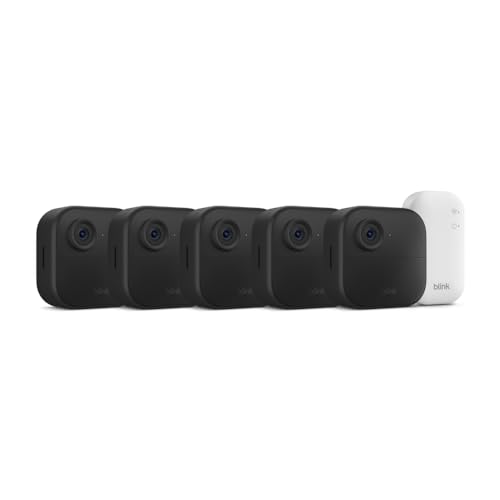
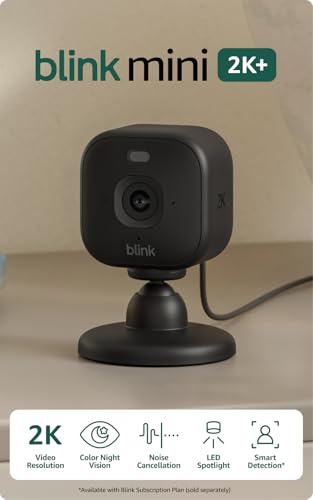


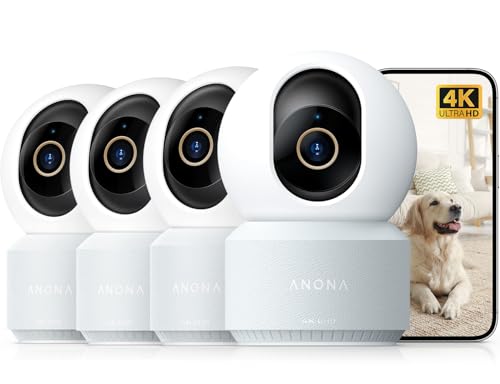
Types of Cloud Based Security Cameras Compared
Start with camera type, because placement decides what the camera can see and record. Choosing the best cloud based security cameras for business usually means mixing two or three types rather than buying one model for every wall.
Before you compare prices, list each location and note its light, weather, and power source. If you want a wider view of cloud options first, see our guide to the best cloud based security cameras.
Indoor Cameras
Indoor cameras watch sales floors, offices, stockrooms, and hallways from a shelf, a wall, or a ceiling mount. Most connect by WiFi and send motion clips to cloud storage, so you can check the live view from a phone. Many include night vision for closed hours and person detection to cut alerts caused by shadows or passing headlights.
They are usually the lowest cost way to start, often under $150 per camera before any plan fees. Their limits are placement and coverage. A single camera cannot watch a whole floor without blind spots, and glass glare at night can wash out the view if the camera faces a window. Choose indoor cameras when the space is dry and power is nearby.
Video Doorbells
Video doorbells mount at an entrance and record visitors, deliveries, and anyone who approaches the door. The camera records when it senses motion or when someone presses the button, and two way audio lets staff speak to a courier without opening the door. The narrow, eye level view suits faces and packages at one entry point.
That narrow view is also the main limit. A doorbell camera misses most of a parking lot or a side gate, and busy streets can trigger constant alerts. Because a doorbell sits outside all year, a weather rating such as IP65 helps it handle rain and dust at the entry. Battery models are simple to install but need regular charging, while wired models need existing doorbell wiring. Choose a video doorbell when your main concern is one front entrance or package theft.
Baby Monitors and Why They Rarely Fit a Business
Baby monitors are built for one quiet room in a home, with a small screen and simple audio alerts for a parent nearby. They rarely offer multi user accounts, long cloud retention, or activity logs, and many record only while someone is watching. Those gaps matter at a business, where an incident may only be noticed days later.
A small daycare is the rare business case for this type, and even there, local rules on recording children and parent consent can be strict. For most companies, a proper indoor camera is the safer choice.
Indoor Cameras vs Video Doorbells: Which Should You Choose?
Compare these two types on view, power, and alerts. An indoor camera gives a wide view of a room and works best for reviewing what happened across a space. A video doorbell gives a close view of one doorway and works best for live contact with a visitor. Many sites benefit from both.
Power and upkeep differ as well. Indoor cameras usually stay plugged in, so they record more of the day without battery worries. Doorbells often run on a battery, which makes placement flexible but adds charging to your routine.
If you can only start with one type, start with the location of your biggest loss or risk. For readers comparing options sized for a smaller team, see our guide to the best security cameras for small businesses for more on starting small and adding cameras later.
How to Choose the Right Cloud Based Security Camera
Once the type fits the location, compare the features below. Video quality, detection, storage, and account controls decide whether the system stays useful or becomes a source of missed clips and noisy alerts. The product table above can help you compare these points across your shortlisted types.
Two Way Audio and Siren
Two way audio lets you speak through the camera from the app, which helps with deliveries, cleaning crews, and visitors at a locked door. Sound quality varies a lot, so look for clear speech at a normal distance rather than loud volume alone. In a noisy warehouse, the microphone may pick up machines more than voices, so placement near the door matters more than a bigger speaker.
Some cameras add a built in siren or a bright light that you can trigger from the app or set to react to a person after closing time. A siren can startle someone trying a back door and draw attention from neighbors. Check local rules on audio recording before you enable sound capture, since consent rules differ by state and a camera in staff areas may need clear posted notice.
Features That Matter for Business
Business use adds needs that home use does not. Look for multi user accounts with different permission levels, so a manager can change settings while a shift lead can only view one site. Activity logs that show who watched, shared, or deleted a clip help when footage matters for a dispute, an insurance claim, or a police report.
If you are weighing a home model for a work site, see our guide to the best security cameras for house to understand what those cameras are built for, then compare retention length, user roles, and alert controls against your business needs. A business camera should also let you set alert schedules, so open hours movement does not flood your phone while after hours movement still does.
Video Resolution and Field of View
Resolution decides how much detail you keep when you zoom into a clip. A 2K resolution camera is a sensible baseline for most business spaces because it shows faces and clothing detail better than basic HD without using as much bandwidth as 4K. Choose 4K mainly for large areas, such as a warehouse aisle or a parking lot, where you need to zoom and still read detail.
Field of view decides how much of the room one camera covers. A view of about 130 to 160 degrees can cover a small office or a shop corner from one mount, while a narrower view gives more detail on a single door or register. Match the view to the distance you most need to identify, since a very wide view makes faces at the edges look smaller.
Storage: Local vs Cloud Subscription
Cloud storage keeps clips away from the building, so footage survives even if a camera is stolen or damaged. Plans are usually priced per camera or per site, with retention of about 7 to 60 days depending on the tier. Longer retention helps when a loss is found late, such as stock missing at a monthly count. Add up the monthly plan cost for every camera, because fees can pass the camera price within a year or two.
Local storage on a microSD card or a recorder avoids monthly fees but keeps the only copy on site. Some systems mix both, saving recent clips in the cloud and longer archives locally. If you expect to grow into a larger multi camera setup, see our guide to the best security cameras system for business for how full systems differ from single cloud cameras.
Common Mistakes to Avoid
- Buying one camera for a whole site, which leaves blind spots at doors, registers, and stock areas where losses actually happen.
- Choosing a camera with no alert schedule, which floods your phone during open hours until you mute the alerts that matter.
- Ignoring monthly plan costs, which can make a low priced camera cost more over two years than a higher priced model.
- Mounting a camera facing bright windows, which washes out faces during the day and turns night clips into glare.
- Sharing one login across the whole team, which removes any record of who viewed or deleted important footage.
- Skipping a check of local recording rules, which can create legal trouble when a camera captures audio or a neighboring property.
Tips to Get the Most From Your Cloud Based Security Camera
Mount cameras about 8 to 10 feet high, angled down enough to capture faces rather than the tops of heads. Keep the lens away from direct sun glare and from moving signs that trigger constant alerts. Walk through the view on your phone during the day and again at night, because a view that looks clear at noon can fail under your own lighting after dark.
Turn on two factor authentication for every account and give each staff member a separate login with only the access that role needs. Update the camera software when the app offers it, and review access whenever someone leaves. Set person detection zones around doors and valuable stock, and trim zones away from streets to cut false alerts.
Bandwidth deserves one check before you add more cameras. Each camera uploads video when it records, so several cameras on a slow connection can slow your payment terminals and office WiFi. If uploads strain the network, lower the frame rate on low risk views or upgrade the connection. Readers comparing network needs can also see our guide to the best cloud security cameras.
FAQs
What features matter most in cloud based security cameras for business?
Person detection, clear night vision, and user permissions matter most for daily business use. Person detection cuts false alerts, night vision covers closed hours, and separate logins protect footage. Also check retention length, because a plan that keeps clips for only a few days may delete the evidence of a loss before your team notices it and starts looking for the recording.
Do cloud based security cameras for business need a cloud subscription?
Most cloud based cameras need a paid plan for full cloud recording, smart alerts, and longer clip history. Without a plan, many models still show a live view and send basic motion notices, but saved clips may be limited to a few hours or days. Ask what happens when a plan lapses, because some cameras stop recording to the cloud at once while others keep a short local copy.
How much cloud storage do cloud based security cameras for business need?
Most small sites do well with about 30 days of retention, which covers late found losses and monthly stock counts. Storage need is driven by retention days and by how often motion triggers recording, not by building size alone. A busy entrance can fill a short plan quickly, so choose a plan that keeps full clips for the whole retention period.
Are wired or wireless cloud based security cameras for business more reliable?
Wired cameras are more reliable for fixed, high value views because power and data do not depend on a battery or a weak WiFi signal. Wireless models are easier to place and move, which suits leased spaces. For a mixed site, wire the cameras that watch the entrance and the register, and use wireless models where running cable would be costly or disruptive.
Can cloud based security cameras for business work without WiFi?
Most cloud based cameras cannot upload clips or send alerts without an internet connection, although some keep recording to a local card during an outage. A few models use a mobile data connection as a backup, which suits remote sites such as storage yards. If outages are common, choose cameras with local backup recording and an app notice that tells you when a camera goes offline.
Are cloud based security cameras for business easy to hack?
Cloud based cameras are not easy to hack when accounts use strong, unique passwords and two factor authentication, and when software stays current. Most account break ins trace back to reused passwords or shared logins rather than to the camera itself. Reduce risk further by placing cameras on a separate network where your router allows it, and by removing access for former staff on the day they leave.
The Bottom Line
Match the camera type to the location first, then compare person detection, retention length, and user controls before price. Indoor cameras cover rooms and stock, video doorbells cover one entrance well, and baby monitors rarely meet business needs. Use the product table above to check field of view, storage terms, and plan costs for the types that fit your site.
When you weigh type, storage, and account controls together, the best cloud based security cameras for business are the ones your team will actually review and maintain. Start with your highest risk location, confirm the clips are clear at night, and add coverage once the first view proves its value.