
Best Cameras for Business: Everything to Know Before Your First Purchase 2026
Disclosure: We may earn a commission when you buy through links on this page, at no extra cost to you. As an Amazon Associate I earn from qualifying purchases. Learn more

New to premises cameras? This first purchase guide explains how business camera systems record, which specs matter, how to plan zones, and what a setup costs.
Buying a first camera system for a shop, office, or warehouse is simpler once you see it as a recording setup rather than a gadget purchase. The best cameras for business setups start with the rooms and doors you need to cover, then match recording time and image detail to that list. This guide walks a first time buyer from the plain basics through specs, placement zones, recording rules, and realistic budgets, in that order.
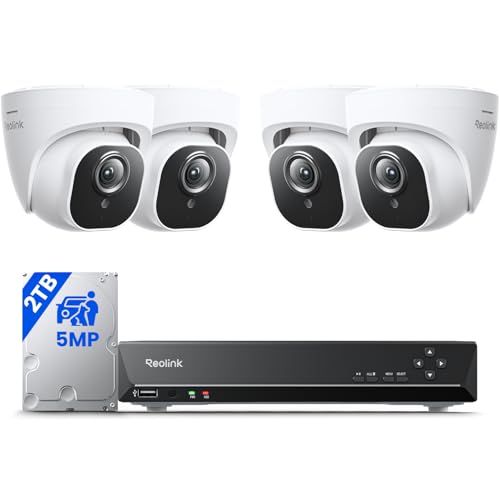
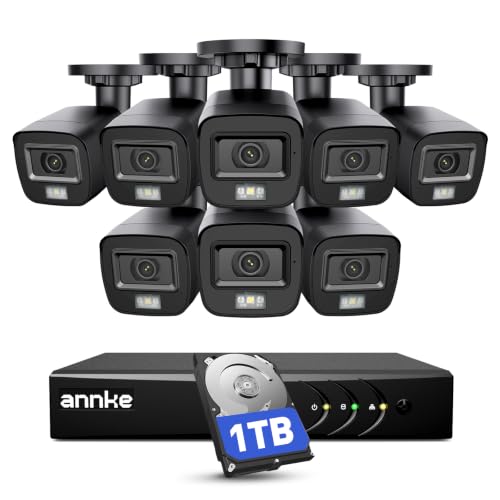
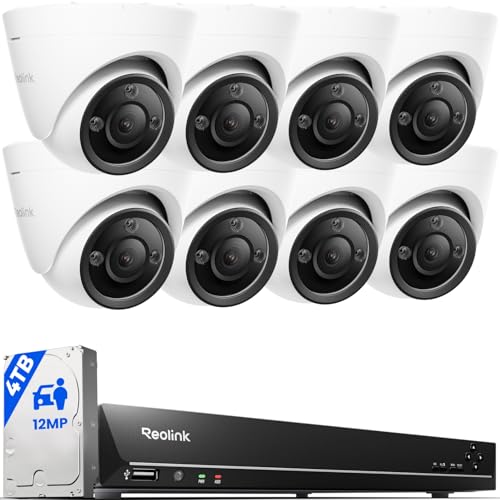
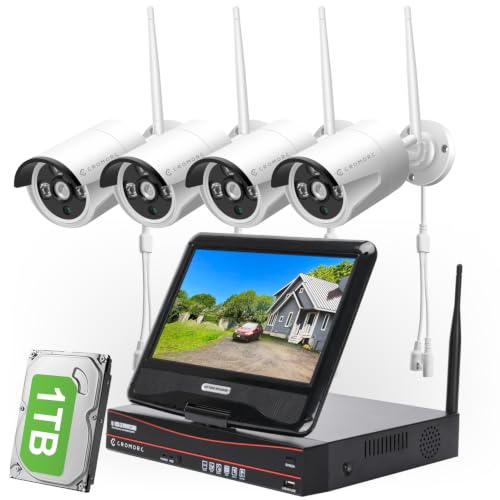
By the end you will know how to count the cameras your premises actually needs, which specs decide whether footage is usable, and which rules to read before price ever enters the decision. The comparison table below gives a quick view of the main camera classes while you read.

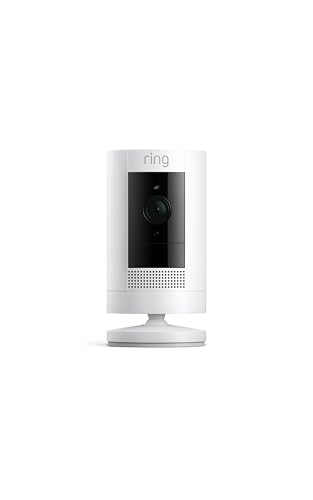


Cameras 101: The Basics
A business camera system is a set of cameras placed at entrances, counters, stock areas, and yards, all recording to a central recorder, a memory card in each camera, or a cloud account. When something happens, you search the recordings by time and watch the event back. A premises camera is a monitoring aid class of tool: it records events so you can check what happened, and it prevents nothing on its own. Treating it as a record keeper rather than a guard is the honest starting point for every choice that follows.
The setup around the cameras matters as much as the cameras themselves. Changing default passwords, turning on automatic updates, and giving each staff member their own login are part of a proper first installation, not extras. Notice is part of the setup too, and many premises post signs saying recording is in progress because that notice is expected, and in some places required, by law.
A photography studio buying cameras for client work is a different purchase entirely. That reader needs best cameras for photography business, not a premises monitoring guide like this one.
Key Specs Explained in Plain English
Spec sheets for premises cameras use their own vocabulary. The six factors below are the ones that decide whether a first system actually does its job.
Features That Matter for Business
Coverage comes before every other spec. Walk your premises and list the zones that matter: the entrance door, the cash counter, and the stock area are the classic three, and each zone usually needs its own camera because one wide view rarely shows faces clearly in all three. The first setup is read by its zone classes, and the door, counter, and stock classes split the camera count between them. Count zones first, then shop for cameras, and your budget will land where it should.
Resolution and Image Quality
Resolution decides whether footage can identify a person or a plate, and identification happens at a distance. A camera that shows a clear wide room may still blur a face twenty feet away. Higher resolution sensors give you more detail to enlarge during playback, but the lens and the available light matter just as much. Judge a camera by the detail it keeps at the far edge of its zone, not by the megapixel number on the box.
Camera Shapes and Mounting Options
Premises cameras come in a few housing classes. Bullet cameras are visible and easy to aim, which suits entrances and yards. Dome cameras sit flatter on ceilings and resist tampering, which suits public indoor areas. Turret cameras split the difference and aim easily without a dome cover to clean.
Outdoor positions need a weatherproof housing, and any camera within reach benefits from a vandal resistant mount. Connection splits the classes further: wired cameras draw power over the same cable that carries video, while wireless models need a nearby outlet or a battery you will recharge on a schedule.
Low Light and Night Performance
Most incidents a business cares about happen in poor light, so night performance deserves real weight. Infrared lamps built into the camera light the scene invisibly, with useful ranges of about 30 to 100 feet depending on the class. Color night vision exists too, but it needs some ambient light to work with. Check the darkest zone on your list, often a stockroom after closing or a side door, and size the night rating to that spot rather than to your brightest room.
Recording, Storage, and the Rules to Read First
Footage has to live somewhere: a network recorder keeps everything on site, memory cards keep recording inside each camera, and cloud plans keep copies off site for a monthly fee. How long the system keeps footage is called retention, and common setups hold about 15 to 30 days before old video is overwritten. Network recorder systems pair naturally with best ip cameras for business, which send video over the same cabling as your office network.
Recording and retention law classes are read before price, because they change the purchase. Audio recording is restricted in many places and often needs consent from the people recorded, some businesses must keep footage for a set period, and employee monitoring carries its own notice rules. Check your local rules before you shop, since a system that cannot legally use its microphones is a different system than the one on the box.
Ease of Use and Remote Viewing
A first system should be easy to check from a phone and simple to search by time. Look for an app that shows all zones on one screen, motion alerts you can tune per zone, and playback that jumps to flagged events instead of forcing you to scrub hours of video. Give the owner the only admin account and create view only logins for staff who need to check a door. Systems covered in our guide to best wireless cameras for business lean on app control the most, since their cameras connect over your existing WiFi.
Choosing Cameras for Your Situation
Matching the Setup to Your Own Business
When owners search for the best cameras for my business, the useful answer starts with their floor plan rather than a spec sheet. A single door retail shop needs an entrance camera, a counter camera, and one wide room view, while a small office adds corridor and parking coverage. A warehouse adds yard and loading views with longer night range. List your zones, note which ones need face detail, and the right camera classes pick themselves.
Best Video Cameras for Business
Some businesses care most about live video rather than stored recordings. Owners who check in from home, managers who watch a loading dock during deliveries, and shops that pair cameras with an alarm service all live in the live view. For them, smooth playback, low delay between the room and the phone screen, and reliable motion alerts outrank maximum retention. Count live viewing as its own need when you compare classes, because a system tuned for archives is not always the fastest on a live screen.
Best Hidden Cameras for Business: Tips for First Time Buyers
Discreet cameras carry the highest legal risk of any class in this guide, and a first time buyer should hear that plainly. Recording employees or customers without their knowledge is restricted or illegal in many places, audio recording is more restricted still, and spaces such as restrooms and changing areas are off limits everywhere. Visible cameras with clear notice both record events and discourage problems, which is why most businesses choose them. Before considering any discreet camera, check your local rules and speak with an employment attorney about your exact situation.
Price Bands for a First Setup
Starter cameras run about $40 to $100 each and usually record to a memory card or a small cloud plan, which suits a single room or one entrance. The middle band runs about $100 to $250 per camera, and complete four camera recorder kits land around $300 to $900, adding longer retention and better night images. Premium cameras run about $250 to $600 each and buy stronger low light performance, wider coverage per camera, and housings built for rough public spaces.
Smaller premises can start narrower and add zones later; our guide to best cameras for small business focuses on one and two room setups. Whichever band you choose, recorder kits and standalone cameras solve the same zones at different depths, a point the product table above lays out side by side. Buyers comparing wired recorder systems will also find the class overview in our look at best business surveillance cameras useful for how the kit pieces fit together.
Rookie Mistakes to Avoid
- Buying cameras before counting zones, so the entrance gets two cameras and the stockroom gets none.
- Leaving factory default passwords in place, which is the most common way strangers end up viewing a business feed.
- Turning on audio recording without checking consent rules, because audio is the most legally sensitive part of any system.
- Choosing storage that keeps only two or three days of footage, so an incident found after a long weekend is already overwritten.
- Mounting cameras near the ceiling for a wide view, then discovering the footage shows the tops of heads instead of faces.
Getting Started: Setup and First Use
Start by mounting one camera at your most important zone and watching its view on the app before you fix the rest in place. Change every password during setup, turn on automatic updates, and set the recording schedule and retention period before the first night. Walk each zone in daylight and after dark, confirm faces are readable where you need them, and adjust angles while the ladder is still out. Post your recording notices, save the admin login details somewhere safe, and export one test clip so you know the playback process works before you ever need it for real.
Frequently Asked Questions
What features matter most in cameras for business?
Coverage zones, retention length, and night performance matter most, in that order. A camera pointed at the right zone with thirty days of recording beats a sharper camera pointed at the wrong wall. One factor many first buyers miss is alert tuning: motion alerts set per zone, with quiet hours for passing street traffic, keep the alerts you get meaningful. When every alert matters, you actually read them, and the system stops being background noise on your phone.
How many cameras does a small business need for basic coverage?
Most small businesses land between three and six cameras for basic coverage. The count follows zones rather than floor size: one for the entrance, one for the counter or till, one for stock, and one for any yard or parking area covers the usual list. A useful extra is a camera with a view of the recorder itself in recorder based systems, so the machine holding your footage is also on record. Add zones only when a real blind spot appears.
Is a smartphone enough instead of dedicated cameras for a business?
No, a smartphone is not a workable substitute for a business camera system. A phone cannot record around the clock without overheating and draining, it stores footage on a device that leaves the building every night, and it covers exactly one angle while someone holds it. A phone is still useful as the viewing screen for a proper system, which is the role it plays best. Dedicated cameras record whether anyone is present or not, and that continuity is the whole point.
How long should a business keep its camera recordings?
Keep recordings long enough to cover how slowly problems surface, and many small businesses choose about 15 to 30 days. Late discovered stock loss and card disputes often appear a week or more after the event, so very short retention defeats the purpose. Some industries and local rules set their own minimums, so check those first. Whatever window you choose, export and save any incident clip separately, because the recording loop will overwrite it on schedule.
How much should a business spend on its first camera setup?
Many first setups for a small premises land around $300 to $900 in total. That range covers a four camera recorder kit from the middle band, or a few standalone cameras with card storage for a smaller space. Spend first on the zones that need face detail and on enough storage for your retention window. Extra cameras for low risk corners can wait for a second round, once you have watched the first system work for a month.
Final Thoughts
A calm first purchase follows a simple order: count your zones, read the recording and retention rules that apply to you, then pick camera classes that cover those zones at the detail level you need. Keep passwords changed, updates on, and notices posted, and the system will quietly do its recording job. For most first time buyers, best cameras for business setups are mid band recorder kits or a handful of standalone cameras matched zone by zone, and the product table above shows how those classes compare before you spend anything.


