Best Cloud Based Security Cameras: What Actually Matters Before You Buy in 2026
Disclosure: We may earn a commission when you buy through links on this page, at no extra cost to you. As an Amazon Associate I earn from qualifying purchases. Learn more
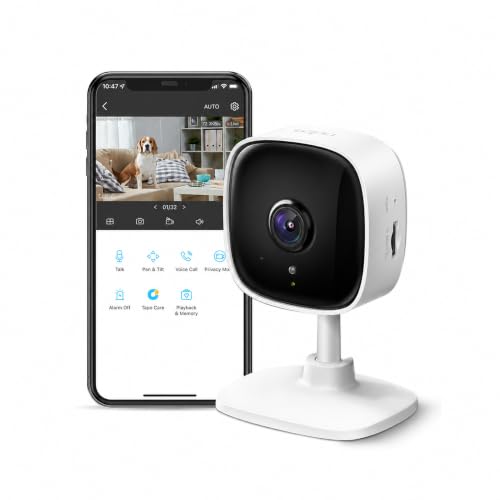
Compare the best cloud based security cameras by plan cost, video history, internet load and account privacy, with a checklist of what matters before buying.
Cloud cameras sell you a promise: when something happens at your door, the clip will be waiting in the app. Shoppers comparing the best cloud based security cameras soon find that the hardware is only half of the purchase, because the plan, the app, and your home internet decide how much of that promise you get. This guide works through a checklist of what matters, so you can judge any camera against the same points. The comparison table below lines the main types up side by side.
One honesty note before the checklist. A security camera is a monitoring aid only: it records events and sends alerts, but it does not prevent crime. Buy for footage you can find and use later, not for a long feature list.

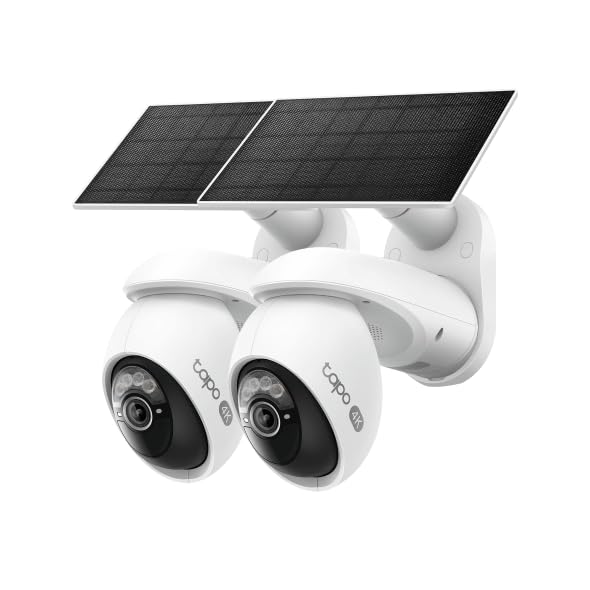
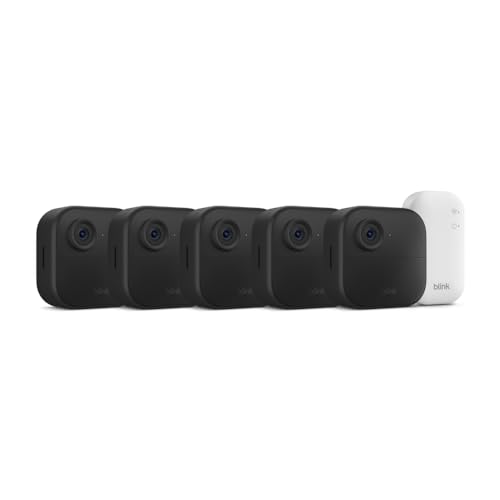
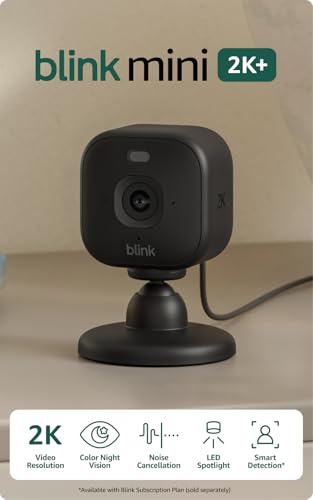


What Matters Most: A Buyer Checklist
Score every camera against the same points. The first two decide whether cloud recording works for you at all, and the rest decide how useful the footage turns out to be.
The Cloud Plan Decides How Much History You Keep
State this plainly before anything else: your cloud plan governs how much video history you keep. Many cameras save only a few hours or a few days of clips without a plan, while paid tiers usually hold event clips for about 30 to 60 days. Plans commonly cost about $3 to $15 a month, per camera or per home, so a multi camera setup carries a real yearly cost. Before you buy hardware, read how best cloud storage for security cameras is priced, because the plan is the part of this purchase that never stops billing.
Your Internet Connection Carries Every Clip
A cloud camera sends its footage out of the house, so your internet connection governs the whole system. Each camera needs steady upload speed, and several cameras recording at once can strain a slow line, which shows up as late alerts and clips that start after the action. If your internet goes down, uploads stop until it returns, and most cloud cameras keep little from the outage. Shoppers who like managing footage in a browser as well as an app also compare best web based security cameras, since portal access varies a lot between brands.
Resolution and Field of View
Resolution decides how much detail a face or a plate keeps at a distance, and a 2K sensor is a sensible floor for a front door, while 4K helps when one camera must cover a wide yard. Field of view runs about 130 to 160 degrees on most models, and wider is not always better, because a very wide view spreads detail thin. As a working guide, expect faces to stay clear at about 15 to 20 feet in daylight. The wider category of best cloud security cameras follows the same trade off between coverage and detail.
Night Vision After Dark
Most incidents worth recording happen in the dark, so night performance matters as much as the daylight picture. Infrared night vision gives a clear black and white image, while a small spotlight lets some cameras record in color at the cost of announcing themselves. Treat maker range claims with care, because faces usually stay readable at about half the stated night range. Match the night rating to the darkest spot you plan to cover.
Two Way Audio and Smart Alerts
Two way audio lets you speak to a courier or warn off someone at the door from your phone. Smart alerts matter just as much, because person detection can separate a visitor from a swaying branch and cut the flood of useless pings that makes people mute their apps. Look for alert types you can switch on and off one by one. Recording audio also carries legal weight in some places, so check your local rules before you rely on sound.
Weather Resistance for Outdoor Mounts
Outdoor models are rated for water and dust, and IP65 is the common floor, with IP66 a step up for exposed spots. The rating covers rain, not submersion, so a camera under an eave still lives longer than one on a bare fence post. Check the stated temperature range too, since a battery camera in deep cold may pause charging until it warms. Keep connectors sheltered, because most weather failures start at a loose fitting.
Privacy and Account Security
Cloud footage lives on someone else's servers, so your account safety governs your privacy. Use a long, unique password, turn on two factor sign in, and keep the app and camera firmware updated, since updates carry most security fixes. Prefer systems that encrypt footage in transit and at rest, and review who holds viewing access once in a while. Point cameras at entries and yards rather than private rooms, and tell household members and regular visitors that recording is in place.
What Your Money Buys at Each Level
The product table above groups the current field by price. The bands below describe what each level usually buys, and what it leaves out.
Cameras at about $30 to $60
At this level, expect 1080p or basic 2K video, a short free clip history, and app alerts without smart sorting. These suit a single door, and the savings shrink once you add a plan.
Cameras at about $60 to $130
Here, video steps up to cleaner 2K, person detection is common, and plans hold about 30 days of clips. Most homes land in this band.
Cameras at about $130 to $250
At the top band, you are paying for 4K detail, longer history of about 60 days, and stronger night color. The jump suits wide yards and anyone who has missed a detail in a cheaper clip.
Quick Buyer Checklist
Run through these questions before you order. A no on the first two is a reason to slow down.
- Do you know what the free plan saves, and for how many days?
- Does your upload speed leave room for every camera at once?
- Can you name where each camera will point, and what it should never record?
- Is two factor sign in available, and will you turn it on?
- Does the night rating cover your darkest mounting spot?
- Have you priced the plan for a full year, not just the first month?
- Can clips be saved out of the app before they expire?
Red Flags to Watch For
- A camera sold with no clear statement of free history length, since the real cost hides in the plan.
- No two factor sign in on the account, which leaves cloud footage one password away from a stranger.
- Vague resolution claims with no pixel count stated anywhere in the listing.
- A warranty under one year on an outdoor camera that must survive weather.
- An app that blocks basic playback behind storage upsells until you pay.
Picking the Right Camera for Different Uses
For a family home, start with the door and the driveway, then add the back yard once the first cameras prove their alerts are worth reading. Our guide to the best security cameras for house covers placement room by room. Renters should favor battery models that leave no holes, and should check the landlord accepts a camera at the entry.
Small shops and offices add longer hours, more viewers, and a stronger case for continuous recording on at least one camera. The separate guide to best cloud based security cameras for business compares plans built for that load.
Best Non Cloud Based Security Cameras
The contrast class skips the cloud entirely. These cameras record to a memory card or a home recorder, so there is no monthly plan, the footage stays inside the building, and recording carries on through an internet outage. The trade offs are real: if the camera is stolen, the footage may go with it, and checking clips away from home is harder. Choose this class when privacy and zero running cost matter more than phone alerts.
Care and Maintenance Tips
Mount cameras about 8 to 10 feet high, high enough to frustrate tampering and low enough to keep faces clear. Wipe each lens every few months, since webs and dust are the top cause of fuzzy night clips. Review the shared access list after guests or staff change, and aim lenses away from direct sun glare. Trigger one alert a month so a silent failure does not hide until the day you need the footage.
FAQs
Are cloud based home security cameras easy to hack?
Most break ins into camera accounts come from reused passwords, not from the camera itself. A unique password, two factor sign in, and current firmware close the common doors. One extra step many owners skip is securing the router, since every camera trusts the home network. Change the router admin password, keep its updates on, and use a guest network if your router offers one, so a compromised camera cannot reach your computers.
How much cloud storage do I need for home security cameras?
Most homes do fine with about 30 days of event clip history. Event only recording saves far less than continuous recording, since the camera uploads only when it sees motion or sound. If your street is busy, clips can fill a small plan fast, so look for activity zones that trim the watched area. Households keeping clips for a dispute should save key clips to a phone or computer before they expire.
Wired or wireless cloud security cameras: which is more reliable?
Wired cameras win on steady power and signal, since a cable does not fade with distance or die with a battery. Wireless models win on placement, because you can mount them where no cable run exists. In practice, thick walls and long distances punish wireless, while a wired camera in the wrong spot records the wrong view forever. Battery models also need a charging habit, about every one to three months in busy spots.
Can cloud security cameras work without WiFi?
The cloud parts cannot, since uploads, remote viewing, and phone alerts all ride on the internet connection. Some cameras keep recording to a local card during an outage and upload later, but many simply pause. A small class uses a cellular link instead, which suits a remote gate with no fixed line, at the cost of a data plan. If outages are common where you live, weigh the local storage class covered above.
Do I need a subscription for a cloud based security camera?
You can use most cloud cameras without one, but the free tier usually trims clip length and history to a few hours or days. A subscription buys longer history, smarter alerts, and sometimes coverage for every camera under one fee. Read whether the price is per camera or per home before you scale up, because a per camera plan doubles with a second view. Many owners start free, then pay only after a missed clip proves the need.
Final Thoughts
Judge every candidate by the same order of questions: what the plan keeps, whether your internet can carry it, and whether faces stay clear where it counts. Cameras that pass those checks rarely disappoint on smaller features. Compare your shortlist against the product table above, and the best cloud based security cameras for your home will usually be the ones whose running costs you still respect a year from now.