
Best Cameras Youtubers Use: Which One Fits the Way You Use It? (2026)
Disclosure: We may earn a commission when you buy through links on this page, at no extra cost to you. As an Amazon Associate I earn from qualifying purchases. Learn more

Match the best cameras youtubers use to your own filming style, with clear advice on sensors, batteries, low light results, and value for money.
There is no single camera that suits every YouTube channel, because channels are built on very different kinds of filming. A cooking channel needs close focus and honest color above a counter. A travel channel needs light weight and stabilization on the move. When people ask about the best cameras youtubers use, the useful answer starts with your format, not with a famous name.
This guide works by use case first. You will match your routine to the camera type and features that support it, compare the specs that matter in real rooms and real light, and avoid the mistakes that make beginners overspend. The comparison table below gives a quick snapshot before the detail.

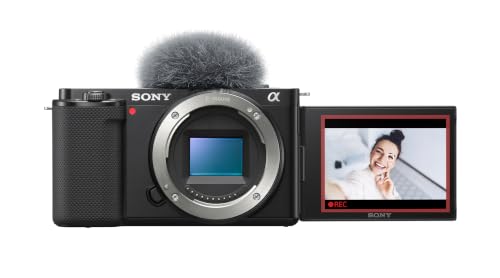


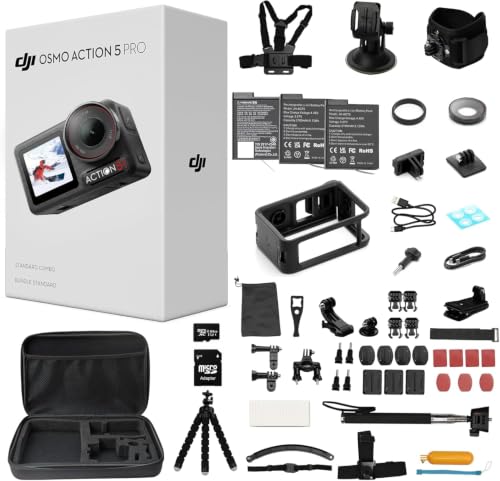
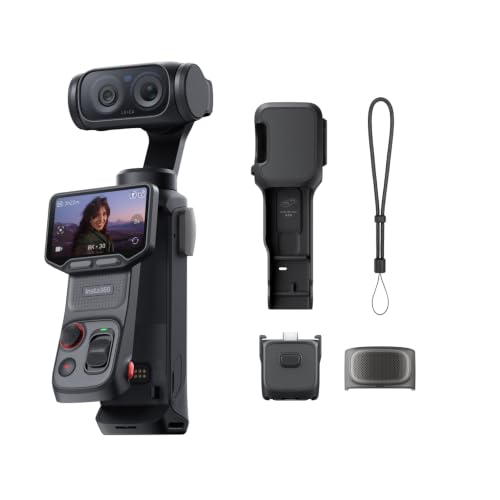
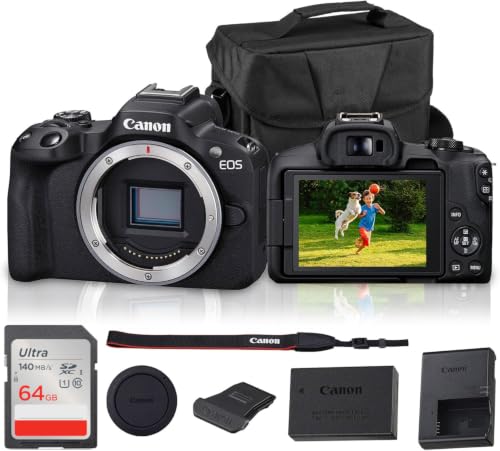


Who Should Buy Which Camera for YouTube?
For Students and Everyday Users
Students and casual creators need a camera that is ready in seconds, forgiving in mixed light, and cheap to keep running. A compact camera with a one inch sensor fits well here. It offers a clear step up from a phone, simple automatic modes, and a flip screen for framing at a desk or in a dorm room. Battery life matters because you may film between classes without a charger nearby.
Keep total cost in mind. A sensible budget around $400 to $700 leaves room for a small tripod and a basic microphone, and those two accessories improve student videos more than a pricier body would. Stability and clear sound beat extra resolution at this level every time.
For Gamers and Power Users
Gaming and tech channels film screens, desks, and faces in the same video, so they need clean HDMI output, reliable autofocus during product shots, and recording that does not stop mid session. Look for a camera that supports long recording times without overheating, plus a dummy battery or USB power option for desk work. High frame rates like 120 frames per second help if you record slow motion inserts of hands, controllers, or builds.
Low input lag on the camera screen matters less than clean output to your capture setup. Check that the camera sends a clean feed without overlays, and confirm the resolution and frame rate of that feed in the manual. Power users should also confirm webcam support over USB, which simplifies streaming setups.
For Remote Workers and Creators
Remote workers who also create content need one camera that handles calls, tutorials, and polished video. Microphone input is essential, because laptop and camera microphones sound thin in untreated rooms. A flip screen helps you check framing before a call, and dependable eye autofocus keeps you sharp while you gesture at a whiteboard or hold notes.
Reliability is the hidden priority. Choose a body known for stable firmware, standard USB C charging, and easy webcam use. If your work involves clients, clean and consistent footage builds trust faster than dramatic cinematic looks. Our broader guide to the best cameras for personal use covers simpler everyday options if your needs stay light.
Key Features to Compare
Sensor Size and Image Quality
Sensor size is the strongest predictor of how your footage looks indoors. A one inch sensor handles bright rooms and daylight well and keeps the camera small. APS C sensors add cleaner high ISO performance and easier background separation, which suits talking head videos at a desk. Full frame sensors give the most flexibility in dim light and the shallowest depth of field, but they add cost, size, and larger lenses.
Megapixels are a weak guide for video. A 4K frame needs only about eight megapixels, so a 24 megapixel sensor has plenty in reserve. Judge sample footage at your typical light level instead of chasing the largest number on the box. Also look for 10 bit color if you like grading footage, since it holds up better when you adjust exposure and skin tones.
Battery Life and Charging
Creators film in bursts, so real recording time matters more than photo shot counts. Expect roughly 60 to 110 minutes of 4K recording per charge from many mirrorless cameras, less when stabilization and bright screens run constantly. Compact cameras often land in a similar range but charge faster. USB C power delivery lets you run from a wall adapter or a power bank during long desk sessions.
Plan your kit around power. Two batteries and a dual charger cover a full day for most channels. A simple habit helps: label your batteries with a small piece of tape and rotate them in order, so you always grab a charged one and wear stays even across the set.
Low Light Performance
Low light performance depends on sensor size, lens aperture, and how well the camera handles noise at high ISO. A fast lens around f1.8 gathers far more light than a kit zoom at f4, and that difference shows immediately in evening rooms. Judge ISO samples at your usual light level rather than trusting the spec sheet.
Before you buy a bigger sensor, try adding light. A modest LED panel placed close and slightly to the side transforms indoor footage for under $100 in many cases. Buy the camera for the light you cannot control, such as events and travel, and use lamps for the light you can.
Durability and Weather Sealing
Weather sealing protects against dust and light rain through gaskets at the seams, dials, and lens mount. It helps travel and outdoor channels, but it is not waterproofing. An action camera remains the better tool for rain, pools, and mounted action shots. For standard cameras, a simple rain cover and a dry bag do most of the protective work.
Build quality also includes the screen hinge and the flip mechanism, which you will move thousands of times. In store, open and close the screen, turn each dial, and check the grip with one hand. If you film family events as well as channel content, our guide to the best cameras for family use explains which durable traits matter most around kids and travel.
Common Mistakes to Avoid When Buying a YouTube Camera
- Buying on price alone and skipping the microphone input, then discovering your audio cannot improve without replacing the camera.
- Ignoring sensor size and image quality in your actual lighting, which leads to noisy indoor footage that no setting can fully fix.
- Choosing a body that is too large to carry, so it stays home while your phone does all the real filming.
- Forgetting recording limits and overheating behavior in 4K, which can stop a long tutorial or interview without warning.
- Skipping the warranty and return window check, even though early returns are common when menus or grip feel wrong in your hands.
Each of these mistakes is easy to prevent with one question before checkout. Ask yourself where, when, and how long you will film in a typical week, then confirm the camera answers that routine well. If you are comparing broad categories before narrowing down, our overview of the best cameras to use for different jobs is a helpful companion read.
Tips to Get the Most From Your YouTube Camera
Use a lens cloth, not your shirt, to clean the front element, and keep a blower in your bag for dust. Carry a spare battery and a spare card, because both fail or fill at the worst possible moment. Store the camera in a dry, padded bag, and remove the battery during long breaks to slow self discharge.
Build a small repeatable setup routine. Set white balance manually in your main filming room so skin tones stay consistent between clips. Record a short test after any settings change and watch it on a larger screen before filming the full video. These habits save more footage than any accessory. If you also shoot stills for thumbnails, the roundup of the best digital cameras explains how hybrid models balance photo and video needs.
Frequently Asked Questions
Do I need a separate microphone for YouTube videos?
For anything beyond casual clips, yes. Built in microphones pick up room echo and handling noise, and viewers click away from bad sound faster than from a soft picture. A small shotgun or clip on microphone close to your mouth improves a video more than a pricier body would, so check that the camera has a microphone input.
Is a smartphone enough instead?
A smartphone is enough for many new channels, especially in good light with a small tripod and a clip on microphone. Its weaknesses are zoom, indoor noise, and battery drain during long shoots. Upgrade when those limits appear in videos you actually publish, not before. Many creators keep the phone as a second angle even after buying a dedicated camera.
Which is better for low light?
A larger sensor with a fast lens is better for low light, because it gathers more light and keeps noise lower at high ISO. APS C and full frame cameras lead here, while compact cameras and phones rely more on processing. The budget friendly first step is still added light. One LED panel in a dim room often beats a costly body upgrade.
How much should I spend on my first one?
Most beginners do well spending about $500 to $900 on the camera and lens, then reserving money for audio and light. That range buys a flip screen, good autofocus, and clean 4K without paying for professional extras you may never use. If your total budget is smaller, spend on the microphone first and film with your phone a little longer.
What specs matter most for beginners?
Beginners should rank flip screen, eye autofocus, microphone input, and simple menus above everything else. Those four traits remove the daily friction that stops new channels. Resolution beyond clean 4K rarely matters to viewers. Also favor a camera with strong automatic white balance, because correcting odd color later takes time that beginners would rather spend filming.
Wrapping Up
Start with your format, then let sensor size, battery reality, and low light needs narrow the field. The product table above helps you compare the current options side by side once you know your type. Choose the best cameras youtubers use for your own routine, not for someone else's channel, and your videos will look better from the very first upload. For a different and simpler format altogether, you can also read about the best single use cameras and when a disposable approach still makes sense.


