Best Affordable Cameras for Vlogging of 2026: Complete Buying Guide
Disclosure: We may earn a commission when you buy through links on this page, at no extra cost to you. As an Amazon Associate I earn from qualifying purchases. Learn more

Best affordable cameras for vlogging start with sound and framing: compare audio, screens, sensors and the true cost of a full kit.
A tight budget changes which camera specs actually matter, and the order surprises most new creators. Viewers forgive a slightly soft picture far sooner than they forgive echoing, distant sound, so the best affordable cameras for vlogging are the ones that get audio and framing right before chasing resolution numbers. This guide starts with sound, then walks through screens, sensors, stabilisation and price bands so you can match a camera class to the way you actually record.
Every tier below is honest about what gets cut at low prices and what should never be cut. The class comparison later in this guide gathers the main classes side by side, and the sections around it explain how to read those classes against your own desk, your street and your travel bag.




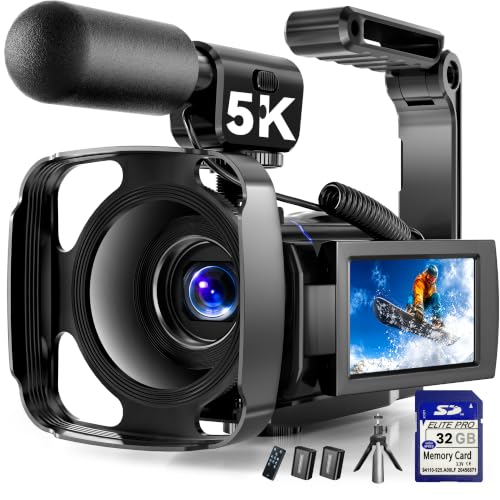
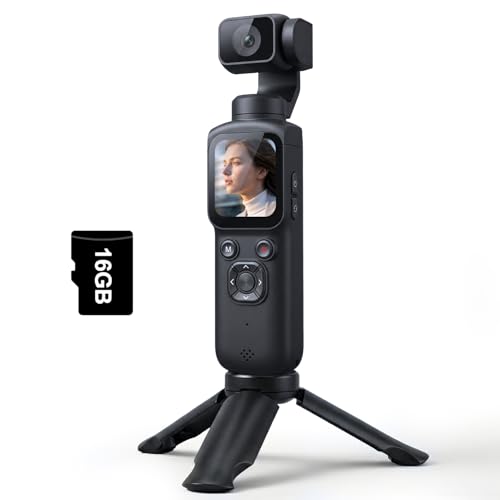

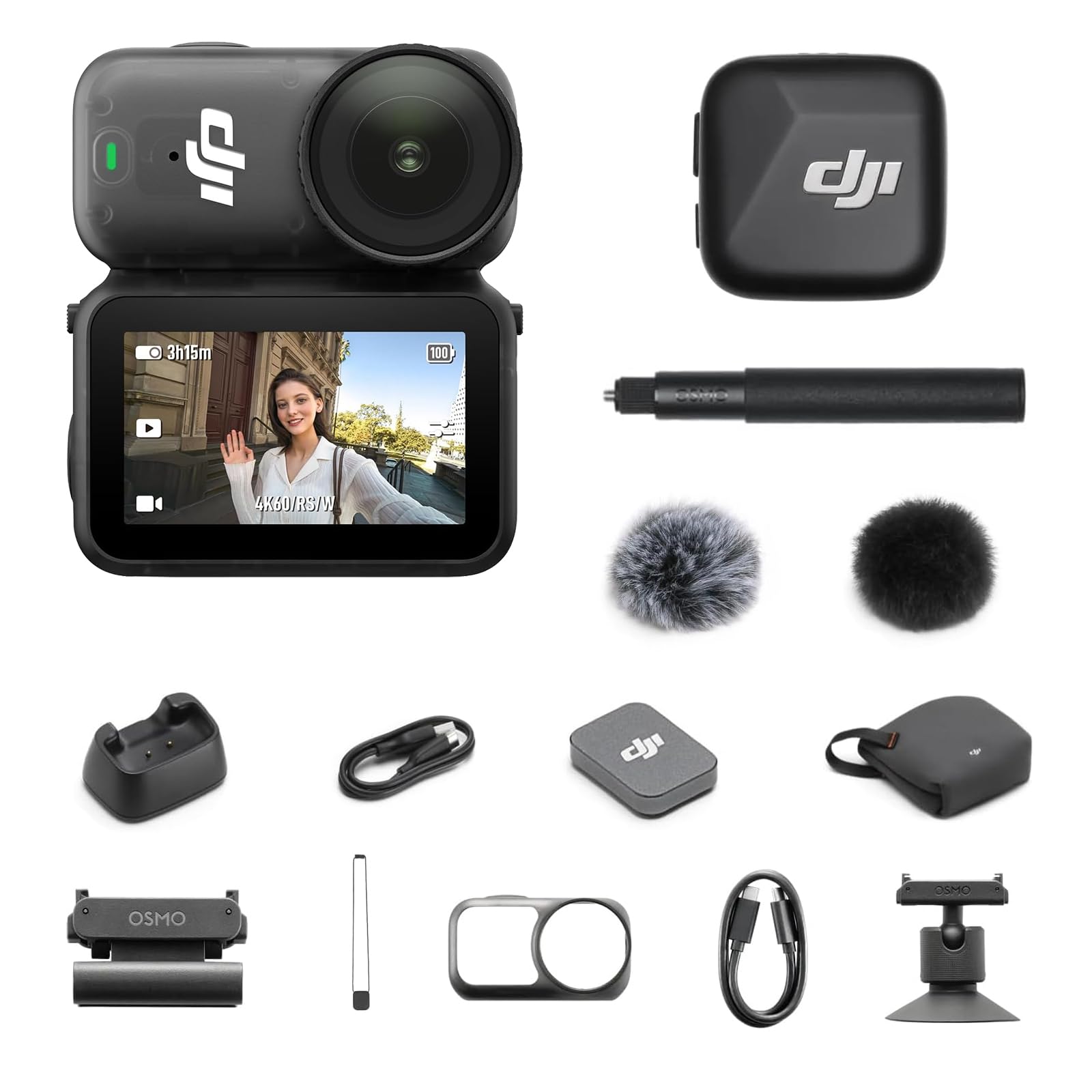
Start With Sound: Three Voice Situations
Before comparing sensors, decide which of these three recording situations sounds most like your week. Each one points to a different audio setup, and the audio setup quietly decides which camera class makes sense.
Voice at a Desk
Desk recording is the kindest situation, because the room is small, the distance is short and you control the background noise. A camera with a microphone input still earns its place here, since a small wired microphone clipped near your collar sounds close and clear even in a room with bare walls. If the camera lacks an input, sit closer and soften the room with curtains or a rug before spending anything.
Voice Outdoors
Outdoor voice work is where built in microphones struggle most, because wind and traffic sit between you and the lens. A microphone input paired with a wind cover matters more outside than any resolution step, and cameras whose audio meters show on screen help you catch a ruined take before you walk home. Short recording distances help too, so a lens that frames you well at arm length is a genuine audio feature.
Music and Room Sound
Creators who film lessons, practice sessions or room tours need the camera to capture the space, not just a voice. Stereo microphones with a natural spread suit this work, while strongly directional microphones can make instruments sound thin. Manual audio levels help here as well, because automatic gain often pumps up and down when the volume changes. If music is your main subject, weigh audio controls as heavily as the sensor.
What a Modest Budget Honestly Buys
Cameras in the affordable band, roughly under about $600, divide into fixed lens compacts, small mirrorless bodies with a kit lens, and action style cameras built for movement. Each class cuts something different. Compacts cut lens choice, mirrorless bodies cut the extras in the box, and action cameras cut screen size and low light reach. Knowing which cut you can live with is the real buying skill at this level.
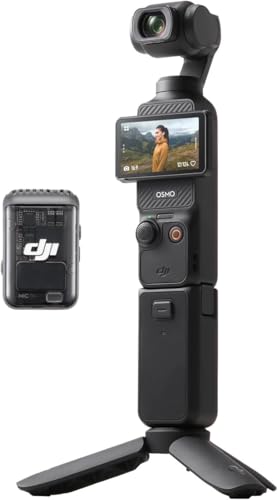
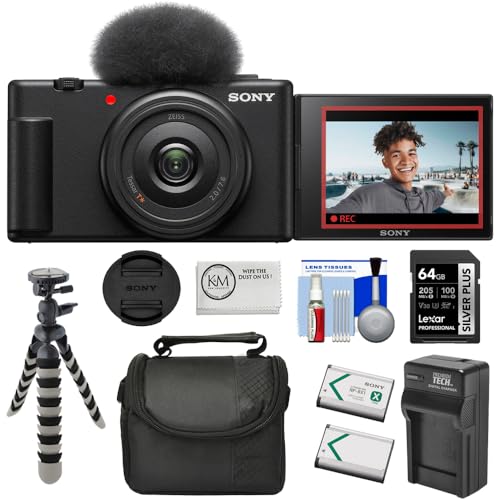
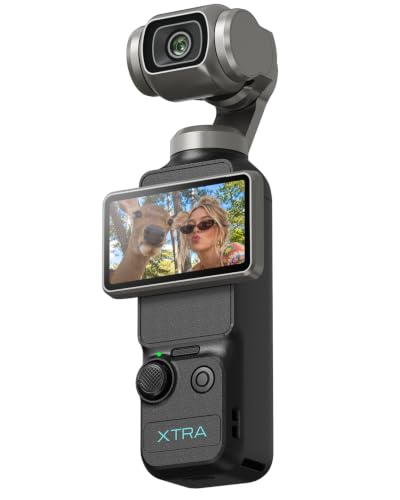
The place never to save is the sound path. A camera around $300 with a microphone input usually serves a talking channel better than a camera around $500 without one, because the second camera locks you into room echo forever. The product table above shows which picks commonly include the input, and it is worth scanning that detail before any other.
The Screen Is Your Framing Tool
A screen that flips to face you is the single feature that separates a vlogging camera from a general camera. It lets you check framing, focus and exposure while you are the subject, instead of guessing and reviewing afterwards. Screens that only tilt up partway work for high or low angles but still hide the frame when you face the lens directly.
Touch focus on that screen is the second half of the tool. Tapping your face or a product on the table and having the camera hold focus there removes the most common beginner frustration. When you compare the picks in the product table above, treat a fully flipping screen plus touch focus as a pair, since either one alone only solves half the problem.
Sensor Size, Stated Plainly
Affordable cameras mostly use one inch sensors or APS C sensors, and the difference shows up in dim rooms rather than bright ones. A larger sensor gathers more light, so indoor evening footage looks cleaner and backgrounds soften more at the same framing. A one inch sensor in a compact is still a real step up from a phone sized sensor, especially for skin tones under household lamps.
Megapixel counts are the least useful number here. Video uses only part of the sensor readout, so a camera with fewer megapixels can still produce sharper, cleaner footage than a high megapixel stills body. Judge a class by its video readout and low light behaviour, not by the stills headline.
Stabilisation and the Cropping Trade
Electronic stabilisation smooths walking footage by cropping the frame and correcting the edges in software, which means the picture narrows and fine detail softens. That trade is worth it for walk and talk segments, and less worth it for static desk shots where a small tripod does the job without any crop. Optical stabilisation inside a lens or body avoids most of the crop but usually costs more.
Walking pace matters as well. Every system in this price band handles a slow, deliberate walk well and struggles with running, stairs or cycling over rough ground. If your channel is built on movement, the action camera class is shaped for that work, while desk and travel channels are better served by a compact or mirrorless class.
Video Specs That Matter, and Ones That Do Not
Resolution is the headline, but frame rate and recording limits shape daily use more. Smooth 4K at standard frame rates is plenty for most channels, while slow motion options matter only if your content shows action in detail. Recording time limits and heat behaviour deserve one check before buying, because some compact bodies pause after a stretch of continuous recording to cool down.
Autofocus behaviour is the quiet deciding spec. Eye tracking that holds a face while you move and gesture saves more takes than any resolution step, and product showcase focus that shifts cleanly to an item held toward the lens matters for review and craft channels. If you are comparing the wider family, our guide to best cameras for vlogging covers the full range beyond this budget.
Lenses and Zoom at This Price
Fixed lens compacts give you one well chosen zoom range and no decisions, which suits travel and daily logging. Mirrorless classes open the door to a wider lens later, and that later lens is part of the true cost of the system. A kit zoom that starts wide enough to frame you at arm length is the practical check, because a lens that starts too narrow forces you into corners of the room.
Zoom range beyond that is rarely the bottleneck. Most vlogging happens at the wide end, so brightness at the wide end matters more than reach at the long end. Readers weighing the broader budget field can also see how best cameras affordable classes balance lens range against price.
How the Classes Compare
The three affordable classes solve different problems. The table below summarises the honest trade in each class.
| Class | Strength | Honest trade | Best fit |
|---|---|---|---|
| Fixed lens compact | Flip screen and simple controls | No lens changes later | Desk and travel logging |
| Small mirrorless | Larger sensor and lens choice | Extras raise the true cost | Growing channels at home |
| Action style | Tough body and strong stabilisation | Small screen and weaker low light | Movement and outdoor work |
Phones deserve one honest sentence in this comparison. A recent phone is a fair starting camera, and the money saved can buy a microphone and a small tripod instead. A dedicated camera earns its price when you need the flip screen, the microphone input and longer continuous recording without tying up your phone. Our overview of best digital cameras sets out the wider classes if you are still deciding which family fits.
Best Affordable Cameras for Vlogging and Travel
Travel adds three demands that desk recording never makes. The camera must be light enough that you actually carry it all day, quick enough to start recording before a moment passes, and simple enough to hand to a travel companion for a shot of you. Fixed lens compacts lead here because everything works the moment the camera wakes.
Battery count becomes the second travel decision. One battery rarely covers a full sightseeing day of clips, so budget for a spare and a small charger as part of the travel kit. Weather sealing is rare at this price, so a simple rain cover or a zip bag is the honest protection plan.
The True Cost Beyond the Camera
The sticker price is only the first payment. A memory card fast enough for 4K recording, a spare battery and a small tripod are close to mandatory, and together they commonly add about $60 to $150 to the real total. A basic microphone, when the camera supports one, adds about $30 to $80 more and returns more quality than any other single purchase.
Plan the total before choosing the class. A mirrorless body at the top of the budget with nothing left for a card and battery is a worse buy than a compact one step down with the full kit included. The siblings in the best affordable digital cameras family follow the same rule, because the extras cost the same whichever body you choose.
Keeping Your Camera Working Longer
- Clean the lens with a soft cloth made for glass, since shirt fabric can drag grit across the coating.
- Carry one charged spare battery and rotate the pair, so neither sits empty for months.
- Store the camera in a dry padded bag, away from bathroom steam and car heat.
- Update the firmware when the maker releases it, because autofocus and heat behaviour often improve.
- Format memory cards in the camera rather than deleting files on a computer, which keeps the card file system healthy.
Stills focused shoppers sometimes land on this page by mistake, so one classification note helps. The classes here are chosen for moving footage, flip screens and audio paths. If your main interest is still photography on the same budget, the best affordable photography cameras guide is the closer match.
Questions Answered
Can an affordable vlogging camera record while charging over USB?
Many cameras in this class can record while powered over USB, which turns a small power bank into hours of extra desk recording time. Check the manual wording before relying on it, since some bodies charge only while switched off. Outdoor creators gain less from the feature, because a cable changes how the camera handles, but for static home setups it can replace a second battery entirely and simplify long recording days.
How much memory card space does one hour of 4K vlogging footage use?
One hour of 4K footage at common bit rates uses roughly 20 to 45 gigabytes, depending on the recording setting the camera offers. That means a 128 gigabyte card holds about three to five hours, which covers most travel days with room to spare. Buy card speed for the recording mode rather than the biggest capacity, because a slow card can stop a recording even when it still shows free space remaining.
Do affordable vlogging cameras overheat during long recordings?
Some compact bodies do pause during long continuous recordings, especially in warm rooms or direct sun, because the small body has little room to shed heat. The pause is a protection step, not a fault, and shorter clips with brief gaps avoid it in most cases. Creators who record long talks should favour classes with a stated long recording design, use mains power where possible, and keep the camera out of sunlight while filming.
Can I use an affordable vlogging camera for live streaming?
Yes, many cameras in this class can send a clean video signal over USB or HDMI to a computer for streaming. The picture usually looks a clear step above a basic webcam, and your usual microphone setup carries over. Check whether the camera can run from mains power during a stream, since battery only streaming limits session length, and confirm the streaming resolution the USB connection supports before planning around it.
Should I buy a used vlogging camera to save money?
A used camera can be a sensible saving when the sensor is clean, the screen hinge is firm and the battery still holds a reasonable charge. Ask for a short sample clip filmed that week, because video faults such as focus hunting show up on footage rather than in photos. Factor in a new battery and card either way, since used kits often arrive with worn examples of both, and that narrows the saving.
Final Thoughts
Choose in this order: the audio path first, the flip screen second, and the sensor third. That order is what makes the best affordable cameras for vlogging feel like a bigger step than their prices suggest. Compare the picks in the product table above against your own three voice situations, keep the true cost of cards and batteries inside the budget, and the camera you pick will serve the channel you actually make.