
Best Cameras for Video Editing in 2026: Matching the Right Model to Your Routine
Disclosure: We may earn a commission when you buy through links on this page, at no extra cost to you. As an Amazon Associate I earn from qualifying purchases. Learn more

Compare cameras for video editing by sensor, codec, color depth, autofocus and recording limits, so your footage stays clean and easy to grade.
There is no single camera that suits every editing desk. A wedding shooter, a tutor and a parent cutting family clips all hand very different files to the timeline. The best cameras for video editing are the ones whose footage matches your software, your storage and your pace, and the comparison table below helps you sort those needs first.
Start with the finished video you make most often. Short clips reward speed and simple files, while longer projects reward clean color, steady focus and trusted sound. Many shoppers find that the best video cameras for video editing are not the most costly ones, but the ones that leave the least repair work for the edit.


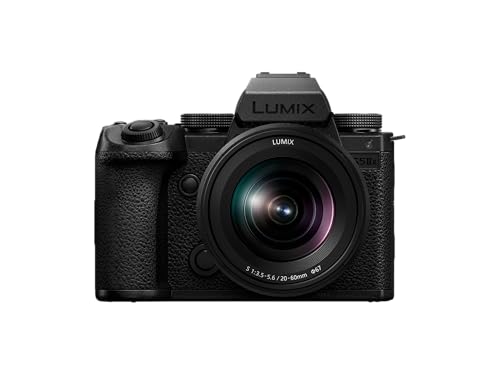
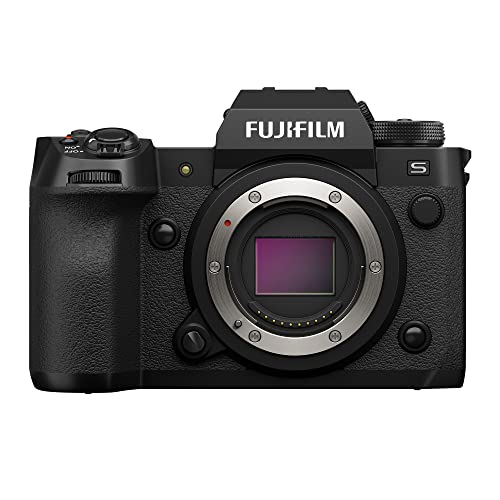


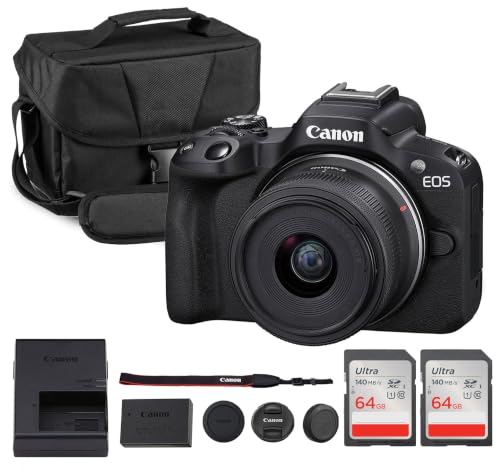


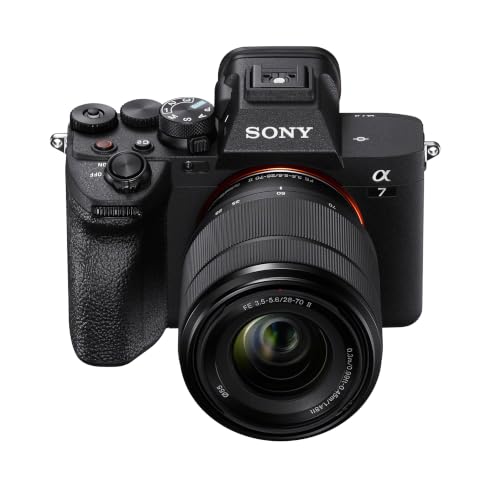
Who Should Buy Which Cameras for Video Editing?
Match the camera to the project you repeat each week. Your subject, room and deadline matter most.
Filmmakers and Client Video Editors
You deliver work clients will view on large screens, so you need footage that holds up when you grade color and crop the frame. Prioritize a larger sensor, 10 bit color and a log profile your software handles well. You also need a headphone jack and recording limits that cover a full scene without a stop.
Remote Workers and Online Creators
You record lessons, calls, demos and talking head clips in the same room, often with no help. Prioritize reliable eye autofocus, a screen that faces you and clean audio from an external mic input. A compact mirrorless body suits this work well, and if your main output is talking head video, see our guide to the best cameras for video blogging for that setup.
Students and Everyday Family Editors
You need a camera that is easy to carry, quick to learn and forgiving when light is poor. Prioritize simple menus, in body image stabilization and file formats that open in basic editing apps without conversion. A smaller sensor keeps cost down, and a kit lens with optical zoom covers school events, travel and family gatherings without extra gear.
Key Features to Compare
Read each feature as an editing question.
Sensor Size and Room to Crop in Post
Sensor size shapes depth of field, low light quality and how much you can crop in the edit. A 1 inch sensor keeps the camera small and gives a deep focus area that suits run and gun clips. An APS C sensor offers shallower focus and cleaner shadows at a moderate cost. A full frame sensor gives the shallowest focus and the most grading room, but files and lenses grow. Megapixel count matters less than clean pixels do.
4K Video, Frame Rates and Room to Crop
4K video records four times the detail of 1080p, which lets you crop, reframe and stabilize a shot in the edit while still delivering a sharp 1080p file. Frame rate decides your slow motion options, since 60 frames per second can play back at half speed in a 30 frame timeline. Check whether the camera keeps its full sensor width at that rate, because some models crop at higher speeds.
Codecs, Color Depth and Log Profiles for Editing
When you shop for best cameras for video editing, the codec decides how hard your computer works and how far you can push color. Lightly compressed files edit smoothly but fill cards fast, while heavily compressed files need more processing power. Footage with 10 bit color and 4 2 2 sampling holds gradients better during grading than 8 bit files do. Log profiles keep more detail, but they look flat until you grade them.
Focus That Survives the Cutting Room
Autofocus decides how many takes survive the edit. Eye detection holds focus on a speaker who shifts in a chair, and touch tracking helps when a subject moves across the frame. Test how the camera behaves when a hand crosses in front of the face, because a system that jumps to the hand will cost you clips. Image stabilization in the body smooths small hand movements, which reduces warped edges from software stabilization.
Low Light Performance and Clean Noise
Noise is harder to fix in the edit than soft focus, since removing it can smear skin texture and fine detail. A larger sensor and a fast lens gather more light, so the camera can keep ISO lower in dim rooms. Check mixed indoor light as well, because flicker from household lamps can leave bands across the frame. Clean files at your usual settings matter more than a high maximum ISO.
Recording Limits, Media and Sound Inputs
A camera that stops recording at a fixed limit can split a long interview into pieces you must sync and join. Check the limit at the resolution you plan to use, and note whether long sessions cause heat warnings. Fast cards cost more, and some high quality modes need the fastest card type. A mic input plus a headphone jack lets you hear problems during capture instead of finding them at the desk.
How to Match a Camera Type to Your Editing Workflow
Mirrorless cameras are the default choice for most editors because they pair interchangeable lenses with strong video tools in a body you can carry daily. Vlogging cameras trade some lens choice for a compact body and a facing screen that suits solo recording. If you also shoot general footage away from your desk, see our guide to the best cameras for video for that broader use.
Action cameras earn their place when the shot is rough, wet or mounted, since their small files cut quickly and their wide view tolerates rough framing. For that niche, see our guide to the best action video cameras. Camcorders suit long events because they are built for hours of recording with one zoom lens. If you combine footage from two or more bodies, see our guide to the best video editing software for multiple cameras before you buy, because matching color starts with software that syncs clips well.
Think about file flow before you choose. Add up one typical shoot, in minutes of footage, cards needed and backup time. A camera whose files your laptop plays smoothly will get edited sooner than a stronger camera whose files stall on your timeline. Weather sealing also matters outdoors, since a weatherproof body protects a full day of clips from light rain.
Common Mistakes to Avoid
- Buying on megapixel count alone leaves you with files that grade poorly and strain your computer.
- Ignoring codec support in your editing app can force a slow conversion step before every project.
- Choosing a camera with no mic input leaves you with room echo that no tool fully removes.
- Overlooking recording limits can split a long event into clips that are hard to sync.
- Spending the whole budget on the body leaves no money for the fast cards that high quality modes require.
Care and Maintenance for Video Cameras
Clean the lens with a proper lens cloth, not your shirt, because shirt fabric can trap grit that scratches coatings. Use a blower for dust and leave deep sensor cleaning to a service shop unless you have practiced the method. Wipe the body after outdoor shoots and check mount contacts if a lens reports errors.
Carry a spare battery and a spare card for every shoot, and store the camera in a dry, padded bag away from heat. Format cards in the camera after you have backed up the files in two places, not before. Charge batteries after a long session rather than storing them empty, and update firmware only when you have time to test the camera afterward.
FAQ
What features matter most in cameras for video editing?
Clean color, a codec your software handles and steady focus matter most in cameras for video editing. One point many buyers miss is file naming, because clear clip names make a long project far easier to sort. If you edit on a laptop, favor a mode your machine plays smoothly over the highest mode on offer.
Is a smartphone enough instead of a camera for video editing?
A smartphone is enough for short clips in good light, and it fails first when you need shallow focus, long zoom reach or clean sound from a distance. Its small sensor also struggles in dim rooms, where noise grows fast. Add a phone as a second angle if you own one, and match its color setting to your main camera first.
What specs matter most for beginners choosing a camera for video editing?
Simple menus, reliable autofocus and files that open in free editing apps matter most for a first camera. Beginners often do better with the best video cameras for video editing that offer a guided auto mode plus room to grow, rather than a pro body with deep menus. Spend part of the budget on a basic tripod, since a steady frame makes early edits look polished.
Which camera type is better for low light video that you plan to edit?
A larger sensor camera with a fast prime lens is better for low light video you plan to edit. The extra light it gathers keeps faces cleaner at the same exposure. One extra check is shutter speed for your frame rate, because doubling the frame rate for slow motion also halves the light each frame receives, which can undo that gain.
How much should I spend on a first camera for video editing?
Plan to spend about $500 to $1,000 on a first camera body and kit lens for video editing. Set aside part of that total for cards, a spare battery and a mic, because those items affect your edit more than a small step up in the body. A recent used body can stretch the budget, provided the sensor is clean.
Our Verdict
Choose by workflow first. If you grade color and deliver client work, favor sensor size, 10 bit files and no short recording limit. If you record solo at a desk, favor eye autofocus, a facing screen and a mic input. Use the product table above to confirm the codec and card type for each model on your short list.
The right best cameras for video editing choice is the camera whose files you can open, grade and finish without extra steps. Buy for the projects you already make, and keep money aside for cards and sound.
