Best Cameras for Social Media Marketing in 2026: What Actually Matters Before You Buy
Disclosure: We may earn a commission when you buy through links on this page, at no extra cost to you. As an Amazon Associate I earn from qualifying purchases. Learn more

Choose cameras for social media marketing with clear guidance on sensors, 4K video, autofocus, audio inputs and lenses for posts, clips and live work.
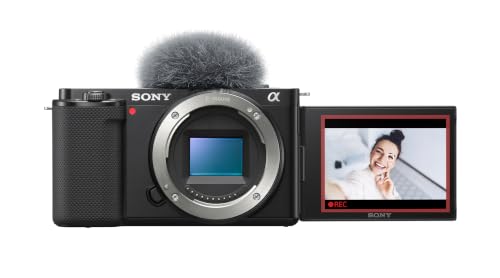
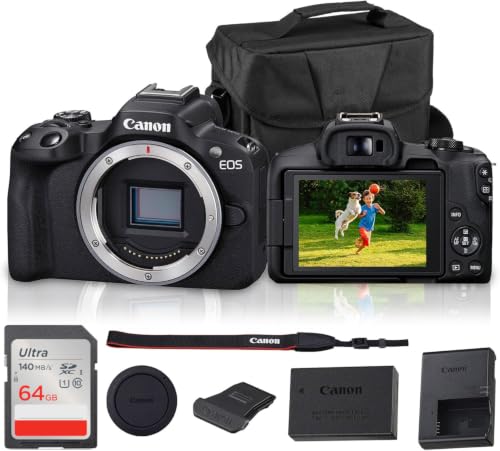
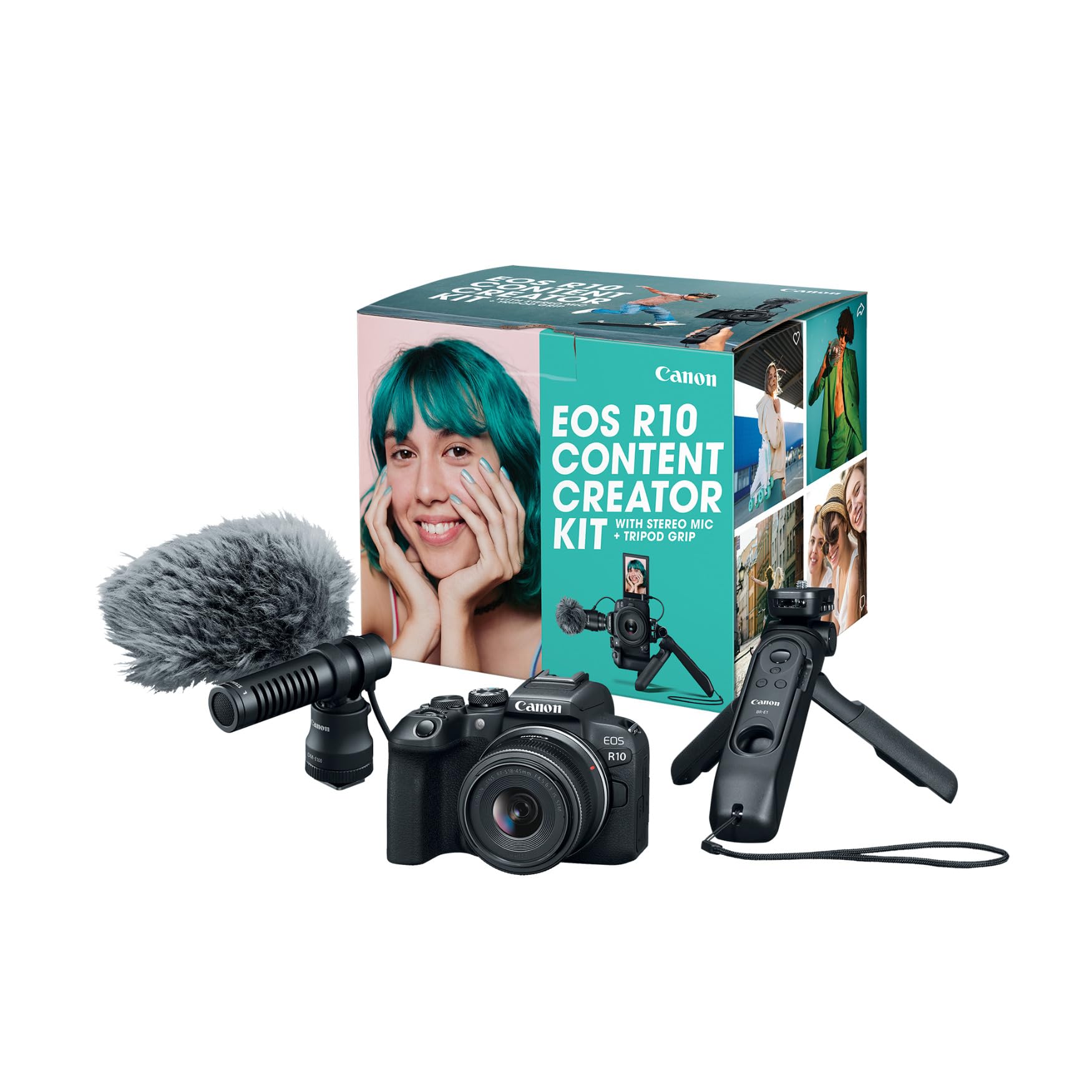
Marketing footage must look sharp on a phone screen, hold attention in the first seconds, and be quick to shoot and post. The best cameras for social media marketing are not always the most costly models. They match your content pace, your space, and your team skills, and you can check that fit against the comparison table below.
Use this guide as a checklist before you spend. Work through who shoots, what you publish each week, and how files move from camera to post. Those answers narrow the field far faster than megapixel counts.



Who Should Buy a Camera for Social Media Marketing?
Start with the person behind the camera and the content on the calendar.
Solo Creators Who Film Themselves Every Day
You shoot, present, and edit alone. Choose a light camera with a screen that turns to face you, reliable eye detection autofocus, and controls you can reach while recording. Fast wireless transfer matters because you post the same day. A compact kit you carry daily beats a heavy kit left at home.
Small Business Teams Who Shoot Products and People
You share one camera among staff for product demos, testimonials, and store updates. Choose accurate color, close focus for labels, and a lens range that covers wide room views and tighter product shots. Simple menus help when different people shoot. For a broader shortlist first, see our guide to the best social media cameras.
Marketing Teams Who Cover Events and Live Sessions
You film launches, trade shows, and live sessions where a missed moment cannot be restaged. Choose long battery life, two memory card slots if you can, and weatherproof seals for outdoor work. You also need clean audio inputs and a screen readable in bright light. Reliability matters most here, because one failed take can cost the whole campaign.
Key Features to Compare
No single list of the best cameras for social media marketing fits every team, because a daily vlog, a product demo, and a live event reward different strengths. Score each model on the six factors below.
Sensor Size and Image Quality for Feeds and Crops
Sensor size shapes how clean your images look in dim rooms and how much you can crop for vertical posts. A 1 inch sensor suits compact cameras and bright spaces. APS C sensors gather more light and soften backgrounds for interviews. Full frame sensors give the cleanest low light results but add cost and size. Megapixels matter less than buyers expect, because platforms compress uploads.
Video Capabilities for Short Clips and Live Sessions
Look for 4K video so you can crop a horizontal clip into a vertical one and still keep detail. Higher frame rates smooth slow motion, and a flip forward screen helps solo presenters frame themselves. A microphone input is close to essential for interviews, and a headphone socket lets you catch wind noise before you publish. For filming formats in more depth, see our guide to the best cameras for social media videos.
Autofocus and Image Stabilization for Handheld Shooting
Good autofocus keeps a moving presenter or a product in hand sharp without constant manual checks. Eye detection helps talking head clips, while subject tracking helps demos and events. Image stabilization steadies walking shots and handheld close views. In body, lens based, and electronic systems all help, though electronic modes can crop the frame slightly. Test tracking at your normal distance, because missed focus shows first there.
Lens Choice and Optical Zoom for Products and People
The lens decides your framing more than the camera body does. A standard zoom around 24 to 70 mm in full frame terms covers rooms, people, and most products. Wider views suit small spaces, while longer reach suits stages and events. Optical zoom keeps full quality across its range, and a wide maximum aperture helps in dim light and softens backgrounds.
Audio Inputs and Connectivity for Fast Posting
Clear speech holds viewers longer than extra resolution. A standard microphone input lets you add a lapel or shotgun microphone, which improves voice clarity in echoing rooms. Wireless transfer through WiFi or Bluetooth moves clips to a phone for quick edits and captions. USB C charging reduces the cables you carry. Check how the camera sends vertical clips, because a smooth transfer routine saves more weekly time than a small gain in image quality.
Size, Weight, and Weather Sealing for Shoots Away From a Studio
A camera you can hold for an hour will get used more than a heavier kit that tires your arms at events. Weatherproof seals around doors and dials help in light rain and dusty markets, though seals do not make a camera safe to submerge. Check grip depth with your own hands. If stills are your main output, see our guide to the best digital cameras for social media.
Camera Types Compared for Social Media Marketing Work
Once your feature scores are clear, match them to a camera type.
Mirrorless Cameras for Teams That Need Lens Choice
Mirrorless cameras pair interchangeable lenses with strong video tools and compact bodies. They suit teams that plan to grow, adding a wide lens for rooms or a longer lens for events later. Costs rise as you add lenses, so budget for the lens you need most first.
Compact Cameras for Fast Daily Posting
A compact camera with a fixed lens removes setup decisions and fits in a jacket pocket. It suits daily updates, behind the scenes clips, and travel content where speed beats lens choice. You give up some low light reach, but you gain a camera staff will actually carry. For content ideas that pair with this kit, see our guide to the best cameras for social media content.
Action Cameras for Movement and Tight Spaces
Action cameras are small, tough, and very wide in view. They suit process footage, point of view demos, and mounting where a larger camera cannot go, such as on a delivery bike. Their small sensors and fixed wide view limit portrait style interviews, so most teams use one as a second camera.
Final Checks Before Buying a Camera for Your Content
Answer each question for the content you already publish. A no answer points to the section to revisit.
- Can you frame yourself alone with the screen turned toward you?
- Does the camera have a microphone input that fits your planned microphone?
- Can it record 4K video long enough for your longest normal take?
- Does autofocus track eyes or your main subject at your usual distance?
- Can you send a clip to your phone and post it within minutes?
- Have you budgeted for cards, a spare battery, and a microphone too?
Common Mistakes to Avoid
- Buying for the highest megapixel count alone leaves huge files that platforms compress anyway and too little budget for a good lens.
- Trusting a headline digital zoom figure leaves product labels soft and grainy when you crop in to fill the frame.
- Skipping a microphone input leaves speech thin and echoing, and viewers leave marketing clips with poor sound within seconds.
- Choosing a heavy kit for daily posting leaves the camera in a cupboard, and your posting pace drops within weeks.
- Ignoring card speed ratings leaves 4K clips stopping mid take when the card cannot keep up.
Care and Maintenance for Marketing Cameras
Clean the lens with a soft lens cloth, not your shirt, because shirt fabric can hold grit that scratches coatings. Carry a spare battery and store the kit in a dry, padded bag away from heat. Let a damp camera air dry fully before you close the bag.
Check memory cards before each campaign shoot and format them in the camera after files are backed up in two places. Inspect cables and microphone plugs for a loose fit, because a small crackle can ruin an interview.
FAQ
What features matter most in a camera for daily social media marketing posts?
Reliable autofocus and fast file transfer matter most for daily social media marketing posts, because together they decide whether you can shoot, edit, and publish in one short session without reshoots. Next, rank a microphone input and a screen you can see from the front. One extra many buyers miss is a custom button set to start vertical recording at once.
How much should a small business spend on a first camera for social media marketing?
A small business should expect to spend about $500 to $1,500 for a first camera body and starter lens that cover most marketing work well. Keep roughly a quarter of the budget back for a microphone, fast cards, a spare battery, and a small tripod.
Which sensor size is better for low light filming for social media marketing?
A larger sensor is better for low light filming, with full frame ahead of APS C and APS C ahead of 1 inch sensors in dim rooms. Sensor size is not the whole fix, though. One small LED panel near your subject often improves skin tones and product color more than moving up one sensor class, and it costs far less.
What is the difference between optical zoom and digital zoom on a camera for social media marketing?
Optical zoom changes the lens itself to bring your subject closer at full image quality, while digital zoom crops and enlarges what is left. That crop is why digital zoom clips look softer on product labels and faces. A practical test is to film a printed label at full zoom and read it on your phone.
Is a smartphone enough instead of a dedicated camera for social media marketing?
A smartphone is enough for quick stories, replies, and simple updates. A dedicated camera earns its place for planned campaigns, interviews, and product work where lens choice, microphone inputs, and consistent color matter across a series. Many brands use both, with the phone for fast moments and the camera for hero content.
Our Verdict
Match the camera to your calendar first. Solo creators need light weight, a screen that faces them, and fast transfer. Teams need shared simplicity and audio they can trust. Check your shortlist in the product table above against this checklist, paying closest attention to autofocus, video tools, and lens range.
Chosen that way, the best cameras for social media marketing will be the kit your team reaches for every shoot day.