
Best Cameras for Online Streaming of 2026: Complete Buying Guide
Disclosure: We may earn a commission when you buy through links on this page, at no extra cost to you. As an Amazon Associate I earn from qualifying purchases. Learn more

Compare cameras for online streaming by sensor, autofocus, clean output and low light results, with a checklist for lessons, gaming and live shows.
A streaming camera must hold a sharp, well lit picture of you for a full session and send a clean signal to your computer. The best cameras for online streaming do that work quietly, so viewers watch your face and your content instead of focus hunting and noise. Use the comparison table below to match camera types to your room, your lighting and your show format.
Start by naming your main use. A teacher at a desk, a gamer in a small overlay window and a host filming a stage need different lenses, audio paths and power plans. The sections below sort those needs first.

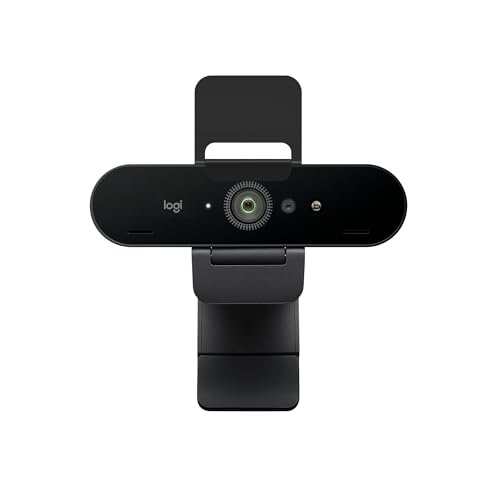
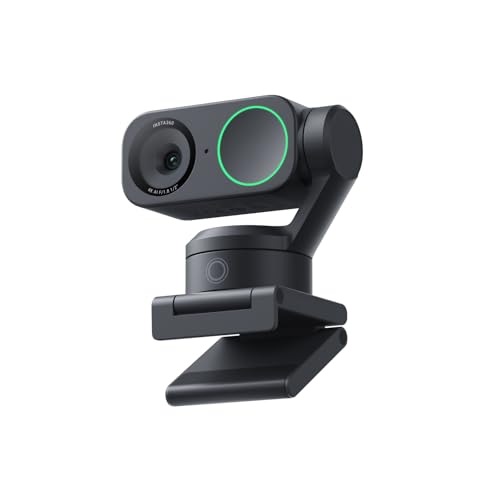

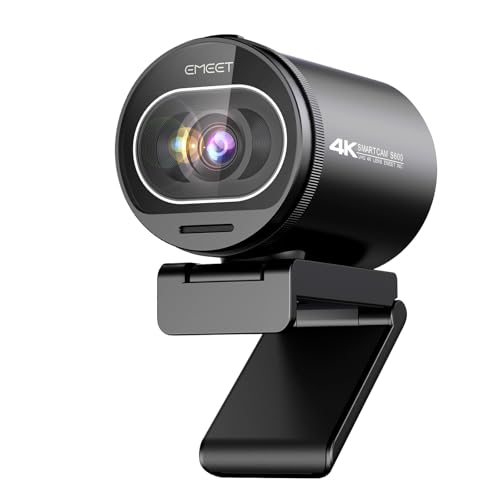

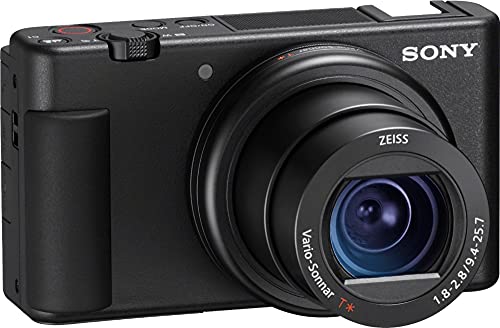

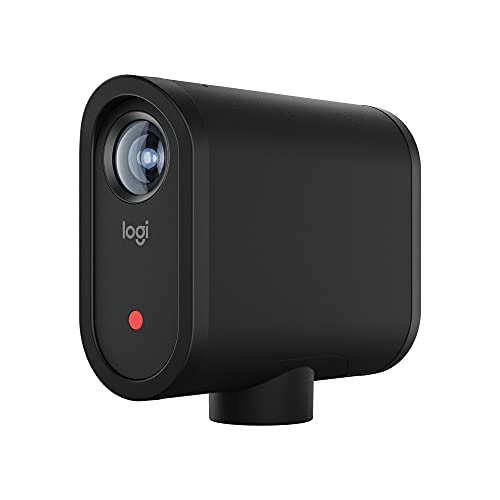

Who Should Buy Which Camera for Online Streaming?
Choose by the session you repeat most often. Room size, session length and movement matter more than a long spec list.
Solo Creators and Teachers Streaming From a Desk
You sit in one place, share a screen or a board, and need to look clear at a desk distance of about 2 to 4 feet. Choose fast autofocus, a lens that frames your head and shoulders without showing the whole room, and a direct USB connection. Good low light results matter in soft, uneven home office light.
Gamers and Hosts Who Stay on Camera for Hours
You appear in a corner window or full screen, and sessions can run for several hours. Choose a camera that runs on continuous power, stays cool during long sessions and sends an unrestricted signal to your software. Face tracking autofocus keeps you sharp when you lean toward the screen.
Churches, Teams and Event Hosts Streaming to a Group
You film people from farther away, often 10 to 30 feet from the stage or table, and the stream must stay up without constant watching. Choose optical zoom to frame the stage without moving closer, a separate audio input for a mixer feed, and remote control through an app. A larger sensor helps in dim, mixed hall light.
Key Features to Compare
Compare the best cameras for online streaming choices in this order, so a low price cannot hide a weak session limit or slow focus.
Sensor Size and Image Quality for Streaming
The sensor gathers light for your picture, and a larger sensor usually gives cleaner results with less grain. Small webcam sensors can look soft and noisy at night. A 1 inch sensor is a strong step up for desk streaming, while APS C and full frame sensors give the cleanest picture and softest background blur. Megapixels matter less here than for photos, because platforms send a far smaller picture.
Resolution, Frame Rate and Clean Video Output
Most platforms stream at 1080p, so clean 1080p at 30 frames per second covers most lessons, meetings and shows. Choose 60 frames per second for fast movement or stage pans, because motion looks smoother. Clean output means the camera sends video without menus, focus boxes or battery icons on screen, through HDMI or USB. Check that the clean signal has no time limit, because some cameras stop output after about 30 minutes.
Autofocus and Eye Tracking for Online Streaming
Autofocus decides whether viewers see your eyes or a blur each time you shift in your chair. Look for face detection and eye tracking that lock on quickly and hold focus when you turn to a board or hold up a product. Contrast only systems in basic webcams tend to pulse in low light. If you move around a room or stage, choose tracking that follows you instead of a fixed focus lens set for one distance.
Lens Choice, Optical Zoom and Field of View
A wide lens, around 24 mm in full frame terms, suits a tight desk but can stretch faces near the edges, while a 35 mm to 50 mm view gives a natural head and shoulders frame. Optical zoom changes framing with lens glass, so the picture stays sharp, which helps stage cameras far back. A bright aperture such as f1.8 to f2.8 also helps in dim rooms.
Low Light Performance for Evening Streams
Low light performance decides whether an evening stream looks clear or grainy. A larger sensor and a bright lens let the camera keep its ISO lower, and lower ISO means less noise and truer skin tones. Ranges often run from about ISO 100 to ISO 12800 or higher, but quality at your actual setting matters more than the top number. Add a lamp facing you before you pay for a bigger sensor, because better light improves every camera.
Audio Inputs, Connections and Long Session Power
Viewers leave a stream with poor sound faster than one with a soft picture, so plan the audio path with the camera. A microphone input lets you use a lapel or shotgun microphone close to your mouth, which sounds clearer than a camera microphone across the room. USB streaming is simplest for one person. For long sessions, choose a model that accepts a dummy battery or USB power delivery.
Camera Types for Online Streaming Compared
Each type below trades picture quality, setup effort and cost in a different way.
Webcams for Simple Desk Streaming
A webcam mounts on your monitor, connects by USB and works with most apps with no extra gear. It suits meetings, lessons and casual shows where ease matters most. The small sensor limits low light quality and background blur. If this simple route fits, see our guide to the best web cameras for streaming.
Mirrorless Cameras for the Cleanest Streaming Picture
A mirrorless camera gives you a large sensor, changeable lenses and strong autofocus, and many models now stream over USB. It suits creators who also record video with the same body. The trade offs are cost, desk size and heat limits on some models. For the wider category, see our guide to the best digital cameras.
Point and Shoot Compacts and Camcorders for Streaming
Point and shoot compacts pair a 1 inch sensor with a built in zoom lens on a small tripod, and some add a microphone input and a flip screen. A camcorder adds long zoom range and recording times built for hours, plus image stabilization for a stand that can vibrate. Both sit between a webcam and a mirrorless setup in price and effort.
Dedicated Streaming Cameras and Multi Camera Setups
Some cameras are built only for live output, with tally lights and direct streaming to a platform. These suit studios and houses of worship that run the same show each week. With a second angle, a switcher and matched color settings matter as much as the camera itself. For a single purpose setup, see our guide to the best streaming camera, and for weekly live shows see our guide to the best cameras for live streaming.
Common Mistakes to Avoid
- Buying for recording resolution alone can leave you with no clean signal for your software.
- Placing the camera far below eye level distorts your face on screen.
- Ignoring session limits means the camera can overheat or shut off mid show.
- Using the camera microphone across a room adds echo and noise that drive viewers away.
- Framing with digital zoom crops the picture and throws away sharpness.
- Skipping a test stream leaves evening light and network load unchecked until you are live.
Care and Maintenance for Streaming Cameras
Clean the front lens element with a soft lens cloth and a blower, never with a shirt, because grit on fabric can scratch the coating. Keep a spare battery charged even if you use continuous power. Store the camera in a dry, padded bag with the lens cap on.
Update the camera firmware when the maker releases autofocus or streaming fixes, ideally before a big event. Replace a USB cable that only works when bent. Once a month, record a five minute test at your normal settings and watch it back for drift in focus or color.
FAQ
What features matter most in cameras for online streaming?
Clean video output, reliable autofocus and good low light results matter most in cameras for online streaming. Together they decide whether your stream starts on time and stays sharp. After those three, check the audio input and the power plan for your session length. Menus on the output frustrate weekly use.
What specs matter most for beginners choosing a camera for online streaming?
Beginners should look first at 1080p output, face detection autofocus and a simple USB connection. Those three specs cover most desk setups without a capture device. A flip screen is the next most useful extra, because you can frame yourself alone with no helper. Skip deep menu systems and changeable lenses until your show format is settled.
Is a smartphone enough instead of a dedicated camera for online streaming?
A smartphone is enough for short, casual streams, and many phones look better than a basic webcam in good light. The limits show up in longer sessions, where heat, calls and notifications can interrupt the show. A dedicated camera also gives you a microphone input and a stable mount position.
Which camera type is better for low light online streaming?
A mirrorless camera with a bright lens is better for low light online streaming than a webcam or a phone. Its larger sensor gathers more light at the same lamp level, so skin looks smooth instead of grainy. A compact with a 1 inch sensor is the next step down in size and cost. Facing a lamp often gains more than one camera class upgrade.
Do cameras for online streaming need a capture card?
No, many cameras for online streaming do not need a capture card, because they send video over USB like a webcam. A capture card is only required when a camera offers HDMI output but no USB streaming mode. Cards also help multi camera shows with a hardware switcher. Check the model first, because an unneeded card adds cost and cables.
Final Thoughts
Match the camera to your room and session length first. Then compare sensor size, clean output, autofocus and the audio path in that order, because those four points decide what your audience sees and hears. Use the product table above to check output type, lens range and power options. When the best cameras for online streaming fit your show instead of a spec sheet, setup gets faster and your stream looks steady from the first minute.


