
Best Card Reader for Android Phones Made Simple: A Clear Buying Guide for 2026
Disclosure: We may earn a commission when you buy through links on this page, at no extra cost to you. As an Amazon Associate I earn from qualifying purchases. Learn more

Shopping for the best card reader for android phones for the first time? Learn the terms, compare options, and avoid rookie mistakes with this easy guide.
Buying your first card reader sounds simple until you meet terms like OTG, UHS and exFAT on the same small box. This guide starts with the basics and builds up step by step, so you can choose the best card reader for android phones for your camera cards, drone cards and phone backups without guesswork.
By the end you will know which connector, card formats and speeds you actually need, which extras you can skip, and how the best readers for android phones differ from basic adapters that only look similar.
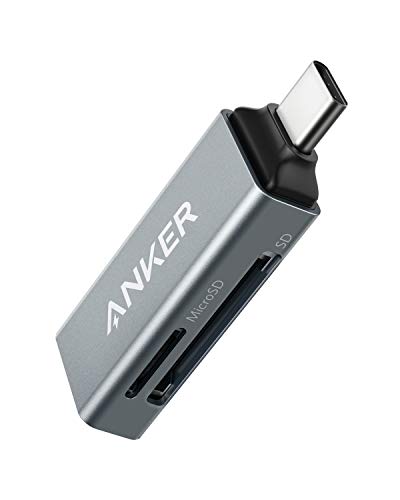


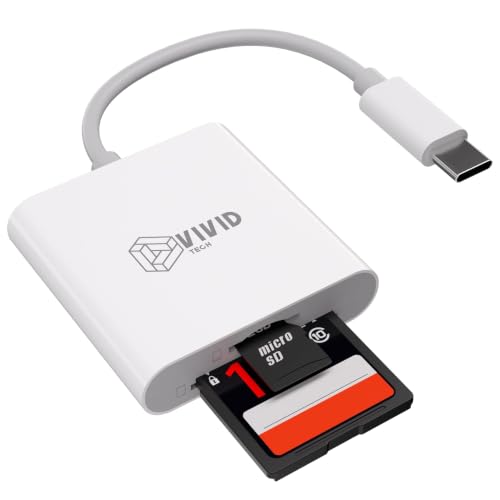

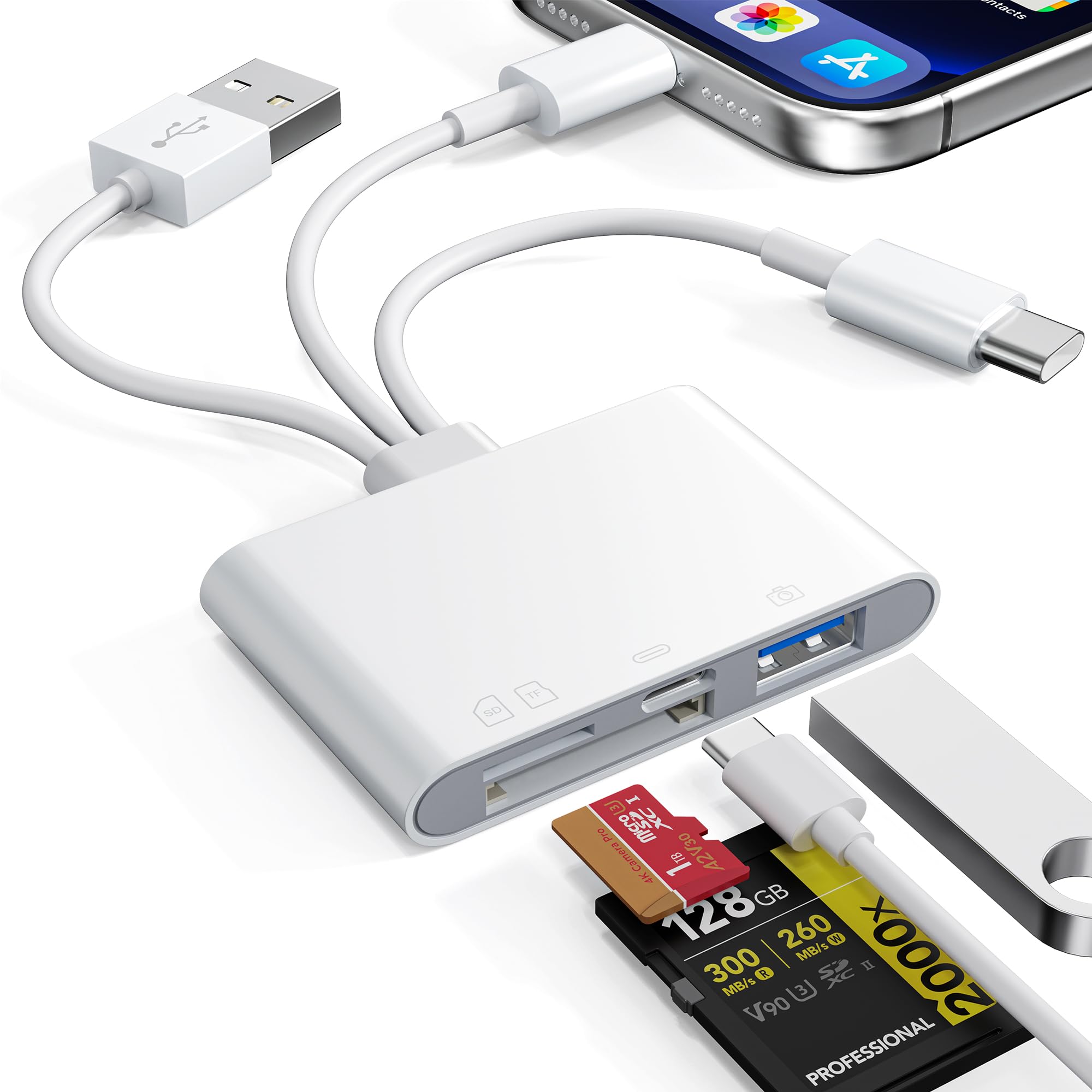
Card Readers 101: The Basics
A card reader is a small adapter that lets your phone read memory cards from other devices, such as cameras, action cameras, drones and audio recorders. The reader plugs into the charging port of your phone, the card slides into a slot on the reader, and your phone file app then shows the card as storage you can browse, copy and back up.
The idea is simple. The card holds the files, the reader translates between the card and the phone, and an app on the phone moves the files where you want them. Most readers need no battery because they draw a small amount of power from the phone. One common mix up is worth clearing up early. A memory card reader is not a payment device, so if you need to take card payments you want a different tool entirely, covered in our guide to the best credit card reader for android phones.
Key Specs Explained in Plain English
Each spec below is explained in everyday terms, with the level most first time buyers should choose. Work through them in order, because connector and card format decide whether a reader works at all.
Features That Matter for Android Phones
Android phones need a reader that supports USB OTG, which is the feature that lets a phone act as the host for an accessory. Nearly all recent Android phones with a USB C port support it, but some budget models limit OTG or turn it off until you enable it in settings. Check your phone settings for an OTG switch before you blame a reader. Android also decides which file systems it can read, so a reader is only half of the match. Your phone model and Android version complete the picture.
Connector Type and Phone Compatibility
Most current Android phones use a USB C port, so a USB C reader plugs straight in with no adapter. Older phones with a micro USB port need a reader made for that port or a proper OTG adapter, and extra adapters add wobble and failure points. The plug should sit firmly without rocking, and the housing should be slim enough that it does not block a second port or press against a thick phone case. If you use a rugged case, look for a reader with a slightly longer plug or a short cable design.
Card Slots and Supported Formats
The two formats that matter most are SD and microSD. Cameras mostly use full size SD cards, while phones, drones and action cameras mostly use microSD cards. A dual slot reader that accepts both saves you carrying two adapters, and some readers read both slots at once, which helps when you copy from one card to another. Check the stated capacity limit as well. A reader rated for cards up to 2 TB covers every card you are likely to own, while very cheap readers may stop at much smaller sizes.
Transfer Speed Explained
Speed has two halves, the card class and the reader interface, and the slower half sets the real result. UHS I cards and readers suit photo transfers well, while UHS II adds a second row of contacts and much faster moves for large video files, but only if your card, reader and phone all support it. In plain terms, copying a full card of photos may take a few minutes on a good reader and far longer on a basic one. Buy speed for video work, not for a few photos a week.
File Systems and App Support
Cards arrive formatted as FAT32 or exFAT. FAT32 cannot hold a single file larger than 4 GB, which rules it out for long video clips, while exFAT handles large files and is the normal choice for cards above 32 GB. Most Android phones read exFAT, but a few budget models do not, so test with your own card early in the return window. You rarely need a special app, because the built in file manager on most phones shows the card once connected. A maker app can help with firmware updates, but it should never be required for basic copying.
Build Quality and Portability
A reader lives in bags, pockets and glove boxes, so build quality matters more than looks. An aluminum shell sheds heat during long transfers and resists cracks, while a cap or sliding cover protects the plug from lint and bends. Attached caps get lost, so a loop for a key ring or a small case is a quiet plus. Heat is normal during a long copy, but a reader that gets too hot to hold is a warning sign. Short and rigid designs travel best, because long rigid readers act like levers on your phone port.
Picking the Right Card Readers for Different Uses
Photographers who shoot all day need speed and dual slots. Travelers need small size and a shell that survives a bag. Parents backing up a phone need simple steps more than raw speed, while drone pilots need microSD speed for large video files. Match the reader to the card you use most, not to the card you might buy one day, because format and speed needs are clear in your current kit. If you also need new cards, our guide to the best sd card for android phones explains card classes in the same plain terms.
Choosing an SD Card Reader for Android Phones
If your main card is a full size SD card from a camera, the right SD card reader for you is a USB C model with a UHS rating that matches your card, a firm plug and clear support for exFAT. You gain little from a microSD only reader, and an adapter sleeve that turns a microSD card into an SD card does not work in reverse. Choose a single purpose SD reader if you never use microSD, because fewer slots often means a smaller and tougher shell.
Rookie Mistakes to Avoid
- Buying a reader with the wrong plug for your phone port, then stacking adapters that wobble and disconnect mid transfer.
- Ignoring OTG support, and assuming every Android phone reads every reader without a settings change.
- Pulling the reader out while files are copying, which can corrupt the card and lose the very photos you were saving.
- Paying for UHS II speed when your cards are UHS I, because the slower card sets the real transfer speed.
- Formatting a camera card inside the phone before copying, which erases the files the reader was bought to rescue.
One more rookie error is leaving the only copy of your photos on the card after transfer. Copy the files, check that they open on the phone, and back them up to cloud or home storage before you format the card in the camera. Readers move files, but your habits decide whether those files stay safe.
Getting Started: Setup and First Use
Start with a small test. Insert a card with a few spare photos, plug the reader into your phone, wait for the storage notice, and open your file app to find the card listed. Copy the test photos to a new folder on the phone and open one to confirm the copy worked. Only then trust the reader with a full card.
Build two habits from day one. First, always use the eject or unmount option in settings before you remove the reader, because clean removal protects the card file system. Second, keep your phone software updated, since updates often improve accessory and file system support. A case and screen protector also help more than you expect, because first time users handle phone, reader and cards over hard floors and car parks while they learn the routine. Charge your phone before a long transfer, as a low battery can end a copy halfway.
FAQs
What features matter most in card readers for android phones?
The features that matter most are the right plug for your port, OTG support, slots for the card formats you own and exFAT support for large video files. Speed matters next, and only as far as your cards support it. Among the best readers for android phones, the practical difference is often build quality and a firm plug, because a reader that disconnects when the phone moves will frustrate you more than a small speed gap ever will.
Why does my phone not detect the card reader?
The usual causes are OTG turned off in settings, a card formatted in a file system your phone cannot read, or a loose plug blocked by a thick case. Turn OTG on, remove the case for a test and try a different card that you know works. Also clean pocket lint from the phone port with care, because a thin lint layer stops many plugs from seating fully. If the reader works on another phone, the fault sits with your phone settings or port.
How much storage can a card reader handle?
Most modern readers handle cards up to 2 TB, which is larger than almost any card sold for phones and cameras today. The practical limit is more often your phone storage, because copying a full 256 GB card needs 256 GB of free space on the phone or a second destination. Check free space before a trip and clear old downloads. You can also copy in smaller batches by date or folder, which keeps each transfer short and easier to verify.
Can I leave the reader plugged in all the time?
You can, but there is little reason to, and a plugged in reader sticks out where it can bend or break the plug in a pocket or bag. Readers also draw a small amount of power while attached. Plug in, copy your files, unmount and unplug. If you need constant access to extra files, a card fitted inside the phone, on models that allow it, is a neater answer. Our guide to the best memory cards for android phones covers that option in full.
Do I need an app to use a card reader with my phone?
No, most readers work with the file manager already on your phone, and no extra app is required for copying photos, video or documents. A maker app may offer firmware updates or a simpler view for beginners, but basic use should never depend on it. Be wary of unknown file apps that ask for broad access to your phone, because a card reader task needs only storage access. Stick with your phone built in tools or a trusted file app you already use.
The Bottom Line
Check the plug, confirm OTG and exFAT support, and match slot and speed to the cards you own. Those three checks decide whether the best card reader for android phones for you works on the first try. Compare your short list in the product table, run the small test copy when it arrives, and the rest of the routine will soon feel easy.


