
Best Cameras for Jewellery Photography: Buying Guide for 2026
Disclosure: We may earn a commission when you buy through links on this page, at no extra cost to you. As an Amazon Associate I earn from qualifying purchases. Learn more

Compare sensor size, lenses, lighting control and close focus before you buy a camera for jewellery photography, with spending levels and care tips included.
Small, shiny subjects punish every weak point in a camera, so choosing best cameras for jewellery photography starts with close focus, accurate color and steady handling rather than headline megapixels. A ring, a pendant or a pair of earrings fills only a small part of the frame, and any softness, glare or color shift shows up at once in a listing photo. This guide explains the features that matter for this work, the camera types worth comparing and the spending levels that fit different shooting habits. Use the comparison table below to weigh the main options side by side before you read the detail.
Jewellery photography also rewards patience and control more than speed. You will work close to the subject, often indoors, with lamps or a small light tent, and you will repeat the same setup for many pieces. A camera that lets you set focus precisely, lock exposure and review detail on a clear screen will save more time than a faster burst rate ever will. The sections below walk through those choices in plain language, so you can match the camera to the pieces you shoot and the volume you expect.


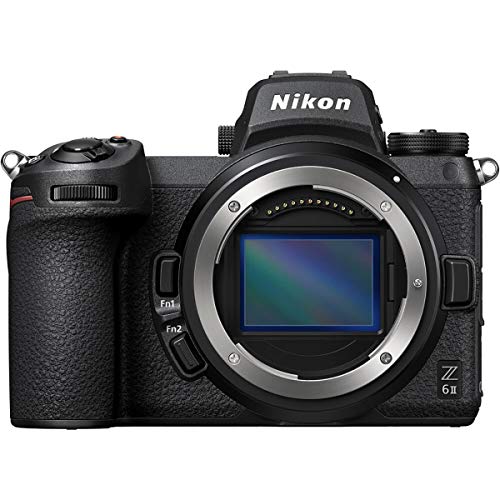

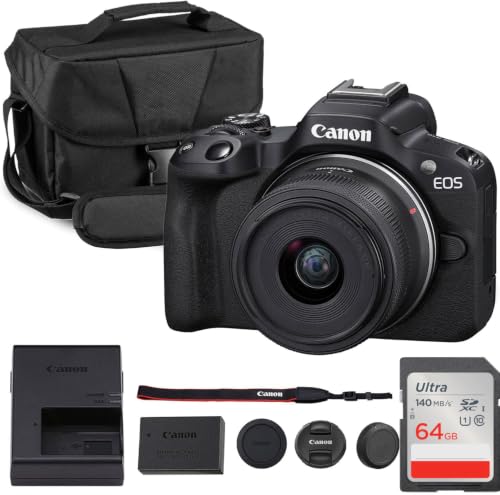


Spending Levels That Fit Jewellery Work
Rather than naming single products, it helps to think in spending levels, because the right level depends on how often you shoot and how large your images need to be. A modest setup suits a seller photographing a few pieces a week for a small shop, while a roomier setup suits a maker who shoots daily and crops tightly for print or large listings. For a first camera, our guide to best cameras for starter photography covers the same beginner friendly controls in more detail.
A Modest Start for Occasional Shoots
At this level, look for reliable autofocus at close range, a usable manual mode and a screen that shows focus clearly when you zoom in to check a shot. You can work with daylight from a window plus one simple lamp, and you can keep costs down by learning a repeatable setup before you upgrade anything. Image quality will be fine for web listings, provided you keep the camera steady and avoid harsh reflections on metal and stone.
A Step Up for Regular Shoots
The middle level adds a larger sensor, better low light performance and more lens choices, which together give cleaner detail and more natural color at higher magnifications. A flip screen helps when the camera sits low over a table, and a microphone input matters only if you also film short clips of your work. This level suits sellers who photograph new pieces every week and want consistent results without reshooting.
A Roomier Setup for Demanding Work
At the top level, you pay for finer control over depth of field, wider dynamic range for bright metal beside dark backgrounds, and lenses built for close work. Tethering to a computer can speed up a long session, because you can judge sharpness on a large screen instead of squinting at the back of the camera. This level suits daily shooting, where retakes cost selling time.
How to Choose the Best Cameras: Buying Guide
Each factor below changes jewellery results in a specific way, so compare cameras on the points that match your pieces. A camera that excels at landscapes may still struggle with a tiny brooch, while a simpler camera with good close focus may serve you better. Read each section with your own work in mind, and note which trade offs you can accept.
Features That Matter for Jewellery Photography
Jewellery work needs precise focus at short distances, faithful color and control over reflections. Look for a camera that lets you move the focus point to a single stone or clasp, lock exposure for a bright metal surface, and shoot in a raw format if you plan to adjust white balance later. A stable tripod mount and a remote or delayed shutter help even more, because tiny movements blur close up detail. See our guide to best cameras for photography for a broader look at these controls.
Sensor Size and Image Quality
Larger sensors usually capture cleaner detail and smoother tones, which helps when you crop tightly into a gemstone or an engraving. A one inch sensor can serve a small shop well, while APS C and full frame sensors give more room to crop and better results in dim light. Megapixels alone do not decide quality, because lens sharpness, focus accuracy and lighting matter just as much. Judge image quality from sample images at the sizes you will actually publish.
Lens and Zoom Range
For jewellery, the lens matters more than the zoom range, because most pieces are shot from a short, fixed distance. A lens that focuses close, keeps straight edges true and renders fine detail without fringing will beat a long zoom every time. Aperture control lets you keep a whole ring sharp or soften a background on purpose, so check the widest and smallest apertures the lens offers.
Size, Weight, and Ergonomics
A camera you hold for long tabletop sessions should feel balanced with the lens attached and offer buttons you can reach without looking away from the subject. Weight matters less than grip and control placement here, because most jewellery shooting happens on a tripod or a copy stand. A tilting screen reduces neck strain when the camera points down at a table, and a simple menu layout shortens the learning curve. Try the grip in your hand if you can, and check that the tripod socket sits centrally under the lens.
Video Capabilities
Short clips can show how a piece catches light in a way still photos cannot, so video is a useful bonus even if listings are your main goal. Look for smooth autofocus during video, a flip screen for self recording, and a microphone input if you plan to narrate. Resolution of 4K at 60 frames per second is generous for this use, while reliable focus and clean audio matter more than the highest resolution on the box. Keep clips short and steady, and light the piece exactly as you would for a still photo.
Ease of Use for Your Skill Level
Automatic modes help a new shooter get usable results quickly, but manual control is what lets you repeat a good result piece after piece. A good first camera offers both, with clear menus, a helpful guide mode and easy transfer to a phone or computer for quick listing. Our guide to best beginning photography cameras explains which controls beginners actually use most. Avoid cameras whose menus bury exposure compensation or focus point selection, because you will reach for those settings constantly.
Battery Life and Charging
Tabletop sessions drain batteries faster than expected, because live view, focus magnification and repeated review all draw power. Check the rated shots per charge, but treat it as a rough guide, since close up work with the screen on uses more energy. Charging over USB C is convenient, and a spare battery removes the worry of stopping mid session. Keep batteries warm in cold rooms and store them partly charged if you will not shoot for several weeks.
Types of Cameras
Two camera types are worth comparing for jewellery work. Understanding the difference keeps you from paying for features that do not help with small, still subjects.
Action Cameras
Action cameras are small, tough and wide angled, which suits movement and outdoor video far better than careful still life work. Their tiny sensors and fixed wide lenses make precise close focus and background control difficult, so they rarely serve as a main jewellery camera. They can still film a workshop scene or a market stall, but for listing photos, a camera with a larger sensor and a proper close focusing lens will give cleaner results.
Mirrorless Cameras
Mirrorless cameras are the most flexible choice for jewellery work, because they pair larger sensors with interchangeable lenses, including lenses built for close focus. You can start with a standard lens and add a close focusing lens later as your volume grows, which keeps the first purchase reasonable. Their electronic viewfinders and focus magnification make judging sharpness easier than on a small rear screen alone. For most sellers, our guide to best digital cameras is a useful next step when comparing mirrorless options.
How to Make Your Camera Last Longer
- Use a lens cloth, not your shirt, because fabric with grit can scratch coatings and leave fibres on the front element.
- Carry a spare battery so a long session never ends early, and keep the spare in a case away from keys and coins.
- Store the camera in a dry, padded bag away from dust, perfume and polishing compounds used at the bench.
- Update firmware for autofocus improvements, but only from the maker official site and with a charged battery fitted.
- Wipe metal dust from the body after bench sessions, and check the lens mount for grit before changing lenses.
Cameras: Your Questions Answered
What features matter most in cameras for jewellery photography?
Close focusing ability, accurate color and steady handling matter most, because jewellery fills a small part of the frame and every flaw shows. A camera that lets you place the focus point exactly on a stone, lock exposure for bright metal and review sharpness at high magnification will outperform a camera with more megapixels but weaker close focus. Add a tripod and consistent lighting, and even a modest camera can produce clean, trustworthy listing images. The lens you pair with the body often changes results more than the body itself.
Is a smartphone enough instead?
A recent phone can work for casual listings, especially with good daylight and a steady support, but it struggles with precise focus control, true close up magnification and consistent color across many pieces. Phones also apply heavy processing that can smooth fine detail or shift the color of a gemstone. A dedicated camera gives you raw files, manual exposure and interchangeable lenses, which together make repeatable results easier. If you shoot only a few pieces a month, a phone plus a small light tent may be enough to start.
How much should I spend on my first one?
Most first time jewellery shooters do well with about $300 to $800 for a camera and a basic close focusing setup, plus a tripod and simple lighting. Spending less is possible if you already own a steady support and shoot only for small web images, while spending more buys larger sensors and finer lens choices. Put lighting and a tripod first, because a stable, well lit shot from a modest camera beats a shaky shot from an expensive one. Upgrade the lens before the body when your volume grows.
Which is better for low light?
A larger sensor with a lens that gathers more light gives cleaner low light results, but jewellery is best shot with added light rather than by relying on high sensitivity alone. A small lamp, a light tent or a window with diffused daylight will improve any camera far more than a higher sensitivity setting. Keep sensitivity low, mount the camera on a tripod and use a longer exposure for still pieces, since nothing in the scene moves. This approach keeps detail crisp and colors true.
Our Verdict
Start with close focus, faithful color and a steady setup, then choose a sensor and lens combination that fits how often you shoot and how large your images must be. A modest mirrorless setup with a close focusing lens, a tripod and simple lighting will carry most jewellery sellers a long way, while a roomier setup pays off when shooting becomes daily work. Review the product table above once more, compare the spending levels honestly against your volume, and pick the best cameras for jewellery photography for the pieces you actually sell.

