
Best Cameras for Conference Calls 2026: Types Compared and How to Choose
Disclosure: We may earn a commission when you buy through links on this page, at no extra cost to you. As an Amazon Associate I earn from qualifying purchases. Learn more

Compare webcams, video bars and room cameras for conference calls by view, low light quality, microphones and room fit, with a clear buying checklist.
A laptop camera can make you look dim and distant, and a room camera can crop out half the table if the view is wrong. The best cameras for conference calls fix the picture and the sound pickup in ways a built in camera rarely can. This guide compares types first, then the specs that change what people see and hear, so you can use the comparison table below well.
Start with the room and the number of people on camera. A solo desk setup needs a different view and microphone range than a table with eight people. Your meeting app matters too, since some features need certain platforms.



Who Should Buy Which Camera for Conference Calls?
Choose by the call you join most often, not by the highest resolution on the box. For a broader shortlist, see our guide to the best conference cameras grouped by room and budget.
Solo Workers at a Desk
You sit close and speak alone, so a standard webcam with a view of about 60 to 78 degrees frames your head and shoulders without showing the whole room. Reliable autofocus keeps you sharp when you lean. In a noisy room, plan on a separate microphone or headset, because a camera microphone picks up echo.
Small Teams in Huddle Rooms
Three to six people sit around a small table, and everyone needs to stay in frame and be heard. A video bar or a wide view webcam at the end of the table covers the group. Look for a microphone range that reaches the far seat, and for auto framing that adjusts when someone joins or leaves.
Larger Meeting Rooms and Presenters
Eight or more people, or a presenter who stands and moves, need a camera built for distance. A pan tilt zoom camera can turn toward the speaker and zoom in, while a fixed wide camera makes far faces look tiny. For layouts and seating distances, see our guide to the best cameras for conference rooms first.
Types of Cameras for Conference Calls Compared
Some people use a digital camera as a call camera through a capture device, and the larger sensor can give a clean picture. A dedicated call camera is simpler for most buyers, since it starts with the meeting app and needs no extra cables. See our guide to the best digital cameras for that route.
Standard Webcams for Desks and Monitors
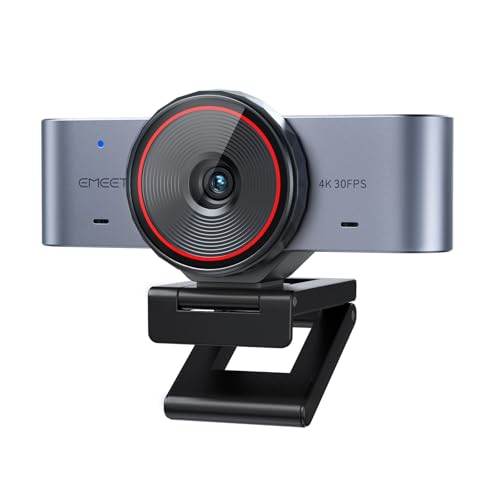
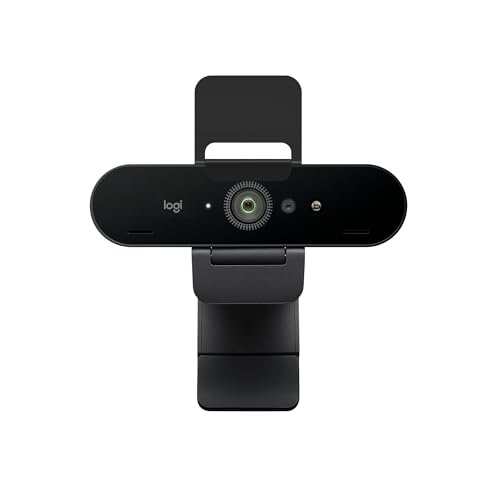
A standard webcam clips to a monitor or laptop and connects by USB, so setup takes minutes. Most offer 1080p or 4K video, a fixed view or modest zoom, and microphones suited to one person. This type suits desks and small focus rooms. It struggles in wide rooms, because its microphones fade with distance and its view cannot cover a long table.
Video Bars for Shared Tables
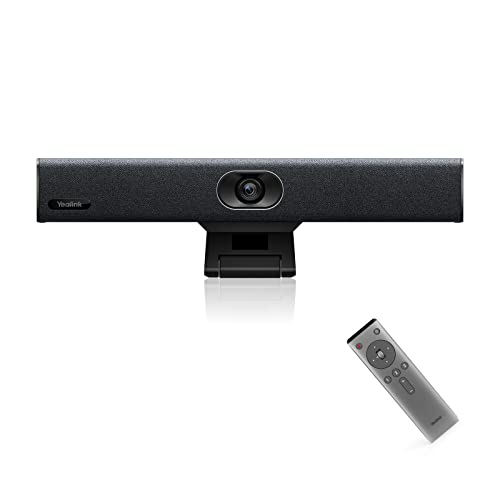
A video bar combines a camera, a microphone array and a speaker in one unit below or above a display. The array listens in several directions and reduces echo, so voices sound clearer than through a laptop. Many bars add auto framing. Compare models in our guide to the best video conference cameras for shared tables. Bars cost about $300 to $900 for small rooms.
Pan Tilt Zoom Cameras for Large Rooms
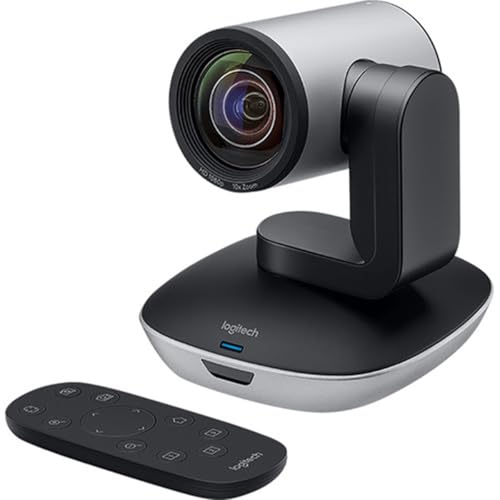
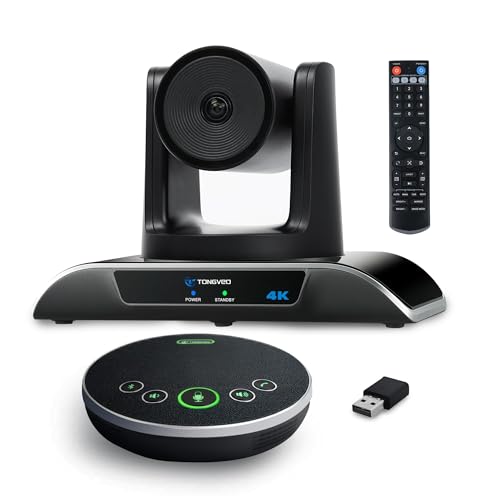
A pan tilt zoom camera mounts on a wall, a ceiling or a shelf and moves under remote or automatic control. Optical zoom, often about 10x to 20x, keeps a distant speaker large in frame without the softness of digital zoom. Preset positions switch from the table to a whiteboard in seconds. It suits boardrooms and classrooms, and it needs a separate microphone system.
Key Features to Compare
Specs only matter when they change the call for the people watching. When you compare the best cameras for conference calls, judge each feature below by room size, lighting and distance to the farthest speaker.
Resolution, Frame Rate and Sensor Size
Resolution sets how much detail survives on a large shared screen. 1080p at 30 frames per second suits most group calls, while 4K helps when software crops the picture for auto framing. Sensor size matters too, because a larger sensor gathers more light per pixel and keeps colors steadier. More megapixels on a tiny sensor do not guarantee a cleaner image.
Field of View and Group Framing
Field of view, stated in degrees, decides how much of the room the camera sees from one spot. About 60 to 78 degrees suits one person, about 90 to 110 degrees covers a small table, and about 120 degrees or more suits a wide table close to the camera. A wider view includes more people, but each face grows smaller and lines can bend near the edges. Match the angle to the closest seat first.
Autofocus, Auto Framing and Speaker Tracking
Autofocus keeps a face sharp as the person shifts in a chair, and fast focus matters more for calls than focus modes built for still photos. Auto framing widens or crops the view as people enter or leave, while speaker tracking turns the camera toward the active voice. These aids help groups most. Solo users can turn tracking off, because constant movement on screen can distract viewers.
Low Light Performance and Color
Most meeting rooms mix window light with ceiling panels, and a weak sensor turns that mix into grain and dull skin tones. Look for strong low light handling, often described with a wide aperture such as f/2.0 or with larger pixels, and for white balance that holds steady when clouds pass. Test the darkest regular call time, not the brightest morning.
Microphones, Echo Control and Voice Pickup
Picture gets the attention, but unclear audio ends calls faster. A single microphone suits one person near the camera, while an array with beamforming listens toward the speaker and cuts keyboard noise and air conditioning hum. Stated pickup range should reach your farthest seat with room to spare. If voices still sound thin, see our guide to the best headsets for conference calls for close talk audio.
Setup and Placement for Conference Call Cameras
Place the camera at eye level for speakers and close to the display, so your eyes seem to meet the other side. Center it on the table, and leave about 4 to 10 feet between the camera and the farthest person for most wide view models. Angle it slightly down only when it must sit above a tall display.
Connect by USB for a desk camera, and confirm its advanced features work with your meeting app before you mount anything permanently. Run cables where feet and chair wheels cannot crush them, and test the setup with a colleague in another room. Save a photo of the final cable route for later repairs.
Common Mistakes to Avoid
These errors are easy to make from a product photo alone.
- Buying the widest view for a solo desk makes your face small and shows clutter meant to stay off camera.
- Mounting the camera far above eye level makes you appear to stare down and breaks eye contact.
- Trusting the stated microphone range without testing the far seat leaves the quietest speaker hard to hear.
- Placing the camera with a bright window behind you turns your face into a dark silhouette.
- Skipping a test call on the actual app lets a missing driver or blocked permission stop the meeting.
Care and Maintenance for Conference Call Cameras
Clean the lens with a soft lens cloth and a light touch, because grit dragged across the glass can leave fine scratches. Keep a cap or a closed privacy shutter over the lens when the room sits unused, and dust the microphone openings with a dry brush. Never spray cleaner straight onto the camera.
Check for firmware updates every few months, and retest autofocus and framing after each one. Inspect cables for bends or loose plugs, and replace a damaged cable rather than taping it. Store spare cables and the remote in the room itself.
Conference Call Cameras: Your Questions Answered
What features matter most in a camera for group conference calls?
Group framing and microphone reach matter most, ahead of headline resolution. Check how the camera behaves when two people speak at once, because some tracking systems swing back and forth and tire viewers. Test during your busiest meeting, when side conversations reveal weak tracking.
What field of view do you need for a conference call camera at a wide table?
You need about 110 to 120 degrees when the nearest seats sit close and wide of the camera. Sit in the nearest side seat during a preview and confirm your head and shoulders appear without leaning in. Tables shaped in a V bring side seats closer, so a narrower camera can work there.
Which type of conference call camera handles a dim room best?
A camera with a larger sensor and a wide aperture handles a dim room best, and a digital camera used through a capture device often leads here. Add one soft light facing the speakers at about face height. That lamp often improves skin tone more than a step up in resolution.
What specs matter most for first time buyers of conference call cameras?
Compatibility with your meeting app, a view matched to your group size and a microphone range that reaches your seat matter most. Buy from a seller with easy returns, then run three real calls in your own room. Your walls and windows affect the result more than any studio sample.
Is a smartphone enough instead of a dedicated camera for conference calls?
A smartphone is enough for occasional calls, since its camera and processing are strong for one person. For daily meetings it falls short in small ways. Calls drain the battery, alerts can interrupt, and the phone sits too low unless you add a stand. A dedicated camera stays mounted and ready.
Wrapping Up
Match the camera type to your room first, then check field of view, microphone reach and low light strength. Solo callers do well with a standard webcam, shared tables suit a video bar, and large rooms need pan tilt zoom reach. Use the product table above to compare those points.
When the room, the group and the light guide the choice, the best cameras for conference calls become easy to spot. Start with the type that covers your farthest seat clearly.


