
Best Bluetooth Surround Sound Speakers For TV: Soundbar, Satellite and Receiver Systems for 2026
Disclosure: We may earn a commission when you buy through links on this page, at no extra cost to you. As an Amazon Associate I earn from qualifying purchases. Learn more

Best bluetooth surround sound speakers for tv: system types, TV connections and room fit for clearer dialogue.
TV sound often feels thin, quiet dialogue gets buried under music, and action scenes jump from a whisper to a blast. Adding surround sound fixes much of that, but the choices can confuse you fast. This guide compares the main system types side by side so you can match one to your room, your TV, and your budget. If you are shopping for the best bluetooth surround sound speakers for tv use, the comparison table below gives you a quick starting point before you read the details.
Bluetooth adds convenience because your phone or tablet can send music to the same system without extra cables. For TV audio, though, the connection between the TV and the speakers matters just as much, and you will learn where each one works better. The sections below help you choose the best bluetooth surround sound speakers for tv that suit your space and habits.
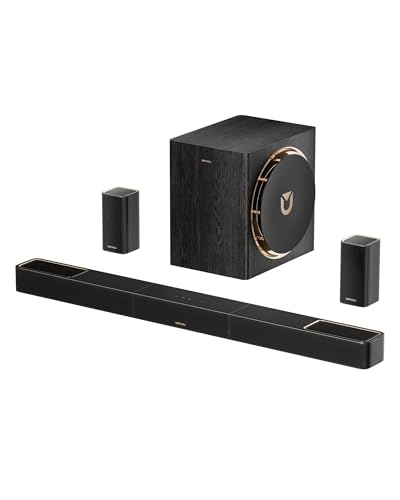
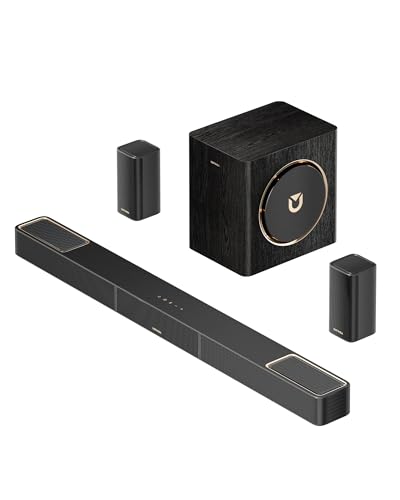

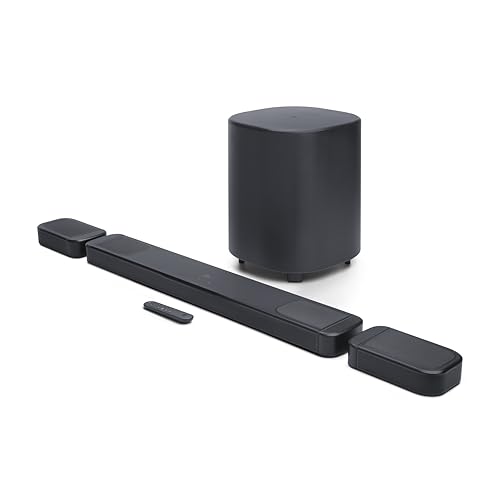
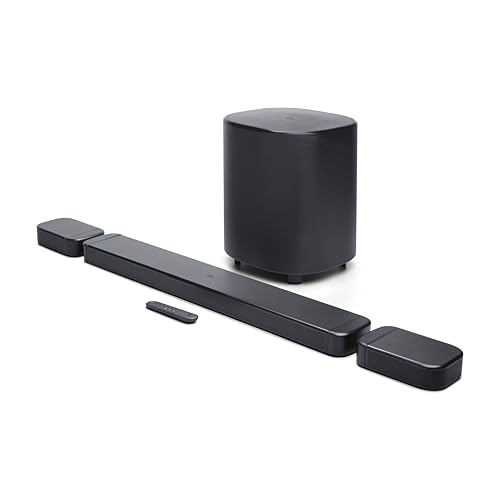


Types of Bluetooth Surround Sound Speakers Compared
Systems fall into a few clear families. A soundbar based system keeps most speakers in one bar under the TV. A system with separate small speakers spreads sound around the room.
A full receiver based setup uses a separate amplifier and larger speakers. Each family trades simplicity, price, and immersion in a different way, and none of them is right for every home.
Soundbar Systems With Wireless Rear Speakers
A soundbar handles dialogue and front effects, while two small rear speakers and a separate bass unit add depth and movement. Setup is simple because the rear units usually need only power, not long speaker wires across the room. This type suits most living rooms where you want clear voices, stronger bass, and a real sense of sound behind you without a large equipment rack.
The limits show up in very large rooms, where small rear speakers can sound thin, and in rooms with no power outlets near the back seating. If your priority is a tidy room and fast setup, this family is the sensible middle ground.
Compact Satellite Speaker Sets
Satellite sets use several small matching speakers placed around the room, usually with a central hub or a compact amplifier. Because each speaker sits closer to its ideal spot, effects can move more smoothly from front to back than with a single bar. Placement flexibility is the main strength, and the small size helps in apartments and smaller media rooms.
The trade off is more parts to place, aim, and keep charged or plugged in. Small drivers also struggle to fill a big open plan space at high volume without strain. Choose this type if your seating area is modest, your walls allow sensible speaker positions, and you value immersion more than raw loudness. Careful placement matters more here than extra wattage claims.
Receiver Based Component Systems
A receiver based system pairs a separate audio video receiver with individual front, center, surround, and bass speakers. It gives you the most control over levels, crossover settings, and future upgrades, and it handles large rooms with ease. Sound quality headroom is the best of the three families because each speaker can be larger and driven with more power.
The cost is complexity and space. You will run speaker wire or plan wireless adapters, learn a setup menu, and give up shelf room for the receiver. This type fits dedicated media rooms and movie lovers who watch often and want the system to grow over time. If you rarely watch films and mostly stream shows, the simpler families will likely serve you better.
Single Bar and Virtual Surround Options
Some bars create a surround effect from one unit using angled drivers and digital processing. There are no rear speakers at all, so setup takes minutes and the room stays uncluttered. In a small bedroom or a rental where you cannot place rear units, this can be a clear step up from built in TV sound, with better dialogue and wider stereo.
Be realistic about the effect. Processing can widen sound, but it cannot place a distinct effect behind your head the way a physical rear speaker can. Treat this type as a convenience choice, and spend on center channel performance and a good bass unit rather than on virtual surround claims.
Soundbar Systems vs Satellite Sets: Which Should You Choose?
Compare the two most popular families on five points. For setup time, the soundbar wins because there are fewer units and settings. For true rear effects, the satellite set wins because real speakers sit behind you.
For dialogue clarity, both can do well, so judge the center channel design rather than the family name. For room size, soundbars suit small to medium rooms, while satellite sets adapt better when seating spreads out. For budget, entry soundbar systems start lower, around $200 to $400, while capable satellite sets often run about $400 to $800.
If you want the fastest path to better TV sound, start with the soundbar family. If movie nights are a weekly ritual and your room allows rear placement, the satellite route repays the extra effort. Readers comparing general options can also see our guide to the best surround sound speakers for a wider view of system styles.
How to Choose the Right Bluetooth Surround Sound Speaker
Channel Layout and What the Numbers Mean
Labels such as 3.1, 5.1, and 7.1 describe how many main channels and how many bass units a system uses. The first number counts ear level speakers, and the second counts subwoofers. A 3.1 setup adds a dedicated center channel, which is the single biggest upgrade for dialogue. A 5.1 setup adds rear effects, and 7.1 adds more rear coverage for larger rooms.
Match the layout to your seating. One couch against a wall rarely needs more than 5.1, and rear speakers placed almost touching the couch can sound distracting. A second number after a dot, as in 5.1.2, signals height channels that bounce sound off the ceiling for overhead effects. Height effects need a flat ceiling at a sensible height to work well, so skip paying extra if your ceiling is vaulted or very high.
TV Connections and Lip Sync
For TV audio, an HDMI connection that supports the audio return channel is usually the best choice because the TV remote can control volume and the system turns on with the TV. Optical cable is a fine fallback for older TVs, though it cannot carry some newer audio formats. Bluetooth from the TV can work, but it may add delay, so lips and sound drift apart.
Practical tip: after setup, watch a news presenter or a dialogue heavy scene and check that speech matches lip movement. Most systems and TVs offer an audio delay setting you can adjust in small steps. Fix this once at the start, because a small delay that you tolerate on day one tends to annoy you more every week. If your TV offers a dedicated low latency mode for audio output, use it for the speaker connection.
Bluetooth Version, Codecs, and Everyday Use
Bluetooth in these systems is mainly for music from your phone and for late night listening with compatible headphones on some models. A recent Bluetooth version gives steadier range through one room, though walls still cut distance. Codec support shapes music quality, but for most listeners a stable connection and good speakers matter far more than codec names on a box.
Think about who uses the system daily. If family members often play music, look for quick pairing, memory for several devices, and clear controls on the unit itself. You can explore broader wireless options in our guide to the best bluetooth surround sound speakers, which covers use beyond the TV as well. Keep in mind that Bluetooth range in a real home is often about one room, so place the system where phones will usually be nearby.
Features That Matter for TV
TV use rewards a few specific features. A clear dialogue mode lifts voices without simply turning everything up. Night modes compress loud peaks so you can hear speech at low volume without waking the house.
Automatic volume leveling helps when streaming apps and channels vary in loudness. A simple remote or app control matters because you will adjust these settings often.
Check that the system remembers your preferred mode per input, so movie settings do not carry into sports. Also confirm the display or indicator lights can dim, since a bright light under the TV distracts in a dark room. These small daily details separate a system you enjoy from one you fight with. For a narrower shortlist of TV focused models, see our guide to the best bluetooth speakers for tv after you settle on a system type.
Room Size, Placement, and Bass
Sound lives in your room, not in a spec sheet. In a small room, a modest system placed well beats a powerful one placed badly. Keep front speakers at ear height when seated, angle rear speakers toward the main seat, and avoid pushing the bass unit hard into a corner unless you want boomy, uneven bass. A few inches of movement can smooth the sound noticeably.
Practical tip: place the bass unit beside the couch temporarily and walk around the room while a bass heavy scene plays. Where bass sounds strongest and most even, a spot near that area often works well once the unit moves there. This simple listening check costs nothing and improves results more than most accessory purchases. Leave some space behind rear speakers when you can, because a speaker firing from directly behind a high couch back loses clarity.
How to Make Your Bluetooth Surround Sound Speaker Last Longer
Keep vents clear and give amplifiers airflow, because heat shortens electronic life. Dust speaker grilles gently with a soft dry cloth, and never spray cleaner directly onto drivers. Protect the system with a surge protector, and unplug during major storms if your area sees frequent lightning. Update firmware when the maker offers it, since updates often fix pairing and lip sync faults.
If a wireless rear unit starts dropping out, move WiFi gear a short distance away before assuming the speaker has failed. Small care habits like these keep a good system sounding right for many years.
Bluetooth Surround Sound Speakers: Your Questions Answered
What features matter most in bluetooth surround sound speakers for tv?
A strong center channel matters most, because it carries dialogue. After that, look for an HDMI audio return connection, a dialogue mode you can adjust, and rear speakers that fit your room. A lesser known point is standby power behavior: choose a system that wakes reliably when the TV turns on, since a system you must start by hand each time quickly becomes a system you stop using.
What size should I get for my room or desk?
For a TV, room size matters more than desk size. In a small room, a soundbar with wireless rears is usually plenty. Medium rooms suit most 5.1 systems.
Large or open plan rooms need larger drivers or a receiver based setup. Measure the distance from the TV to your seat as well, because very wide seating spreads viewers outside the best listening zone of small systems.
How long do they last?
A well kept speaker system often lasts eight to twelve years, because passive speakers age slowly. Electronics and wireless parts usually set the real limit, since formats and apps change over time. You can extend useful life by choosing standard connections such as HDMI and optical, which stay relevant longer than app dependent features. Keep receipts and model details so replacement remotes or parts stay easy to find later.
Is a soundbar enough, or do I need rear speakers?
Rear speakers make the difference if you watch many films and series with directional effects. A soundbar alone improves dialogue and width, but effects stay in front of you. If your seating sits against the back wall, rear speakers may end up too close to your ears, and a good bar with a strong bass unit can be the smarter buy. Let your wall layout, not habit, decide.
Soundbar vs receiver system: which is better?
Neither is better for everyone. A soundbar system wins on simplicity, space, and total cost, and it covers most family viewing well. A receiver system wins on power, upgrade paths, and performance in large rooms. One point buyers miss is repair: a receiver system lets you replace one failed part, while a failed soundbar often means replacing the whole unit.
Does Bluetooth quality matter for TV sound?
For TV sound, the wired connection from the TV matters more than Bluetooth quality. Bluetooth mainly affects music streamed from your phone. Delay is the bigger TV concern, because even a small delay breaks lip sync. If your TV supports a low latency Bluetooth mode and your system matches it, results can be acceptable, but a cable remains the safer choice for daily viewing.
The Bottom Line on Bluetooth Surround Sound Speakers For TV
Start with the system type that fits your room, then judge dialogue clarity and TV connections before anything else. Those three decisions shape your daily experience far more than headline wattage. Compare your shortlist against the product table above, and check rear speaker placement in your room before you buy. Chosen with care, the best bluetooth surround sound speakers for tv setup will make dialogue clear, effects believable, and music easy to enjoy from the same system.


