
Best Bang for Buck Studio Monitors of 2026: Complete Buying Guide
Disclosure: We may earn a commission when you buy through links on this page, at no extra cost to you. As an Amazon Associate I earn from qualifying purchases. Learn more

Learn how to choose the best bang for buck studio monitors with clear guidance on size, sound accuracy, connections, placement, and room fit.
Studio monitors are speakers built for accuracy, not for flattering bass or loud parties. A good pair lets you hear what is really in your mix, so your music sounds right on headphones, in cars, and on other speakers too. The problem is that prices range from under $100 per pair to well over $1,000, and spec sheets stress numbers that do not tell you how a speaker will sound in your room. This guide shows you how to find the best bang for buck studio monitors for your desk, your room size, and the music you make.
We will compare price tiers as buying criteria, explain the specs that actually shape sound, and cover placement and care. The product table is a quick starting point, and the sections after it explain how to judge value before you spend.


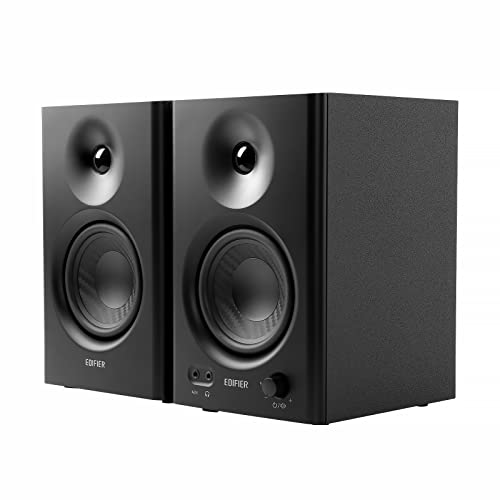

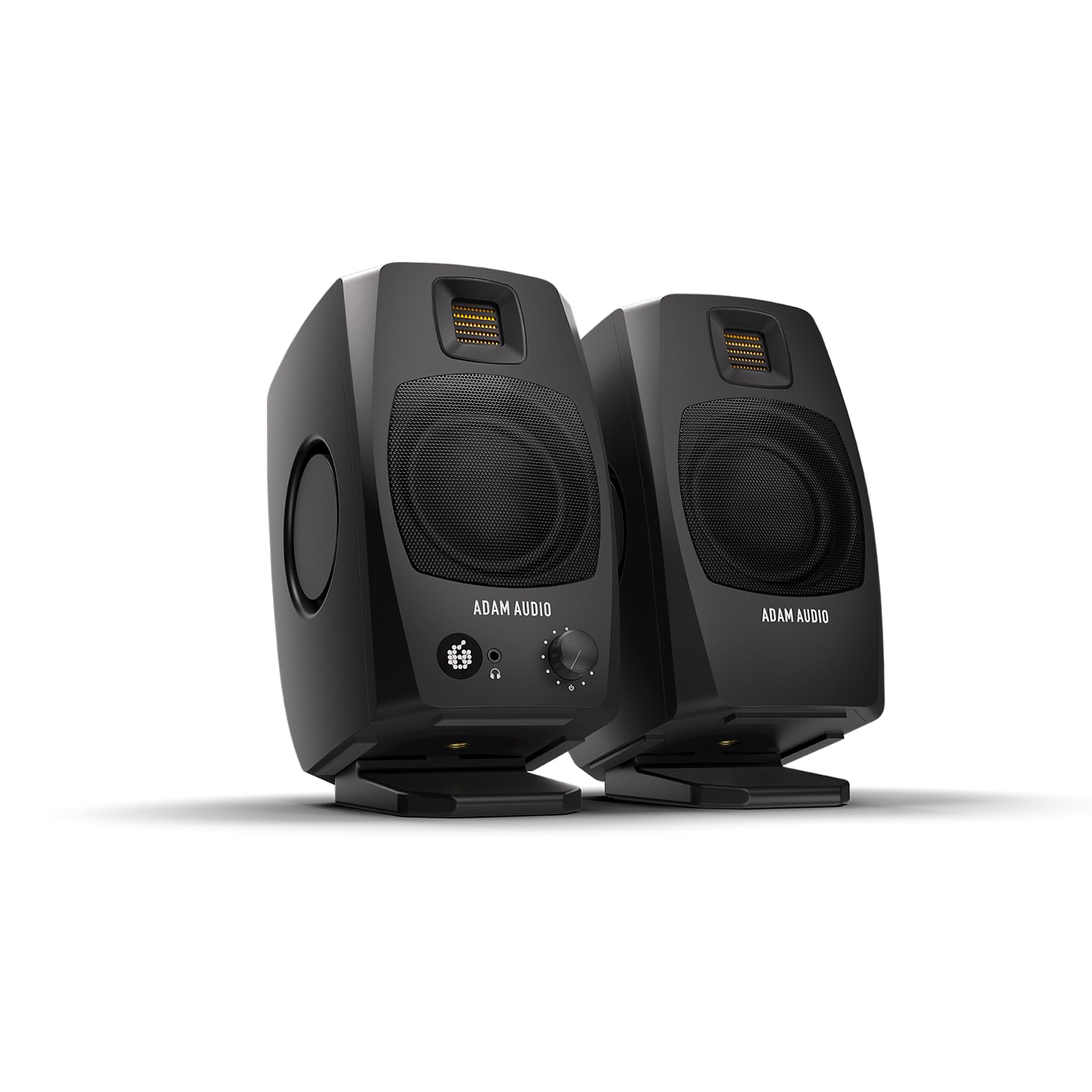

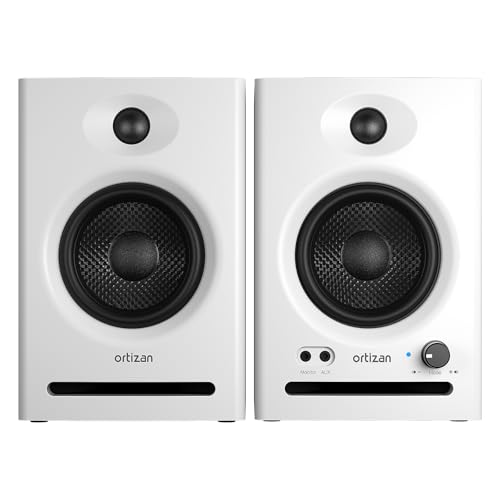

Price Tiers at a Glance
Rather than chasing named models, judge value by tier. Each tier below describes what that budget usually delivers, who it suits, and what limit you accept. Use the product table to see which current options fall into each tier for your room.
Mid-Price Tier
The sweet spot for most home producers sits around $300 to $600 per pair. At this level you usually get accurate midrange, controlled bass for the size, low noise amplifiers, and balanced inputs that reject hum. Cabinets feel solid, and controls for room adjustment are more useful and more finely stepped. This tier suits producers who release music publicly and need mixes that translate well. The limit is still physics: a compact speaker in this tier will not produce deep sub bass, so plan to check low end on good headphones as part of your workflow.
Entry Tier
The entry tier, often around $150 to $300 per pair, suits beginners and podcasters who need honest sound on a tight budget. Expect a 5 inch woofer on many pairs, clear vocals and dialogue, and basic room controls. Trade offs include a bit more amplifier hiss at close range, simpler cabinets, and bass that rolls off sooner. That is fine for small rooms, spoken word, and learning to mix, because accuracy in the midrange matters more than deep bass when you are starting out. Put savings toward placement basics like stands or pads and basic room treatment.
Upgrade Tier
The upgrade tier, often around $600 to $1,200 per pair and above, suits experienced producers with treated rooms and consistent work. You pay for flatter response, better stereo imaging, lower distortion at higher volume, and larger woofers that reach deeper without strain. The gain only shows if your room and placement are already good; in an untreated room, reflections can mask the extra accuracy you paid for. Buy at this tier when you can name a specific limit in your current pair, such as unclear low mids or poor detail at low volume.
How to Choose: Buying Guide
Sound accuracy depends on the speaker, the room, and placement working together. The points below help you spend on the parts of that system that matter most, so your best bang for buck studio monitors perform well where you actually sit.
Features That Matter in Value Studio Monitors
Value in studio monitors means a flat and honest frequency response, low self noise, and the right size for your room. Aim for a stated response that stays within a narrow range across the working band, and treat extreme bass claims for small cabinets with skepticism. A front bass port helps if speakers must sit near a wall, while a rear port needs more space behind it. Also check amplifier power per speaker and whether volume controls are stepped or detented, because matched left and right levels are essential for a stable stereo image.
Driver, Cabinet, and Sound Accuracy
Drivers and cabinets shape the sound of a monitor. Woofer size drives bass reach: 5 inch woofers suit small desks, 6.5 to 8 inch woofers suit larger rooms and fuller low end. Tweeter material and waveguide design affect how wide the sweet spot feels and how clear high frequencies stay off axis. A rigid, well braced cabinet reduces unwanted resonance that colors vocals. Listen for natural voices as your test: if speech sounds boxy or harsh on a familiar recording, the mix will be hard to judge.
Connectivity and Ports
Balanced connections are worth paying for because they reduce hum and buzz from computers and lights. Look for XLR or balanced TRS inputs, plus an unbalanced RCA input for flexibility with consumer gear. Your audio interface should connect with balanced cables of the right length for your desk layout. Some monitors add a front volume knob or an auxiliary input, which is handy for casual listening but not a core mixing feature. Keep cable runs tidy and away from power bricks to keep noise low, and test for hum at your normal listening level before the return window closes.
Stand, Mounting, and Ergonomics
Placement is a free upgrade many buyers skip. Tweeters should sit at ear height when you are in your chair, and speakers should form an equal sided triangle with your head, often about 3 to 5 feet per side in a home room. Desk stands or isolation pads raise speakers to ear level and reduce desk vibration that muddies bass. Angle speakers inward so they point just behind your head for a balanced image. If your desk is shallow, smaller monitors placed correctly will beat larger monitors squeezed against a wall every time.
Controls and Room Sound
Useful monitors include simple room controls: a high frequency trim, a low frequency trim, and sometimes a boundary setting for placement near walls. These switches help you offset a boomy corner or a bright room without buying new gear. Set them after placement, using familiar tracks, and change one control at a time. Software room correction can help on some systems, but it cannot fix poor placement or strong echoes. Start with placement, add basic treatment like a rug and thick curtains or panels at reflection points, then use controls for final small adjustments.
Size and Listening Distance
Match speaker size to room and distance, not to ambition. In a small bedroom studio where you sit about 3 feet away, a 5 inch pair will sound clear and controlled, while an 8 inch pair can overload the room with bass you cannot judge. In a larger treated room with 5 to 6 feet of distance, a larger woofer gives headroom and deeper reach. Nearfield monitors are designed for this close use; they are not meant to fill a living room for a group. If you also edit video or stream, the same sizing logic applies, because dialogue clarity lives in the midrange.
Power, Headroom, and Distortion
Headroom means enough amplifier power to play peaks cleanly at your normal level without distortion. You do not need extreme volume in a home studio; most mixing happens at moderate levels that protect your hearing. What matters is clean sound at low to moderate volume, with detail you can hear without turning up. If a pair only sounds clear when loud, it will push you to mix too loud and tire your ears. Take breaks, keep long sessions at safe levels, and if you notice ringing or persistent ear discomfort, lower volume and talk with a clinician.
To compare related value options, see the best bang for your buck studio monitors, the best bang for your buck monitors, and the best sounding studio monitors. If you are building a full setup, the best studio monitor speakers guide covers placement in larger rooms.
Types of Studio Monitors
Compact Nearfield Monitors
Compact nearfield pairs with 4 to 5 inch woofers suit small desks, bedrooms, and spoken word work. They offer clear midrange, modest bass, and easy placement. They are the best value starting point for most home creators, as long as you accept checking deep bass on headphones.
Mid Size Nearfield Monitors
Mid size pairs with 6.5 to 8 inch woofers suit larger desks and treated rooms where you sit farther away. They reach deeper, play with more headroom, and reveal low mid detail better. They cost more, weigh more, and need more space from walls, so buy them only when your room can support them.
Monitors With a Subwoofer Option
Adding a matched subwoofer extends bass for dance, hip hop, and film work, but setup takes care to blend levels and crossover points. In small untreated rooms a subwoofer often creates more problems than it solves, with boomy and uneven bass. Consider this route after placement and treatment are solid, and keep the option to switch the subwoofer off when you check how a mix sounds on smaller systems.
Care and Maintenance Tips
- Keep dust off drivers and ports. Use a soft dry brush or microfiber cloth gently, and never press on tweeter domes or woofer cones.
- Protect from heat and sun. Keep monitors away from radiators and direct sun, which can dry surrounds and fade cabinets.
- Use clean power habits. Turn monitors on last and off first to avoid loud pops, and use a surge protector for your setup.
- Check cables and controls yearly. Reseat balanced cables, work knobs gently through their range to clear dust, and confirm room switches are still set as you intended.
- Store spare parts and manuals. Keep fuses, cables, and the manual together so a small fault does not become a long studio delay.
Frequently Asked Questions
What features matter most in value studio monitors?
Flat midrange accuracy, low self noise, and correct size for your room matter most. Balanced inputs and useful room trims come next. One point buyers miss: check hiss at your seating distance with no music playing. Noticeable hiss in a quiet room will bother you during editing and podcast work even if music masks it.
How long do studio monitors last?
A quality pair often lasts eight to fifteen years with normal home studio use. Amplifier electronics and foam surrounds, where used, age first, while cabinets and passive parts last longer. Keeping volume moderate, avoiding heat, and protecting against power surges all extend life. If one speaker develops crackle or uneven level, service both as a pair when possible to keep stereo matching.
What woofer size should I get for my room?
Choose 5 inch woofers for small rooms and close seating, and 6.5 to 8 inch woofers for larger rooms with more distance from the speakers. Bigger is not automatically better, because excess bass in a small room hides detail. Measure your seating distance first, then pick size. If you must place speakers very close to a wall, a smaller front ported pair is usually easier to make sound balanced.
Do I need an audio interface for studio monitors?
An audio interface is strongly recommended because it gives you balanced outputs, a proper volume knob, and clean conversion from your computer. Plugging powered monitors straight into a headphone jack can work for a short time, but it often adds noise and makes level control awkward. Budget for the interface and balanced cables as part of the total setup cost, not as an afterthought.
Powered or passive studio monitors: which is better?
Powered monitors are better value for most home studios because the amplifier is built in and matched to the drivers, with no separate amp to buy or wire. Passive monitors need an external amplifier and suit people who already own good amplification or want a custom setup. For a first pair at a desk, powered is simpler, takes less space, and removes guesswork about matching power.
How loud should I mix on studio monitors?
Mix at a moderate and consistent level where you can hold a conversation without raising your voice much. Consistent level helps you judge balances the same way each day. Louder playback makes bass seem stronger and can mislead your decisions, besides tiring your ears. Use a simple sound level app as a rough guide, take regular quiet breaks, and protect your hearing as your most important studio tool.
Our Verdict
Buy for accuracy, correct size, and low noise first, then spend remaining money on placement and basic room treatment, because those steps reveal what you paid for. Compare options in the product table above by woofer size, inputs, and room controls for your space. Chosen that way, your best bang for buck studio monitors will help every mix, podcast, and video you make sound more reliable everywhere else.


