Best Behringer Studio Monitors in 2026: Matching the Right Model to Your Routine
Disclosure: We may earn a commission when you buy through links on this page, at no extra cost to you. As an Amazon Associate I earn from qualifying purchases. Learn more

Compare the best behringer studio monitors by room size, driver size, ports and inputs, with placement guidance for accurate home studio mixing.
There is no single Behringer monitor that suits every room and every kind of work. The best behringer studio monitors for you depend on your room size, your listening distance, and whether you mix music, edit voice, or do both. A compact pair on a bedroom desk faces a different job from a larger pair in a treated project room, and the comparison table below is easier to read once your own use is clear.
This guide stays with the decisions that change what you hear: driver size, tuning, port position, power, inputs, and placement.


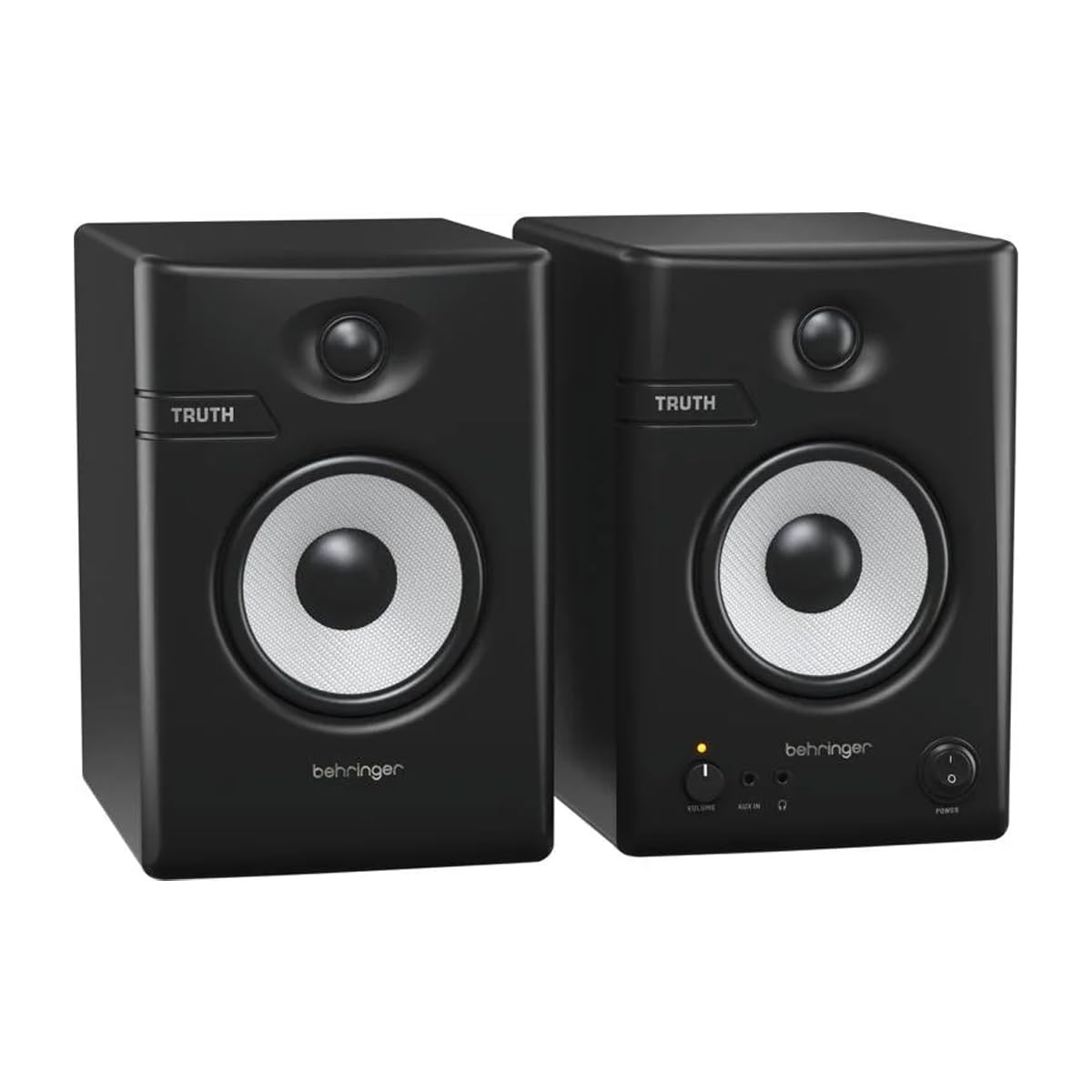
Who Should Buy Which Behringer Studio Monitors?
Start with the work you do most weeks, not the largest speaker you can afford. Room size and session type narrow the driver sizes quickly.
Bedroom Producers Building a First Home Studio
You record and mix at a desk in a room that also holds a bed and untreated walls. A compact pair with drivers of about 3.5 to 5 inches suits that space, because bass stays controlled at the short distance where you sit. Choose a price that leaves money for stands or pads. If budget is your main limit, see our guide to the best inexpensive studio monitors before you stretch for size you cannot place well.
Podcasters and Video Editors Who Mix Spoken Voice
Your main material is dialogue, so clarity in the midrange matters more than deep bass. A small to mid size pair near your screen keeps voices forward and easy to judge for edits and level changes between speakers. Choose monitors with low noise at low volume, because you often work quietly. Front ported designs help here, since editing desks usually stand close to a wall.
Home Mixers Working in a Small Treated Room
You mix full songs for release or for clients, in a room with some treatment to calm reflections. A pair with drivers of about 5 to 8 inches gives you more bass information and more headroom at your usual listening level. Prioritize flat tuning and rear panel controls that trim bass or treble for your position. For more on sound character across brands, see our guide to the best sounding studio monitors.
Key Features to Compare
Compare these five factors in order. Size and tuning come before inputs and extras.
Driver Size and Listening Distance
The woofer size sets how much low frequency energy the monitor can move and how large a room it can fill evenly. Small drivers of about 3.5 to 5 inches work well at about 3 to 4 feet, a typical desk distance. Larger drivers of about 6.5 to 8 inches suit about 4 to 6 feet, in rooms where you can sit farther back. Bigger is not automatically better, because an oversize woofer in a tiny room excites bass buildup.
Frequency Response and Honest Tuning
A studio monitor should present your mix plainly rather than flatter it, so look for a response described as flat or neutral across the working range. The tweeter handles detail such as reverb tails, vocal consonants, and cymbal edges, and wide dispersion keeps that detail stable when you shift in your chair. If a model sounds exciting in the shop with boosted bass and bright treble, your mixes tend to come out dull and thin elsewhere. Our guide to the best studio monitor speakers covers the wider category.
Port Position and Bass Near Walls
Many monitors use a port, an opening in the cabinet, to extend the bass a small woofer can produce. A rear port needs clear space behind the speaker and can boom when the cabinet sits hard against a wall. A front port vents toward you, so it tolerates desks close to a wall with fewer surprises. Neither design is superior. Match the port to the position your room allows, and judge bass there rather than in a store.
Power, Headroom and Clean Volume
Behringer studio monitors are powered, so each cabinet carries its own amplifier and needs a mains outlet as well as a signal cable. Watt figures vary widely and only matter alongside sensitivity and your listening level. What you need is headroom, the ability to play loud passages cleanly without amplifier strain, because strain adds distortion you may mistake for a problem in your mix. Modest power is plenty for nearfield desk work, while larger rooms need more.
Inputs and Rear Panel Controls
Balanced inputs on XLR or TRS connectors reject hum over cable runs, so they are the right link from an audio interface. Unbalanced RCA inputs suit consumer gear such as a phone or a simple mixer, but they pick up interference more easily. Rear panel controls often include level plus bass and treble trim, sometimes called room adjustment, and these let you reduce bass near a wall or corner. Set the trims once for your position, then leave them alone while you learn the sound.
Placement and Setup for Accurate Listening
Placement changes what a monitor delivers more than a small step up in size does, so give this stage real time. Form a triangle between the two tweeters and your head, with each side roughly equal, and angle both cabinets inward toward your ears. Raise the speakers so the tweeters sit at ear height when seated, using stands or firm foam pads, which also reduce vibration passing into the desk and muddying dialogue and bass notes.
Keep both speakers the same distance from side walls where you can, because uneven distances make the stereo image lean toward the nearer side. Pull the pair a short distance from the rear wall when the room allows, and test one familiar track after each move. When you compare the best behringer studio monitors in your own room, this routine tells you more than any spec sheet.
Common Mistakes to Avoid
These errors are common with first pairs and upgrades alike.
- Buying the largest driver your budget allows leaves bass buildup in a small room and thin sounding mixes elsewhere.
- Placing monitors flat on a desk puts the tweeters below your ears and dulls the detail you need for edits.
- Feeding balanced inputs with the wrong cable from an unbalanced source invites hum you may chase through your setup.
- Mixing at high volume for long sessions tires your ears, so later balance choices often need redoing the next day.
- Changing rear panel trims weekly stops you from ever learning how your monitors really sound.
Care and Maintenance Tips for Behringer Studio Monitors
Keep the cabinets dry and dust free, and wipe them with a soft, dry cloth rather than sprays, because liquid near a cone can stain the driver and reach the electronics. Brush dust from the tweeter area gently and never press on a cone or dome, since a dented dome changes high frequency output on that side. Give the rear panels clear air, because blocked vents shorten component life.
Follow a steady power routine. Turn the monitors on last and off first in your chain, which keeps switch on pops from an interface or computer from reaching the speakers at full level. If a cabinet develops a buzz, a rattle, or one sided output, stop using it and have it checked, because a small fault played loudly can damage the woofer. Keep drinks on a separate surface away from the cabinets.
Frequently Asked Questions
What size Behringer studio monitor suits a small bedroom studio?
A pair with drivers of about 3.5 to 5 inches suits most small bedroom studios. At a desk distance the bass stays readable, and the cabinets leave space for a screen and an interface. A small pair placed carefully teaches you more than a large pair squeezed into corners, because you trust what you hear sooner.
Do Behringer studio monitors need an audio interface?
An audio interface is the best source for Behringer studio monitors, but it is not strictly required. It gives you balanced outputs, one volume knob for both speakers, and clean conversion. A headphone output can feed the monitors with the right cables for simple playback, yet levels are easy to set unevenly between sides. If you record at all, buy the interface first.
Can Behringer studio monitors sit directly against a wall?
Behringer studio monitors can sit near a wall, but directly against it is rarely ideal. Bass builds up at the wall surface, which makes kick drums and bass lines sound heavier than they are in the recording. Front ported models cope better with tight positions, and a bass trim helps further. Even a gap of a few inches, checked with a familiar reference track, tells you whether the low end has settled.
Do Behringer studio monitors need a subwoofer for bass heavy music?
Most Behringer studio monitors do not need a subwoofer for everyday mixing. A sub adds the lowest octave found in electronic and hip hop bass, but in an untreated room it adds confusion faster than information. Learn your pair first and check the lowest notes on headphones or in a car. Add a sub only when you can place and level it carefully.
Can Behringer studio monitors be used for everyday listening and films?
Yes, Behringer studio monitors work well for everyday listening and films. Their plain tuning suits dialogue, which stays clear at low volume, and music keeps the balance the mix engineer intended. Most models form a stereo pair with no remote and no automatic source switching. Connect them through your interface or a small mixer and the arrangement stays simple.
The Bottom Line
Match driver size to your room and listening distance first, then check tuning, port position, and inputs against the desk or stands you own. A modest pair placed at ear height in a clean triangle serves you better than a larger pair fighting your walls. Use the product table above to compare sizes, inputs, and prices.
When you shop for the best behringer studio monitors with those points settled, the right choice is usually the smaller, calmer one that fits your routine. Set the pair up carefully, learn its sound on records you know well, and your mixes will travel better.