
Best Bang for Buck Computer Speakers: Our 2026 Checklist
Disclosure: We may earn a commission when you buy through links on this page, at no extra cost to you. As an Amazon Associate I earn from qualifying purchases. Learn more

Use a clear checklist to find the best bang for buck computer speakers, compare sound, inputs, and size, and avoid common buying mistakes easily.
Laptop speakers are built to be thin, not to sound good, and even a modest set of desktop speakers transforms calls, music, and games at a desk. The trick is judging value with a repeatable method instead of chasing wattage claims. This guide gives you that method: a checklist for finding the best bang for buck computer speakers, the thresholds that separate strong value from weak, and the warning signs to walk away from.
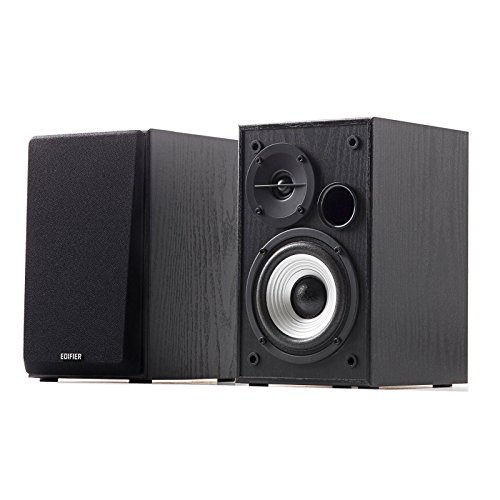
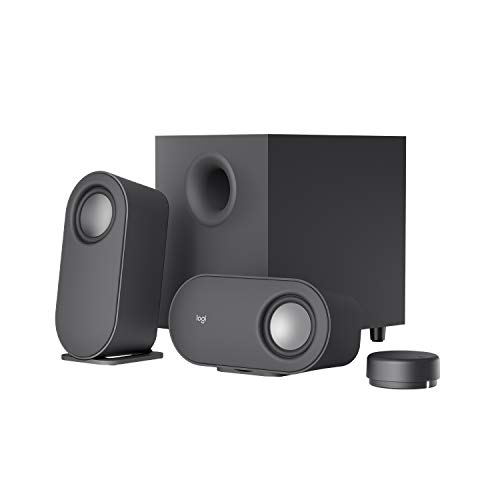
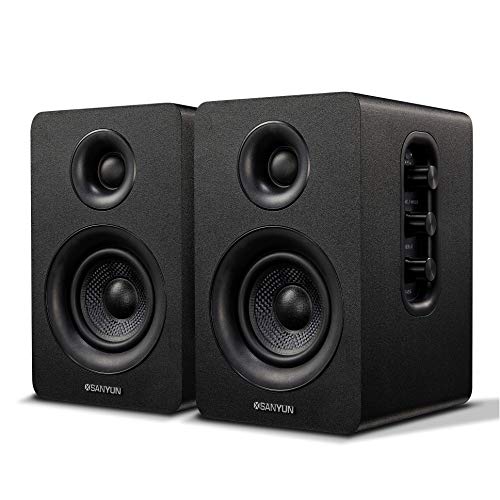
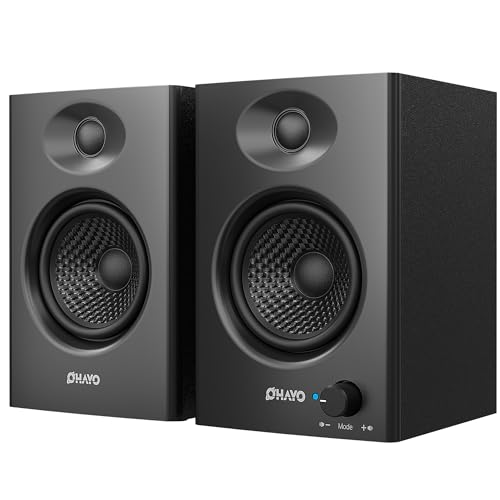
Use the product table alongside the checklist. Score each candidate against the criteria in order, and the right tier for your desk, room, and budget becomes clear without guesswork or brand loyalty.



How to Judge Value in Computer Speakers
Features That Matter in Value Computer Speakers
Value at a desk means spending on drivers, amplification, and controls rather than decoration. The features that earn their cost are a front volume knob, a headphone jack for private listening, and at least two inputs so a computer and a phone or console can stay connected. A subwoofer output or an included compact subwoofer helps movie and game lovers, while tone controls help everyone else less than sellers suggest.
Sound Quality and Tuning
Judge sound by driver size, cabinet volume, and honest frequency response. Drivers around 2.5 to 4 inches in a real cabinet produce believable voices and midrange, where most music and speech live. A response reaching near 70 to 80 Hz gives light bass; true depth needs a subwoofer, whatever the box claims. Neutral tuning suits calls, editing, and long listening, while bass boosted tuning flatters games and films but can blur dialogue. If voices matter most in your day, favor clarity in the mids over thunder on paper, and treat any single number wattage claim with suspicion.
Microphone Quality
Computer speakers almost never contain a good microphone, and most contain none at all. If you take calls daily, judge your setup honestly: a separate USB microphone or a headset will serve you far better than hoping a speaker handles your voice. What speakers can do is reproduce other voices clearly and avoid echo by sitting at a sensible distance from your microphone. Place them at least an arm length from the mic and angled slightly away. Buyers who need one device for calls and music should budget for the microphone separately rather than paying extra for speaker models with token built in mics.
Connectivity (Bluetooth Version, Codecs, Wired)
Wired connections remain the reliable default at a desk. USB audio avoids interference from a noisy computer headphone jack, while a standard 3.5 mm input works with nearly everything. Bluetooth, ideally version 5.0 or newer, adds easy phone streaming, and multipoint pairing lets two devices stay connected at once. Codec names matter less here than with headphones, because desk listening hides small differences, but very old Bluetooth versions can add lag that gamers and video editors will notice. If low latency matters, keep the wired option available even on wireless models, and check that the cable is included.
Placement and Room Size (for Speakers)
The best value speaker in the wrong spot sounds ordinary. Desktop models are nearfield designs, meant for listening about 2 to 4 feet away with the tweeters near ear height. Raise small speakers on stands or angled pads if your desk puts them at chest level, and keep them out of corners that bloat the bass. In a small room, a clean 2.0 pair is usually the smart buy; a 2.1 set with a subwoofer suits larger rooms and film heavy use. Readers upgrading a car as well will recognize the fit first logic in the guide to the best bang for buck car speakers, though desks are far more forgiving than doors.
Battery Life and Charging
Most computer speakers plug into the wall or draw power over USB, so battery life simply does not apply to the mainstream value picks, and that is a benefit: output stays consistent and nothing needs charging midweek. A smaller group of portable desktop speakers runs on internal batteries for moving between rooms. For those, look for at least 8 to 10 hours of playback and USB charging so the same cable as your phone works. Everyone else should ignore battery claims entirely and spend the money on larger drivers or a better cabinet instead.
Comfort, Fit, and Weight
For speakers, fit means fitting your desk and your day. Measure the footprint before buying, because deep cabinets crowd small desks and push monitors into awkward spots. Total width matters too if speakers must flank a wide monitor. Weight is a quiet quality signal: a heavier cabinet usually means denser material that resists vibration and rattling at volume. Front facing controls earn daily comfort points, since reaching behind a speaker for a knob hidden on the back gets old within a week. Rubber feet or pads protect the desk surface and keep the pair from creeping as bass plays.
Three Value Tiers to Know
Instead of naming models that change every season, use these tier descriptions to classify anything in the product table above. Each tier states who it serves, what it does well, and the compromise you accept, which keeps the guidance honest as lineups refresh.
The Mid-Price Tier
The mid-price tier, usually around $100 to $200, suits mixed work, music, and video. Expect drivers near 3 to 4 inches, clean output at desk distances, USB plus Bluetooth inputs, and controls on the front where they belong. Strengths are balanced sound and flexibility; the limitation is bass depth, which stays modest without a subwoofer. For most desks this is the tier to buy once and keep for years.
The Budget Tier
The budget tier, often around $40 to $100, serves students, spare rooms, and anyone upgrading from laptop sound on a tight budget. Expect compact cabinets, simple wired connections, and surprisingly clear voices for calls and video. The compromises are smaller drivers, fewer inputs, and cabinets that can buzz if pushed hard on bass heavy tracks. Listeners focused on pure sound per dollar sometimes cross shop the best sounding computer speakers to see what stepping up buys. At moderate volume, this tier delivers most of the everyday benefit for the least money.
The Compact Tier
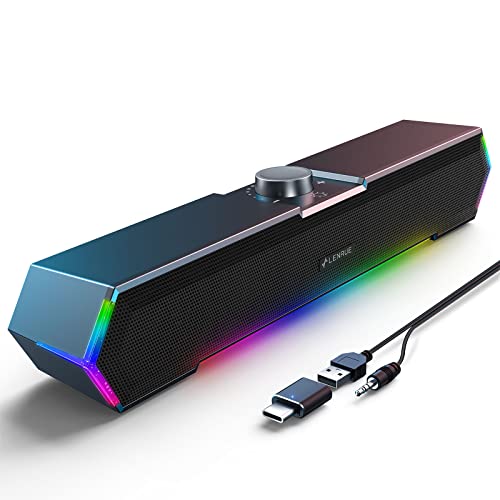
The compact tier fits crowded desks, dorms, and monitor arms where space is the binding constraint. Slim or single bar designs around $50 to $120 keep voices clear for calls and streaming while taking almost no footprint. Strengths are tidiness and easy USB power, often from the monitor or laptop itself. The honest limitation is physics: small enclosures cannot make real bass, and stereo separation narrows when both drivers sit close together. Choose this tier when space truly rules, not as a default for a roomy desk.
Quick Buyer Checklist
- Do the speakers fit my desk with the tweeters close to ear height?
- Is the driver at least about 2.5 inches, in a cabinet with some real weight?
- Does it offer the inputs I need, such as USB, 3.5 mm, or Bluetooth?
- Are the volume controls on the front or on a desk friendly remote?
- Is there a headphone jack for late night listening?
- Do I actually need a subwoofer, or will a clean 2.0 pair serve better?
- Is the warranty at least one year from a brand with reachable support?
- Can I return them after a weekend of listening at my own desk?
Red Flags to Watch For
- Huge wattage with no RMS figure. If only a peak number appears, the real output is probably a small fraction of the headline.
- Vague specifications. No driver size, no frequency response range, and no input list usually means the maker hopes you will not ask.
- Impossibly uniform praise. A flood of short, similar glowing comments on a no name product is a pattern worth distrusting.
- Very short or unclear warranty. Ninety days of coverage on electronics suggests the maker expects an early failure.
- Light cabinets with heavy claims. Featherweight boxes that promise room filling bass contradict basic physics.
Choosing the Right Speakers for Different Uses
Monitor Speakers vs Separate Speakers
A related question is whether to rely on the speakers built into a monitor. Built in monitor speakers save space and money, but they are typically tiny, rear facing, and fine only for system sounds and quiet speech. If you watch video or take calls daily, a separate value pair wins easily. When choosing a monitor partly for sound, check driver size and front facing placement, and still budget for desktop speakers if audio quality genuinely matters to your work.
How to Make Your Speakers Last Longer
Keep firmware updated on USB and Bluetooth models, since updates fix pairing bugs and hum issues. Store portable models in a case to protect drivers during travel, and dust the cones gently with a soft dry cloth rather than pressing on them. Keep volume below the point of distortion, because clipped signals heat voice coils. Finally, give the cabinets air: stacking papers on top of a warm amplifier section shortens its life. A little care stretches a value purchase across many years of daily use.
FAQs
What features matter most in value computer speakers?
Driver size, cabinet quality, and the right inputs matter most. A 3 inch driver in a solid cabinet will sound better than fancy features wrapped around tiny drivers. Front controls and a headphone jack add daily convenience that owners feel immediately. Broader speaker shoppers can compare priorities with the guide to the best bang for your buck speakers for living room setups. Everything else, from lighting effects to exotic codec lists, should rank far below those basics.
Do I need a subwoofer?
Only if you want real bass for films, games, or music with deep low end, or if your room is large. A good 2.0 pair is cleaner and simpler on a small desk, and many 2.1 sets let you turn the subwoofer level down to fit the room.
Wired or wireless: which sounds better?
Wired sounds better or equal in almost every desk scenario, because it avoids compression and pairing hiccups entirely. USB and 3.5 mm connections also add no perceptible delay, which matters for games and video editing. Modern Bluetooth is close enough for casual music and streaming from a phone, and its convenience is real. The practical answer is both: choose speakers with a wired input for the computer and Bluetooth for the phone, and you never have to pick a side.
Do I need a special codec?
No, not for typical desk listening. Codecs shape Bluetooth audio quality, but at nearfield distances with value speakers, the differences between standard codecs are small compared with driver and placement effects. What matters more is a stable connection and low enough latency for video. If a model supports newer codecs, treat that as a bonus, not a buying reason. Spend the decision energy on cabinet size, inputs, and where the speakers will sit, because those choices dominate what you will hear.
How long does the battery last?
For most computer speakers, there is no battery to worry about, since they run from wall power or USB and play indefinitely. Portable desktop models with internal batteries typically offer about 8 to 15 hours depending on volume, with loud playback shortening that figure noticeably. Battery capacity fades over years, so a portable model is a convenience choice, not a lifetime purchase. If your speakers never leave the desk, mains power is the simpler and longer lasting design.
How loud do desktop speakers need to be?
Less than most people expect. At a desk you sit two to four feet away, so even modest speakers with a few watts of real power fill the space. Look at RMS ratings and driver size, not peak wattage, and keep volume below the point where the sound starts to distort.
Wrapping Up
Run the checklist in order: fit the desk, size the drivers honestly, confirm the inputs, and ignore inflated wattage. The product table above lines up current options so that scoring takes minutes. Do that, and the best bang for buck computer speakers for your setup will be easy to spot, fairly priced, and pleasant to hear every single day.

