Best Ball Mouse for Gaming in 2026: A Clear Buying Guide
Disclosure: We may earn a commission when you buy through links on this page, at no extra cost to you. As an Amazon Associate I earn from qualifying purchases. Learn more
Compare ball mouse types for gaming by ball size, DPI, polling rate and grip, with a clear checklist for desk fit, buttons and wired or wireless use.
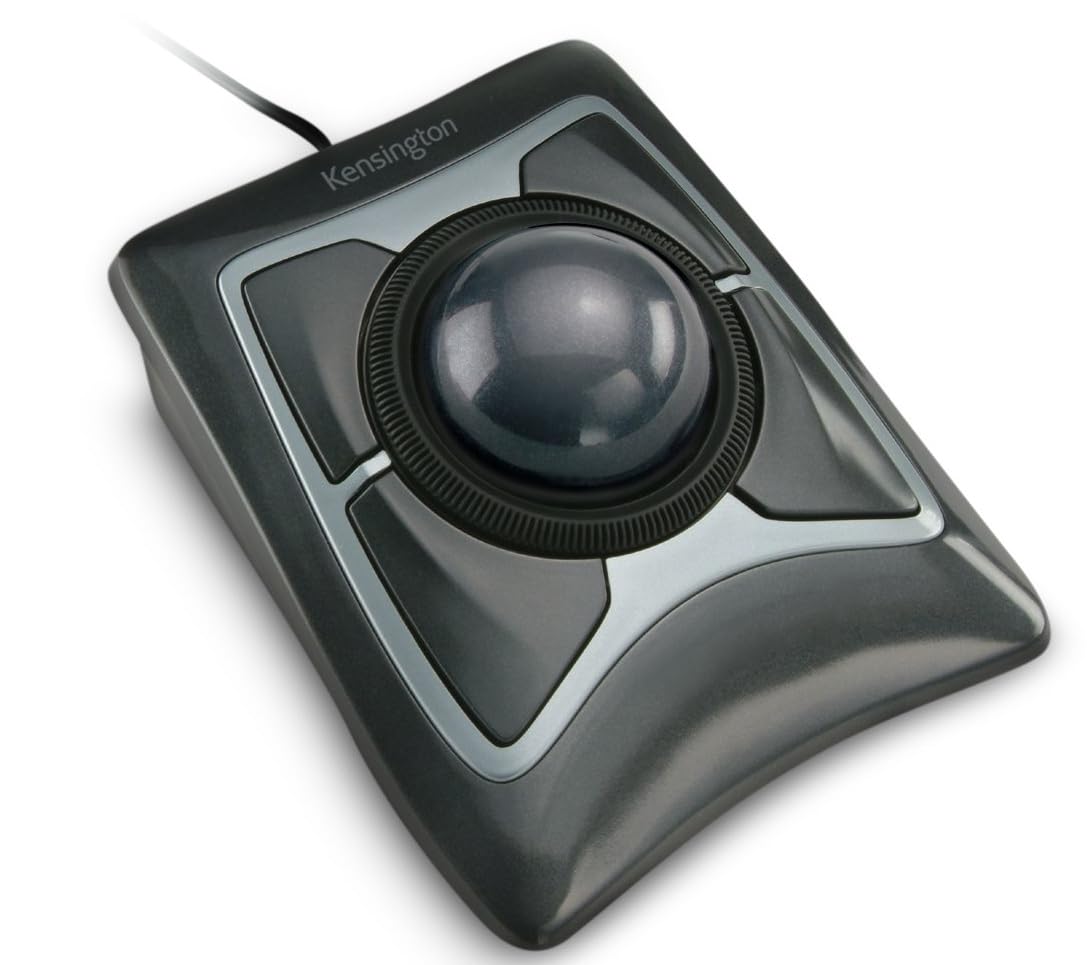
A ball mouse stays in one place while your thumb or fingers roll the ball. That still base can suit gaming if the sensor, polling rate and buttons respond fast enough. Finding the best ball mouse for gaming means matching ball placement, fit and connection type to your hand and desk, and the comparison table below will make more sense.
This guide skips named models and focuses on decisions you control and on upkeep that keeps rolling smooth. Prices often run about $40 to $150, with wireless designs near the top of that range. If that feels high, see our guide to the best inexpensive gaming mouse for cheaper standard styles.



Who Should Buy a Ball Mouse for Gaming?
Choose a ball mouse because it solves a problem in your setup. Each group below should weight the later features in a different order.
Strategy and Simulation Players on Small Desks
You play city builders, strategy games and simulation titles where the cursor travels often but the desk stays crowded. A ball mouse needs only the space under its base, so your keyboard and drink can stay put. Prioritize a larger ball and smooth bearings, because long sessions reward easy rolling more than extreme DPI.
Shooter Players Who Want Fine Control Without Big Arm Movement
You play shooters and want small aim corrections without sweeping your whole arm across a pad. A ball mouse lets your fingertips or thumb make short, controlled rolls while your wrist stays still. Prioritize polling rate and a DPI switch you can reach quickly, because those traits matter more in fast fights than extra buttons.
Players Who Want Less Wrist Travel During Long Sessions
You finish long sessions with a tired wrist from pushing a standard mouse. A ball mouse removes that travel, although it shifts work to your fingers instead. Choose a shape that supports your palm without forcing your wrist upward, and take breaks while you adapt. If you notice lasting numbness, tingling or pain, talk with a clinician about personal needs.
Key Features to Compare
Compare these six factors in order, because the best ball mouse for gaming for one player can feel cramped or slow to another with a different hand size and game mix. Use the ranges below as starting points, then adjust in game.
Ball Placement and Ball Size
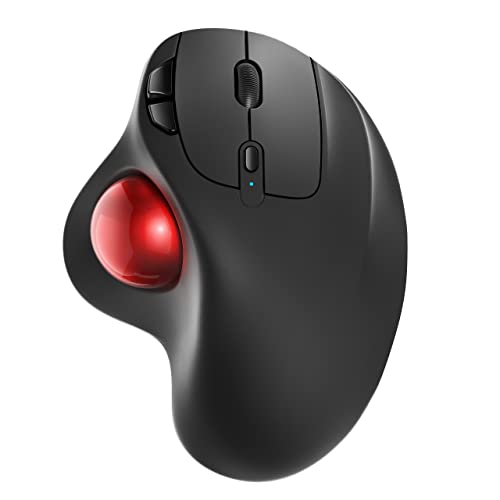
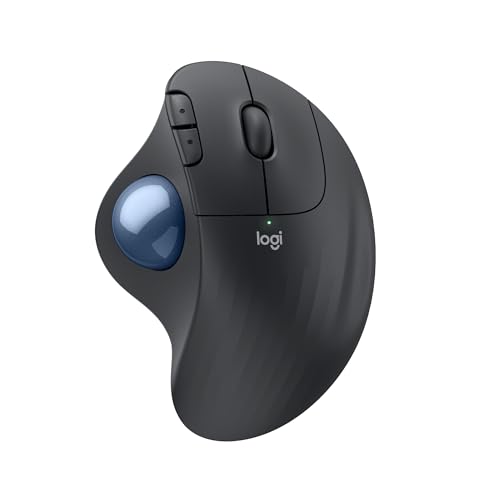
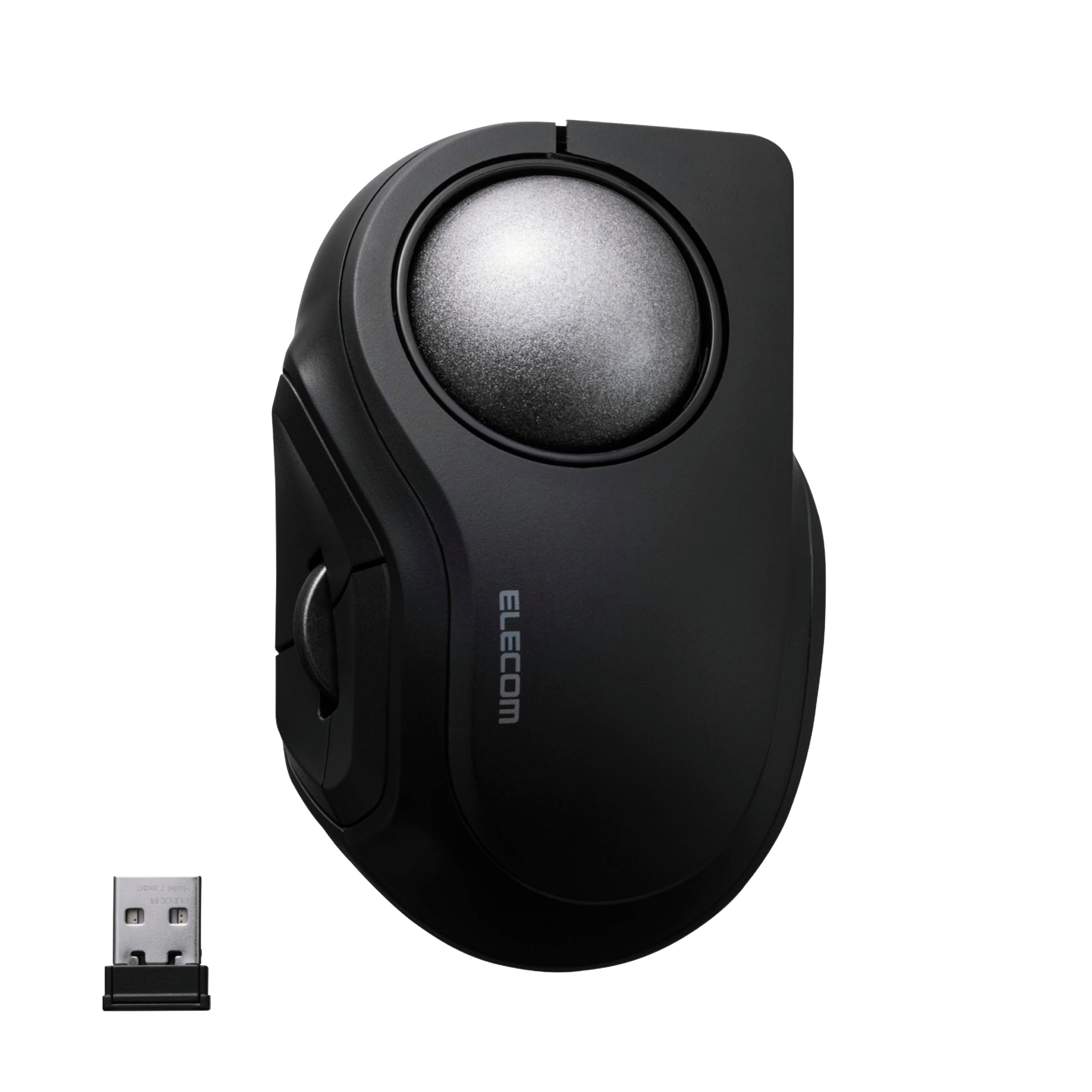
Placement decides which digits do the aiming. Thumb balls keep your fingers on the main buttons, which suits fast clicking, while finger balls put two or three fingers on the ball for finer control. Ball diameter often runs about 34 to 55 mm, and larger balls usually roll more smoothly for broad moves. Smaller balls can feel quicker for short flicks but may feel twitchy, so judge placement first.
Sensor Accuracy, DPI and Polling Rate
DPI, also called CPI on some models, sets how far the cursor moves for a roll of the ball. Many gaming ball mice offer about 400 to 3200 DPI, and most players settle far below the maximum. Polling rate shows how often the mouse reports position, with 1000 Hz common on wired and gaming focused wireless models. Higher polling can make tracking feel more current in fast games, but ball smoothness still limits accuracy.
Wired, Wireless and Bluetooth Connections
Wired models remove battery worries and give steady latency, which suits a fixed desk and competitive play. Wireless with a 2.4 GHz receiver can match wired responsiveness and clear cable drag, while Bluetooth suits laptops and quieter titles. Battery life varies widely, often about 30 to 120 hours of play depending on lighting and polling settings. Choose the connection you will maintain, because a dead battery ends a session faster than a small latency gap.
Shape, Tilt and Hand Fit
Shape decides whether your hand rests or works to hold position. Some shells stay flat, while tilted shells angle the hand about 20 to 30 degrees to reduce forearm twist. Measure your hand from wrist to middle fingertip and compare it with the shell length, because a shell that is too short forces your fingers to curl. Most ball mice favor the right hand, so left handed players should confirm shape before ordering.
Buttons, Scroll Control and Software
Count buttons you can reach without shifting your grip, not buttons listed on the box. Most gaming ball mice offer about five to eight programmable buttons, plus a scroll wheel or a scroll ring around the ball. Software lets you save DPI steps, assign game commands and store profiles in onboard memory. That memory matters if you switch computers, because your settings travel with the mouse.
Click Switches, Compatibility and Build Quality
Click switches shape feel and service life, with many mouse switches rated for tens of millions of clicks. Optical switches on some models respond without physical contact wear, while mechanical mouse switches give a crisp feel. Check compatibility, because full software often runs on Windows while Mac and console use may support basic pointing only. A solid shell, stable base and a warranty of at least one year matter more than decorative lighting.
Thumb, Finger and Centered Ball Types Compared
All three layouts move the cursor the same way, but they train different muscles and suit different games. If you prefer moving the whole mouse instead, see our guide to the best mouse for gaming . Players who want a defined surface can see our guide to the best gaming mouse mat for sizing help.
Thumb Operated Ball for Quick Clicking
Your thumb rolls the ball while your index and middle fingers stay on the buttons and wheel. That split suits players who click often and want to adjust aim without lifting their fingers. The tradeoff is thumb fatigue, so this layout rewards a larger ball and a relaxed grip.
Finger Operated Ball for Fine Aiming
Your index and middle fingers roll a centered ball while your thumb and outer fingers handle clicks and scrolling. Broad finger contact can make tiny cursor moves easier to control, which helps in strategy games and careful targeting. Button reach feels less natural at first, so allow practice time before judging speed.
Best Track Ball Mouse for Gaming
Listings that use the spaced track ball name describe the same rolling ball design. For fast games, judge this choice by stable polling, clear DPI steps and buttons you can reach under pressure, not by name alone. Centered ball models that work for either hand also fit here for shared desks.
Common Mistakes to Avoid
Each mistake below creates a problem you could have spotted before ordering.
- Choosing the highest DPI as your setting makes small rolls jump too far and hurts careful aim.
- Ignoring ball placement makes you train the wrong digits and can leave your fingers sore.
- Buying a right handed shell for left handed play forces an awkward grip and puts buttons out of reach.
- Skipping software setup leaves DPI steps and buttons at defaults that may not match your games.
- Letting dust build up around the ball makes rolling gritty and tracking uneven during play.
Care and Maintenance Tips for a Ball Mouse
Pop the ball out following the maker directions, then wipe it with a soft dry cloth. Clean the three support points inside the socket with a dry cotton swab, because lint there is the usual cause of gritty rolling. Avoid liquids inside the socket unless the maker allows them, since moisture near the sensor can cause tracking errors.
Wipe the shell with a slightly damp cloth, keep spare charge cables or batteries near the desk, and update firmware through the companion app. Store the mouse where the ball cannot roll loose, and check rolling after cleaning before you change DPI settings.
FAQ
What features matter most in a ball mouse for gaming?
Ball placement, polling stability and fit matter most in a ball mouse for gaming. Start with placement, because it decides your learning curve, then confirm that polling stays steady during rolls. Record your DPI and in game sensitivity in a note, since changing only one value later can make your aim feel wrong without a mouse fault.
Can a ball mouse for gaming work on a Mac and on consoles?
Yes, most ball mice work on a Mac and on many consoles for basic pointing and clicking. Full button mapping and DPI software often need Windows, so plan your profiles on a Windows computer first if your model stores them onboard. Console support also depends on the game, because some console titles accept mouse input only in menus and not during matches.
How long does learning a ball mouse for gaming usually take?
Most players need about one to two weeks of daily play before a ball mouse feels natural for gaming. Early sessions often feel slow because your thumb or fingers are learning small controlled rolls instead of arm movement. Lower sensitivity slightly at first and play familiar content, then raise it in small steps as your accuracy steadies.
What DPI setting suits a ball mouse for gaming?
A starting range of about 800 to 1600 DPI suits many players who use a ball mouse for gaming. Lower settings give you more roll distance per cursor move, which can calm shaky aim in shooters. Higher settings help on large displays where long rolls become tiring, but change one step at a time so you can judge each change clearly.
Is wired or wireless better for a ball mouse for gaming?
Neither connection wins for every player who uses a ball mouse for gaming. Wired suits a fixed desk where you want no charging routine and the simplest setup. Modern 2.4 GHz wireless suits most other desks and removes cable pull, but keep the receiver close and away from crowded USB hubs, because distance and interference can cause dropouts.
Our Verdict
Start with ball placement, then check polling, DPI range and hand fit before you look at buttons or lighting. Those points decide comfort and aim more than any headline spec. If you are completing a wider setup upgrade, see our guide to the best gaming monitors so your display refresh keeps pace with your input.
Use the product table above to compare size, connection and price. When the best ball mouse for gaming matches your hand, your desk and your games, the ball stops feeling like a novelty and starts feeling normal.