Best Basic Gaming Mouse in 2026: A Simple Buying Guide
Disclosure: We may earn a commission when you buy through links on this page, at no extra cost to you. As an Amazon Associate I earn from qualifying purchases. Learn more

Clean tracking, a comfortable shape and simple controls matter most in the best basic gaming mouse. Compare DPI, weight and connection types for home play.
A basic gaming mouse should track accurately, respond without delay, and stay comfortable through a full evening of play. The best basic gaming mouse keeps the focus on a dependable sensor, a shape that fits your hand, and controls that work the moment you connect.
This guide explains the few specs that truly change how a mouse feels, compares the main types, and shows which style suits different players and desks. Start with the comparison table below, then use the checks here to confirm size, connection, and button layout before you order.


Who Should Buy a Basic Gaming Mouse?
A basic model suits players who want reliable tracking and simple controls without paying for pro level extras.
New PC Players Building a First Setup
If you are learning your first shooters or strategy games, a basic mouse gives you accurate tracking. Look for five or six buttons, clear DPI steps, and a shape that feels neutral in your hand. Prices for this group usually sit at about $25 to $50, which leaves budget room for a good pad. Readers who later want a step up can see our guide to the best mouse for gaming.
Casual Players Who Game a Few Nights a Week
Players who mix gaming with work and browsing need a mouse that feels fine for long, mixed sessions. Comfort matters more than peak specs here, so favor a gentle shell curve, firm clicks, and a scroll wheel with clear steps. A wireless model also keeps a shared desk tidy and moves between a PC and a laptop without cable swaps.
Laptop Players and Small Desk Users
A compact mouse suits small desks, dorm rooms, and laptop bags. Shorter shells take less room beside a keyboard and pack easily for travel. Wireless connection removes cable clutter, and a model with a dongle stored inside the shell means one less loose part to lose. Just confirm the smaller shape still supports your fingers.
Key Features to Compare
Choosing the best basic gaming mouse comes down to six checks: sensor, response speed, connection, fit, weight, and buttons.
Sensor Accuracy and DPI Settings
DPI sets how far the cursor moves for each inch you slide the mouse, and higher settings make the pointer feel faster. Most basic players settle between 400 and 1,600 DPI in games, even though many sensors offer steps up to 3,200 or beyond. What matters more is clean tracking, so the sensor should follow slow and fast swipes without skipping or spinning out. If you play at low sensitivity with wide arm movements, steady tracking at speed matters most.
Polling Rate and Response Feel
Polling rate tells how often the mouse reports its position to the PC each second. Office models often report 125 times per second, while gaming models report 500 or 1,000 times per second, which makes cursor motion look smoother and feel more direct. A fast screen shows that smoothness more clearly, so readers planning a full desk upgrade can also see our guide to the best gaming monitors.
Wired and Wireless Connection Choices
A wired mouse never needs charging and feels direct, though its cable can drag on the desk edge. A 2.4 GHz wireless model uses a small USB dongle and keeps wireless latency so low that most players cannot feel a gap versus a cable. Bluetooth pairs with more devices and stretches battery life to weeks, but it responds a step slower, so save it for casual play. Models with USB C charging are handy because one cable refills the mouse during a short break.
Shape, Size and Grip Style
Fit decides comfort more than any spec, so measure your hand from fingertip to wrist. Palm grip users rest the whole hand on the shell and usually like a taller, fuller shape. Claw and fingertip grip users steer with the fingers and often prefer a shorter, lower shell. An ergonomic shape curves to support the right hand, while an ambidextrous shape stays neutral for either hand.
Weight and Glide
Most basic gaming mice weigh about 60 to 100 grams. Lighter models feel quick in fast games where you flick and stop often, while a bit more weight can feel steadier for slow, careful aiming. Glide matters too, since smooth feet let the mouse start and stop without sticking. A consistent surface helps every weight feel better, and our guide to the best gaming mouse and pad explains how pad texture changes that glide.
Buttons, Switch Feel and Software
Two thumb buttons are the practical minimum for gaming, for actions like melee, ping, or push to talk. Under each main button sits a switch that gives the click its sound and firmness, and basic models use fixed switches often rated for tens of millions of clicks, so hot swappable switches are rare at this level. Simple software lets you set DPI steps and reassign buttons, and onboard memory keeps those settings.
Basic Gaming Mouse Types Compared
The four types below cover nearly every basic setup, and each trades cost, freedom, and comfort differently.
Wired Models
Wired models cost the least and never pause for charging. The cable adds slight drag, but a simple cable holder keeps it off the play surface. Choose a wired model if your desk is fixed and you want the simplest setup.
Wireless Models
Wireless models free your aim from cable pull and suit desks that double as work space. Dongle models respond fastest, while dual mode models add Bluetooth for a second device. Pick a model that warns you before the battery runs low.
Compact Travel Models
Compact travel models use a shorter shell and lower weight so they slip into a laptop sleeve. They suit fingertip grip and small hands, though large hands may feel cramped after an hour. Choose one if you game in more than one place each week.
Ergonomic Models
Ergonomic models sculpt the shell for the right hand, with a thumb rest and a slope that keeps the wrist in a neutral pose. That support helps, but the fixed shape fits fewer grip styles. Choose one if wrist comfort ranks above all else.
Building a Simple Setup Around Your Mouse
Your mouse does not work alone, because keyboard width and pad size shape how freely you can aim.
Best Basic Gaming Keyboard and Mouse
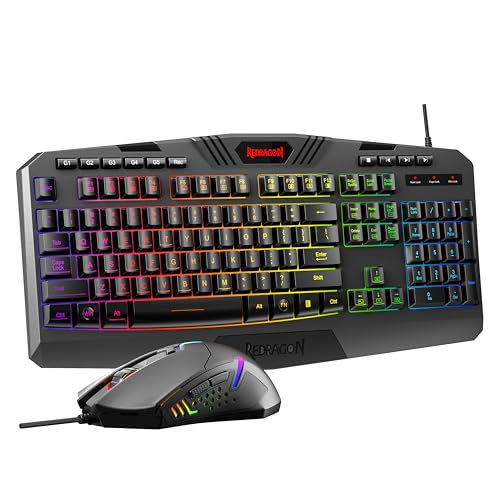
Buying a best basic gaming keyboard and mouse pairing as a matched set can save money. Check three things first: the keyboard should leave at least 10 inches of open pad space for mouse movement, both devices should use the same connection style so you manage one charging routine, and the pair should share one software app. A matched set at about $60 to $120 often beats two mismatched buys, and value shoppers can see our guide to the best inexpensive gaming mouse.
Common Mistakes to Avoid
Most regrets with a basic mouse come from fit and connection choices.
- Choosing a mouse by the highest DPI number alone, which leaves you with a shape that fights your hand.
- Buying a shell that is too small or too large for your hand, which causes finger cramps and sloppy aim.
- Picking a Bluetooth only model for fast shooters, which adds response delay you can feel in quick turns.
- Ignoring weight when you play at low sensitivity, which makes a heavy mouse tiring to lift and reset.
- Using a bare desk instead of a pad, which wears the feet unevenly and makes glide scratchy.
Care and Maintenance for a Basic Gaming Mouse
Keep the sensor lens clean with a dry soft cloth, since dust and hair near the lens cause the most tracking skips. Wipe the shell and wheel weekly with a slightly damp cloth, and clean between the main buttons with a soft brush. Wash your pad by hand when glide feels uneven, and our guide to the best gaming mouse mat covers which pad materials wash without curling.
For wireless models, charge before the battery is fully empty and store the dongle in its slot inside the shell. Check the feet every few months, because worn feet drag and scratch the pad. Replacement feet are cheap, press on in minutes, and restore the smooth glide the mouse had when new.
Basic Gaming Mouse Questions Answered
Does a basic gaming mouse work with Mac and console systems?
Yes, a basic gaming mouse works on Mac and on consoles that allow mouse input, though support varies by game. On Mac the main buttons and wheel work at once, while extra buttons may need a Mac version of the app. On console, only certain titles accept a mouse, so check the game list for your system first.
What DPI setting does a basic gaming mouse need for everyday games?
Most everyday games feel controlled at a DPI setting between 400 and 1,600, and 800 is a sensible starting point. Adjust in small steps inside one game until turns feel natural without overshooting targets. A useful extra is a DPI shift button that drops sensitivity while you hold it, which helps for careful long range shots.
Should you choose a wired or wireless basic gaming mouse?
Choose wireless if cable drag bothers you, and choose wired if you never want to think about charging. Modern dongle wireless feels as direct as a cable for basic play, so the choice rests on habit and desk layout. One point many shoppers miss is that a wireless model can still be used while it charges, so a low battery rarely ends a session.
Can a basic gaming mouse handle school and office tasks well?
Yes, a basic gaming mouse handles school and office tasks well because accurate tracking and firm clicks help in documents and spreadsheets too. The same steady sensor also makes selecting small cells and text precise. If you share the mouse with family, keep one DPI step set for desktop use, since gaming settings can feel fast for reading.
Final Checks Before You Buy
Start with fit, then confirm the sensor tracks cleanly at the DPI you actually use, and pick the connection that matches your desk habits. Keep those three checks, and the best basic gaming mouse for you is the one that disappears under your hand. Compare your finalists in the product table above, and choose the shape you can use comfortably every day.