Best Affordable Color Printers for 2026: A Buyer Checklist
Disclosure: We may earn a commission when you buy through links on this page, at no extra cost to you. As an Amazon Associate I earn from qualifying purchases. Learn more
Use this clear checklist to find the best affordable color printers, covering cost per page, print quality, setup and reliability for home use.
The purchase price of a printer is only the first cost. Ink, paper waste from failed prints, and your time on setup and fixes decide what the machine really costs over two or three years. This checklist helps you judge the best affordable color printers by cost per page, print quality, and reliability before you buy. Start with the comparison table below, then score each candidate against the criteria that follow, in the order given.


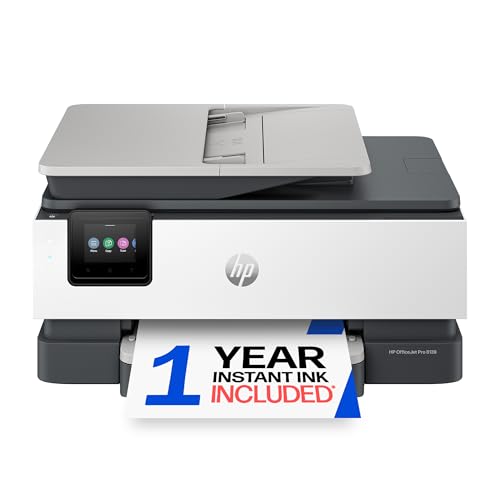
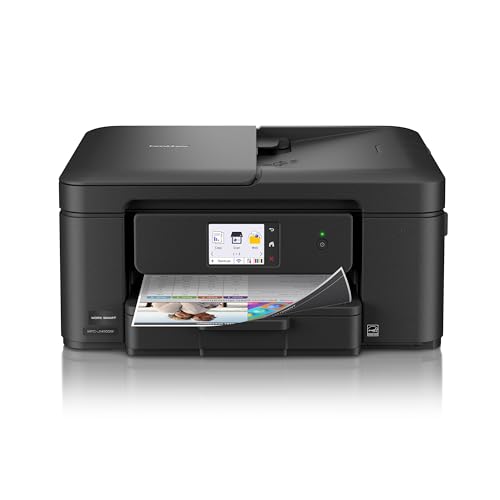
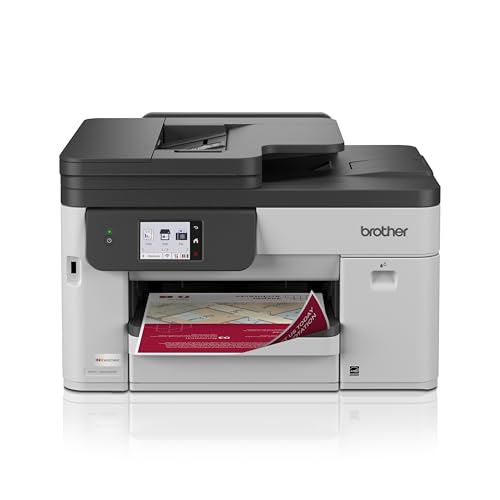
How to Judge Affordable Color Printers
Work through these criteria like a scorecard. A printer that wins on price but fails on running costs or driver support will frustrate you within months. Thresholds below are practical lines for home and small office use, and they tell you when a spec is good enough and when it is a warning sign. The same checks apply as you shortlist the best affordable color printers.
What You Can Realistically Get on a Budget
Around $100 to $200, expect capable color printing for documents and schoolwork, basic scanning on all in one models, and WiFi with mobile printing. Around $200 to $300, ink tank models and faster color speeds become realistic. What budget models cut is large paper capacity, fast double sided color, and premium photo quality.
Do not save money by choosing the cheapest cartridges. Ink cost per page matters far more than a small saving on the box, as the next section explains.
Printer Type (Inkjet, Laser and Tank)
Inkjet printers suit mixed document and photo work and cost less up front. Color laser printers suit text heavy offices that print often and want crisp pages that resist smudging, but photo quality is weaker and the machines cost more. Tank printers are inkjets with refillable reservoirs that cut running costs sharply for regular users. For most homes, the real contest is inkjet against tank.
Cost per Page and Ink Costs
Cost per page is the ink cost of one printed page, and it separates cheap printers from cheap to own printers. Cartridge models can cost several times more per color page than tank models. Check the stated yield of replacement ink and divide the ink price by that yield for a rough figure.
High yield options and reputable refill bottles lower costs further. Subscription ink plans can suit steady monthly printing, but they punish irregular users who pay during quiet months. If you print weekly or more, favor tank or high yield designs.
Footprint and Noise
Measure your shelf or desk space with the paper tray open and output extended, not just the closed body size in the listing. Many home printers need about 17 inches of width and extra depth in use. Noise matters in shared rooms and small offices.
Laser printers have fan noise during jobs, while inkjets are quieter but slower. If the printer will live in a bedroom or study, check the stated noise level and plan placement away from where people sleep or take calls.
Ease of Setup and Calibration
Good setup means clear instructions, a stable WiFi connection, and drivers that install without a fight on your computer and phone. Look for AirPrint support if your household uses Apple devices, and check that the maker app is well maintained. After setup, run the print head alignment from the maker menu, and save a photo of a good print for later comparison. Calibration for a page printer is alignment plus the correct paper type settings.
Print Quality and Resolution
Resolution is measured in DPI, and higher numbers can mean finer detail, but paper and ink quality matter just as much. For documents, sharp text at normal settings is what counts. For photos, look at color accuracy and smooth shading in sample images rather than chasing the highest DPI figure.
Use the right paper setting every time. Telling the printer you are using photo paper changes how much ink it lays down, and that one setting improves results more than any spec difference between rival models.
Reliability and Support
A printer is a long term relationship with its maker software. Check how often drivers are updated, whether support pages for your operating system are current, and how long the warranty runs. One year is standard at this price, and some makers require registration for full cover.
Read the return window too, because WiFi quirks often appear in the first week. A useful know how point is to connect the printer to your main network rather than a guest network, since guest settings often block the device discovery your phone needs.
For the broader category, our guide to the best color printers shows what higher budgets add. If low running costs are your top concern, compare the shortlist with our guide to the best printers with affordable ink before you decide.
Price Tiers for Color Printers
Use these tiers to read the product table above with realistic expectations. Each tier is a valid choice for the right printing pattern, and the wrong tier for your pattern is poor value at any price.
Balanced Tank Tier
The overall sweet spot for most homes is a tank based all in one around $200 to $300. You get scanning and copying, low cost color pages, and enough speed for school and home office work. Ink included in the box often covers a year or more of typical use, which makes the higher shelf price easier to judge fairly. This tier suits families and anyone printing several color pages a week who wants the lowest stress ownership.
Low Price Cartridge Tier
Value cartridge inkjets around $80 to $150 suit light and irregular printing, such as a few pages a month, boarding passes, and occasional school projects. The box price is low and the machines are compact. The catch is ink cost, so this tier only stays cheap if your volume stays low.
Choose high yield cartridges when available. If your printing grows, this tier becomes the most expensive way to print, and upgrading to a tank model later will save money within a year.
Premium Affordable Tier
Premium affordable options around $300 to $450 add faster double sided printing, larger paper trays, better photo output, and sturdier build. Color laser models also live in this band for text heavy small offices. This tier makes sense if you print daily, run a small business from home, or produce color materials clients will see. Our guide to the best printers for color printing covers the quality end of this range in more detail.
Quick Buyer Checklist
- Have you estimated your monthly color pages honestly, including school and work spikes?
- Is the cost per page for the replacement ink acceptable at that volume?
- Does the printer fit your space with trays open and room to load paper?
- Does it support your phones and computers, including AirPrint if you need it?
- Do you need scanning and copying, or print only?
- Is double sided printing included if you print long documents?
- Is the warranty at least one year, with drivers current for your system?
If your budget search is wider than color alone, our guide to the best affordable printers compares monochrome and color trade offs at the same prices.
Red Flags to Watch For
A few signs predict expensive ownership. Very cheap printers bundled with starter cartridges of tiny yield often cost the most within a year. Vague ink yield claims with no page numbers deserve suspicion, as do models whose replacement ink costs nearly as much as the printer itself.
Poorly maintained driver pages and apps with long broken update histories warn of future connection trouble. Finally, treat any listing that hides whether double sided printing is manual or automatic as a prompt to check the full spec sheet before paying.
Setup and Care Tips
Print at least one color page each week if you use an inkjet, because regular use prevents the print head from clogging during idle weeks. Use genuine ink or reputable refill ink matched to your model, and keep spare paper stored flat in its wrapper so sheets feed evenly. Update firmware when the maker app offers it, and keep the printer on a firm, level surface away from dust. For three dimensional printers in the same workspace, keep beds clean and store filament dry, since damp filament causes failed prints that look like machine faults.
FAQs
Which type of printer is easiest for beginners?
A wireless all in one inkjet with a clear setup app is the easiest start. Look for AirPrint support, automatic double sided printing and a simple ink or tank refill process. Buy for the pages you print each month, because idle printers of any kind are poor value.
Inkjet or laser: which is cheaper long term?
For most homes, a tank inkjet is cheapest long term, because refill ink costs very little per page. Color laser costs more up front and its toner sets are pricey, but per page costs are steady and pages resist water and smudging. Cartridge inkjets are usually the most expensive per page of all.
Your volume decides the winner. Light users should weigh the box price more, and heavy users should weigh cost per page almost entirely.
What does cost per page mean?
It is the ink or toner cost of printing one page, found by dividing the price of a cartridge, bottle, or toner by the number of pages the maker says it yields. A color page costs more than a black page because it uses several inks. Comparing this one number between two printers tells you more about ownership cost than comparing box prices. Remember that heavy photo coverage uses more ink than the standard pages behind yield figures.
Are ink tank printers worth it?
Yes, for anyone printing color pages every week. The higher purchase price buys ink costs that are often a fraction of cartridge costs, and the bottles in the box can last a year or more. They are less worthwhile if you print only a few pages a month, because the saving takes years to repay the price gap and inkjets of any kind dislike long idle periods. Match the tank choice to real volume, not to hoped for volume.
Our Verdict
Judge by cost per page first, then by fit for your devices and space, and only then by box price. That order protects your budget for the whole life of the machine, not just checkout day. Compare your finalists in the product table above and choose the tier that matches your true monthly volume. The best affordable color printers are the ones whose running costs stay low and whose output still looks sharp in year two.