
Best Affordable Printers 2026 Buying Guide
Disclosure: We may earn a commission when you buy through links on this page, at no extra cost to you. As an Amazon Associate I earn from qualifying purchases. Learn more

Find affordable printers with low ink costs, wireless printing, and quality that suits home use. Compare inkjet, laser, and photo printers first.
Choosing best affordable printers is about total cost, not just the price on the box. A cheap printer with costly cartridges can soon cost more than a slightly pricier model with efficient ink. This guide compares printer types, ink systems, and everyday features so your choice stays affordable over years of use. The comparison table below lays out the main types side by side.
Think about what you print most. School homework, office documents, photos, and craft projects each favour a different printer. A household that prints mainly text needs different strengths from one that prints glossy photos every weekend. The sections below help you match the printer to the job.


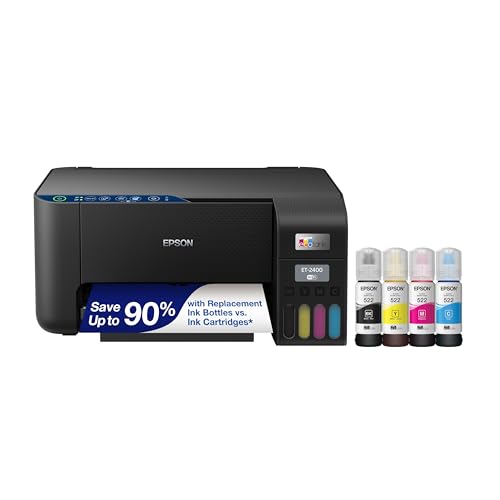
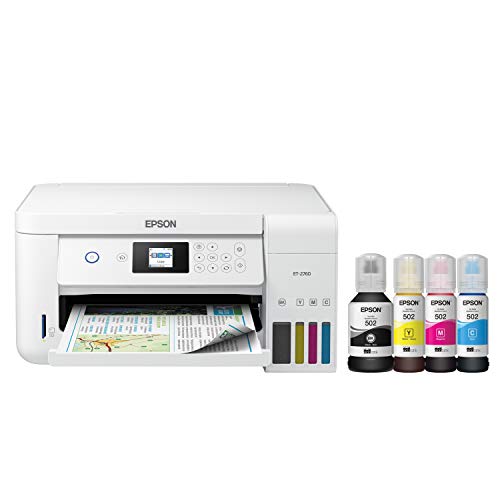
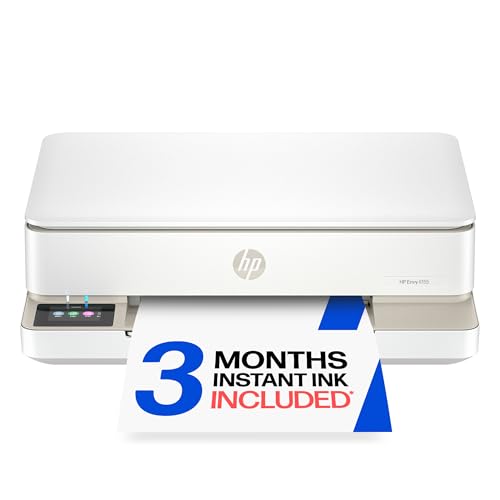
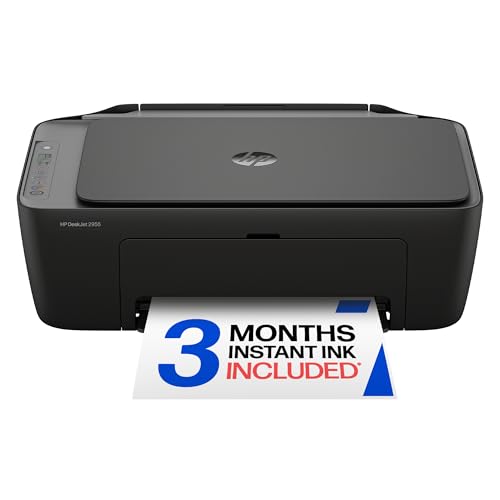
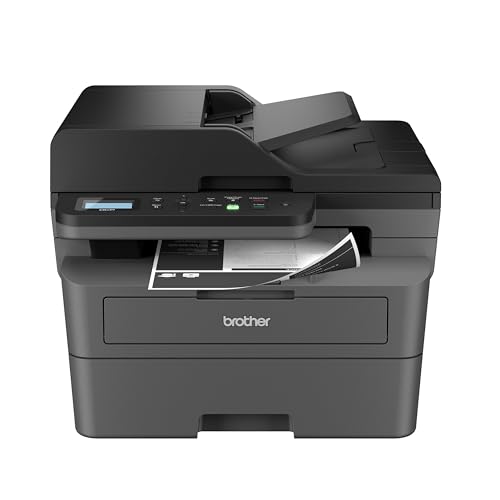


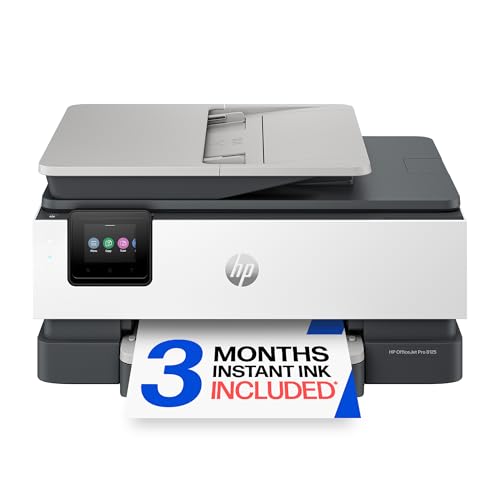
Inkjet, Laser, and Photo Printers
Inkjet printers handle mixed jobs well, from color documents to photos, and they cost less upfront. Laser printers print crisp text fast and suit heavy document use, though color laser models cost more. Dedicated photo printers give richer prints but are poor value for everyday documents.
Tank printers use refillable ink bottles instead of cartridges. They cost more at first but print far more pages per refill, which suits families and home offices. Cartridge printers suit light users who print a few pages a week and prefer a lower upfront price.
Ink Cost and Page Yield
Check the cartridge or bottle yield in pages, not just the price. Divide the cartridge price by its page yield to find the cost per page for black and color. This simple sum reveals the true running cost and often changes the ranking of models.
High yield cartridges cost more upfront but print more pages, which usually lowers the per page cost. Subscription ink plans can suit steady users, but check the monthly page limit and what happens to unused pages. Light users may do better buying cartridges as needed.
Wireless Printing and Everyday Features
Wireless printing lets phones, tablets, and laptops print without cables. Check that the printer supports your devices and that setup is simple. A small display helps with setup and troubleshooting, though many tasks can be handled from an app.
Automatic double sided printing saves paper and suits document heavy homes. A scanner and copier add value for school and office tasks, turning one device into a small home office hub. Check paper tray size too, since a tiny tray needs frequent refilling.
Print Quality and Speed
For text, look for sharp edges and even coverage rather than headline resolution numbers. For photos, check sample prints for skin tones and shadow detail, since numbers alone do not tell the full story. Speed matters most when printing long documents, and quoted speeds usually assume simple text pages.
Borderless photo printing matters only if you print photos often. For most homes, good color on plain paper matters more than a perfect borderless print. Read user feedback about paper jams and noise, which affect daily satisfaction more than a small speed gap.
Keeping Printing Affordable
Print in draft mode for internal documents and save full quality for final versions. Keep the printer on a stable surface and use the right paper weight, since thin paper jams more often. Store spare cartridges sealed and upright, away from heat.
Run a cleaning cycle only when prints show gaps, since each cycle uses ink. Update firmware from the maker site rather than unknown sources. The product table above gives a quick recap of the printer types discussed here.
Related Buying Guides
For a related angle, see our guide to best affordable 3d printers. For a related angle, see our guide to best printers with affordable ink. For a related angle, see our guide to best affordable photo printers. For a related angle, see our guide to best affordable inkjet printers. For a related angle, see our guide to best affordable wireless printers.
Setting Up a Home Printing Station
A good printing corner needs a flat stable surface, easy access to the paper tray, and room to open the scanner lid fully. Place the printer where the paper path stays clear, since cramped corners cause jams when output trays cannot extend. Keep spare paper nearby but away from damp, since humid paper curls and jams more often.
Connect the printer to your home network during setup rather than relying on a single USB cable, so every device can print. Name the printer clearly in your device settings, especially if neighbours or guests share the network. Test printing from a phone and a laptop before you need an urgent document.
Printing Photos at Home Without Waste
Photo printing at home works best when you match paper, settings, and expectations. Use photo paper for keepsake prints and plain paper for test prints, since test prints on glossy paper waste money. Print a small test strip first when color accuracy matters, then adjust settings before committing to a full page.
Store printed photos flat and away from sunlight, since inkjet prints fade faster in bright light. For albums, let prints dry fully before stacking them, or colors may transfer. If you print photos rarely, run a nozzle check every few weeks to keep ink flowing cleanly
Before You Buy Checklist for a Printer
This checklist keeps the focus on total cost and everyday fit rather than headline price. Work through it before ordering, since returning a printer is more hassle than returning a small gadget.
- Cost per page calculated from cartridge price divided by page yield
- Printer type matches your main job, whether text, color documents, or photos
- Wireless printing supports your phones, tablets, and laptops
- Paper tray holds enough sheets for your typical print week
- Scanner and copier included if school or office tasks need them
- Double sided printing available to save paper on long documents
- Update policy stated by the maker for security and app support
- Space around the printer allows the scanner lid and output tray to open fully
A printer that passes these checks will stay affordable and useful long after the excitement of unboxing fades.
Choosing Between Cartridge and Tank Ink Systems
Cartridge and tank systems represent different philosophies, and the right one depends on how much you print. Cartridge printers cost less upfront and suit light users who print a few pages a week, since the low purchase price matters more than per page cost. Tank printers cost more upfront but print thousands of pages per refill, which suits families, students, and home offices with steady volume.
Calculate your break even point by estimating monthly pages and comparing total cost over two years, including the printer price and ink. Light users may never reach the point where a tank printer pays back, while heavy users may pass it within months. This simple calculation prevents both overspending and false economy.
Maintenance differs between systems too, since tank printers need occasional printhead cleaning and careful refilling to avoid spills. Cartridge printers swap cleanly but generate more plastic waste. If you print rarely, cartridges avoid ink drying in large tanks, while frequent printers benefit from tank economy.
Also consider third party ink, since some makers restrict it while others tolerate it. Third party cartridges can cut costs but may affect warranty or print quality, so weigh the saving against the risk. For most homes, maker ink with high yield cartridges offers a safe middle ground.
Frequently Asked Questions
Is a tank printer worth the higher upfront price?
A tank printer usually pays back its higher price within a year or two for households that print regularly. The ink bottles print thousands of pages at a low per page cost. Light users who print only a few pages a month may never print enough to recover the difference.
Inkjet or laser for home office documents?
Laser printers suit text heavy work with fast, crisp output and toner that does not dry out. Inkjets suit mixed color work and photos at a lower upfront cost. If you print mainly black text and want low fuss, laser is often the calmer choice.
Do I need a printer with a scanner?
A scanner adds real value for school forms, receipts, and signed documents, and it costs little extra in combined models. If you only print, a print only model saves space and money. Families and home workers usually benefit from the combined device.
Why do colors look dull on plain paper?
Plain paper absorbs ink, which softens colors compared with glossy photo paper. For vivid photos, use paper made for photo printing and select the matching paper setting. For everyday documents, dull color on plain paper is normal and not a fault.
How can I reduce ink use without hurting quality?
Use draft mode for notes and internal pages, and reserve best quality for final documents and photos. Print double sided where the printer supports it, and preview before printing to avoid wasted pages. These habits cut ink and paper use noticeably over a year.
Final Thoughts
Match the printer to your real print volume, work out the cost per page, and favour features you will use weekly. That approach to best affordable printers keeps both the purchase and the running cost comfortably within budget.


