
Best Alder Lake Motherboards: Matching the Right Model to Your Routine for 2026
Disclosure: We may earn a commission when you buy through links on this page, at no extra cost to you. As an Amazon Associate I earn from qualifying purchases. Learn more

Learn how to choose the best alder lake motherboards by chipset, memory type, size and ports, with a clear checklist for gaming, work and compact builds.
There is no single board that suits every builder. A compact office system, a quiet creator workstation, and a high frame rate gaming rig all use Alder Lake processors in very different ways, so the best alder lake motherboards for you depend on your routine first and specifications second. This guide starts with how you actually use your computer each day.
Work through the user groups and feature checks below before you look at price. When you are ready to compare options, start with the product table, then return to the checklist here to confirm chipset, memory type, and board size match the processor and case you already own or plan to buy.


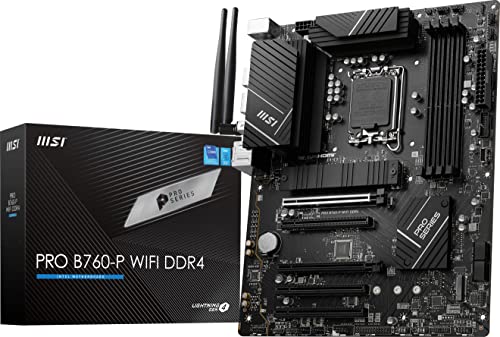
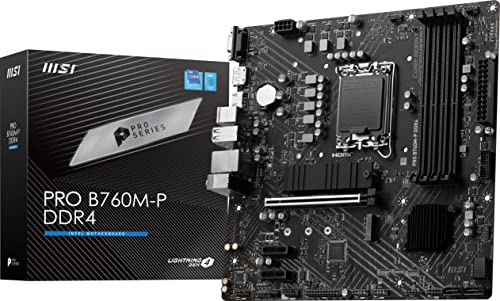

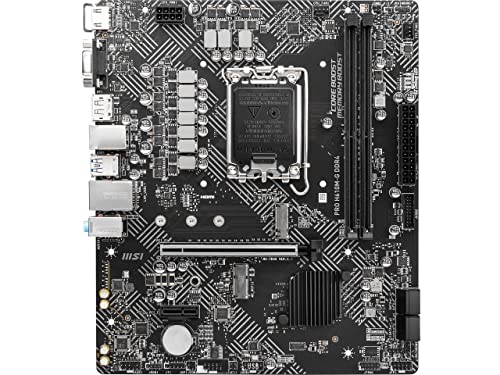

Who Should Buy Which Alder Lake Motherboards?
Alder Lake covers 12th generation Intel Core processors on the LGA1700 socket. Every board in this family shares that socket, but chipsets, power delivery, memory support, and expansion differ a lot. Matching those differences to your daily workload saves money and avoids the most common compatibility surprises.
For Remote Workers and Creators
You need stable networking, plenty of display outputs or a strong graphics card slot, and quiet reliable operation for calls and long editing sessions. Prioritize boards with wired Ethernet, WiFi 6 or newer, several USB ports for cameras, microphones, and drives, and at least two M.2 slots for fast NVMe SSD storage. A board with good onboard audio and clear BIOS recovery options also helps, because downtime costs you work time, not just play time.
For Travelers and Commuters
If you move a system between home, office, or events, board size matters more than raw expansion. A Mini ITX or compact micro ATX board fits a small case that is easier to transport and takes less desk space in temporary setups. Look for built in WiFi, Bluetooth for wireless peripherals, and sturdy rear panel connectors that tolerate frequent plugging and unplugging. You will give up some expansion slots, so confirm the single graphics card slot and storage count truly cover your needs.
For Students and Everyday Users
For coursework, browsing, streaming, and light gaming, value and stability beat premium extras. A mainstream chipset board with DDR4 support can lower total cost if you already own DDR4 memory, and it still handles everyday tasks smoothly. Choose enough USB ports for printers and external drives, an M.2 slot for a fast boot drive, and a layout that is easy to build in for a first time builder. Spend the savings on storage or memory instead.
For Gamers and Power Users
Gaming and demanding creative work place sustained load on the processor, so power delivery and cooling around the socket become critical. Look for a chipset that supports processor overclocking only if your processor model allows it, strong voltage regulator cooling, and a reinforced primary graphics card slot. You also want multiple M.2 slots with heatsinks, fast networking for online play, and enough fan headers for a balanced airflow plan that keeps GPU and CPU temperatures in check during long sessions at 1440p or higher.
Key Features to Compare
Once your user group is clear, compare the features below in order. Chipset and memory type are decisions you cannot change later without replacing the board, so settle those first. Ports, slots, and cooling features can then be matched to the parts you already plan to install.
Warranty, Support, and Build Quality
Most boards carry a warranty of about one to three years, and the support site behind the board matters as much as the hardware. Check that BIOS updates, drivers, and a clear manual are easy to find before you buy, because Alder Lake systems often need a BIOS update for later memory kits or processors. Build quality clues include solid capacitors, reinforced slots, and a sensible layout with room around the CPU socket for large air coolers and tidy cable routing inside the case.
Power Supply Quality
The board and the power supply work as a pair. A quality unit with an 80 Plus Gold rating or similar gives cleaner power and better efficiency under load, which supports stable operation when the processor boosts. Leave sensible headroom above your estimated system draw, especially with a powerful GPU, so the supply is not running at its limit all day. Also confirm the board has the CPU power connectors your supply provides, and count the phases and heatsinks if you plan a high core count processor.
Case Size, Airflow, and Aesthetics
Board form factor must match your case. Full ATX offers the most slots and spacing, micro ATX balances size and expansion for most builds, and Mini ITX suits compact cases but limits memory slots and storage. Spacing matters for airflow too, because a large GPU can block slots or crowd cables on smaller boards. If you care about appearance, compare lighting headers and board finish last, after fit and function, and see our guide to the best looking motherboards for style focused ideas that still need the same fit checks.
CPU and GPU Pairing
Pair the board to the processor tier, not the other way around. An entry level processor for 1080p gaming does not need premium power delivery, while a top tier processor for 1440p or 4K work deserves a board that can sustain its boost clocks. The board does not set frame rate by itself, but the graphics card slot generation, storage speed, and stable power all support the GPU you choose. Avoid spending so much on the board that you must downgrade the GPU, because that trade will cost you visible performance.
Upgradability and Standard Parts
Think about what you may add in two years. Extra M.2 slots, four memory slots instead of two, and additional SATA ports make storage and memory upgrades simple without a new board. Standard ATX power connectors and common case mounting patterns also keep future case or supply swaps easy. If you are comparing across generations for an older system, our guides to the best motherboards for kaby lake and the best motherboards for coffee lake show how socket changes limit reuse, which is why checking LGA1700 compatibility now matters.
Form factor research helps too. Readers planning a very small build should see our guide to the best itx motherboards for the layout trade offs involved, while builders open to a different platform can compare with our guide to the best motherboards am4 to understand how chipset tiers work on the AMD side before committing to one ecosystem.
Common Mistakes to Avoid When Buying Alder Lake Motherboards
- Buying DDR4 and DDR5 parts that do not match, because each Alder Lake board supports only one memory type, never both at once.
- Choosing a chipset that blocks a feature you need, such as processor overclocking or enough high speed USB ports for your desk setup.
- Ignoring board size and cooler clearance, then finding the case, GPU, or AIO cooler does not physically fit together.
- Paying for extra expansion slots you will never fill while skimping on networking, storage slots, or warranty support you will use daily.
- Skipping the processor support list, because some boards need a BIOS update before they will start with a particular Alder Lake processor.
Setup and Care Tips
Install the processor, memory, and M.2 drive on the board before you mount it in the case, because those parts are far easier to seat on a flat surface. Ground yourself, align the processor markers carefully, and never force a connector that resists. After the first start, update the BIOS only when an update solves a problem or adds support you need, and follow the maker instructions exactly with stable power throughout.
Clean dust filters and fans about every three months, sooner in homes with pets. Check temperatures with a free monitoring tool during a normal workload, update GPU drivers through the graphics maker, and reseat a cable before assuming a part has failed if a port stops responding.
Frequently Asked Questions
What GPU do I need for 1440p?
For smooth 1440p gaming, choose a midrange to high end graphics card with at least 12 GB of video memory for newer titles. Exact needs depend on refresh rate and settings, so a 1440p 60 Hz display needs far less than a 1440p 165 Hz display. Your board mainly needs a full length primary slot and stable power delivery to support that card.
Air or liquid cooling: which is better?
Air cooling is simpler, quieter at idle for many builds, and has no pump to wear out, while liquid cooling can help in compact cases or with high core count processors under sustained load. Either works well when sized correctly for the processor. Check socket clearance, radiator mounting space, and case airflow first, because fit decides more real world results than cooling type alone.
How much RAM do I need for gaming?
Most gamers should start with 16 GB, and 32 GB is the safer choice for newer titles, streaming, or keeping many browser tabs open while playing. Speed and timely configuration matter, but capacity prevents the stutter that comes from swapping to storage. Confirm whether the board uses DDR4 or DDR5, then buy a matched pair of sticks for dual channel operation.
Is it cheaper to build or buy a prebuilt PC?
Building is often cheaper when you can reuse a case, storage, or power supply and you catch parts on sale, while a prebuilt can cost less during graphics card shortages and includes a single warranty contact. Compare total cost with the same processor, GPU, memory, and storage. Also factor in your time, because assembly and setup take a few hours for a careful first build.
How long will a gaming PC stay relevant?
A balanced gaming PC usually stays enjoyable for about four to six years, with a GPU upgrade often extending that life. The processor platform sets your ceiling, because Alder Lake boards do not accept later socket processors. Choosing extra memory slots and M.2 capacity now makes midlife upgrades cheaper, even if the processor itself stays the same for the life of the system.
The Bottom Line
Start with chipset, memory type, and board size, because those three choices lock in compatibility for everything else. Then match power delivery to your processor tier and count the storage and USB connections your routine actually uses. Compare boards against that short list, and choose the best alder lake motherboards option that fits your case, your parts, and your budget without paying for slots and features you will never use.
