Best 8x10 Photo Printers Made Simple: A Clear Buying Guide for 2026
Disclosure: We may earn a commission when you buy through links on this page, at no extra cost to you. As an Amazon Associate I earn from qualifying purchases. Learn more

Learn how the best 8x10 photo printers work, which specs matter most, and how to choose ink, paper, and settings for clear, lasting prints at home.
Printing a favorite photo at 8x10 size sounds simple until you face a wall of terms like DPI, dye ink, and cost per page. This guide slows everything down and explains the best 8x10 photo printers in plain language, starting with the basics and ending with a clear way to choose.
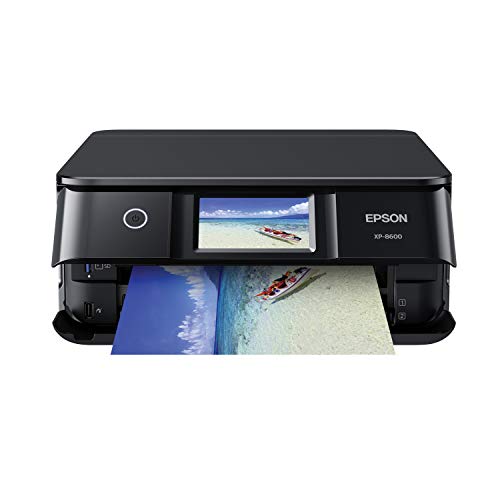
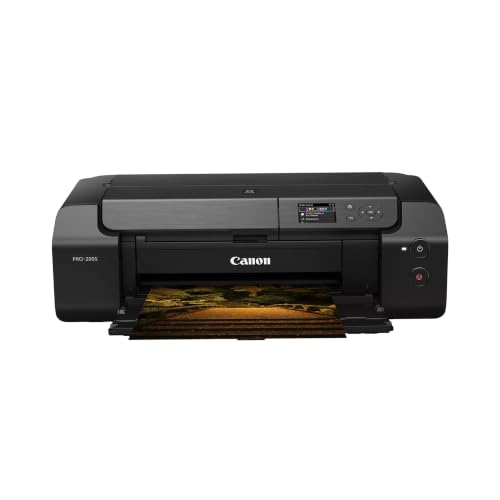
You do not need photography training or a big budget to get good results at home. You need the right printer type, paper that matches your ink, and a few habits that keep prints looking sharp. The comparison table below gathers the key facts in one place so you can follow along as you read.




8x10 Photo Printers 101: The Basics
An 8x10 photo printer is a printer that can produce a full page photo measuring 8 inches by 10 inches without cropping away important parts of the image. Most models that handle this size also print smaller sizes such as 4x6 and 5x7, plus letters and documents. The photo itself comes from tiny droplets of ink placed on coated paper, and the quality of that paper matters almost as much as the printer.
Two ideas explain most of what you will see in listings. Resolution, measured in DPI or dots per inch, describes how finely the printer places ink, and higher numbers can hold more detail. Color handling describes how many ink colors the printer uses, because extra shades help skin tones and skies blend smoothly instead of showing visible steps. If you want background reading on what separates a strong photo machine from an ordinary office model, see our guide to the best photo quality printers after you finish the basics here.
One point confuses many first time buyers. A printer that accepts paper up to letter or A4 size can usually print 8x10 photos, since 8x10 is smaller than those sheets. What matters is that the driver offers an 8x10 paper setting or lets you save a custom size, and that the tray guides adjust snugly so the sheet feeds straight.
Key Specs Explained in Plain English
Spec sheets look intimidating, but only a handful of lines affect your prints. Work through the five areas below and you will understand most listings well enough to compare them with confidence.
Printer Type (Inkjet, Laser, Tank, 3D FDM/Resin)
For photographs, inkjet is the type to buy, because it lays down liquid ink in fine droplets that blend into smooth color. Laser printers fuse dry toner onto paper and suit text documents well, but photos often look flat and banded. Tank printers are simply inkjets that refill from bottles instead of small cartridges, which changes running costs rather than the basic method. Listings sometimes mix in 3D printers that build objects from PLA filament or resin, and those cannot print a photo on paper at all, so treat them as a separate hobby and skip them for this purchase.
Ease of Setup and Calibration
A friendly setup matters more than most beginners expect. Look for a guided phone app or clear on screen steps, automatic print head alignment, and a nozzle check pattern you can run from the menu. Good calibration keeps colors accurate and prevents the pale stripes that appear when one nozzle stops firing. You should be able to finish unboxing, fill or insert the ink, load paper, and print a first photo in about half an hour. If a model requires manual alignment sheets and repeated test pages before it prints cleanly, that friction tends to continue for the life of the machine.
Reliability and Support
Reliability shows up in small ways: a driver that still works after your computer updates, firmware notes you can actually find, and a support library with videos for common errors. Before you buy, search the model name plus the words paper jam and error code to see how owners solve problems. A printer from a maker with a large owner community usually has answers for everything from WiFi dropouts to cleaning cycles. Also check the warranty length and whether replacement print heads are user serviceable, because a clogged fixed head can end an otherwise good printer.
Paper Handling and Duplex / Build Volume
Paper handling decides daily convenience. A rear feed slot is valuable because thick glossy and matte photo papers bend poorly in tight front trays, and a straight path prevents curled edges and scuffed surfaces. Check the thickest paper the maker approves, listed in grams per square meter, and confirm the tray guides reach 8x10 size firmly. Duplex, meaning automatic printing on both sides, helps documents but does nothing for photos, so treat it as a bonus rather than a reason to pay more. Build volume is a 3D printing term for the size of an object, and it has no meaning for paper photos, so ignore it in these listings.
Connectivity and Mobile Printing
Most photos live on phones, so easy phone printing saves real effort. WiFi lets everyone in the home print without cables, and AirPrint support lets Apple devices send a photo with no extra app. Maker apps add useful extras such as paper size presets and maintenance tools, though some push account signups you may not want. A USB port is still worth having as a backup when your network acts up. When you compare the best printers to print photos from a phone, test how many taps sit between opening a picture and choosing the correct 8x10 size, because clumsy apps cause more wasted sheets than slow print speeds do.
Best 8x10 Photo Printers for Specific Needs
Your best match depends on how often you print and where the printer will live. Occasional printers of family photos can choose a simple cartridge model and accept higher ink costs per page. People printing every week for albums, gifts, or a small studio should favor a tank model with lower running costs. Small desks point toward compact bodies, and our overview of the best compact photo printers explains the size tradeoffs in more depth.
Best Printers for 8x10 Photos: Tips for First Time Buyers
When you shop best printers for 8x10 photos as a beginner, three criteria matter most. First, confirm true borderless printing at 8x10 size, because some models only print borderless at smaller sizes. Second, choose at least five or six ink colors if portraits matter, since extra black and gray inks improve shadow detail. Third, price the ink and the paper together for your first fifty prints, not just the printer. Shoppers comparing the wider field of the best printers for photo printing will notice these same three checks separate the satisfying purchases from the frustrating ones.
Rookie Mistakes to Avoid
- Buying on printer price alone. A cheap printer with tiny cartridges can cost more within a year than a pricier tank model. Add ink and paper for your expected volume before deciding.
- Using plain paper for photos. Uncoated paper soaks up ink and turns colors dull. Buy glossy or matte photo paper made for inkjet printers.
- Printing from tiny images. A small message app photo may hold too few pixels for 8x10 size and will look soft. Use the original file from your camera or phone whenever possible.
- Ignoring the paper setting. Choosing plain paper in the driver while loading glossy stock starves the print of ink. Match the driver setting to the loaded paper every time.
- Letting the printer sit for months. Ink dries in unused nozzles and leads to expensive cleaning cycles. Print one color photo every week or two.
Getting Started: Setup and First Use
Start on a flat, sturdy surface near your router, and leave space behind the printer for the rear feed and for sheets to exit without hitting a wall. Remove every piece of shipping tape, including the pieces inside the paper path that are easy to miss. Fill the tanks or insert the cartridges, then run the alignment and nozzle check pages the setup routine offers, even if you feel tempted to skip ahead.
For your first real print, choose a well lit photo with faces and a bright sky, since it reveals color problems quickly. Select the exact paper type and 8x10 size in the driver, set quality to high, and let the print rest untouched for several minutes so the ink fully dries. A practical habit worth adopting on day one: print a page weekly to prevent clogs, and use genuine or reputable ink so the print head receives fluid with the viscosity and dye load it was designed for. Keep spare paper stored flat in its sleeve, away from humidity, and handle sheets by the edges so skin oil does not mark the coating.
Frequently Asked Questions
What does cost per page mean?
Cost per page is the ink and paper cost of one finished print, found by dividing a cartridge or bottle price by the number of pages it yields, then adding paper. For an 8x10 photo the figure is far higher than for a text page because photos cover the whole sheet with ink. Comparing this number across models tells you more about long term value than the shelf price does.
Are ink tank printers worth it?
Yes, if you print photos regularly, because bottled ink usually delivers a much lower cost per page and the tanks show exactly how much ink remains. The higher purchase price takes time to earn back, so a household printing a few photos a year may never recover it. Tank models also reward steady use, since frequent printing keeps ink flowing and heads clear.
Which 3D printer is easiest for beginners?
No 3D printer is the right answer for paper photos, because FDM and resin machines build plastic objects layer by layer rather than placing ink on paper. If your goal is an 8x10 print for a frame, the easiest beginner choice is a simple inkjet photo printer with guided setup. Readers who also want objects can treat a 3D printer as a second, separate purchase with its own learning curve.
Inkjet or laser: which is cheaper long term?
For photos, inkjet wins on quality at any budget, and a tank inkjet usually wins on cost as well. Laser toner looks economical for text because cartridges yield thousands of plain pages, but laser photo output on plain paper is not comparable, and special laser photo media narrows the savings. Match the technology to the job first, then compare costs inside that category.
Our Verdict
Choose the printer type first, since inkjet is the only sensible route to real photo quality at this size. Then weigh cost per page against how often you print, and confirm borderless 8x10 support, a rear feed for thick paper, and painless phone printing. Readers who follow those checks will land on the best 8x10 photo printers for their own habits instead of the loudest advertised model. Compare the finalists in the product table above, run the ink math for your first fifty prints, and buy once with confidence.