Best 65 Inch TVs: Matching Panel and Features to Your Room for 2026
Disclosure: We may earn a commission when you buy through links on this page, at no extra cost to you. As an Amazon Associate I earn from qualifying purchases. Learn more
Compare the best 65 inch TVs by panel type, brightness and gaming features to match the right screen to your room and budget.
A 65 inch screen is the size most people choose when they want a real home theater feel without a room sized display. This guide helps you pick among the best 65 inch TVs by matching panel type, brightness, and features to how you actually watch, from sports and streaming to console gaming.
The product table shows current models at several price levels. Read the sections below first, decide which features matter to you, then use the table to compare options against that short list.


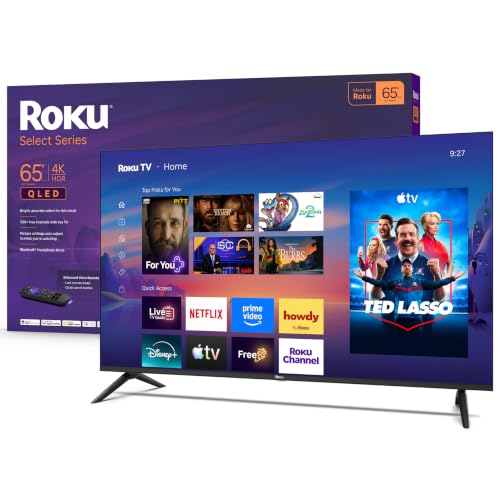
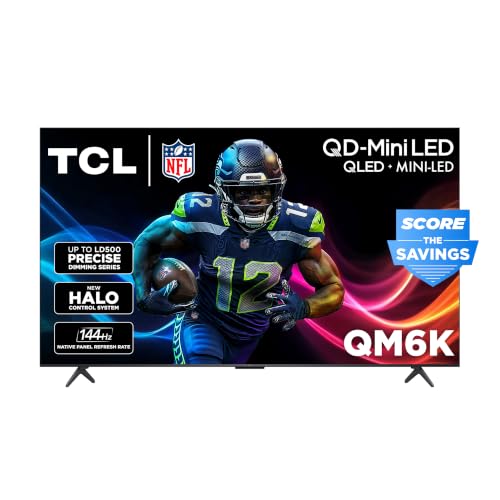

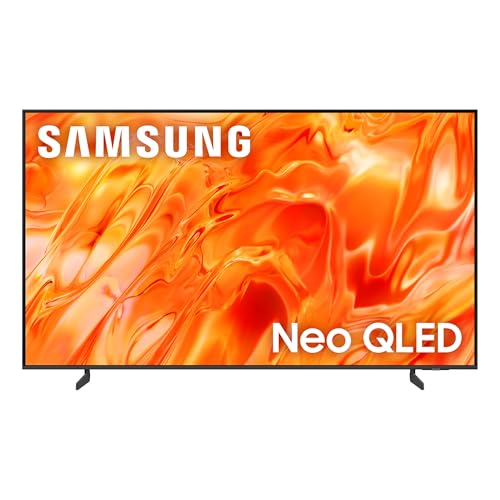

Is 65 Inches the Right Size?
A 65 inch TV measures about 57 inches wide and 32 inches tall. It works well at a viewing distance of 8 to 10 feet, which suits most living rooms and family rooms. If your sofa sits closer than 6 feet, a 55 inch set is more comfortable. If you sit beyond 11 feet, you may want to step up to 75 inches.
Before ordering, measure your TV stand or wall space and allow a few inches on each side. Some stands use feet near the outer edges, so the stand needs to be wider than you would expect from the screen alone. If you want to focus on resolution, see our guide to the best 4K TVs in the 65 inch class.
Which 65 Inch TV Fits Which Buyer?
Movie and Streaming Fans
If you watch in a dim room, contrast matters most. An OLED panel gives perfect blacks, while a Mini LED set with many dimming zones gets close at a lower price. Look for Dolby Vision support, good upscaling for lower resolution content, and a calibrated movie mode out of the box. Our guide to the best 65 inch OLED TVs covers the top end of this group.
Sports and Daytime Viewing
Bright rooms need high peak brightness and a screen that resists glare. QLED and Mini LED panels do this well, and a 120 Hz panel keeps fast motion smooth. Wide viewing angles help when guests sit off to the side.
Gamers
For a console or gaming PC, choose a 120 Hz panel with HDMI 2.1, variable refresh rate, and low input lag. Check how many HDMI ports support the full feature set, since many models enable it on only one or two inputs.
Budget Buyers
A standard 4K LED or entry QLED covers everyday viewing at the lowest cost. Save money on features you will not use and put it toward a soundbar, which improves the TV experience more than a small step up in panel quality.
Key Features to Compare for the Best 65 Inch TVs
Panel Technology
Standard LED panels cost the least but have the lowest contrast. QLED adds a quantum dot layer for brighter, richer color. Mini LED uses thousands of tiny backlights for stronger contrast and higher brightness. OLED lights each pixel on its own, so blacks are perfect and viewing angles are wide, at a higher price and with lower peak brightness.
HDR and Brightness
HDR only helps when the TV can get bright enough to show it. Support for Dolby Vision and HDR10+ matters, but peak brightness and local dimming do most of the work. Entry level sets accept HDR signals without showing much benefit.
Refresh Rate and Response Time
A 60 Hz panel is fine for movies and shows. A 120 Hz panel smooths sports and games, and a fast response time reduces blur on moving objects. Motion enhancement settings can make film look unnatural, so check that you can turn them off.
Smart Platform, Ports, and Sound
All major platforms support the big streaming apps, so choose the interface you find easiest to use. Count the HDMI ports for your console, soundbar, and streaming box, and look for eARC support for soundbar audio. Built in speakers are thin even on large sets, so plan for external audio if dialogue clarity matters.
Setting Up a 65 Inch TV
A big screen needs a plan. Mount the center of the screen near eye level when seated, which usually means lower than many people expect. A mount with some tilt and swivel helps with glare, and a stand needs to be wide enough for the feet. A 65 inch TV is also heavy, so plan for two people when lifting it and use the stand or wall bracket rated for the weight.
After setup, switch the picture mode from the vivid store setting to a cinema or movie mode, turn off extra motion smoothing, and use game mode for consoles. These small changes improve the picture more than most people expect.
Common Mistakes to Avoid When Buying 65 Inch TVs
- Paying for a very high refresh rate when you only watch streaming and broadcast TV.
- Judging picture quality from the showroom, where TVs run in an overly bright store mode.
- Ignoring the stand footprint and discovering the TV does not fit the furniture you own.
- Choosing by the size of the marketing label instead of checking panel type and local dimming.
- Skipping the warranty details on a higher priced model.
Care and Maintenance Tips
Dust the screen with a dry microfiber cloth and avoid sprays, which can damage coatings. Leave room behind the set for airflow, and use a surge protector to guard the power supply. Keep software updated so the smart platform stays fast and secure. Wall mounts should be rated for the weight of the TV and fixed into studs.
FAQs
Is a 65 inch TV too big for a living room?
Not for most rooms. At a viewing distance of 8 to 10 feet, 65 inches fills your field of view comfortably. In a small room with a short viewing distance, a 55 inch screen suits better.
Is OLED better than QLED at this size?
OLED offers deeper blacks and wider viewing angles, so it shines in dark rooms. QLED and Mini LED get brighter, which helps in sunny rooms and usually costs less.
Do I need 120 Hz?
Only for fast action games or if you are sensitive to motion blur in sports. For movies and streaming, 60 Hz looks the same.
How long do 65 inch TVs last?
Most last 7 to 10 years of normal use. Heat, power surges, and how long the maker supports the software matter more than panel size.
Should I buy a soundbar?
If you care about dialogue and movie sound, yes. Built in TV speakers are thin, and even an entry level soundbar is a clear step up.
What is the difference between QLED and Mini LED?
QLED describes a quantum dot color layer on top of an LED backlight. Mini LED describes the backlight itself, with thousands of tiny lights that can dim in many zones. Many sets combine both, which delivers brighter highlights and better contrast than a standard LED.
Which ports matter most?
Look for at least two HDMI 2.1 inputs, one with eARC for a soundbar, plus an Ethernet port if your Wi-Fi is weak. Check that the streaming apps you use are on the smart platform before you buy.
Final Thoughts
The best 65 inch TVs pair a panel suited to your room lighting with the features you actually use. Decide between OLED, Mini LED, and QLED based on how bright your room is, add gaming features only if you play, and compare the models in the product table against that checklist. For related options, see our overview of the best TVs.