Best 4K TVs 65 Inch for 2026: What Your Money Really Gets You
Disclosure: We may earn a commission when you buy through links on this page, at no extra cost to you. As an Amazon Associate I earn from qualifying purchases. Learn more
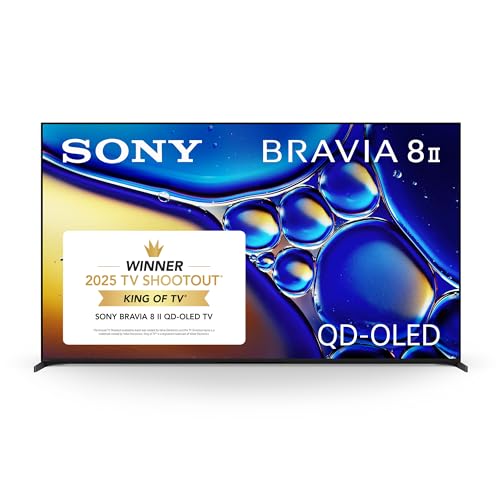
Shopping for the best 4k tvs 65 inch? Compare panel types, refresh rates, HDR, gaming features and price tiers to choose a set that fits your room and budget.
Shopping for the best 4k tvs 65 inch can feel confusing because prices for this size range from a few hundred dollars to well over two thousand dollars, and the screens can look very similar in a store. A 65 inch screen suits many living rooms because it is large enough for movie nights yet still fits on a typical media stand or wall mount. This guide explains what each price level usually delivers so you can spend where it matters and skip features you will rarely use.
The product table gives a quick side by side view of the picks, and the sections that follow explain panel technology, gaming features, sound, and long term costs in plain terms. Use the viewing distance in your room, the brightness of the room, and the way you watch most often as your starting points. Those three facts narrow the choice faster than any single specification on a box.


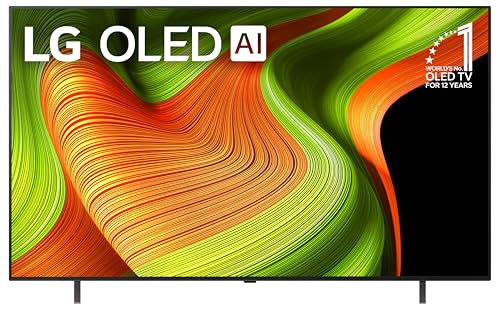
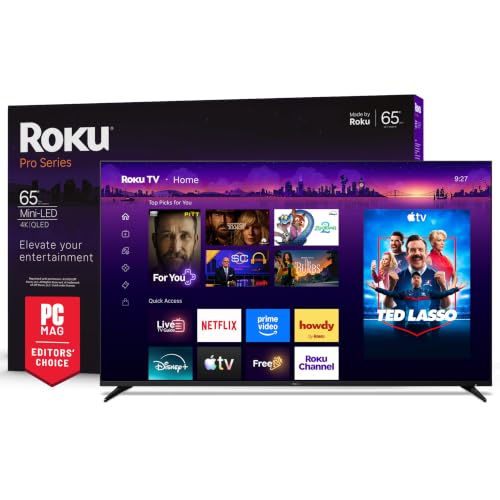
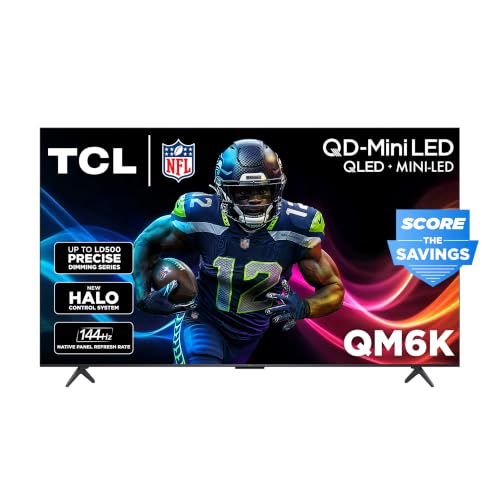

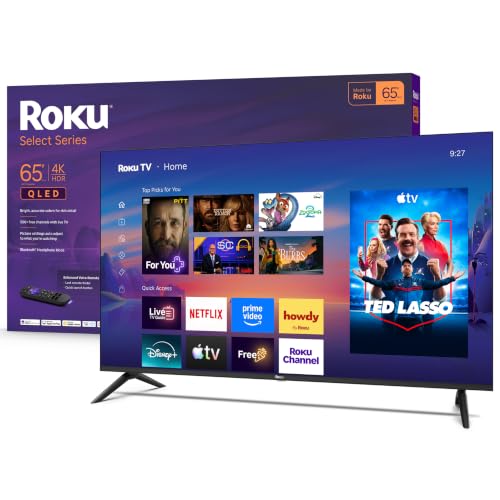
Who Should Buy Which 65 Inch 4K TV?
A 65 inch 4K screen is a good match when viewers sit about 6 to 10 feet from the screen, which covers most living rooms. At that distance, the extra detail of a 4K panel is easy to notice on movies and sports. Smaller rooms may suit a smaller screen, and very large rooms may call for a larger one, so measure your seating distance before you commit.
Movie and Show Watchers
If most of your viewing is movies, drama series, and documentaries, put panel contrast and color accuracy near the top of your list. Deep blacks and steady color make dark scenes easier to follow, and a wide viewing angle helps when people sit off to the sides. A strong HDR presentation also matters, because it affects bright highlights and shadow detail. Sound matters too, since thin screens often produce thin audio, so budget for a soundbar if dialogue clarity is a priority.
Gamers and Sports Fans
Gamers benefit most from a fast refresh rate, low input lag, and HDMI 2.1 ports that support variable refresh rate and auto low latency mode. These features keep fast motion smooth and reduce stutter when frame rates change during play. Sports fans gain from the same motion handling, especially for fast camera pans. If gaming is only occasional, a midrange panel with one or two HDMI 2.1 ports is usually enough, and you can save money for a better panel or sound system instead.
Bright Room Daytime Viewers
People who watch mostly during the day, or in rooms with large windows, should focus on peak brightness and reflection handling. A brighter panel holds up better against sunlight, while an anti reflection coating keeps glare from washing out dark scenes. Some panels keep color steady at an angle while others lose contrast when viewed from the side. Check where windows sit relative to the screen, and plan seating so the main viewing spot avoids direct reflections.
What Your Money Gets You at Each Price Tier
Price tiers for 65 inch 4K sets usually fall into three broad bands, and each band trades something to hit its price. Knowing the typical tradeoffs helps you judge whether a higher price buys something you will actually notice. The paragraphs below explain what changes as you move up.
Lower Priced Sets: What to Expect
Lower priced sets, often about $400 to $800, usually offer a solid 4K panel, basic HDR support, and a smart platform with the main streaming apps. Contrast and brightness are more modest, so dark scenes may look gray in a dark room. Gaming features are often limited to a 60Hz refresh rate and fewer HDMI 2.1 ports. These sets suit secondary rooms and casual viewing.
Middle Priced Sets: The Balanced Choice
Middle priced sets, often about $800 to $1,500, usually bring better local dimming, brighter HDR highlights, and wider color coverage than budget sets. Many include a 120Hz panel, one or two HDMI 2.1 ports, and a more responsive smart platform. This band is where most living room buyers find the best balance, because the picture improves in ways that are visible every day without paying for flagship extras.
Higher Priced Sets: When Extra Spending Pays Off
Higher priced sets, often about $1,500 to $2,500 or more, usually offer the strongest contrast, the highest brightness, and the most refined motion handling. Panel options at this level include OLED and advanced mini LED designs that control light more precisely across the screen. You may also get better processing for upscaling older content and stronger speakers. The gains are most noticeable in a dark room or for viewers who watch a lot of high quality HDR content.
Features Worth Paying For (and Ones to Skip)
Not every feature on a specification sheet deserves the same weight. The four areas below are the ones that change daily viewing the most. Use them to compare sets at the same price rather than comparing a budget set against a flagship set.
Adaptive Sync and Gaming Features
Adaptive sync, usually sold as variable refresh rate, lets the TV match its refresh rate to the output of a game console or computer, which reduces tearing and stutter. HDMI 2.1 ports support 4K at 120Hz and auto low latency mode, which matter more for serious gamers than for casual viewers. If you play fast paced games, check how many HDMI 2.1 ports the set provides, since some sets offer only one or two. For movie only households, adaptive sync can be skipped without losing much.
Panel Technology (IPS, VA, OLED, Mini LED)
Panel type shapes contrast, viewing angle, and brightness more than any other single choice. IPS panels usually offer wide viewing angles but weaker black levels, while VA panels usually offer deeper blacks but narrower angles. OLED panels control light at the pixel level, giving deep blacks and wide angles, though peak brightness and burn in risk deserve attention for static content. Mini LED designs use many small backlight zones to improve contrast on LCD panels, and they often suit bright rooms well.
Choose by your seating layout and room light, not by panel name alone.
Smart Platform and Sound
The smart platform controls how quickly apps open and how easy voice search feels. Most major platforms now carry the main streaming services, so differences come down to speed and layout. Sound is a common weak point, because slim screens leave little room for speakers. If dialogue sounds muffled, a soundbar usually improves the experience more than a small step up in panel quality.
Refresh Rate and Response Time
Refresh rate, measured in hertz, describes how many times per second the screen redraws the image, and 120Hz panels handle fast motion more smoothly than 60Hz panels. Response time describes how quickly pixels change color, and a slower response can leave a faint trail behind fast moving objects. Console players benefit from 120Hz support, while movie watchers may notice smoother motion on sports. Motion smoothing can make movies look unnaturally smooth, so try turning that setting down if movement looks artificial.
Picking the Best 4K TVs 65 Inch for Different Uses
The sections below describe three common shopping angles for this size. Use them to refine a shortlist once you know your budget band and room conditions.
Best Mid Level 4K TVs 65 Inch
The best mid level 4k tvs 65 inch balance picture quality, gaming support, and price, and they suit buyers who want a strong living room set without flagship cost. Look for a 120Hz panel, solid local dimming, at least one HDMI 2.1 port, and HDR support that covers the formats your streaming services use. This level is often the right stop for mixed use households.
Best HDR TVs 65 Inch: Where Your Money Goes
The best hdr tvs 65 inch put money into brightness, contrast control, and color volume, because HDR content needs all three to look its best. Check which HDR formats the set supports, since streaming services and discs do not all use the same format. Local dimming quality matters as much as the format badge, because poor dimming can wash out highlights or crush shadow detail.
Best 4K HDR TVs 65 Inch: What to Compare
The best 4k hdr tvs 65 inch combine full 4K resolution with strong HDR presentation, and they suit viewers who stream modern movies and shows in the highest available quality. Resolution alone does not guarantee a great HDR picture, so compare brightness, dimming zones, and color coverage alongside the 4K label. A well balanced set keeps highlights bright and shadows detailed.
Common Mistakes to Avoid
- Buying on screen size alone without measuring seating distance, which can leave text hard to read or motion hard to follow.
- Paying for flagship gaming features when you rarely play games, which takes money away from panel quality or sound.
- Ignoring room brightness and window placement, which can make even a strong panel look washed out during the day.
- Assuming every HDMI port supports the same features, when only one or two ports may offer full HDMI 2.1 support.
- Judging picture quality only under bright store lighting, which hides differences in black levels and shadow detail.
- Forgetting to budget for a soundbar, wall mount, or longer cables, which can add a noticeable amount to the total cost.
Long Term Costs to Factor In
The purchase price is only part of the total cost of owning a large TV. A wall mount, a soundbar, and quality cables can add a few hundred dollars, and a streaming subscription may add a monthly cost. Energy use varies by panel type and brightness setting, so a brighter set used for many hours each day will cost more to run than a dimmer set in a secondary room.
Warranty length and repair options also matter, since a large screen is awkward to ship, so check whether service is handled at home or through a service center. For related reading, see our guide to the best 65 inch tvs for size comparisons, and our guide to the best 65 inch smart tvs if the smart platform is a deciding factor.
If panel type is your main question, our guide to the best 65 inch oled tvs explains OLED strengths and limits, and our guide to the best samsung 65 inch tvs covers one popular maker family in general terms.
Frequently Asked Questions
Does Refresh Rate Matter for Non Gamers?
Refresh rate matters less for non gamers than for gamers, but it still affects sports and fast action scenes. A 120Hz panel usually shows smoother camera pans and less blur during fast movement, which sports fans may notice right away. Movie watchers may notice less difference, since most movies run at 24 frames per second and rely more on contrast and color. If your budget is tight, put panel contrast ahead of refresh rate, and treat 120Hz as a bonus rather than a requirement.
Is 4K Worth It on a 65 Inch Screen?
4K is usually worth it on a 65 inch screen when you sit 6 to 10 feet away and watch modern streaming content, because the added detail is visible at that size and distance. Older standard definition content will not gain the same benefit, since upscaling can only do so much with a low resolution source. The value also depends on your internet speed and streaming plan, because some services charge extra for 4K streams. If most of your viewing is older broadcasts, a good quality panel matters more than the resolution label alone.
IPS vs OLED: Which Panel Is Better?
Neither panel type is better for every room, because each one trades a different strength. IPS panels usually keep color steady from wide angles, which suits rooms where people sit spread out across a sofa. OLED panels usually offer deeper blacks and stronger contrast, which suits dark room movie viewing. OLED sets can cost more and need care with static images left on screen for very long periods.
Choose IPS for wide seating and bright rooms, and OLED for dark room contrast, after checking prices in your budget band.
How Long Do 65 Inch 4K TVs Last?
Most modern TVs last about 7 to 10 years with regular home use, though panel brightness can fade gradually over time. Backlight and processing parts usually fail before the panel itself, and heavy daily use shortens life more than occasional viewing. Keeping brightness at a moderate level, giving the set room to ventilate, and using a surge protector can all help. If you notice uneven brightness, persistent lines, or sound problems that a reset does not fix, contact the maker or a qualified repair service for advice.
What Room Size Suits a 65 Inch TV?
A 65 inch screen suits seating distances of about 6 to 10 feet, which fits most living rooms. Measure from your seat to the wall or stand, and leave room for a mount or stand that can hold the weight securely, following the manufacturer's instructions. A 65 inch screen is about 57 inches wide and needs a stable base. If seating is closer than 6 feet, a smaller screen may feel more comfortable.
Final Thoughts
Start with your seating distance, room brightness, and main use, then match those facts to a price band and panel type. Movie watchers should weigh contrast and HDR, gamers should weigh refresh rate and HDMI 2.1 support, and bright room viewers should weigh brightness and reflection handling. The best 4k tvs 65 inch for your home is the set that balances those priorities within your budget, with room left for sound if dialogue clarity matters. Review the product table above once more and compare two or three sets at the same price.