Best 4K Gaming Mouse Made Simple: A Clear Buying Guide for 2026
Disclosure: We may earn a commission when you buy through links on this page, at no extra cost to you. As an Amazon Associate I earn from qualifying purchases. Learn more

Shopping for a 4K gaming mouse for the first time? Learn what 4000 Hz polling means, plus sensor, shape, weight and battery checks before you buy.
The best 4k gaming mouse for you is not the one with the longest spec list. It is the one whose polling rate, sensor, shape and weight suit your games and the hand that holds it. This guide starts with plain language basics, then walks through each choice, so you can read the product table below with confidence.
One point confuses many first time buyers, so clear it up now. On a gaming mouse, 4K refers to a polling rate of 4000 Hz, not to screen resolution. It describes how often the mouse reports its position. The sections below explain when that speed helps and which other features matter more.


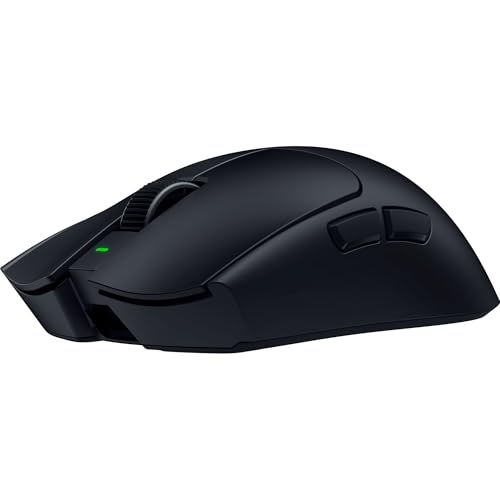


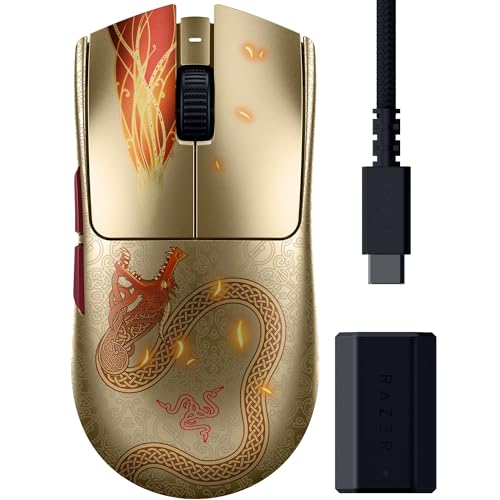

4K Gaming Mouse Basics for First Time Buyers
Polling rate counts how many times each second a mouse sends its position and clicks. A standard gaming mouse reports 1000 times per second, or 1000 Hz, while a 4K model reports 4000 times per second, so each report arrives sooner and movement looks smoother during fast turns. The sensor does the tracking work, and polling only controls how quickly readings reach the game.
That speed shows best on a monitor with a high refresh rate, because the screen can display the extra updates. It also needs the right connection, since many models reach 4000 Hz only through a wired link or a special wireless receiver, while plain Bluetooth stays far lower.
Who Should Buy a 4K Gaming Mouse?
Your games and your desk decide whether 4000 Hz polling earns its price.
Fast Paced Shooter Players
You aim with quick flicks and notice small delays between hand and screen. A 4K model suits you if your monitor refreshes at 240 Hz or higher and your computer holds high frame rates. Pair the mouse with a large pad for fast turns, and keep the wireless receiver close to the pad so the signal stays clean.
Strategy and Role Playing Game Players
You click often, use side buttons for commands and play long sessions where comfort beats raw speed. Polling at 4000 Hz adds little for you, so spend on shape, button placement and a scroll wheel you like instead. A slightly heavier mouse can feel steadier for map movement. Many players in this group set polling to 1000 Hz and enjoy the longer battery life.
First Time Buyers Replacing a Basic Office Mouse
You are moving up from a plain mouse that came with a computer. Almost any gaming model will feel like a leap, thanks to a better sensor, lighter body and proper mouse feet. A mid priced 4K model gives room to grow without pro level extras. Start with the default settings, play for a week, then adjust one setting at a time so you can feel each change.
Key Features to Compare
Work through these five factors in order. Together they decide how a mouse tracks, feels and lasts, and price alone does not make the best 4k gaming mouse for your hand.
Polling Rate and What 4000 Hz Changes in Play
At 4000 Hz each update takes about a quarter of the time that a 1000 Hz update takes, which can make fast cursor movement look smoother. The gain is small and shows mostly in fast games on fast monitors. Higher polling also asks more of your processor and drains a wireless battery faster, so treat 4000 Hz as a match setting you switch on, not one you run all day.
Sensor Accuracy and DPI Settings
The sensor reads the pad surface and turns hand movement into cursor movement. DPI sets how far the cursor travels for each inch the mouse moves, and most players settle between 400 and 3200. Very high DPI numbers on a box are marketing, since almost nobody plays at the maximum. What matters is clean tracking with no jitter at your chosen setting, plus DPI steps you can change in the software or with a button behind the scroll wheel.
Shape, Size, Weight and Grip Style
Fit decides comfort more than any electronic spec. Measure your hand from fingertip to wrist crease, then compare it with the mouse length in the listing. Palm grip users rest the whole hand on the shell and suit a taller, fuller shape. Claw and fingertip grip users suit shorter, lighter shells. Light models weigh about 50 to 70 grams and reduce effort during fast swipes, while models around 70 to 95 grams feel calmer for slow work.
Wired, Wireless and Bluetooth Connections
A wired mouse never needs charging and reaches full polling speed through the cable, but the cable can drag on the desk edge. A 2.4 GHz wireless model uses a small USB receiver, can match wired speed, and supports 4000 Hz on wireless models. Bluetooth pairs easily with laptops, yet its low polling rate makes it a poor choice for games. Many models offer all three, so you can play through the receiver and work through Bluetooth.
Mouse Switches, Battery Life and Charging
Switches sit under the main buttons and register your clicks. Optical switches use light to register a click and resist the double click faults that worn mechanical switches can develop, while mechanical switches give a firmer click feel. Look for a click rating in the tens of millions. Battery life runs about 40 to 90 hours at 1000 Hz on many wireless models, and less at 4000 Hz. Charging through USB C is the standard to want.
Getting a 4K Gaming Mouse Set Up Correctly
Setup takes ten minutes and decides whether the high polling rate works as promised. Plug the wireless receiver into the short extension cable most models include and place it near your pad, away from routers and USB 3 hubs that can disturb the signal. Then open the companion software, set your DPI steps, and choose the polling rate there, because many mice ship set to 1000 Hz.
Your display completes the chain, since a fast mouse cannot show its smoothness on a slow screen. If you are building a full desk setup, see our guide to the best 4k monitors gaming, plus our guide to the best gaming monitors for refresh rate basics. Finish with a minute of wide circles in a drawing program, which reveals skipping before you enter a match.
Common Mistakes to Avoid
Most regret comes from these avoidable errors.
- Paying for 4000 Hz polling with a 60 Hz monitor wastes money, because the screen cannot display the extra updates.
- Choosing by DPI numbers alone leads to a shape your hand hates, since tracking quality matters more than the maximum figure.
- Playing through Bluetooth adds delay to every movement, because Bluetooth polls too slowly for fast games.
- Leaving the wireless receiver behind a metal case weakens the signal and can cause stutters mid game.
- Buying the lightest mouse without checking size strains your fingers, because a small shell forces a tense grip.
Care and Maintenance for a 4K Gaming Mouse
Keep the sensor lens clean, because dust and hair over the small window on the underside cause skipping that feels like a faulty sensor. Blow loose dust away or wipe the lens gently with a dry cotton swab, and never use liquid near the opening. Wipe the shell with a lightly damp cloth, then dry it fully before use.
Check the feet on the underside each month. These smooth pads wear thin and make the mouse scratch and drag, and fresh feet restore the glide for very little money. The surface under the mouse matters too, and if yours is worn, see our guide to the best gaming mouse mat. Avoid leaving a wireless mouse empty for weeks, and store it switched off.
FAQ
Does a 4K gaming mouse improve aim on a 144 Hz monitor?
Yes, a 4K gaming mouse can feel slightly smoother on a 144 Hz monitor, though the gain is smaller than on a 240 Hz screen. The monitor shows only 144 new frames each second, so many extra mouse updates land between frames and never appear. You will notice shape and weight far more at this level, so upgrade for fit first and treat polling as a bonus.
What sensitivity should a first time buyer use with a 4K gaming mouse?
Start with 800 DPI and the standard sensitivity in your game, then adjust in small steps over several days. Your real sensitivity is DPI multiplied by the in game setting, so doubling one while halving the other gives the same result. One full swipe across your pad should turn your character about a half circle to a full circle. Write your final numbers down, because reinstalling a game resets them.
Can a 4K gaming mouse work with a Mac or a games console?
Yes, a 4K gaming mouse works with a Mac and with consoles that accept mouse input, but often with limits. Basic pointing and clicking work as soon as you plug in the cable or receiver. The companion software may be Windows only, so set DPI and polling on a Windows computer first, since most mice store settings on board. Consoles also decide which games accept a mouse at all.
Does running a wireless gaming mouse at 4000 Hz drain the battery faster?
Yes, 4000 Hz polling drains a wireless gaming mouse battery much faster than 1000 Hz. The radio sends four times as many reports, and many models lose a third or more of their runtime at the top setting. Use 4000 Hz for matches, then drop to 1000 Hz for work and browsing. One charge then covers days of mixed use instead of one long session.
Our Verdict
Buy for fit first, sensor second and polling rate third. A shell that suits your hand and grip, a sensor that tracks cleanly at your chosen DPI, and a connection you trust improve play more than any headline number. Add 4000 Hz polling if your monitor and games can show it, and skip it without regret if they cannot.
When the best 4k gaming mouse for your desk is the one you forget you are holding, you have chosen well. Compare your shortlist against the product table above, check hand size and connection before price, and order the simplest model that meets your needs. For a broader view first, see our guide to the best mouse for gaming.