Best 17 Inch Monitors: Our 2026 Checklist for Small Desks and Travel
Disclosure: We may earn a commission when you buy through links on this page, at no extra cost to you. As an Amazon Associate I earn from qualifying purchases. Learn more

Compare the best 17 inch monitors by panel, resolution, ports and stand with a simple buyer checklist, red flags and care tips before you order.
A 17 inch screen is large enough for split windows and readable spreadsheets, yet small enough for a laptop bag or a shallow desk. The best 17 inch monitors share a pattern once you check panel type, pixel density, ports, and power, and the product table lets you line those points up side by side.
This guide works as a checklist rather than a list of model names. You will learn which type fits travel, dorm, or gaming use, and which vague claims should make you pause.



Who Should Buy a 17 Inch Monitor
Travelers and Hybrid Workers Who Need a Second Screen
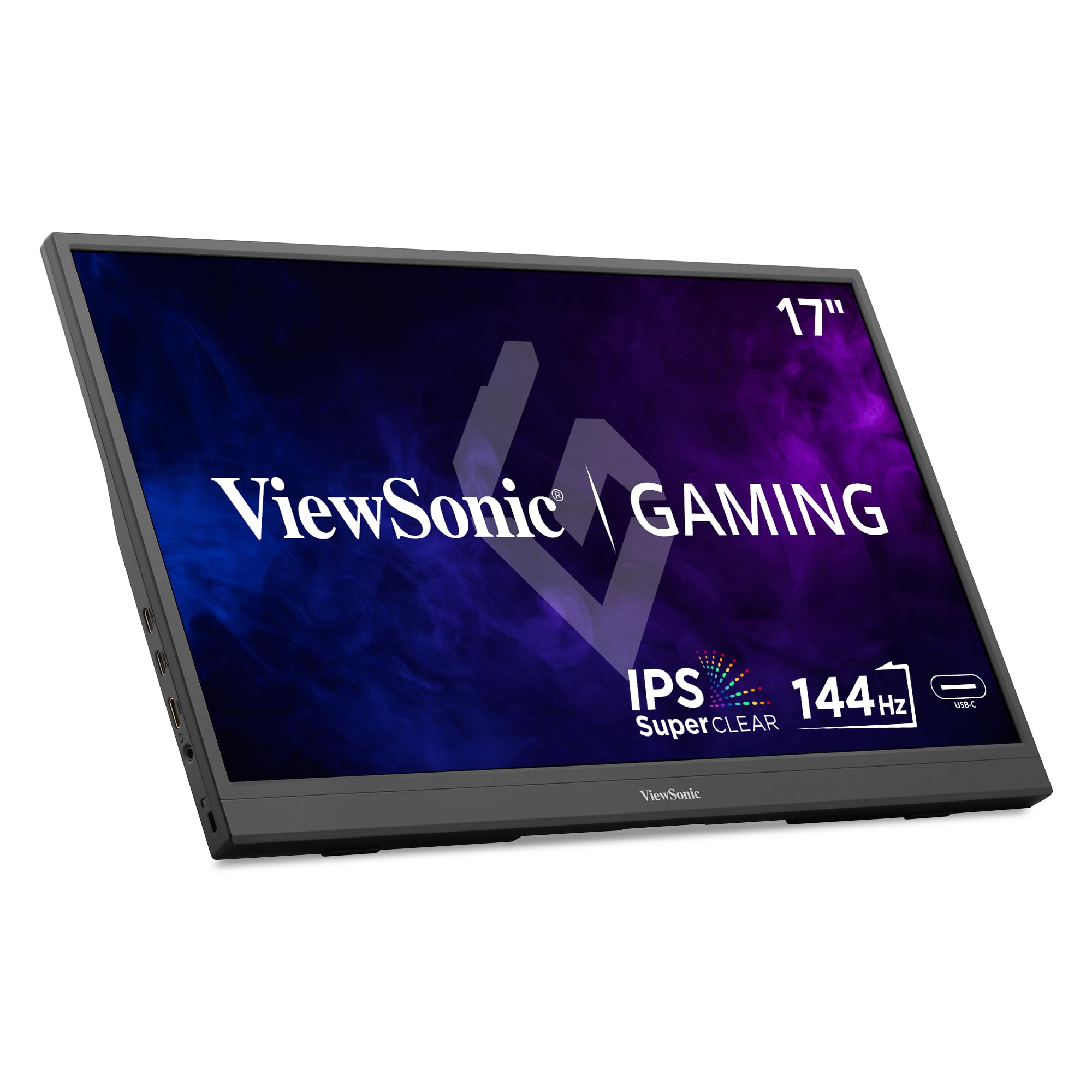
If you work from hotel rooms or client offices, a portable 17 inch model gives you a second display without a permanent setup. Look for a slim panel that runs from your laptop over one USB C cable, a cover that doubles as a stand, and a weight your bag can handle all day. A matte finish helps under bright lighting, and several tilt angles beat a heavy base.
Small Desk and Dorm Room Users With Limited Depth
A shallow desk leaves little room for a large stand, so a compact 17 inch screen preserves space for a keyboard and notebook. Measure your desk depth first, and favor a small footprint base or a VESA mount so the panel can sit on an arm near the wall. Built in speakers save clutter. Readers with room for more can see our guide to the best 27 inch monitors.
Console and Casual PC Gamers in Compact Setups
A 17 inch screen suits a console under a desk or a small gaming corner. Prioritize a refresh rate of 120 Hz or higher, low response time, and adaptive sync so motion stays smooth when frame rates dip. Some portable models use mini HDMI, so check the cable in the box. For a large gaming desk, see our guide to the best gaming monitors.
Key Features to Compare
Panel Technology and Viewing Angles
Panel type shapes color, contrast, and how the image holds up off center. IPS panels give wide viewing angles and steady color for shared viewing and photo work. VA panels offer deeper blacks for movies in a dim room, though colors can shift at an angle. OLED panels deliver the strongest contrast, but they cost more and need care to limit burn in.
Resolution and Pixel Density at 17 Inches
At 17 inches, 1080p already packs pixels tightly, so text looks sharp at a desk distance of about 20 to 28 inches. A 1440p panel adds finer detail for photo editing and fits more rows on screen, though you may need to scale text. A 4K panel pushes density further, but the gain is small at this size and the price climbs fast. Choose 1080p for value and gaming, and step up only for detailed visual work.
Refresh Rate, Response Time, and Adaptive Sync
Refresh rate tells you how often the image updates each second, and 60 Hz is fine for documents, browsing, and video. Panels at 120 Hz or 144 Hz make scrolling and games feel smoother, provided your device can send that many frames. Response time shows how fast pixels change, and figures near 1 to 5 milliseconds reduce blur in fast scenes. Adaptive sync, sold as FreeSync or G Sync, matches the panel to the frame rate so the picture stays smooth.
Connectivity and One Cable Power
Ports decide how tidy your setup feels. A USB C port with DisplayPort Alt Mode and power delivery lets one cable carry the picture and power the screen, which is ideal for travel. Full size HDMI suits consoles and desktop PCs, while mini HDMI adds a special cable to track. Check the power source too, because some models draw power from the laptop battery, while others include a wall adapter.
Stand, VESA Mounting, and Ergonomics
A good stand holds the screen at eye level so your neck stays neutral all day. Desktop models should tilt at a minimum, and height adjustment is worth paying for on a shared desk. Many portable models skip VESA holes and rely on a folding cover, so confirm the mount pattern, often 75 by 75 mm or 100 by 100 mm, before you buy an arm. To match sizes and ports, see our guide to the best 17 inch laptops.
Brightness, Color, and HDR Claims
Brightness near 250 to 300 nits handles a typical indoor room, while about 400 nits copes better with sunlit windows. Color coverage tells you how wide the palette runs, and photo work benefits from coverage close to full DCI P3. Treat HDR badges with care, because true HDR needs local dimming and peak brightness that most 17 inch models lack. A well tuned standard mode usually looks better.
Types of 17 Inch Monitors Compared
Portable USB C monitors are the most common type. They are thin, light, and powered by the device they connect to, so they suit travel and flexible work. Their limits are modest speakers, simple stands, and lower brightness. Shortlist this type for trains and coworking spaces, and add a padded sleeve.
Compact desktop monitors trade travel ease for a sturdier base, a wall adapter, and a wider port mix. They fit a dorm desk, a reception counter, or a kitchen spot where the screen stays put. Buyers who never move the screen should start here, since stable power removes the annoyances of a folding cover stand.
High refresh portable gaming monitors form the third group, and that ground is where the best 17 inch monitors earn their keep for mixed use. These models pair a fast panel and adaptive sync with a slim travel body, so one display handles work and games. Expect to pay more. For a fixed large desk, see our guide to the best 32 inch monitors.
Seven Questions to Settle Before Ordering a 17 Inch Screen
Answer these questions first, and treat any no on a key point as a reason to keep looking.
- Does the panel type match your main use, IPS for color or OLED for contrast?
- Is the resolution sharp enough at your sitting distance?
- Can your device supply the refresh rate the panel advertises?
- Does one USB C cable carry picture and power for your device?
- Will the stand or VESA pattern fit your desk or travel cover?
- Does the box include the cables your ports require?
- Is the warranty at least one year, with clear return terms?
Common Mistakes to Avoid
- Buying a 4K panel at this size and paying for detail your eyes cannot use at desk distance.
- Assuming every USB C port sends video, then finding your laptop lacks DisplayPort Alt Mode and shows a black screen.
- Choosing a portable model with no VESA holes for a planned mount, which leaves a flimsy cover stand.
- Ignoring travel weight, so the screen and adapter turn a light bag into a daily strain.
- Skipping the cable check and finding mini HDMI leads while your console needs full size HDMI.
How to Make Your 17 Inch Monitor Last Longer
Clean the screen with a dry or lightly damp microfiber cloth only, and never spray liquid straight onto the panel. Keep drinks away from the lower bezel, since a spill can reach the board behind it. In travel, carry it in its sleeve against a flat surface, because point pressure from stacked weight can damage the panel.
Use a standard or sRGB picture preset instead of the vivid store mode, since vivid settings tire your eyes and hide detail. On an OLED model, run the built in pixel refresh when prompted and use a screen saver during breaks. Coil cables loosely, and unplug by the connector body rather than the cord so the port stays firm.
17 Inch Monitors: Your Questions Answered
What desk depth does a 17 inch monitor need?
A 17 inch monitor needs about 20 to 24 inches of desk depth for comfortable viewing. That leaves room for a keyboard in front of the stand while keeping the screen far enough away that your eyes do not strain to scan the corners. A back edge VESA arm can reclaim several inches on a shallow shelf.
How long does a 17 inch monitor usually last?
A 17 inch monitor usually lasts about five to eight years of regular use. The backlight slowly dims over time, so an older screen may look less bright. Portable models face extra wear at folding covers and the USB C port, so gentle cable handling helps most. If the image flickers on several devices with a good cable, the panel is likely failing.
Is 4K resolution worth it on a 17 inch monitor?
4K resolution is rarely worth the extra cost on a 17 inch monitor. The pixels sit so close together at this size that most people cannot separate 4K detail from a good 1440p panel at a normal distance. Video editors who inspect footage closely are the main exception. Everyone else gains more from better color accuracy or a brighter panel.
Is IPS or OLED better for a 17 inch monitor?
IPS is better for most 17 inch monitor buyers, and OLED is better for movie lovers in a dim room. OLED wins on contrast because each pixel makes its own light, so blacks stay truly black. IPS costs less and resists burn in from static menus. If your screen shows the same spreadsheet grid all day, IPS is the safer long term choice.
Does refresh rate matter on a 17 inch monitor for office work?
Refresh rate matters a little for office work, mainly in how smooth scrolling and window dragging feel. A 120 Hz panel makes long documents glide as you move through them, which some readers find easier all day. It will not change text sharpness or fix glare. If your budget is tight, put brightness and stand comfort ahead of refresh rate.
The Bottom Line
Start with the type that fits your life, then check panel quality, ports, and power before prices. A portable IPS model with one cable power covers most travelers and small desks, while a fast adaptive sync panel serves gamers better. When you settle on the best 17 inch monitors for your setup, use the product table above to confirm specs, cables, and warranty before you order.