Best 15 Inch Laptops under 500: Buying Guide for 2026
Disclosure: We may earn a commission when you buy through links on this page, at no extra cost to you. As an Amazon Associate I earn from qualifying purchases. Learn more

A practical guide to the best 15 inch laptops under 500, covering processors, RAM, SSD storage, displays, and ports for school and home use.
A 15 inch screen gives you room for two windows side by side, a full numeric keypad on many models, and a less cramped view for spreadsheets and homework. The challenge is the budget, because at this price small spec differences decide whether a laptop feels quick or frustrating. This guide to the best 15 inch laptops under 500 shows you where the money matters most.
Use the product table to spot the key specs at a glance, then read on for plain language help on processors, storage, displays, and the budget steps above and below this price.
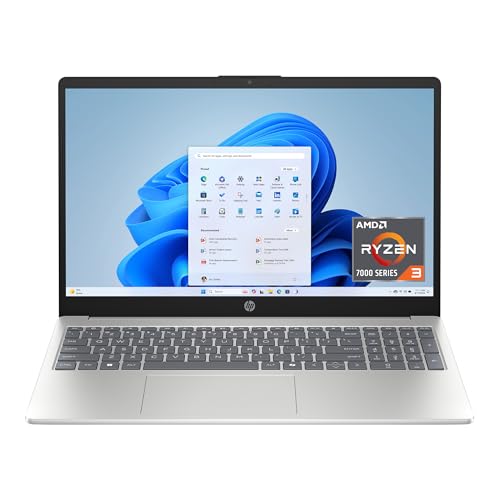

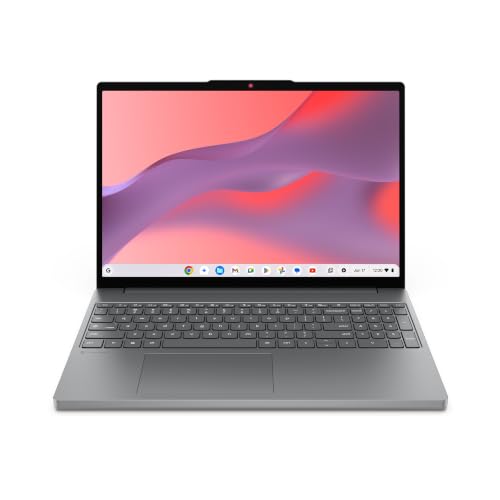
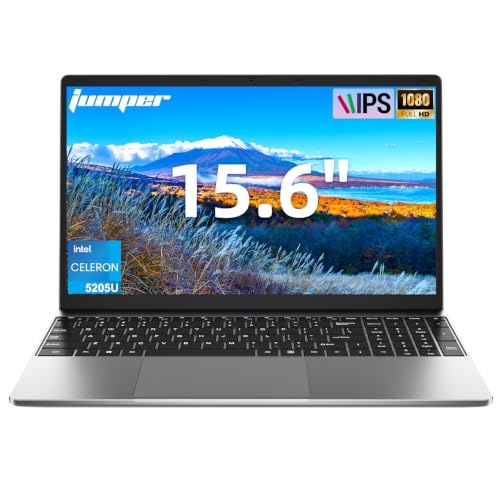
What Strong Options Share at a Glance
Rather than naming winners, this section describes the profile a strong option in each group should have. Match that profile to your daily work, and you will usually land on the right machine.
A Balanced Profile
A balanced option at this price pairs a recent entry or midrange processor with 8 GB of RAM or more and a 256 GB to 512 GB SSD, even if you have to accept a plastic body to get there. Look for a Full HD display, ideally with around 300 nits of brightness, and at least one USB C port. The usual compromise is a modest webcam and speakers, which matter less than speed and memory for most buyers.
A Value Profile
Value at under $500 usually means 8 GB of RAM with a 256 GB SSD, a slightly older but still capable processor, and a good keyboard. This profile handles office work, browsing with many tabs, and video calls without strain. The compromise is often a dimmer screen around 250 nits, so check brightness figures carefully if you work near bright windows.
A Beginner Profile
For a first laptop, favor simple setup, a clear display, and a warranty you can actually use. A Chromebook or an entry level Windows model with automatic updates suits a beginner well. Storage can be modest if your files live in cloud drives, but avoid the smallest 64 GB drives on Windows, because system updates will crowd them within a year or two.
How to Choose the Best 15 Inch Laptops under 500
What You Can Realistically Get Under $500
Expect a plastic or part metal body, a Full HD screen on the better models, 8 GB of RAM, and an SSD rather than a slow hard drive. Dedicated graphics cards, OLED screens, and premium speakers are rare here. Avoid a small spinning hard drive, and think twice about a low resolution 1366 by 768 display, because both make a new laptop feel old from day one.
Processor and Performance Tier
The processor sets the ceiling for everything else. Recent Intel Core i5 or Core 5 chips and AMD Ryzen 5 chips handle office work, photo sorting, and light editing with ease. Entry level chips with names like Celeron, basic Athlon, or Ryzen 3 suit lighter browsing and documents. If you keep a laptop four or five years, paying a little more for the stronger processor tier is the smartest upgrade in this whole guide.
Ports and Connectivity
Count the ports before you buy, because adapters add cost and clutter. You want at least one USB C port, two USB A ports, HDMI for an external monitor or TV, and a headphone jack. WiFi 6 is common now and worth having for busy home networks. Bluetooth 5 or newer helps wireless mice and earbuds connect reliably, and an SD card reader is a bonus for photographers.
Operating System
Windows fits buyers who need specific desktop software, printers with older drivers, or offline work. ChromeOS is simpler, updates itself, and boots fast, which suits school and family use built around web apps. macOS does not appear at this price when buying new. Choose the system your school or employer supports, because switching later costs more than any spec difference on this page.
Keyboard, Trackpad, and Build
You will type on this machine daily, so keyboard feel matters more than thinness. Look for full size keys with decent travel, a numeric keypad if you enter data, and backlighting if you work in dim rooms. A glass or smooth plastic trackpad tracks more accurately than a rough one. Weight ranges from about 3.5 lb for slim models to about 4.5 lb for sturdier ones, a gap your shoulders will notice on a commute.
Display Size, Resolution, and Brightness
At 15 inches, Full HD resolution at 1920 by 1080 is the baseline for sharp text. Brightness of 300 nits or more keeps the screen readable near windows, while 250 nits is fine for a desk away from glare. An IPS panel gives better viewing angles than older TN panels when you share the screen. A 60 Hz refresh rate is standard here, and touch is a nice extra rather than a need for most buyers.
If screen size itself is still an open question, compare our guide to the best laptops under 15 inches before you settle on this size class.
Types of 15 Inch Laptops
Ultraportables
Ultraportables trade some ports and screen brightness for low weight and long battery life. They suit students and commuters who carry a laptop all day. Under $500 they are less common, and you may accept 8 GB of RAM to get the slim body, so confirm the memory figure before you buy.
2 in 1 Convertibles
A convertible has a hinge that folds the screen back for tablet style use, presentations, or drawing with a pen. The hinge and touch screen add cost, so convertibles at this price often carry modest processors. Choose one only if you know you will use the folding modes weekly, otherwise a standard clamshell gives you more speed for the same money.
Chromebooks
Chromebooks run ChromeOS, start in seconds, and resist most malware by design. They are strong for school, email, and web based work, and battery life often reaches 10 hours or more. The limits are real though, because full Windows programs and many offline games will not run. Check that your required apps have web or Android versions before choosing one.
Picking the Right 15 Inch Laptop for Different Budgets
Best 15 Inch Laptops under 200
Shoppers hunting for best 15 inch laptops under 200 are mostly looking at Chromebooks, older renewed Windows models, or deep sale items. At this level, prioritize a working battery, an SSD of any size, and a screen without damage. Accept slower processors, and budget a little extra for a charger or a fresh battery on a renewed unit.
Best 15 Inch Laptops under 300
The best 15 inch laptops under 300 step up to newer entry level processors and 8 GB of RAM on the better options. You can find Full HD screens if you watch sales closely. This tier suits a second family computer or a student machine for documents and research, as long as you avoid the lowest resolution displays that still appear here.
Stepping Up Beyond $500
Moving to $700 or $800 adds metal builds, brighter and more accurate screens, stronger processors with better cooling, and often 16 GB of RAM with a faster SSD. If you plan to keep a laptop six years or edit video often, that tier is the value sweet spot, and our guide to the best 15 inch laptops under 700 shows what the extra money buys. For basic tasks, a good $500 model feels just as quick. Smaller screens cost less for similar specs, as our guide to the best 14 inch laptops under 500 shows.
Tips to Get the Most From Your 15 Inch Laptop
- Keep the operating system and firmware updated, because updates fix security flaws and often improve battery behavior.
- Avoid leaving the battery at 100 percent charge all the time if your model offers a charge limit setting for desk use.
- Use a padded sleeve when commuting, because most screen cracks happen during short trips, not long ones.
- Clean the vents with short bursts of compressed air every few months so cooling fans stay quiet and effective.
- Back up important files to a cloud drive or an external drive monthly, since no storage drive lasts forever.
If a smaller screen at the same budget interests you, see our guide to the best laptops under 500 13 inches for the portability tradeoff. If you want a bigger screen instead, our guide to the best 17 inch laptops under 500 covers what changes.
15 Inch Laptops: Your Questions Answered
Can you get a good 15 inch laptop under $500?
Yes, you can get a genuinely good one for work and school at this price. Aim for a Ryzen 5 or Core i5 class processor if you can find one, at least 8 GB of RAM, and a 256 GB SSD. The parts you give up are premium build materials and screen extras, not everyday speed, so most home and office users feel no real limitation.
Should I buy a laptop or a tablet?
Buy a laptop if you type long documents, use a mouse for detailed work, or need desktop software and easy file management. A tablet wins for reading, video, and travel entertainment, but adding a keyboard and case closes the price gap fast. Many families end up happier with one laptop that does everything over a tablet that needs workarounds.
Is a dedicated GPU worth it?
For office work, browsing, and school, no, integrated graphics are enough and they extend battery life. A dedicated GPU earns its cost only for gaming, 3D design, or heavy video editing. At under $500 it is rare anyway, and models that include an older one often cut RAM or screen quality to pay for it, which is a poor trade for most buyers.
How much RAM do I need?
Eight GB is the workable minimum for Windows with several browser tabs and office apps open at once. Sixteen GB is the better buy if you edit photos, run virtual meetings all day, or plan to keep the laptop beyond four years. Chromebooks run well on 8 GB because ChromeOS is lighter, but 4 GB models feel slow with many tabs.
How long should a 15 inch laptop last?
Plan on four to six years of useful service at this price with normal care. The battery usually fades first, often holding about 70 to 80 percent of its original capacity by year four. Choosing more RAM and a larger SSD at purchase extends useful life more than any other decision, because both are hard or impossible to upgrade later on slim models.
Is a Chromebook enough for school?
For most elementary and high school students, yes, because assignments live in web apps and school portals. Chromebooks also simplify repairs and replacements for parents. The exception is a course that requires specific Windows software, some engineering tools, or offline exam programs. Check the school software list first, and if anything names Windows directly, buy a Windows laptop instead.
Our Verdict
Start with the processor tier, RAM, and SSD, because those three decide how the laptop feels every day. Then check screen brightness and the port mix against your desk setup. The best 15 inch laptops under 500 are the ones that get those basics right without paying for extras you will never use, so compare your shortlist against the product table above and buy with confidence.