Elgato
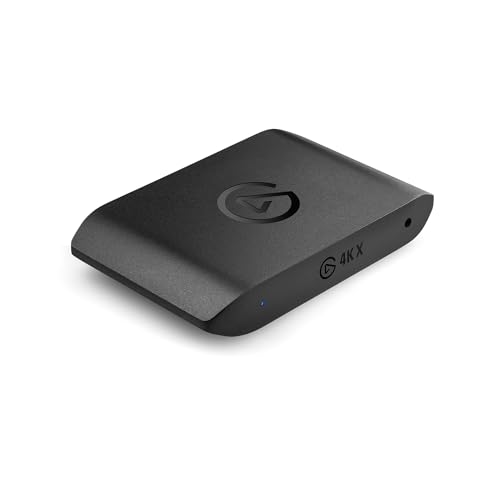
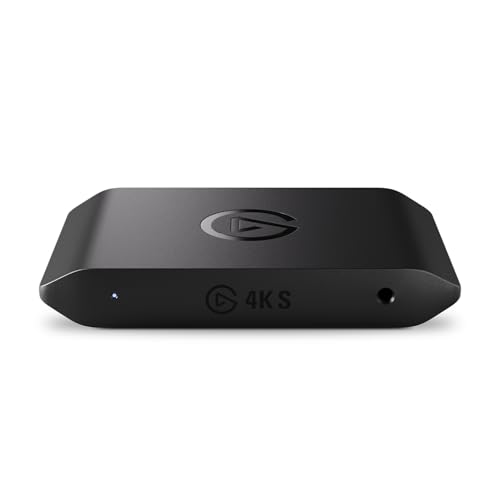
Elgato 4K S Capture Card for PS5, Xbox Series X/S, Switch 2
Disclosure: We may earn a commission when you buy through links on this page, at no extra cost to you. As an Amazon Associate I earn from qualifying purchases. Learn more
Highlights
- 4K60 Capture: Record in cinematic quality with crisp detail and vivid colors
- HFR Support: Play and capture in 1440p120 or 1080p240
- HDR10 Support: Capture brilliant HDR content with tone mapping on Windows
- Cross-Platform Compatible: Works with PS5, Xbox Series X/S, Switch 2, and more
- Analog Audio In: Capture in-game chat or commentary with 3.5mm input
Why You'll Love It
- Record gameplay in sharp 4K resolution at smooth 60 frames per second
- Capture high refresh rate gameplay up to 1440p120 or fluid 1080p240
- Record vibrant HDR10 visuals with built in tone mapping on Windows systems
- Connects smoothly across modern platforms including PS5, Xbox Series X/S, and Switch 2
- Feed live party chat or voice commentary directly through the dedicated 3.5mm analog input
Pros
- +Native 4K60 recording capability
- +High frame rate capture up to 240Hz
- +HDR10 with Windows tone mapping
- +Integrated 3.5mm analog audio input
- +Broad modern console support
Cons
- -Tone mapping requires a Windows PC
- -Advanced formats require capable recording hardware
Detailed Review
Console players wanting crisp broadcast quality will find a dedicated streaming companion in this capture card. Built to bridge current gaming consoles with your recording computer, the unit captures video signal cleanly so you can produce modern gameplay videos without sacrificing visual fidelity.
Resolution and frame rate options are the primary highlights here. With full support for 4K capture at 60 frames per second, it lets you archive games in full detail. If fast action or competitive shooters are your main focus, you can switch down in resolution to unlock high frame rate capture, recording up to 1440p at 120 frames per second or 1080p at a rapid 240 frames per second for ultra smooth motion.
Color quality is handled through integrated HDR10 support. When used with a Windows PC, it applies tone mapping to ensure high dynamic range content retains its rich contrast and bright highlights properly without looking washed out. Audio needs are also considered directly on the hardware: an integrated 3.5mm analog audio input lets you feed in external commentary or party chat right alongside your game feed.
As for trade-offs, getting the full benefit of its color management relies specifically on a Windows machine for tone mapping. Furthermore, processing heavy 4K60 video feeds or extreme 240Hz capture naturally places significant processing demands on your host computer, meaning your setup must be up to the task of handling dense video data streams.
Verdict: This capture card is an excellent match for content creators playing on PS5, Xbox Series X/S, or Switch 2 who want high resolution or fast refresh rate recordings. Those running non-Windows setups who depend heavily on automated tone mapping may want to explore other hardware configurations.
Who Should Buy It
A great fit if you:
- Create gaming videos on modern systems like the PS5, Xbox Series X/S, or Switch 2 and want sharp 4K60 footage.
- Play competitive multiplayer titles and prioritize high frame rate capture at 1440p120 or 1080p240 for fluid motion.
- Run a Windows setup and want accurate HDR10 color handling through dedicated tone mapping.
- Need to record party chat or external microphone audio directly using a simple 3.5mm analog connection.
Consider something else if you:
- Use an alternative computer operating system where automatic HDR tone mapping is not natively supported by the device.
- Only require standard high-definition capture and want a basic, entry-level external capture device without 4K overhead.
Before You Buy
Confirm on the listing:
- Check whether the unit includes connection cables such as HDMI or host connection leads in the package.
- Confirm the minimum computer hardware requirements for running 4K60 or 240fps video capture.
- Verify the physical dimensions and port placement to ensure it fits comfortably within your desk layout.
- Check the audio routing settings required to split or monitor your 3.5mm auxiliary source.
How to compare your options: Video capture hardware is defined primarily by supported resolutions, frame rate headroom, and audio versatility. Review your intended monitor output against what the device records, noting whether you need high refresh rates at 1080p or strict 4K fidelity. If you plan to capture high dynamic range imagery or patch in chat audio, confirm that the card provides dedicated hardware ports and color format support that match your computer operating system.
Getting the Most From It
Match your console output settings to your capture target. If you plan to archive cinematic single-player campaigns, set your system to output 4K at 60Hz. When switching to fast-paced competitive games, lower the console resolution to 1440p or 1080p to take full advantage of 120Hz or 240Hz high frame rate capture.
If you record HDR10 content, ensure your capture software on Windows is configured to recognize the tone mapping feature so colors appear natural across regular displays. For clean commentary, plug your external chat or voice line into the 3.5mm analog input and adjust volume levels in your recording software before starting a session.
Keep the device in an open, well-ventilated spot on your desk away from heat sources. When not in use, protect the ports from dust buildup and wipe the exterior gently with a clean, dry cloth as recommended in standard electronics care guidance.
FAQ
Which gaming consoles work with this capture device?
It offers cross-platform compatibility with PS5, Xbox Series X/S, Switch 2, and other standard video sources.
Can I capture video at higher frame rates than 60fps?
Yes, the device supports high frame rate capture, allowing you to record at 1440p at 120 frames per second or 1080p at 240 frames per second.
Does this unit support HDR recording?
Yes, it supports HDR10 capture, and includes tone mapping specifically when used on Windows systems.
How do I connect an external microphone or headset chat?
You can plug your external audio source directly into the built in 3.5mm analog audio input to capture commentary or in-game chat.
What accessories come included in the retail box?
The product listing does not detail the exact in-box accessories, so you should check the package contents on the retailer page prior to purchase.
Product Details
| Brand | Elgato |
| ASIN | B0FFTFYGLV |