Best Mic for Streaming: Which One Fits the Way You Stream in 2026?
Disclosure: We may earn a commission when you buy through links on this page, at no extra cost to you. As an Amazon Associate I earn from qualifying purchases. Learn more

How to choose the best mic for streaming, from FIFINE and Blue Yeti starter mics to HyperX, Shure and Elgato upgrades.
Viewers forgive a grainy webcam, but they click away fast when the audio is thin, echoey or full of keyboard clatter. A dedicated microphone is the single biggest upgrade most streamers can make, yet the right choice depends on your room, your voice, your budget and whether you plan to grow into an audio interface. This guide to the best mic for streaming helps you match the right type to the way you stream.
We cover who should buy which type, the features to compare, common mistakes, setup tips and frequent questions. Keep headphone monitoring at a moderate volume to protect your hearing during long sessions, and route mic and USB cables away from walkways and chair wheels so no one trips or yanks gear off the desk.



Who Should Buy Which Mics?
Start with your room and how much you want to tinker with audio.
For Beginners and Everyday Streamers
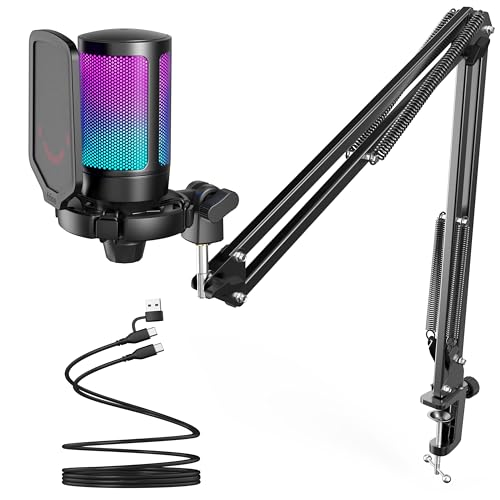
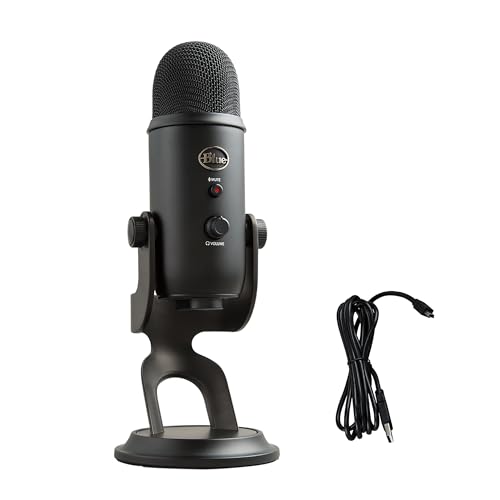
New streamers want a plug and play USB mic that sounds good out of the box. FIFINE's AmpliGame A6T kit, around $40, includes a cardioid condenser mic, shock mount, pop filter, boom arm, desk clamp and USB-C cable, with tap to mute, a volume knob and RGB lighting. The Logitech Creators Blue Yeti, around $99, adds a three capsule array, four pickup patterns and Blue VO!CE software effects.
Prioritize USB connection, a cardioid pattern, onboard mute and an included stand or arm.
For Gamers
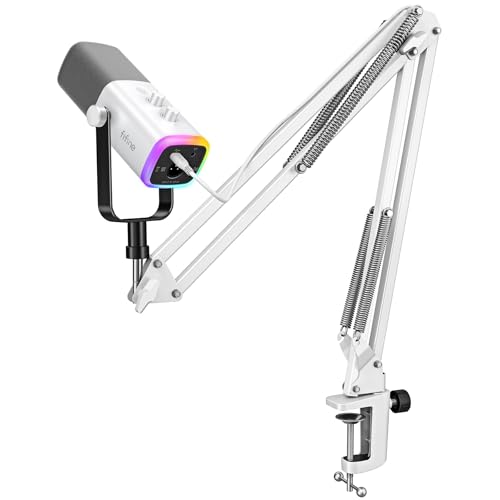
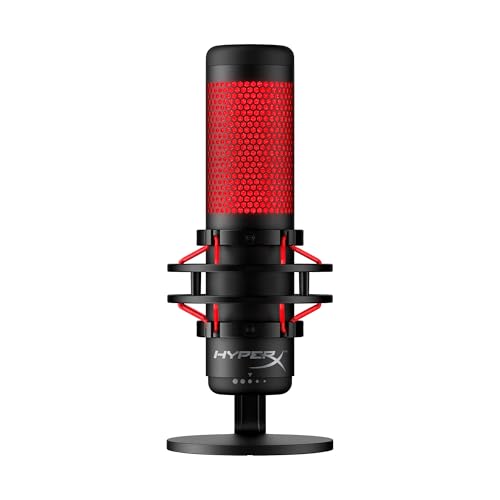
Gamers need quick mute, clean sound over keyboard noise and a look that fits an RGB setup. HyperX's QuadCast, around $140, has a built in anti vibration shock mount, tap to mute with an LED indicator, four polar patterns, an internal pop filter, a gain dial and a headphone jack, and works with PC, PS5, PS4 and Mac. FIFINE's AmpliGame AM8TW, around $70, is a dynamic USB and XLR mic with RGB lighting and a boom arm.
Prioritize tap to mute, a shock mount and console compatibility if you stream from a PlayStation.
For Podcasters and Voice Focused Creators
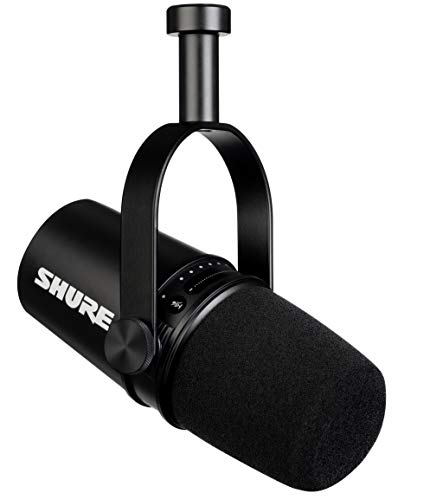
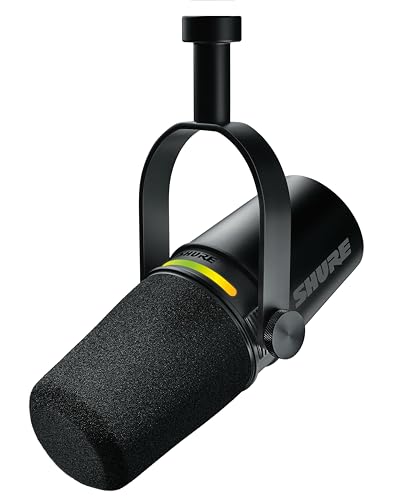
Talk streams and podcasts benefit from dynamic mics that reject room noise. Shure's MV7, around $299, offers USB and XLR outputs, touch panel controls for gain, monitoring and mute, a built in headphone output, all metal construction and the ShurePlus MOTIV app with Auto Level Mode. The MV7+, also around $299, adds real time denoising, reverb effects and a customizable LED touch panel. FIFINE's K688, around $68, is a budget dynamic USB and XLR option.
Prioritize a dynamic capsule, USB and XLR flexibility and software that sets levels for you.
For Pros Building a Studio Chain
Streamers who already own or plan to buy an audio interface or mixer often choose XLR dynamic mics. Shure's SM7B, around $439, is a classic broadcast dynamic mic used for podcasting and streaming. It needs an interface with plenty of clean gain, and many users add an inline booster. Elgato's Wave DX is a speech optimized dynamic XLR mic for Elgato's Wave ecosystem.
Prioritize XLR output, a quality interface and a sturdy boom arm.
Key Features to Compare in the Best Mic for Streaming
Capsule type, pickup pattern, connection, controls and mounting matter most.
Condenser vs Dynamic
Condenser mics, like Blue Yeti, HyperX QuadCast, FIFINE A6T and Elgato Wave:3 MK.2, capture detail and sound bright, but they also pick up room echo, fans and keyboards. Dynamic mics, like Shure's MV7, MV7+ and SM7B and FIFINE's K688 and AM8TW, need you to speak closer but reject far more background noise. Untreated rooms usually sound better with a dynamic mic.
Pickup Patterns
Cardioid picks up sound in front and rejects the back, which is ideal for solo streaming. Blue Yeti and HyperX QuadCast add omni, bidirectional and stereo patterns for group chats, interviews and instruments. Most streamers leave the mic on cardioid and aim it at their mouth.
USB vs XLR
USB mics plug directly into a computer or console. XLR mics need an audio interface or mixer but offer upgrade paths and more control. Hybrid mics, like Shure's MV7 and MV7+ and FIFINE's K688 and AM8TW, offer both, so you can start with USB and move to XLR later.
Onboard Controls and Software
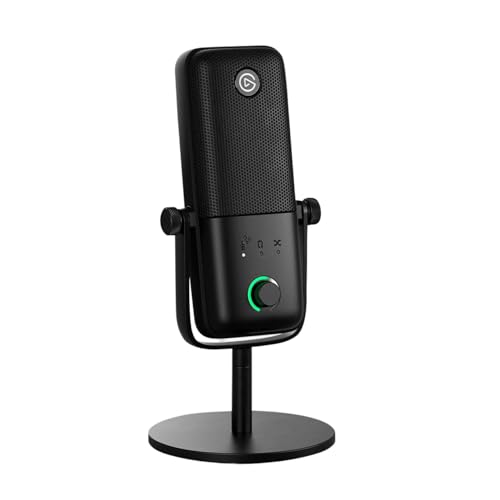
Quick controls matter mid stream. Tap to mute, like HyperX's, FIFINE's and Elgato's, prevents audio accidents. Elgato's Wave:3 MK.2 adds Clipguard 2.0 anti distortion, Auto Gain calibration and onboard voice enhancer, compressor and EQ, managed through Wave Link software. Shure's MOTIV app offers Auto Level Mode and EQ presets, and Blue VO!CE adds broadcast effects.
Mounting, Shock Isolation and Accessories
Desk vibrations and keyboard thumps travel through stands. Built in shock mounts, like HyperX QuadCast's, or included shock mounts, like FIFINE's, reduce rumble. A boom arm positions the mic close to your mouth and out of camera view. FIFINE's A6T kit includes a boom arm and pop filter; most premium mics need an arm bought separately.
Headphone Monitoring and Latency
Hearing yourself in real time helps you control volume and catch problems before viewers do. Blue Yeti offers no latency monitoring through its headphone jack, HyperX QuadCast and Elgato Wave:3 MK.2 include headphone jacks and Shure's MV7 has a built in headphone output with a headphone mix control. Monitoring through the mic avoids the slight delay you hear when monitoring through streaming software.
Console and Device Compatibility
Not every mic works everywhere. HyperX lists QuadCast support for PC, PS5, PS4 and Mac, and FIFINE lists its A6T for Windows, macOS, PS4 and PS5. Shure's MV7+ uses USB-C for laptops and mobile devices plus XLR for interfaces and mixers. Xbox consoles generally do not support USB mics directly, so Xbox streamers usually route audio through a PC or capture setup.
Price vs Value
Budget kits cost around $40 to $80, like FIFINE's. Midrange USB mics cost around $99 to $140, like Blue Yeti, HyperX QuadCast and Elgato Wave:3 MK.2. Premium hybrid and XLR mics cost around $299 to $439, like Shure's MV7, MV7+ and SM7B, plus an interface for XLR use.
Common Mistakes to Avoid When Buying Mics
Buying a condenser mic for a noisy room. It will capture fans, keyboards and echo.
Placing the mic too far away. Distance adds room sound; keep it a few inches from your mouth.
Forgetting a stand or arm. Many mics ship without one.
Buying an XLR mic with no interface. XLR mics will not plug into a computer directly.
Cranking gain instead of moving closer. High gain amplifies background noise.
Setup and Care Tips
Speak into the correct side. Some mics are side address, others end address.
Use a pop filter or windscreen. It reduces plosive P and B sounds.
Set levels before going live. Aim for peaks well below clipping.
Soften the room. Rugs, curtains and bookshelves cut echo.
Store mics dry and covered. Dust and humidity affect capsules.
Mics: Your Questions Answered
What features matter most in mics for streaming?
Capsule type, pickup pattern, connection and controls matter most. A cardioid dynamic or condenser mic, USB or hybrid connection, tap to mute and a way to mount it close to your mouth cover most streamers. Software like Elgato Wave Link or Shure MOTIV helps set levels.
Condenser or dynamic: which is better for streaming?
Dynamic mics are better for most home streamers because they reject background noise in untreated rooms. Condenser mics sound more detailed in quiet, treated spaces. If you hear fans or keyboards on recordings, a dynamic mic like Shure's MV7 or FIFINE's K688 helps.
Do I need an audio interface?
You need an interface only for XLR mics. USB mics, like Blue Yeti, HyperX QuadCast and Elgato Wave:3 MK.2, connect directly. Hybrid mics like Shure's MV7 work over USB now and XLR later. Low output dynamic mics like the SM7B need an interface with plenty of clean gain.
Wired USB or XLR: which sounds better?
Both can sound excellent. XLR with a good interface offers more control and upgrade options, while USB keeps setup simple. For most streamers, mic placement and room sound matter more than the connection type.
Is a headset mic good enough for streaming?
A headset mic works for casual streams and team chat, but a dedicated mic sounds noticeably fuller and clearer. Even a budget kit like FIFINE's A6T is a big step up from most headset mics.
Do I need a boom arm?
A boom arm is strongly recommended. It keeps the mic close to your mouth, off the desk where vibrations travel and out of your camera frame. Many budget kits, like FIFINE's A6T, include one; premium mics usually do not.
How do I reduce keyboard and fan noise?
Move the mic closer to your mouth and lower the gain, which raises your voice relative to the background. Use a cardioid or dynamic mic aimed away from the keyboard, a shock mount or boom arm to stop vibrations and software noise suppression like the MV7+'s real time denoiser. Quieter keyboard switches and a desk mat help too.
Where should I place my streaming mic?
Place the mic about 2 to 6 inches from your mouth, slightly off to the side to avoid plosives. Dynamic mics like the MV7 and SM7B work best close, while condensers like the Wave:3 can sit a little farther away. Angle the back of a cardioid mic toward noise sources like your PC.
Wrapping Up
The best mic for streaming matches your room and setup. Choose FIFINE's A6T or Blue Yeti to start, HyperX's QuadCast for gaming setups, Shure's MV7 or MV7+ for noise rejecting voice streams and the SM7B with an interface for a pro studio chain.
For more streaming gear, see the best streaming camera, the best capture card, the best gaming headsets for PS5 and the best desks for home office. Then compare current prices in the product table above.