The Best Laptops and Prices: Buying Guide and Top Picks
Disclosure: We may earn a commission when you buy through links on this page, at no extra cost to you. As an Amazon Associate I earn from qualifying purchases. Learn more

The best laptops and prices compared: MacBook Air M4, Acer Aspire Go 15 and Lenovo Chromebook picks plus typical prices by type.
Laptop prices run from about $230 for a basic Chromebook to well over $1,500 for a gaming machine, and spec sheets can be hard to compare. Paying more makes sense only when the extra money buys something you will use, like a faster chip, more memory or a better screen. This guide to the best laptops and prices explains which specs matter, what each type costs and which models offer the best mix of performance and price right now.
We start with three top picks, then cover a buying guide, the main laptop types and their typical prices, care tips and answers to common questions. Every laptop in the table above is sold new on Amazon US, and prices change often, so check the current price before buying.





Our Top 3 Picks at a Glance
Our picks are the Apple MacBook Air 13 inch with M4 as the best overall, the Acer Aspire Go 15 with Ryzen 7 7730U as the best value and the Lenovo Flagship Chromebook 14 inch as the best for beginners.
We compared processor, memory, storage, display, ports, weight, operating system and price, along with the overall pattern in owner feedback. We did not use these laptops ourselves; the notes reflect maker specifications.
Best Overall: Apple MacBook Air 13 inch (M4)
The MacBook Air M4 suits students, professionals and anyone who wants a thin, fast laptop that lasts for years, at around $986. Apple lists the M4 chip, a 13.6 inch Liquid Retina display, 16GB of unified memory, a 256GB SSD, a 12MP Center Stage camera and Touch ID, and the Air is built for Apple Intelligence.
Two strengths stand out: 16GB of memory as standard and a premium thin design.
The limitation is a 256GB SSD that fills quickly with large files. Skip it if you need Windows only software or lots of local storage.
Best for: students, writers and iPhone owners who want a long lasting everyday laptop.

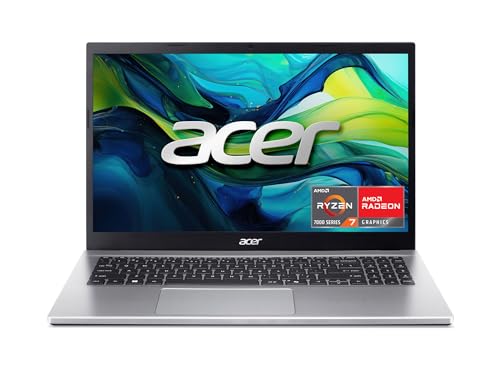
Best Value: Acer Aspire Go 15 (Ryzen 7 7730U)
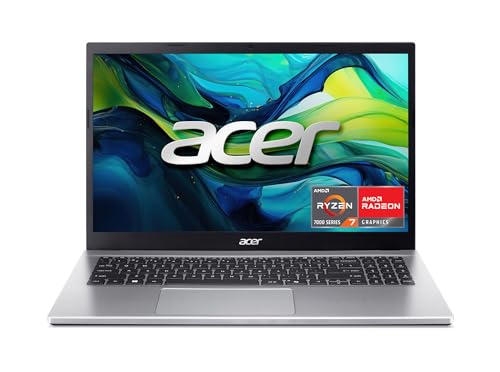
The Acer Aspire Go 15 is for budget shoppers who want solid specs for work and school, at around $550. Acer lists an AMD Ryzen 7 7730U processor with Radeon graphics, 16GB of memory, a 512GB PCIe Gen4 SSD, a 15.6 inch Full HD IPS display, a full function USB-C port, HDMI 2.1, Wi-Fi 6 and Windows 11 Home with a Copilot key.
Its strengths are 16GB of memory and a 512GB SSD at a mid range price.
The trade off is a basic display and plastic build compared with premium laptops.
Best for: home offices, students and families who need a dependable Windows laptop.
Best for Beginners: Lenovo Flagship Chromebook 14 inch
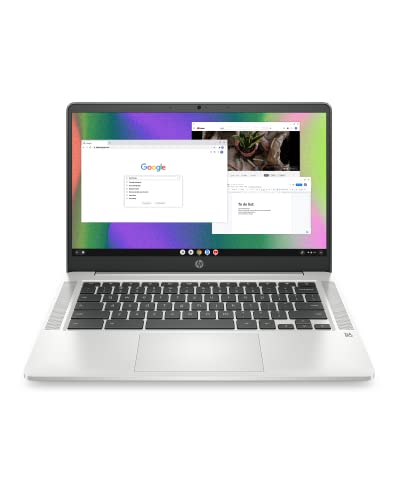
The Lenovo Chromebook suits first time laptop buyers, kids and anyone who mostly browses, streams and uses Google apps, at around $246. Lenovo lists a 14 inch Full HD touchscreen, an 8 core MediaTek Kompanio 520 processor, 4GB of RAM, 64GB of eMMC storage, Wi-Fi 6, a 720p webcam with a privacy shutter and a weight of 2.86 pounds.
The appeal is a simple, secure system with automatic updates and a light body.
The limitation is limited memory and storage for heavy multitasking or desktop apps.
Best for: students, older adults and light users on a tight budget.

How to Choose the Best Laptops and Prices: Buying Guide
Processor, memory, storage, display, battery, ports, weight and operating system decide how a laptop feels to use. Here is what to compare at each price.
A simple way to think about price: under around $300 buys a Chromebook for basic tasks, around $500 to $700 buys a capable Windows laptop with 16GB of memory, around $1,000 buys a premium thin laptop or 2 in 1 and $1,400 and up buys gaming power.
Processor and Performance Tier
Entry chips, like MediaTek Kompanio and Intel Celeron N series, handle browsing and documents. Mid range chips, like AMD Ryzen 7 7730U with 8 cores and up to 4.5GHz, handle multitasking and office work. Apple M4, Intel Core Ultra and Snapdragon X chips add efficiency and AI features. Gaming laptops pair strong CPUs with dedicated graphics.
Do not judge a chip by its brand alone. A newer mid range chip often beats an older high end one, so compare the generation and core count, and read the maker's spec list carefully.
RAM and Storage
For Windows and macOS, 16GB of RAM is the sweet spot, and both the MacBook Air M4 and Acer Aspire Go 15 include it. Chromebooks run fine on 4GB to 8GB. Choose an SSD with at least 256GB, and 512GB if you keep photos, videos or games on the laptop.
Many thin laptops, including the MacBook Air, have memory soldered to the board, so you cannot add more later. Buy the amount you will need for the next few years. Some Windows laptops, like the Acer Nitro V 16S with 2 DDR5 slots and a free M.2 slot, let you upgrade.
Battery Life in Real World Use
Real battery life depends on screen brightness and workload. Efficient chips, like Apple M series, MediaTek and Snapdragon, usually last longest, while gaming laptops last the shortest. USB-C charging lets you share one charger with a phone or tablet.
Maker battery claims are usually measured with light use and low brightness, so expect less in daily work with video calls and many browser tabs.
Ports and Connectivity
Check for USB-C, USB-A, HDMI and a headphone jack. HP's 255 G10 lists 2 USB-A ports, 1 USB-C port and HDMI, and Lenovo's Yoga 7i adds 2 USB-C ports, a microSD reader and Wi-Fi 6E. Wi-Fi 6 or newer gives faster, steadier connections.
Weight and Portability
Laptops under 3 pounds, like the 2.86 pound Lenovo Chromebook, are easy to carry all day. 15.6 and 16 inch laptops weigh more but offer bigger screens and number pads. Gaming laptops are the heaviest.
Operating System (Windows, macOS, ChromeOS)
Windows runs the most software and games. macOS suits iPhone owners and creative work. ChromeOS is simple, secure and cheap, and it runs Android apps and web apps but not most desktop software.
Display Size, Resolution, and Brightness
Full HD (1920 by 1080) is the minimum to look for. Higher resolution, like the Yoga 7i's 2K touchscreen, looks sharper. Brightness of 300 nits or more helps near windows; HP lists 250 nits on the 255 G10. Gaming laptops add high refresh rates, like Acer's 180Hz Nitro V 16S.
An anti glare finish, like HP's, reduces reflections under office lights. A touchscreen helps on 2 in 1 laptops and Chromebooks but adds a little cost and weight.
Types of Laptops and Prices
Each laptop type has a typical price range. Here is who each suits.
Chromebooks
Chromebooks, like the Lenovo Chromebook and HP Chromebook 14, cost around $230 to $300. They are simple, secure and long on battery, but they cannot run most Windows or Mac software.
Budget and Mid Range Windows Laptops
Budget and mid range Windows laptops, like the Acer Aspire Go 15, HP 255 G10 at around $683 and ASUS Vivobook 16 with Snapdragon X at around $672, cost around $400 to $700 and handle school, office and home tasks.
2 in 1 Convertibles
2 in 1 laptops, like the Lenovo Yoga 7i at around $1,004, flip 360 degrees into tablet, tent and stand modes. They suit note takers and presenters.
Ultraportables
Ultraportables, like the MacBook Air M4, cost around $1,000 and offer thin, light designs with long battery life for travel and school.
They cost more than budget laptops of similar speed because you pay for a lighter, slimmer body and a better screen.
Gaming Laptops
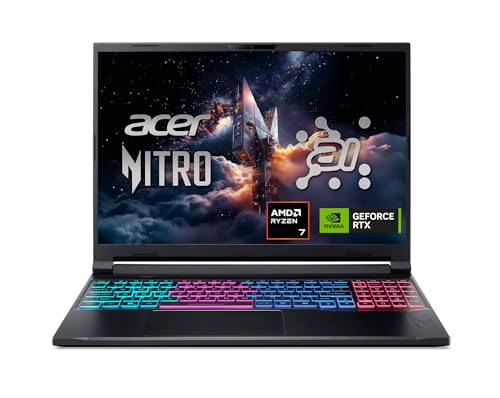
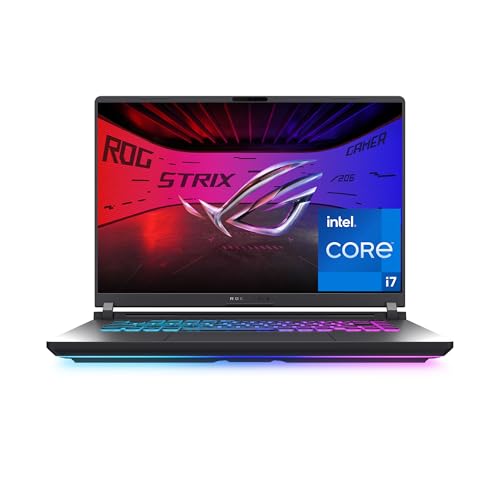
Gaming laptops, like the Acer Nitro V 16S at around $1,400 and ASUS ROG Strix G16 at around $1,620, use NVIDIA RTX 5060 graphics and fast displays. They are heavy and have shorter battery life.
How to Make Your Laptop Last Longer
- Keep the OS and firmware updated. Updates fix security holes and improve stability.
- Avoid running at 100% charge all the time. Many laptops offer battery care settings that cap charging.
- Use a padded sleeve when commuting. It protects against bumps and scratches.
- Clean vents with compressed air. Dust buildup causes heat and slowdowns.
- Use the laptop on hard surfaces. Beds and couches block airflow.
FAQs
Is a dedicated GPU worth it?
Only for gaming, video editing and 3D work. A dedicated GPU, like an NVIDIA RTX 5060, adds cost, weight and heat. Integrated graphics handle browsing, office work, streaming and light photo editing well.
Is a Chromebook enough for school?
For many students, yes. Chromebooks handle Google Docs, web research and online classes. Check whether your school or courses need Windows or Mac software first.
Many schools hand out Chromebooks for this reason.
How long should a laptop last?
Most laptops last about 4 to 6 years. Models with more memory and faster chips stay useful longer, and Chromebooks have a set automatic update period.
How much RAM do I need?
Choose 16GB for Windows or macOS and 4GB to 8GB for a Chromebook. Gamers and video editors may want 32GB, like the Acer Nitro V 16S.
Should I buy a laptop or a tablet?
Buy a laptop for typing, multitasking and desktop software. Buy a tablet for reading, streaming and drawing. A 2 in 1 laptop offers some of both.
Our Verdict
The best laptops and prices come down to buying enough memory, the right operating system and a chip that fits your work, without paying for features you will not use. The MacBook Air M4 is our best overall pick, the Acer Aspire Go 15 offers great value and the Lenovo Chromebook is an easy first laptop.
For more laptop guides, see the best laptops for college, the best laptops for battery life, the best gaming laptops affordable and the best laptop stands. Then compare current prices in the product table above.