
Best Gaming Laptops Affordable at Every Price: What Your Money Really Gets You
Disclosure: We may earn a commission when you buy through links on this page, at no extra cost to you. As an Amazon Associate I earn from qualifying purchases. Learn more

The best gaming laptops affordable for most budgets: what $950, $1,150 and $1,600 machines deliver for 1080p gaming.
Gaming laptops used to mean spending $2,000 or more, but today you can play modern games smoothly on machines that cost about half that. The catch is that affordable models make different compromises: one saves money on the screen, another on the graphics chip, another on cooling or build quality. This guide to the best gaming laptops affordable enough for most budgets explains what you get at each price tier, so your money goes to the parts that matter most for the games you play.
We focus on Windows gaming laptops sold new on Amazon US, from entry level models around $950 to well equipped machines around $1,600. You will find three picks, a breakdown of each price tier, the features worth paying for, the long term costs to expect and answers to common questions about RAM, graphics and lifespan.



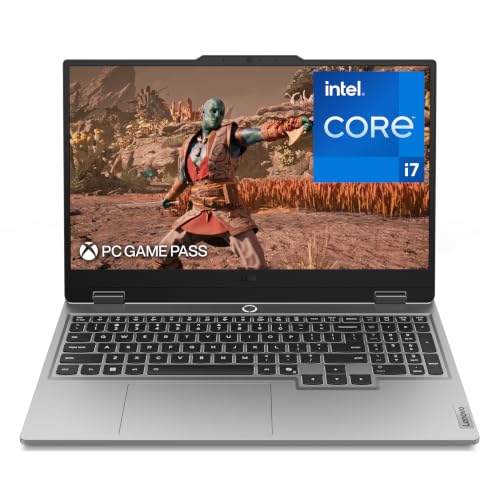
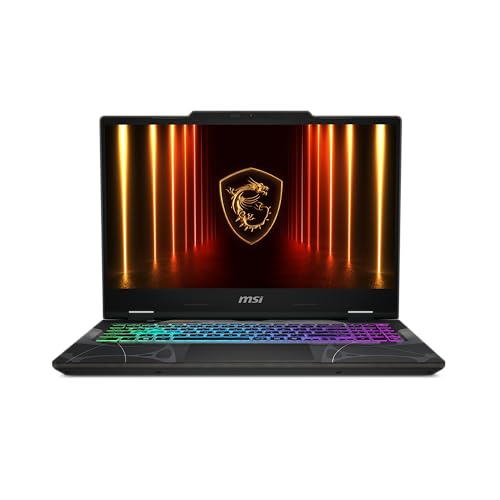

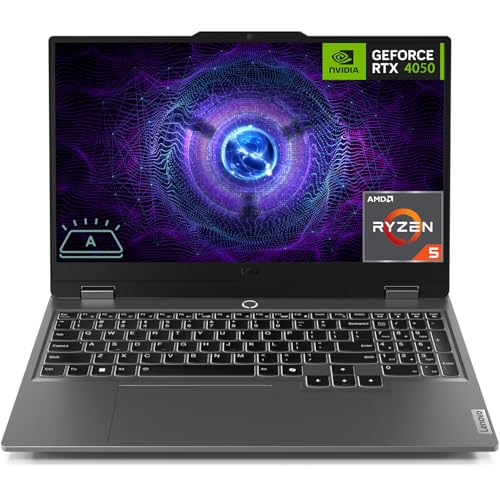

Top 3 Picks by Budget
These three come from the product table above and represent strong value at the low, middle and upper end of affordable gaming laptop pricing. Configurations change often, so check the exact processor, graphics card, memory and storage in each listing before you buy.
We compared graphics chips, processors, display refresh rates, memory, storage and brand support, along with the overall pattern in owner feedback. We did not run our own benchmarks; the notes reflect listed specifications and general expectations for each component class.
Best Budget Pick: HP Victus 15.6 with RTX 4050
The HP Victus 15.6 inch gaming laptop suits students and first time PC gamers who want real graphics power for around $969. This configuration pairs an Intel Core i5-13420H processor with an NVIDIA GeForce RTX 4050 graphics chip with 6GB of video memory, 16GB of DDR4 memory, a 512GB SSD and a 144Hz Full HD display.
Two things stand out at this price: a dedicated RTX graphics chip that handles popular games at 1080p with medium to high settings, and a 144Hz screen that makes fast games look smooth. The limitation is storage, since 512GB fills up quickly with modern game installs. Skip it if you want to run the newest games at high settings for years without upgrades.

Best Midrange Pick: ASUS TUF Gaming F16
The ASUS TUF Gaming F16 is for gamers who want a sturdy, larger screen laptop at around $1,159. This listing pairs an Intel Core 5 210H processor with NVIDIA GeForce graphics and a 16 inch Full HD plus display at 144Hz in a taller 16:10 shape that shows more of the screen.
Its strengths are the roomy display, ASUS's durable TUF design aimed at everyday knocks and a balanced configuration for 1080p gaming. The trade off is weight and size: a 16 inch gaming laptop is less pleasant to carry daily than a slim 14 or 15 inch model. Skip it if portability matters more than screen size, or if you need the most powerful graphics in this price range.

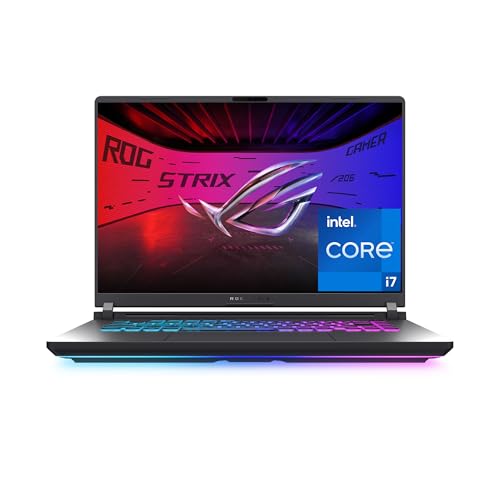
Best Premium Pick: ASUS ROG Strix G16 with RTX 5060
The latest ASUS ROG Strix G16 with an RTX 5060 is for players who want newer graphics hardware and a faster display without jumping to $2,000 or more, at around $1,620. It features a 16 inch Full HD plus 165Hz display with a 3ms response time and NVIDIA's GeForce RTX 5060 laptop graphics.
The appeal is a newer generation graphics chip that supports the latest upscaling and frame generation features, plus ROG's gaming focused cooling and design. The limitation is price, which edges toward midrange desktop territory. Skip it if you mainly play older or less demanding games, where an RTX 4050 laptop delivers smooth play for less money.

What Your Money Gets You at Each Price Tier
Affordable gaming laptops on Amazon US fall into three bands. Prices move with sales and new model launches, so use these as typical ranges.
Budget Tier: What to Expect
Between around $900 and $1,100 you can find laptops with RTX 4050 or RTX 5050 graphics, six to eight core processors, 16GB of memory and 512GB to 1TB of storage. Displays are usually 15.6 inches at 1080p with 144Hz refresh rates, which suits competitive games.
What you give up is headroom. Budget models run demanding new games at medium settings, often with upscaling turned on. Cooling is louder, build quality uses more plastic, and speakers and webcams are basic. Still, these laptops play esports titles very well and handle most popular games at 1080p.
Watch for configurations with only 8GB of memory or very small storage, which feel limiting quickly. Upgrading memory and storage is possible on many models and is often cheaper than buying a higher configuration.
Refurbished and open box laptops can stretch a budget further, but buy only from sellers with clear warranties and return policies. A new budget laptop with a full manufacturer warranty is usually the safer choice for a first gaming machine.
Midrange Tier: The Sweet Spot for Most Buyers
Between around $1,100 and $1,400 you get better cooling, higher refresh displays, more storage and often a step up in graphics to RTX 4060 or 5060 class chips. Larger 16 inch screens with 16:10 aspect ratios become common, giving more vertical space for games and work.
This tier is the sweet spot because it balances performance and price. Games run at higher settings, laptops stay cooler and quieter under load and build quality improves. Many midrange models from ASUS, Lenovo, MSI and Acer offer upgradeable memory and a second SSD slot.
Display quality improves noticeably in this tier as well. Brighter panels with better color make games and movies look richer, and some models offer QHD resolution, which sharpens text and detail for schoolwork and creative apps alongside gaming.
Premium Tier: When Spending More Pays Off
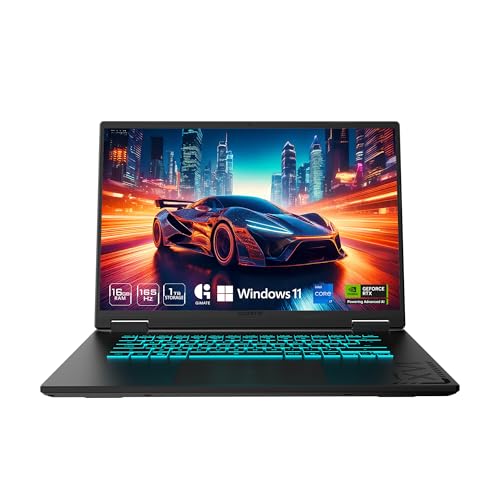
From around $1,400 to $1,700, affordable premium laptops add RTX 5060 or RTX 5070 graphics, faster displays at 165Hz to 240Hz, better speakers and keyboards and more refined designs. Models like the ROG Strix G16, Alienware 16 Aurora and GIGABYTE Gaming A16 sit here.
Spending more pays off if you play new, demanding games, want higher settings at 1080p or 1440p, or plan to keep the laptop for many years. Beyond this range, prices rise quickly for diminishing returns, so this tier often represents the best balance for serious players on a budget.
Keyboard and trackpad quality also improve at this level, with per key lighting, better key travel and larger trackpads. Most gamers still use an external mouse, but a good keyboard makes long sessions and typing more comfortable.
Best Gaming Laptops Affordable: Features Worth Paying For (and Ones to Skip)
Some features transform your gaming experience. Others add cost without much benefit. Here is how to tell them apart.
Operating System (Windows, macOS, ChromeOS, Android, iPadOS)
For gaming, Windows is the practical choice. Almost every PC game supports Windows, along with launchers like Steam, Epic and Xbox. macOS supports a growing number of games but far fewer than Windows, and ChromeOS, Android and iPadOS rely mainly on cloud gaming and mobile titles.
The gaming laptops in our table ship with Windows. If you mainly play through cloud services like Xbox Cloud Gaming or GeForce NOW, a non gaming laptop can work, but a dedicated gaming laptop gives you offline play and better performance.
Out of the box, remove trial software you do not need and update graphics drivers through the NVIDIA app or the maker's control center. These two steps free up storage, reduce background tasks and often improve game performance immediately.
Processor and Performance Tier
The graphics chip matters most for gaming, but the processor still affects frame rates in busy games. Six to eight core processors, such as Intel Core i5-13420H, Core i7-13620H or AMD Ryzen 7 7445HS, handle current games well. HX series processors offer more performance for streaming and demanding titles.
For graphics, an RTX 4050 or 5050 suits 1080p gaming at medium to high settings, while an RTX 4060 or 5060 handles higher settings and newer games more comfortably. An RTX 5070 opens the door to 1440p gaming. Pay for graphics before processor upgrades.
Laptop graphics vary in power limits, which means the same RTX chip can perform differently in two laptops. Thicker laptops with better cooling usually let the graphics chip run at higher power, so check reviews for comments on performance and fan noise under load.
What You Can Realistically Get on a Budget
On a budget, expect 1080p gaming with medium to high settings in most games, smooth play in esports titles and occasional compromises in the newest releases. Upscaling technologies like NVIDIA DLSS help a lot, boosting frame rates with little visual loss.
Do not expect great battery life while gaming, premium materials or top tier speakers. Instead, focus your budget on the graphics chip, 16GB of memory, a fast display and enough storage, then add a cooling pad or extra SSD later if needed.
A practical tip is to adjust settings rather than chase the highest preset. Lowering shadows and volumetric effects often adds a large frame rate boost with little visible change, which keeps budget laptops smooth in demanding games.
Battery Life in Real World Use
Gaming laptops drain batteries quickly during play, often within one to two hours, and most perform best plugged in. For web browsing and schoolwork, many affordable models last four to seven hours, depending on screen brightness and settings.
Switching to integrated graphics mode or using a power saving profile extends battery life away from an outlet. If you plan to carry the laptop to class or work, look for a lighter model with a larger battery, and keep the charger handy for gaming sessions.
Charging habits matter for battery lifespan. Many gaming laptops include a battery care mode in their control software that limits charging to around 60 to 80 percent when plugged in for long periods, which slows wear for people who mostly game at a desk.
Long Term Costs to Factor In
The purchase price is only part of the cost. Many gamers add a larger SSD, since 512GB fills quickly, and some upgrade memory to 32GB. A cooling pad, a gaming mouse and a headset are common extras. Extended warranties or accidental damage plans add peace of mind for laptops that travel.
Over time, plan for battery wear, which reduces unplugged runtime after a few years, and periodic cleaning of fans and vents to keep temperatures down. A laptop with upgradeable memory and storage stays useful longer, which lowers the cost per year of ownership.
Games themselves are part of the long term budget. Subscriptions like PC Game Pass and regular sales on Steam keep costs manageable, while large game libraries may push you toward a 1TB or 2TB SSD upgrade sooner than expected.
Gaming Laptops: Your Questions Answered
How much RAM do I need?
For gaming, 16GB of RAM is the minimum and works well for most games today. 32GB gives extra headroom for streaming, heavy multitasking and future games. Check whether the laptop has two memory slots and dual channel memory, which improves performance. Many affordable laptops let you upgrade memory later.
Should I buy a gaming laptop or a desktop?
Choose a gaming laptop if you need portability for school, travel or small spaces. Choose a desktop if you mostly game in one place and want the most performance for the money, easier upgrades and quieter cooling. At the same price, desktops usually deliver more performance, but laptops offer everything in one portable package.
Is a dedicated GPU worth it?
Yes, a dedicated graphics chip is essential for playing modern games smoothly. Integrated graphics can handle older or lighter titles, but a dedicated NVIDIA RTX or AMD Radeon chip delivers far higher frame rates and supports features like DLSS. Even entry level RTX 4050 laptops outperform integrated graphics by a wide margin.
Video memory matters too: 6GB to 8GB is fine for 1080p today, while more VRAM helps with higher resolutions and texture settings in newer games.
How long should a gaming laptop last?
A well cared for gaming laptop typically stays useful for four to six years. Games will need lower settings over time, but upgrading storage and memory, cleaning fans and replacing thermal paste can extend its life. Choosing a stronger graphics chip at purchase is the best way to stay capable longer.
Keeping vents clear, using the laptop on a hard surface and blowing dust out of the fans every few months all help maintain performance as it ages.
Can a gaming laptop handle school and work?
Yes, gaming laptops handle schoolwork, office apps, video calls and creative software easily, since their processors and graphics exceed what these tasks need. The trade offs are weight and battery life, which are usually worse than thin and light laptops. If you need all day battery for classes, consider a lighter gaming model or carry the charger.
Final Thoughts
The best gaming laptops affordable enough for most buyers put money where it matters: a dedicated RTX graphics chip, 16GB of memory, a fast 144Hz or higher display and enough storage for your games. The HP Victus with RTX 4050 is our budget pick, the ASUS TUF Gaming F16 is a sturdy midrange choice, and the ASUS ROG Strix G16 with RTX 5060 offers newer graphics without a premium price.
For more options, see our guides to the best affordable pc gaming laptops, the best quality gaming laptops, the best gaming computers laptops, the best gaming pc prebuilt options and the best laptop stands. Then compare current prices in the product table above.

