Best Desktop Computers for Business: Which One Fits the Way You Use It?
Disclosure: We may earn a commission when you buy through links on this page, at no extra cost to you. As an Amazon Associate I earn from qualifying purchases. Learn more

How to choose the best desktop computers for business, from mini PCs for shared desks to Mac mini and HP Elite power desktops.
Business desktops do quiet, steady work: email, spreadsheets, video calls, point of sale and line of business apps, day after day for years. The right machine depends on the job, since a front desk, a home office, an accounting team and a design studio all need different things. There is no single model that fits every office, so this guide to the best desktop computers for business matches each type of user with the specs that matter and explains where spending more makes sense.
We cover who should buy which type of desktop, the key features to compare, common mistakes, tips to keep machines running well and answers to common questions. Every computer in the table above is sold new on Amazon US. Some listings are configured by third party sellers, so check the processor, memory, storage and warranty details on each listing, and back up business data before setting up any new PC.



Who Should Buy Which Desktop Computers?
Small offices and shared desks do best with compact mini PCs, home and hybrid workers with all in one desktops or mini PCs, and power users and creative teams with faster small form factor PCs or Apple's Mac mini and iMac.
Start with the software your team uses every day. Web apps and Microsoft 365 run well on modest hardware, while design, video and large data files need more memory and faster processors.
For Small Offices and Shared Desks
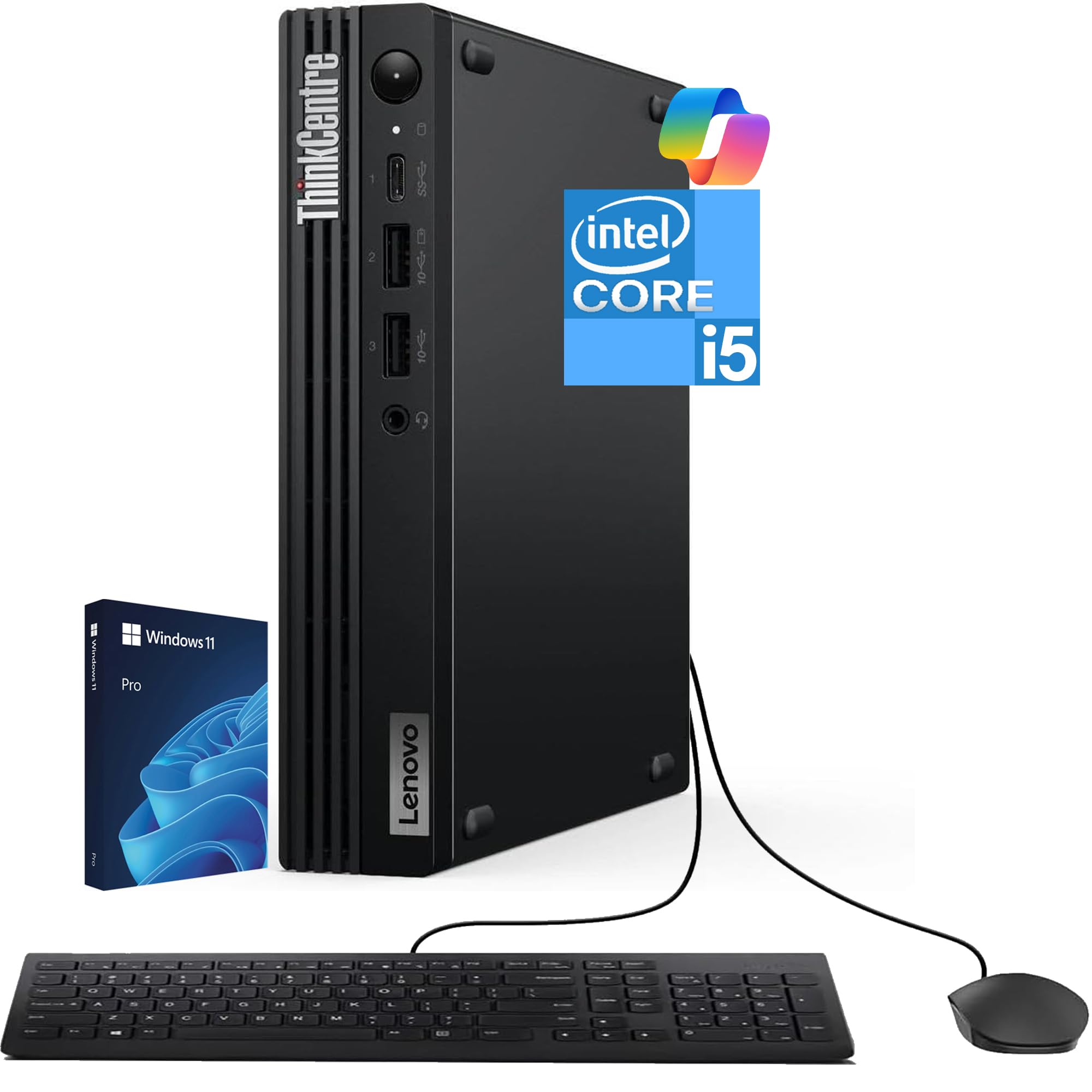
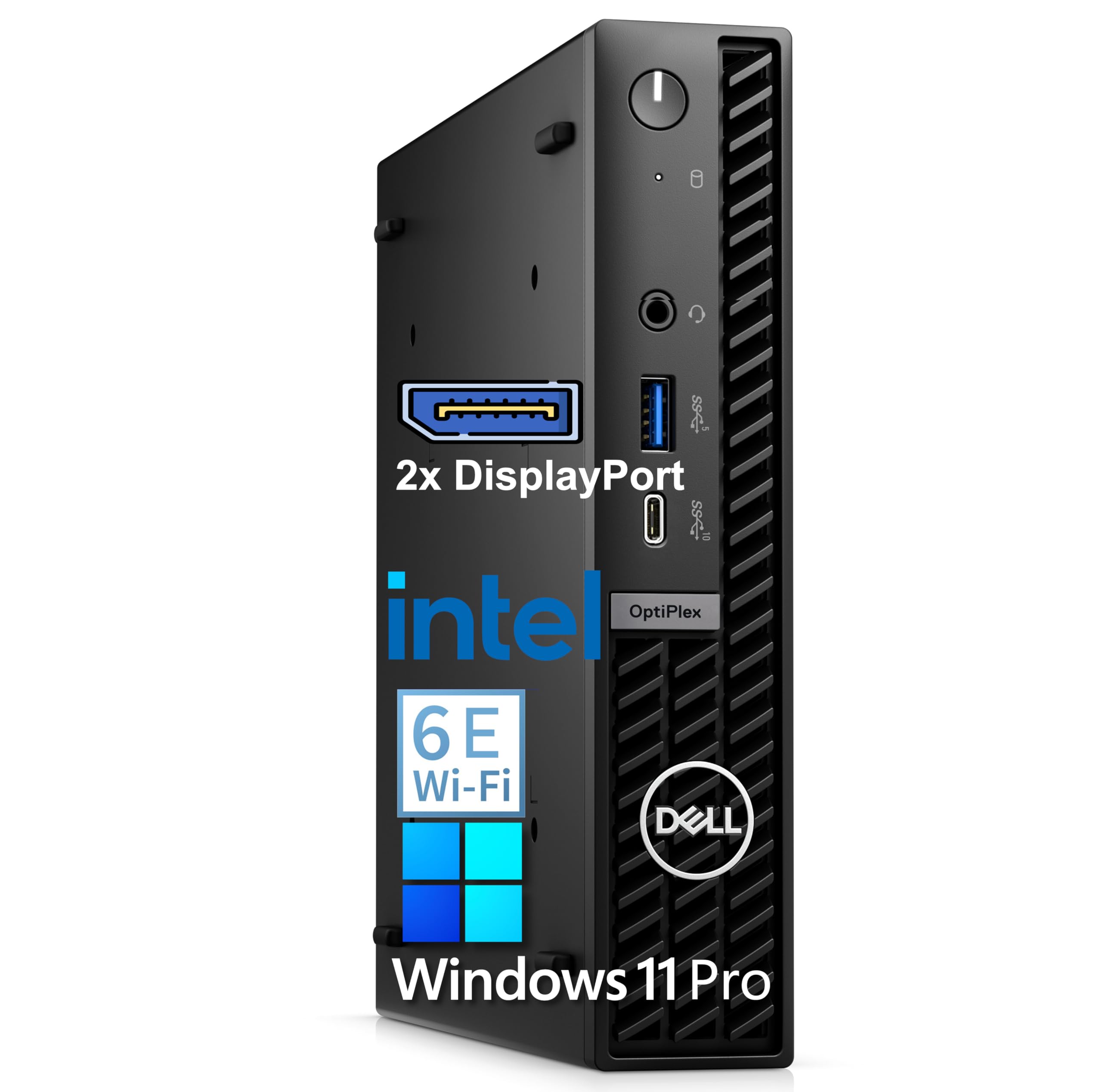
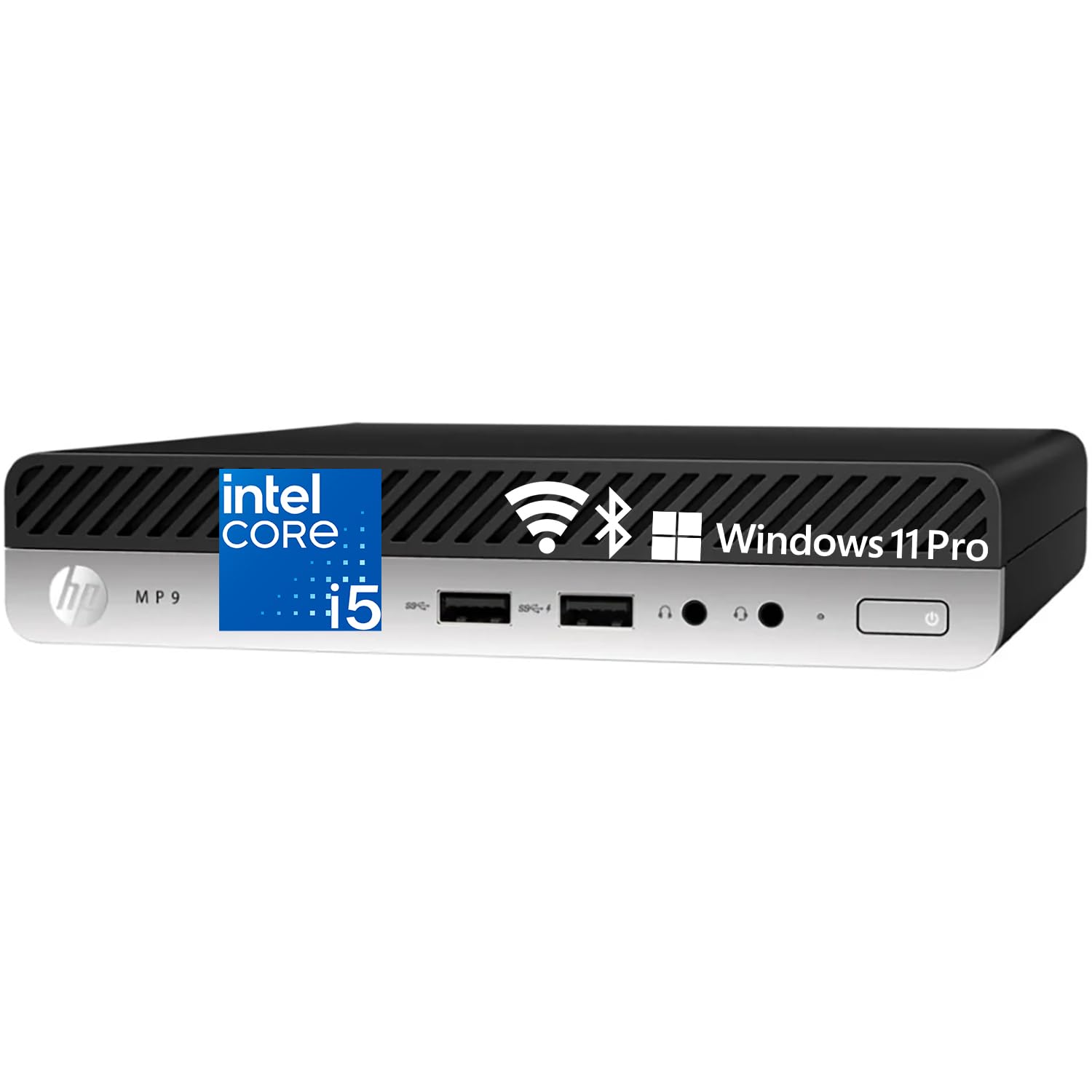
Mini PCs save desk space and mount behind monitors. The Lenovo ThinkCentre Tiny M70q, at around $880, lists an Intel Core i5-14400T, 16GB of DDR5 memory, a 512GB NVMe SSD, Wi-Fi 6, Ethernet, Windows 11 Pro and a 3 year warranty. The Dell Pro Micro, at around $700, is the next generation of Dell's OptiPlex micro form factor, and Dell's OptiPlex Mini with 16GB DDR5 costs around $699. The HP Mini Desktop PC, at around $600, lists a 6 core Intel processor, 16GB of RAM, a 512GB SSD and dual DisplayPort outputs.
These suit reception desks, retail counters and small teams that mostly use office and web apps.
Mini PCs also use less power than full towers, which adds up across many desks. If you deploy several machines, buying the same model for everyone simplifies setup, spare parts and support.
For Home Offices and Hybrid Workers
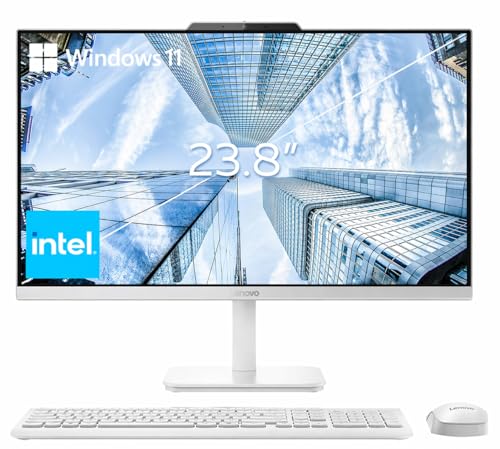
All in one desktops keep a home office tidy with the screen, computer, camera and speakers in one unit. The Lenovo 24 inch All-in-One, at around $570, lists a 23.8 inch Full HD IPS display, an Intel N100 processor, 16GB of RAM, a 256GB SSD, Wi-Fi 6 and Windows 11 Pro with a wireless keyboard and mouse. That suits email, documents and video calls.
Apple's iMac with M4, at around $1,760, adds a 24 inch 4.5K Retina display, a 12MP Center Stage camera, three microphones and six speakers, which makes video calls look and sound polished.
Remote workers who already have a good monitor can choose a mini PC instead and save money, while those starting from scratch get a cleaner setup with an all in one.
For Power Users and Creative Teams
Analysts, designers and developers need more speed and memory. The HP Elite 805 G9 small form factor PC, at around $750, lists an AMD Ryzen 5 8500G with Radeon 740M graphics, 16GB of DDR5, a 1TB SSD and dual 4K display support. The Apple Mac mini with M4, at around $1,050, lists a 10 core CPU and 10 core GPU, 16GB of unified memory, a 256GB SSD and Gigabit Ethernet, in a very small case that runs Microsoft 365 and Adobe apps.
These suit spreadsheets with large data sets, photo editing, light video work and coding.
If your team edits video or works with 3D, consider more storage and 32GB of memory, since these machines are hard or impossible to upgrade later, especially the Mac mini.
Key Features to Compare in the Best Desktop Computers for Business
Processor and memory, storage, operating system and security, ports and displays, warranty and form factor matter most. Here is how each plays out in daily work.
Processor, Memory, and Storage
For office work, choose at least a modern Core i5, Ryzen 5 or Apple M4 class chip and 16GB of RAM; 8GB feels tight with many browser tabs and video calls. Watch for entry level chips in business listings: HP's ProDesk 400 G9 small form factor, at around $770, lists an Intel Celeron G6900, which suits basic tasks only. Choose an SSD of at least 256GB, and 512GB to 1TB if files are stored locally.
Check whether memory is soldered or upgradeable. Many small form factor Windows PCs have open memory slots, while Apple's M4 machines have fixed memory, so buy the amount you need up front.
Operating System and Security
Windows 11 Pro adds business features like BitLocker encryption, domain join and remote desktop hosting. HP lists TPM 2.0 and HP Wolf Security on its ProDesk. Lenovo's ThinkCentre and Dell's OptiPlex lines are built for managed business fleets. Macs suit teams already using Apple devices and run Microsoft 365 natively.
For businesses that handle customer or payment data, encryption, automatic updates and strong passwords matter as much as hardware.
Ports, Displays, and Networking
Count your monitors and accessories. HP's Elite 805 and ProDesk support dual 4K displays, and HP's Mini lists dual DisplayPort. Wired Ethernet, found on every pick here, is more reliable than Wi-Fi for offices, while Wi-Fi 6 helps in home offices. USB-C ports simplify docks and newer accessories.
Front USB ports are handy for card readers, signature pads and USB drives at reception desks.
Warranty, Support, and Build Quality
Business lines usually offer better support options than consumer PCs. The ThinkCentre listing includes a 3 year warranty. Check whether a listing comes directly from the maker or from a reseller that customized the configuration, since warranty terms can differ. Durable, tool free cases make upgrades and repairs faster.
Form Factor: Mini, Small Form Factor, Tower, or All in One
Mini PCs, like the ThinkCentre Tiny and Dell Pro Micro, use the least space and can mount behind a monitor. Small form factor PCs, like HP's ProDesk 400 G9 at 11.9 by 10.6 by 3.7 inches and the HP Elite 805 G9, add room for upgrades. Towers offer the most expansion. All in ones, like Lenovo's 24 inch model and the iMac, combine the screen and computer.
Common Mistakes to Avoid When Buying Desktop Computers
- Buying on price alone. A low price can hide a slow Celeron or 8GB of RAM that frustrates staff.
- Ignoring the warranty and support. Downtime costs more than a better warranty.
- Choosing Windows Home for a managed office. Many business features need Windows 11 Pro.
- Too little storage. 256GB fills quickly if files are kept locally.
- Forgetting monitors and accessories. Budget for displays, docks and backup drives.
Most of these come from buying for today only, so plan for at least four years of use.
Tips to Get the Most From Your Desktop Computer
Keep Windows or macOS, drivers and firmware updated, ideally on a schedule that avoids business hours. Use a surge protector or UPS to protect against outages.
Clean dust from vents every few months, especially on mini PCs. Back up data to the cloud or an external drive, and enable disk encryption on machines that hold customer data. Use standard user accounts for daily work and admin accounts only when needed.
Desktop Computers: Your Questions Answered
What features matter most in desktop computers for business?
A modern Core i5, Ryzen 5 or Apple M4 class processor, 16GB of RAM, a fast SSD, Windows 11 Pro or macOS, wired Ethernet, enough display outputs and a solid warranty matter most.
Reliability beats raw speed.
How much RAM does a business desktop need?
16GB is the comfortable standard for office work, video calls and many browser tabs. 8GB works only for very light use. Power users and creative teams should consider 32GB.
More memory also keeps machines useful longer.
Mini PC or tower: which is better for an office?
Mini PCs save space, run quietly and use less power, which suits most office work. Towers offer more expansion for graphics cards, extra drives and future upgrades.
Mini PCs are also easier to move between desks.
How long does a business desktop last?
Many business desktops stay in service for about 4 to 6 years. Buying enough memory and storage at the start, and keeping software updated, helps them last longer.
Plan replacement cycles so older machines can be reused for lighter tasks.
Is a Mac good for business?
Yes, for many teams. The Mac mini and iMac run Microsoft 365 and Adobe apps and work well with iPhones. Check that any industry specific software you use is available for macOS.
Mixed fleets of Macs and PCs are common today.
Is it cheaper to build or buy a business desktop?
For most businesses, buying is better. Prebuilt business desktops include Windows licenses, warranties and support, which matter more than small hardware savings.
Support saves staff time.
The Bottom Line
The best desktop computers for business match the work your team does, with enough processor speed and memory, the right operating system and a warranty you can count on. Choose a mini PC like the Lenovo ThinkCentre Tiny or Dell Pro Micro for shared desks, an all in one for home offices and an HP Elite 805 G9 or Apple Mac mini for power users.
For more office guides, see the best computer monitor for working from home, the best wireless keyboard and mouse, the best home office chairs and the best laptop stands. Then compare current prices in the product table above.