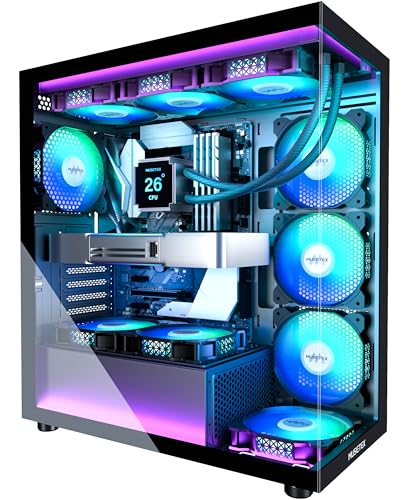
Best Cases for ATX Motherboards in 2026: Budget, Midrange, and Premium Levels
Disclosure: We may earn a commission when you buy through links on this page, at no extra cost to you. As an Amazon Associate I earn from qualifying purchases. Learn more

Compare the best cases for ATX motherboards at every price point. Learn what you get at budget, midrange, and premium levels and where spending more pays off.
Prices for ATX cases span a wide range, and extra money does not always buy cooler or quieter parts. The best cases for atx motherboards match your board, cooler and graphics card first, then add airflow and routing room you will use daily. Use the comparison table below to see how size, fan support and price line up.
Start with fit checks you can do on paper. Note board width, graphics card length, tower cooler height and radiator plans, then check each spec sheet against those numbers. A case that passes and vents well will serve through several upgrades.


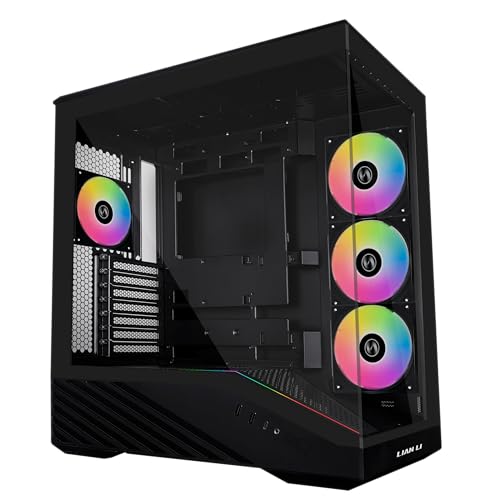
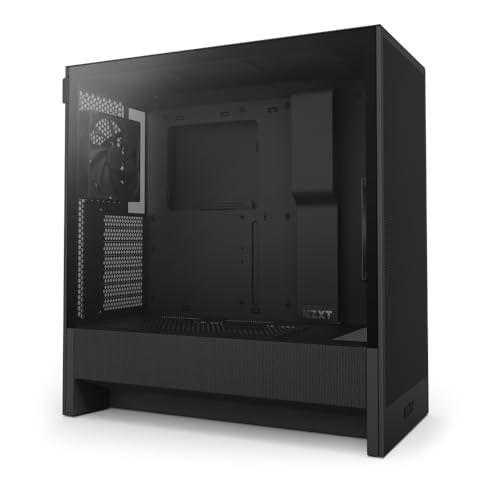


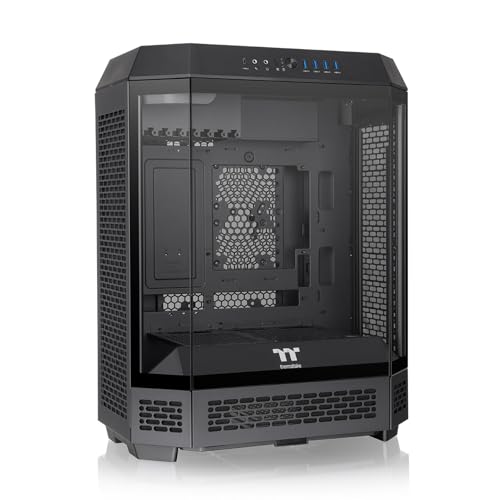
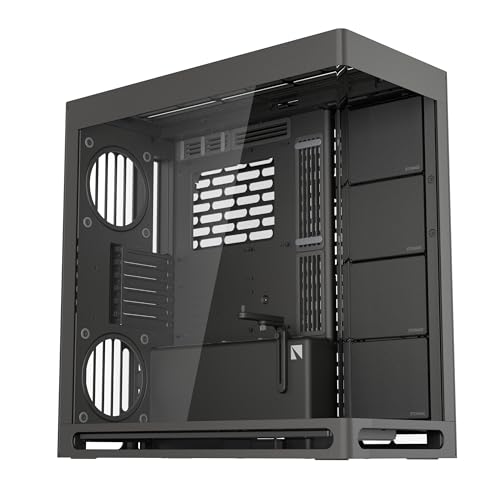

Who Should Buy Which ATX Case?
Your desk space, cooling plan and upgrade habit matter more than looks alone. The three groups below cover most ATX builds, each with a different balance of size, venting and included fans. If your shortlist began broader, see our guide to the best atx pc cases for another view of the same shelf.
First Time Builders Who Want an Easy First Assembly
You benefit from a forgiving layout more than from extra panels or lighting. Choose a mid tower with a wide routing channel, captive thumb screws and a removable top for fan access. Pre installed fans save setup decisions, and a power supply shroud hides spare cables while you learn.
Gamers With Long Graphics Cards and Warm Rooms
You need intake air that reaches the card without crossing a solid front panel. Choose a mesh front, at least two intake fans and clear space below the card so its fans can breathe. A slightly deeper case helps, because long cards plus front radiators can collide.
Quiet Desk Builders and Shared Room Users
You hear your PC for hours, so fan quality and panel fit matter as much as peak airflow. Choose larger 140 mm fans that move air at lower speed, solid panels that block some sound, and mounts that keep drives from rattling.
Key Features to Compare
Compare these five factors in order. Fit comes first, because no fan layout can fix a board, card or cooler that does not clear the frame.
ATX Fit, Board Width and Standoff Layout
A standard ATX board measures 12 by 9.6 inches, and many cases also accept wider extended ATX boards if the routing holes stay clear. Check standoff positions and the width from tray to side panel before you buy. If you are still choosing the board itself, see our guide to the best atx motherboards and compare platform options in our guide to the best amd atx motherboards.
Airflow Path, Mesh Panels and Fan Mounts
Look for a straight path from front intake to rear exhaust, with a mesh front or wide side vents feeding the first fans. Most ATX cases fit 120 mm or 140 mm fans, and three to six mounts let you tune noise later. Two intake fans and one exhaust fan form a sound starting point.
Graphics Card and CPU Cooler Clearance
Measure card length from the rear bracket to the far end, then compare it with case clearance after a front radiator is fitted, because radiators and fans consume depth. Check cooler height too, since many tower coolers need about 155 to 170 mm of side room. Cards with tall power plugs also need side panel room so cables do not press on glass.
Radiator Support and AIO Cooler Mounting
Top mounts suit most liquid builds because heat leaves the case at once and hoses reach the CPU block with gentle bends. Common support covers 240 mm, 280 mm and 360 mm radiators, though top clearance can clash with tall board heatsinks on some frames. Front mounting gives fresh air to the radiator but warms air that later reaches the GPU, so weigh that trade with a front AIO cooler.
Cable Routing, Storage and Front Panel Ports
Routing space behind the tray of about 20 to 30 mm lets thick cable bundles sit flat so the side panel closes without force. Grommets, tie points and a shroud help organize the run. Check drive mounts for 2.5 inch and 3.5 inch devices if you keep local storage, and confirm front ports match your desk gear, including USB Type C, USB A and a headset jack.
What Extra Money Buys in an ATX Case
Price gaps make sense once you tie them to steel thickness, included fans and filter quality rather than to looks alone. Across the market, the best cases for atx motherboards at higher prices mainly add convenience and quieter cooling, not a different board fit.
Budget ATX Cases: Basic Venting and One or Two Fans
At about $50 to $90, expect thin steel, one or two included fans and basic filters or none at the bottom intake. Many models still fit full ATX boards and long cards, so a careful pick can cool well. Spend your savings on one added intake fan if the front allows it.
Mid Price ATX Cases: Mesh Fronts and Fuller Fan Sets
At about $90 to $150, cases usually add a true mesh front, two or three included fans, better filters and deeper routing space. This tier often brings sturdier panels and a front USB Type C port as standard. You gain easier cleaning and lower fan speed for the same temperatures.
Premium ATX Cases: Quiet Fans and Room for Large Radiators
Above about $150, you pay for thicker panels, smoother fan bearings, hinged doors and support for larger radiators or dual chamber layouts. These cases can run large fans slowly and still move enough air, which lowers noise in a quiet room. Extra drive trays and spare parts kits add convenience, while board fit stays the same.
ATX Cases for Specific Build Goals
Best PC Cases for ATX Motherboard
If your build centers on a gaming or work PC, spend first on intake area, fan mounts and a layout that lets you swap drives or cards without removing the board. A removable fan bracket and a top panel that lifts off make later upgrades calmer.
Best Compact Case for ATX Motherboards
Compact ATX models trim height or depth while still taking a full board, so every clearance number shrinks at once. Check card length with the front fan fitted and confirm the power supply length leaves room for cables below the shroud. If a smaller board is acceptable, see our guide to the best micro atx pc cases for a smaller footprint path.
Long Term Costs to Factor In for an ATX Case
A case can outlast two or three internal builds, so small running costs add up. Replacement fans, spare filters and extra drive trays cost about $10 to $40 each, and a cracked panel can end an otherwise sound case. Check that filters and fans use standard sizes you can still buy later.
Common Mistakes to Avoid
Each mistake below creates a cost or a rebuild that a tape measure and a spec sheet could have prevented.
- Buying a compact case before measuring your graphics card leaves the card touching the front fan and forces a return.
- Choosing a solid glass front for a hot graphics card raises fan speed and makes the whole desk louder.
- Mounting a top radiator without checking board heatsink clearance leaves hoses kinked or the radiator unusable.
- Forcing the side panel over thick cable bundles bends the panel edge and makes later cleaning a fight.
- Ignoring dust filter access means the front filter stays dirty and airflow drops month after month.
Care and Maintenance for ATX Cases
Remove front, top and bottom filters every month or two and wash or brush away dust, then let washable filters dry fully before refitting them. Wipe mesh panels with a soft cloth and clear intake slots with a brush. Keep the case off thick carpet so the bottom intake can draw air freely.
Every six months, open both panels and check fan screws, standoffs and front port cables for looseness. Spin each fan by hand with the PC off and listen for grinding, because a worn bearing only gets louder. Replace a damaged filter promptly, since gaps let dust coat the board and cooler fins.
Frequently Asked Questions
What features matter most in a case for a first ATX motherboard build?
Airflow, board fit and clearance for your card and cooler matter most in a case for a first ATX motherboard build. Filters and routing depth come next, because they decide how the build ages. Before you order, download the case manual and study its clearance diagram, since manuals often show fan combinations that short store listings leave out.
Can a compact ATX case cool a high wattage graphics card well?
Yes, a compact ATX case can cool a strong graphics card well if the front is mesh and the card sits close to fresh intake air. Leave about four inches of open space behind the rear exhaust so hot air can escape the desk area. A compact case inside a closed cabinet will still run hot.
Should an ATX case radiator go on the top or the front?
A top mount is the safer default for an ATX case radiator because exhaust heat leaves at once and hoses usually reach the socket cleanly. Fit the radiator and fans to a removable top bracket outside the case first if your model has one, because that step is far easier on a table.
When should you replace an ATX computer case?
Replace an ATX computer case when a new card or cooler no longer clears the frame, front ports no longer match your devices, or a damaged panel or filter can no longer be sourced. Rust at the bottom tray and stripped standoff threads are also sound reasons. A new fan set usually restores a sound frame for far less money.
Final Thoughts
Choose fit first, then airflow, then the tier that adds the fans and filters you will use each week. Budget cases can serve well with one added fan, mid price cases balance ease and quiet, and premium cases earn their cost through calm cooling and simpler upgrades.
When you compare best cases for atx motherboards with your own measurements in hand, use the product table above to confirm size, mounts and price, then buy the smallest case that still leaves clear room for your next card.