Best Computer Printers Under 100 2026: Buying Guide
Disclosure: We may earn a commission when you buy through links on this page, at no extra cost to you. As an Amazon Associate I earn from qualifying purchases. Learn more
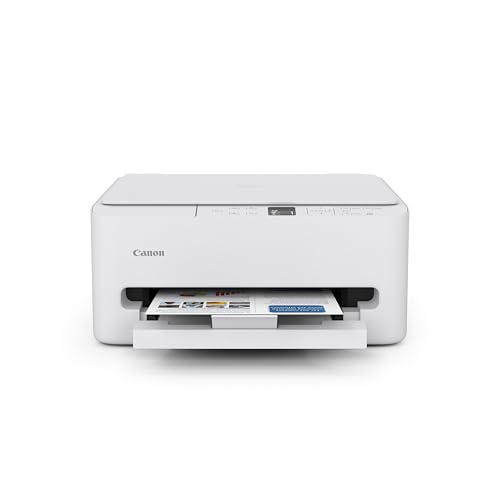
The best computer printers under 100 dollars suit occasional home printing; check ink costs, wireless setup, speed and paper handling first.
Choosing best computer printers under 100 starts with total cost, because the comparison table below shows the main types side by side. A printer under 100 dollars can be a great value for occasional home printing, but ink or toner costs, print speed, and features vary widely at this price.
At this budget, most printers are inkjet models for home use, with a few basic laser models appearing on sale. Inkjet printers handle color documents and photos well, while basic laser printers offer sharper text and lower cost per page for black and white documents, although color laser models rarely fall under 100 dollars. This guide explains what you can expect under 100 dollars, how to judge running costs, and which features are worth prioritizing for homework, office documents, and occasional photos.


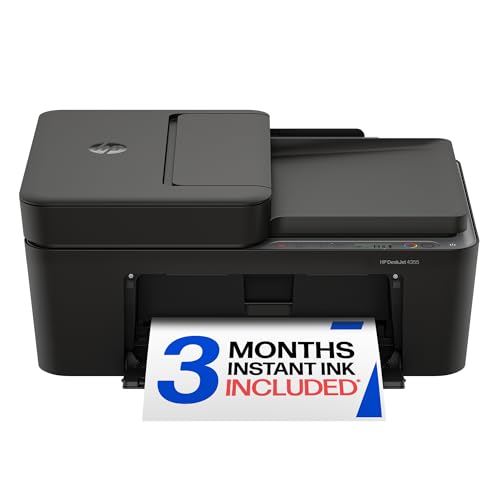
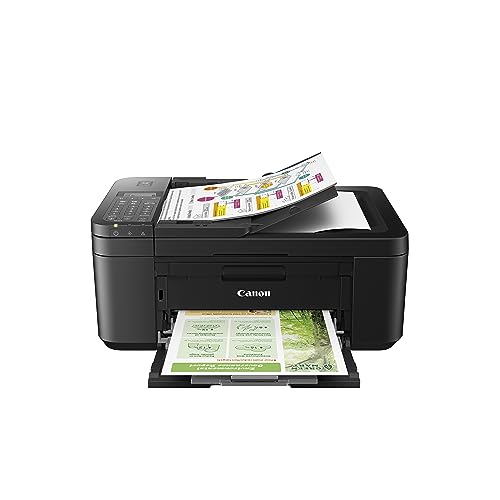
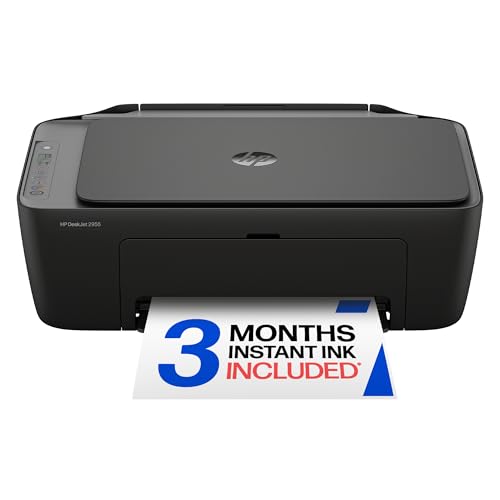
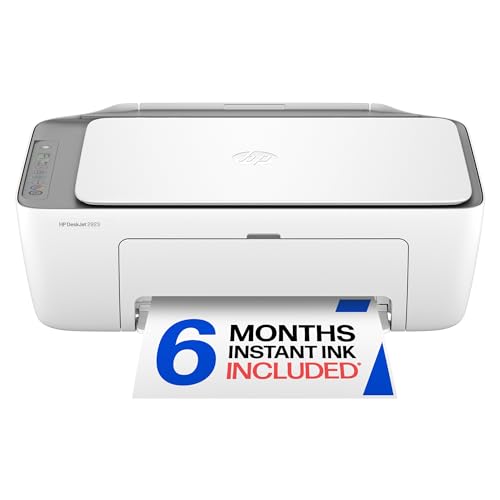
What to Expect Under 100 Dollars
Printers under 100 dollars usually offer basic printing, scanning, and copying in a compact all in one unit, which covers most home needs. Print speeds are modest, often around 8 to 12 pages per minute for black text, and color pages print more slowly. Paper trays are smaller, often holding 60 to 100 sheets, which is fine for a household but needs frequent refilling for larger jobs.
Wireless printing is common even at this price, allowing printing from a phone or laptop without a cable. Automatic duplex printing is less common, so check that feature if you print double sided documents often. Build quality is lighter than on office models, so a budget printer suits occasional use better than heavy daily printing.
- All in one basics: print, scan, and copy in a compact unit for home use.
- Modest speed: suitable for homework and occasional documents, not high volume work.
- Wireless: phone and laptop printing is common, even at a low price.
- Small tray: 60 to 100 sheets, fine for households, less ideal for large jobs.
- Light build: best for occasional use, with careful handling for longevity.
Ink Costs and Running Costs
Running cost is the most important factor under 100 dollars, because ink can cost more than the printer within a year if you print often. Check cartridge price and page yield for black and color, and calculate cost per page before buying. Some budget printers use low yield starter cartridges, so replacement cartridges should be priced early in your decision.
Ink subscription services can lower cost per page for regular printing, because you pay a monthly fee based on pages printed rather than buying cartridges individually. Tank printers with refillable ink cost more upfront but offer much lower cost per page, although they rarely fall under 100 dollars except on sale. For very occasional printing, a basic cartridge printer with a low upfront cost may still be the cheapest total option.
- Cartridge yield: compare page yield, not just cartridge price, for a fair cost.
- Starter cartridges: check whether the included cartridges are full or low yield.
- Subscription: a page based plan can save money for regular, predictable printing.
- Tank models: higher upfront cost, much lower cost per page, worth considering on sale.
- Occasional use: a basic printer can be cheapest if you print only a few pages a month.
Features Worth Prioritizing
Wireless setup and mobile printing matter most for modern households, because many documents now come from phones and tablets. Check whether the printer supports your devices and whether setup is straightforward without a computer. A simple control panel with a small screen helps with scanning and copying without needing a laptop each time.
Paper handling should match your use, with a rear feed for thicker paper or envelopes if you print cards or labels. A document feeder is rare under 100 dollars, so scanning multiple pages will usually be one page at a time. Check print resolution for photos if you print images, although a budget printer will not match a dedicated photo printer.
Who Should Buy a Budget Printer
Students and home users who print homework, forms, and occasional color documents are ideal buyers for a printer under 100 dollars. The low upfront cost makes it easy to replace if needs change, and wireless printing covers most modern workflows. Families who print school work and travel documents also benefit, as long as volume remains modest.
Home offices with higher volume, frequent duplex printing, or a need for fast output should consider a higher priced laser or tank model instead. A budget printer that is used heavily may wear faster and cost more in ink than a more efficient model. Estimate your monthly pages honestly, because that number decides whether a budget printer is truly good value.
Finding the Best Computer Printers Under 100 Dollars: Setup and Mistakes
Printer prices under 100 dollars range from about $50 to $99, with all in one inkjet models dominating that range. A model around $80 to $99 often offers better wireless features, a larger tray, and a more reliable feed than the cheapest options. Spending at the top of the budget can be worthwhile if it includes a better cartridge yield or a more robust paper path.
A common mistake is buying the cheapest printer without checking ink costs, which can lead to expensive cartridges within months. Another mistake is ignoring wireless compatibility with your phone or tablet, which can make printing frustrating. Set up the printer on a stable surface, keep paper dry, and print a sample page after setup to confirm quality.
For related budget printer choices, see best computer printers for home for home focused models, best wireless printers under 100 for wireless budget models, and best 3d printers under 100 for entry level 3d printing.
A Final Check Before You Order
Before you order, calculate ink cost per page using cartridge price and stated page yield, and compare that figure across two or three models you are considering. Include black and color costs separately, because a printer that is cheap for black text can be expensive for color documents. That calculation often changes the ranking completely, with a slightly pricier printer winning on total cost within a year.
Next, check wireless compatibility with your phones, tablets, and computers, and confirm that setup does not require a feature your devices lack. Print a document from each device you use soon after purchase, because a setup problem discovered months later is harder to solve. Keep a USB cable as a backup, even if wireless works well, for times when the network is unreliable.
Finally, be honest about monthly volume, because a budget printer suits occasional home use far better than heavy daily printing. If your volume grows, a tank printer or a basic laser model may become cheaper overall despite a higher upfront price. A budget printer that matches your real volume, your devices, and your ink budget is a smart buy, while one chosen on price alone can become expensive quickly.
Frequently Asked Questions
Are printers under 100 dollars reliable?
Budget printers are reliable for occasional home use, with wireless printing and all in one features that cover most household needs. They are less suited to heavy daily use, where a more robust printer lasts longer and prints faster. For homework, forms, and occasional documents, a budget printer is usually a practical choice.
How much does ink cost for a budget printer?
Ink cost varies widely, so check cartridge price and page yield before buying. A budget printer with low yield cartridges can cost more in ink within a year than the printer itself. Subscription plans or tank models can lower cost per page for regular printing, while occasional users may find basic cartridges acceptable.
Can a budget printer print photos?
Budget inkjet printers can print acceptable photos for home use, especially on photo paper, although colors may be less accurate than on a dedicated photo printer. For occasional family photos, a budget all in one is usually enough. For frequent high quality photo printing, a dedicated photo printer is a better investment.
Do budget printers support wireless printing?
Most modern budget printers support wireless printing from phones, tablets, and laptops, which is a key feature at this price. Check compatibility with your devices and operating system before buying, and confirm setup soon after purchase. A USB connection remains a useful backup if wireless setup proves difficult.
Should I choose inkjet or laser under 100 dollars?
Inkjet is more common under 100 dollars and handles color and photos better, while basic laser models offer sharper text and lower black page costs. Choose inkjet for color documents and photos, and laser for mainly black text if you find a suitable model on sale. Compare total running cost, not just machine price, for your print volume.
Final Thoughts
A printer under 100 dollars works best when you judge total cost, not just the sticker price, and when your print volume matches its modest speed and tray size. Prioritize wireless printing, ink yield, and the features you will actually use each week.
When you compare best computer printers under 100 in the product table above, calculate ink cost per page first, because that number often decides whether a budget printer stays good value over time.