Best Computer Keyboards for Writers of 2026: Complete Buying Guide
Disclosure: We may earn a commission when you buy through links on this page, at no extra cost to you. As an Amazon Associate I earn from qualifying purchases. Learn more

Switch feel, layout and comfort decide long drafting days. Learn how to choose the best computer keyboards for writers at any budget.
If you draft for hours, a keyboard is not a small accessory. It shapes your speed, your accuracy, and how your hands feel at the end of the day. The best computer keyboards for writers share a few traits: a switch feel you can trust, legends that stay clear, and a layout that keeps your shoulders relaxed. This guide explains what to compare and how to match a board to your writing routine. The product table above gives you a quick view before we get into detail.
Below you get criteria, price tier guidance, and checklists you can use with any shortlist.
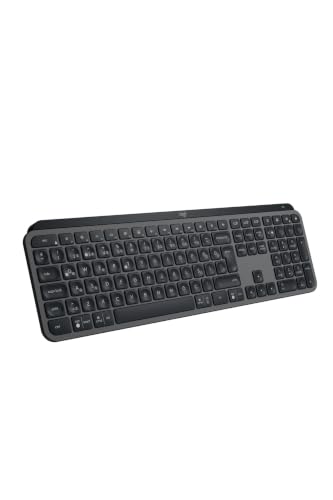
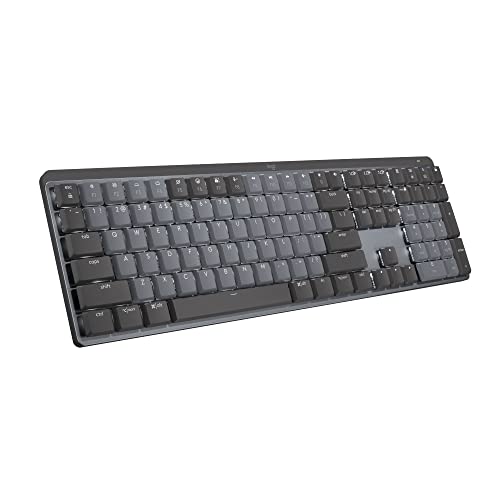


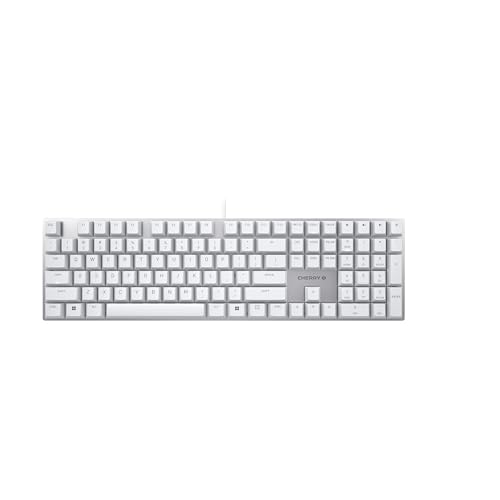
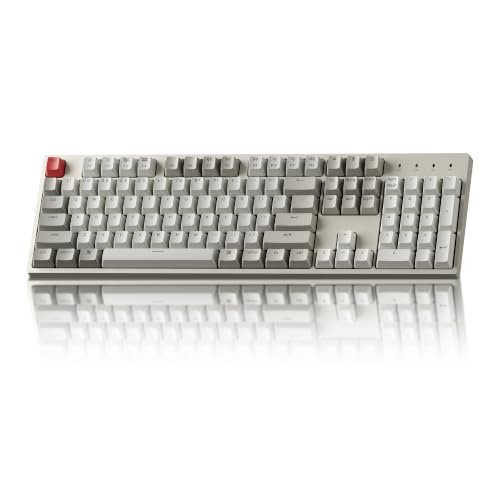

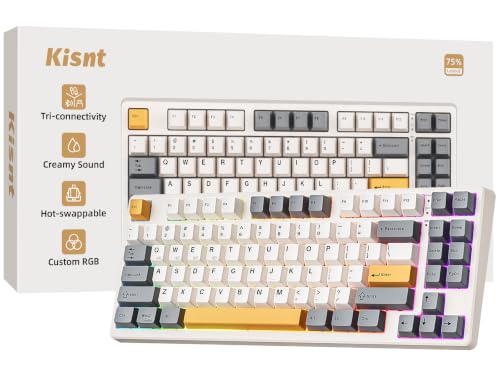


Choosing the Best Computer Keyboards for Writers by Price Tier
Writers tend to buy in three tiers, and knowing what each tier usually delivers prevents both overspending and disappointment. It is a durable way to judge any board you see in the product table above.
Premium Tier
The premium tier, often around $80 to $150, usually delivers the best balance for daily drafting. Expect solid build quality, PBT keycaps that resist shine, reliable wireless or wired connections, and switches that feel consistent across the board. Noise stays moderate with tactile switches, and most boards in this tier include simple backlighting and a layout that suits long documents. Choose the premium tier if writing is your job or your main daily project and you want one board to last for years without fuss.
Mid Range Tier
The mid range tier, often around $40 to $80, covers most needs for students, bloggers, and part time authors. You still get mechanical switches on many models, decent keycaps, and Bluetooth for a laptop and a tablet. Trade offs show up in case materials, thinner padding that can make the board sound hollow, and fewer extras like a volume knob. For pure words per day, this tier is hard to beat. Spend your savings on a good wrist rest and a desk light, both of which affect comfort more than a premium case does.
Entry Tier
The entry tier, often under $40 to around $50, is for writers still finding what they like. Boards here often use membrane switches or entry mechanical switches, simpler plastic cases, and basic wired connections. That is fine while you learn your preferences for key feel and layout size. The limit is longevity and feel: legends may fade sooner and switches can feel uneven. Treat this tier as a learning step, write with it for a few months, and note what bothers you. That note becomes your shopping list for your next, better matched board.
How to Choose the Best Computer Keyboards for Writers: Buying Guide
Start with how you actually write. Long sessions in one place, short bursts across devices, noisy shared rooms, and quiet late night drafting all point to different boards. The sections below break the choice into parts you can check and compare.
Features That Matter for Writers
Writers need consistent key feel above all, because uneven switches break rhythm and raise error rates. Look for a stated actuation force in a moderate range that suits light, fast typing without accidental presses. Keycap shape matters too: a gentle sculpt helps your fingers find home row without looking. Favor boards with clear legends and a standard layout so shortcuts stay where your memory expects them. If you write on the move, a compact board that still keeps arrow keys separate will protect your flow when you edit.
Wired vs Wireless (2.4GHz, Bluetooth)
Wired boards never need charging and never drop a connection, which suits a fixed desk where you draft all day. Wireless boards clear the desk and let you write from a couch or a library table. Bluetooth suits switching between a laptop and a tablet, while a 2.4GHz receiver often wakes faster and feels steadier on one main machine. Wireless latency on modern boards is not a problem for prose. Decide by routine: if you move rooms daily, go wireless, and if you sit in one place, wired simplicity is hard to fault.
Switch Type and Typing Feel
Linear switches press straight down with no bump and suit fast, light typists. Tactile switches add a small bump that confirms a press without a loud click, a favorite for drafting. Clicky switches add sound that can annoy others and tire you over hours. Polling rate affects gaming more than prose, so ignore it. Hot swappable sockets are valuable for writers because you can replace one faulty switch or try a different feel without replacing the whole board.
Ergonomics and Size
Size shapes posture. A full size board includes a number pad but pushes your mouse far to the side, which can strain your shoulder. A tenkeyless or 75 percent layout brings the mouse closer and centers your hands, which many writers prefer for editing with a mouse. Split and angled ergonomic shapes can ease wrist strain, but they require an adjustment week. Keep your wrists neutral, your board flat or slightly angled, and your elbows near your sides. A relaxed hand position you can hold for hours beats a tense, speedy one.
Compatibility (PC and Mac)
Check the legends and layout switch if you write on both Windows and Mac, because modifier keys differ and shortcuts change. Most boards type fine on either system, but media keys and brightness controls may need software on one platform. If you draft in specific writing apps, confirm that programmable keys, if any, work without software you dislike. Keep the included cable even with a wireless board, because a wired link solves pairing trouble in seconds.
Durability and Warranty
Durability shows in switch ratings, keycap material, and case stiffness. PBT keycaps hold their texture and legends far longer than basic caps, which matters when you type thousands of words daily. A board that flexes little will feel more precise and sound less hollow. Look for at least a one year warranty, and longer coverage is a good sign of confidence. Spare switches or a keycap puller in the box add value for writers, since small repairs extend the life of a board you already love.
Types of Computer Keyboards
Beyond price, boards group by design. Seeing the groups helps you read the product table above with clearer eyes.
Ergonomic Models
Ergonomic models split, angle, or curve the keys to keep wrists straight and shoulders open. They help writers with recurring ache or very long sessions, provided you give yourself time to adapt. The trade off is size and a learning curve for accuracy at first. If your current board leaves your forearms sore, this group deserves a serious look, and our general overview of the best computer keyboards can help you compare ergonomic shapes with standard ones.
Wired Models
Wired models are the simplest group: plug in, type, and never manage batteries. They suit a dedicated writing desk and writers who value a constant connection over portability. Many affordable and premium boards alike offer a wired mode even when they also support wireless, so you may not have to choose permanently. If you want that flexibility across rooms, our guide to the best wireless computer keyboards explains when wireless earns its keep.
Gaming Models
Gaming models emphasize fast response, bright lighting, and extra programmable keys. A writer may enjoy the strong build and clear backlight, but will often pay for speed features that prose does not need. Loud switches and busy software are common drawbacks in this group. Choose a gaming board only when you also play often or you love a specific model feel. Otherwise, boards aimed at typing give better value, and you can explore that focus in our guide to the best computer keyboards for typing.
Tips to Get the Most From Your Computer Keyboard
- Clean switches and keycaps regularly with a brush and a keycap puller, because dust and crumbs change feel and can cause missed letters during drafting.
- Update firmware through the companion app only when prompted and while connected by cable, so a wireless drop does not interrupt the update.
- Use a quality mouse pad and keep your mouse close, since reaching far to edit breaks posture and slows revision.
- Keep spare batteries or a charge cable handy if you use wireless, so a dead board never stops a deadline session.
- Set a simple routine: same board height, same chair position, and short breaks each hour to stretch fingers and shoulders.
- Compare notes with other writers on switch feel rather than brand, because feel is what you live with daily; our companion guide to the best keyboards for writers uses that same feel first approach.
One more practical habit helps a lot: keep a small notebook or a notes file for keyboard observations during your first two weeks. Write down which keys feel stiff, whether the layout causes errors, and how your wrists feel after an hour. Those notes tell you whether to adjust height, add a rest, or try different switches while returns are still easy.
Frequently Asked Questions
What features matter most in computer keyboards for writers?
Switch consistency, keycap quality, and layout matter most for writers. A board that feels the same on every letter keeps your rhythm steady and reduces corrections. PBT caps and a layout that centers your hands add comfort over long drafts. Wireless is a convenience, not a core writing feature, so rank feel and layout first. A quiet tactile switch is the most common happy middle ground.
Do computer keyboards for writers work with Mac?
Most work with Mac for typing, and many include a layout switch for Mac legends and shortcuts. A few media keys may behave differently, so check your main shortcuts early. Keep a wired connection option, because it is the most universal fallback for setup and troubleshooting across devices you own.
Is a quiet keyboard important for writers?
It is if you write in a shared home, a library or late at night. Membrane boards and silent or tactile mechanical switches keep noise low, while clicky switches carry across a room. Quiet keys also tend to feel gentler on the fingertips over a long draft.
Wired or wireless: which is better for writers?
Wireless is as responsive as wired for prose, so choose by routine. Wired never needs charging and suits a fixed desk, while wireless clears the desk and moves between rooms or devices. A board that offers both modes covers either habit.
Are mechanical keyboards worth it for writers?
Mechanical keyboards are often worth it for writers who type daily, because switches last longer and feel more distinct than most membrane boards. Hot swappable models add repair and tuning options that extend value. They are not mandatory: a well made membrane board can serve light writers well. The deciding factor is hours: the more you type each week, the more the clearer feel and durability repay the higher price. Writers focused on switch choice may also value our guide to the best mechanical keyboards for writers.
The Bottom Line
Put switch feel first, layout second, and connection third. That order serves almost every writer, from daily novelists to weekly newsletter authors. Use the tier guidance above to set a budget, then confirm PBT caps, clear legends, and a warranty you can live with. The best computer keyboards for writers are the ones that disappear under your hands while words keep moving, so check the product table above and choose the board that matches your routine.