
Best Compact Printers for Mac: Guide for Everyday Use 2026
Disclosure: We may earn a commission when you buy through links on this page, at no extra cost to you. As an Amazon Associate I earn from qualifying purchases. Learn more

Best compact printers for Mac: AirPrint laser, inkjet and ink tank models compared by scanner support, cost per page and setup.
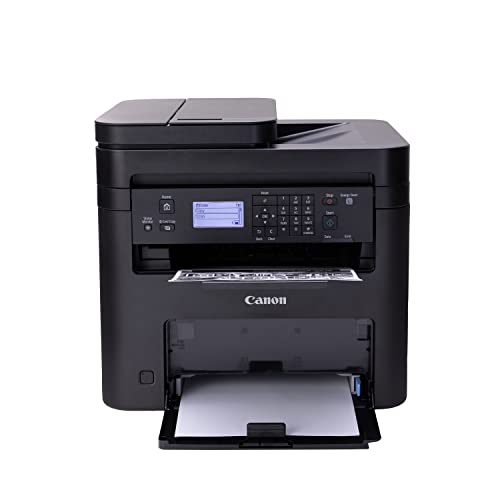
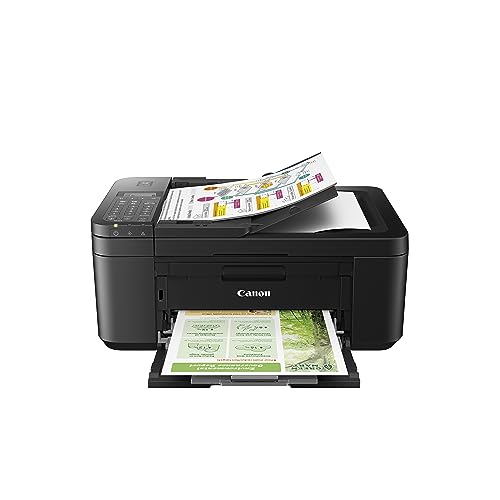
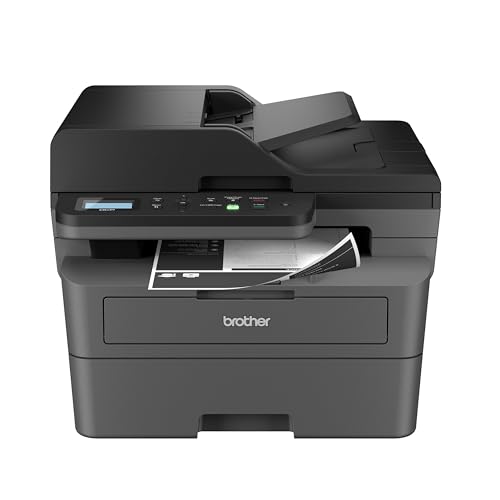
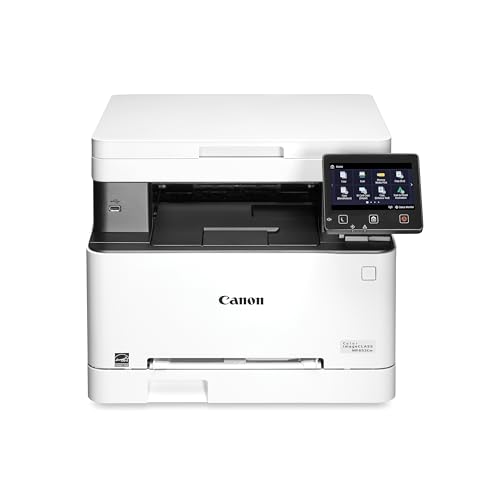
Mac owners have one big advantage when buying a printer: AirPrint. The best compact printers for mac work with macOS without hunting for drivers, so you add the printer in System Settings and print. The product table above lists current compact models that suit a Mac, and this guide explains what to check beyond AirPrint, including scanning, ink costs and network behavior.
Not every printer behaves equally well on a Mac. Some give full scanning and maintenance tools through an app, others give only basic printing. A little checking up front saves a frustrating evening.




What Works Well On A Mac
AirPrint and driverless printing
AirPrint lets macOS find a printer on your network and print without installing software. For everyday printing this is all you need. Check that the listing mentions AirPrint, and look for scanner support if you need it, since scanning sometimes needs the maker's app.
Maker apps and scan software
For scanning, ink level checks and cleaning, you may need the maker's utility. Read buyer comments for recent macOS versions, since software can lag behind new releases. Many printers can scan through the Image Capture app that comes with macOS, which is often enough.
Apple silicon and recent macOS
Newer Macs run current macOS and Apple silicon chips. Driverless printing avoids most compatibility trouble. If a printer needs a legacy driver, check that the maker still supports your macOS version.
Types Of Compact Printers To Compare
Compact laser printers
Monochrome laser printers are the simplest on a Mac. They print sharp text, wake quickly and rarely need maintenance. They suit students and home offices that print documents.
Inkjet all-in-ones
Inkjets add color, photos and a scanner. Ink cartridges cost more per page, and the printer can clog if left idle. They suit households that print mixed jobs.
Ink tank printers
Tank printers use ink bottles and have a lower running cost. They suit people who print color regularly and want to avoid expensive cartridges.
Features That Matter In The Best Compact Printers For Mac
Wireless setup
A simple Wi-Fi setup from the printer's screen or a phone app saves time. Check whether the printer supports a stable 5 GHz or 2.4 GHz connection with your router, and look for Ethernet as a backup.
Duplex and scanner
Automatic duplex printing saves paper. A flatbed scanner handles pages and photos, and a feeder is useful for multi-page documents.
Size and quiet running
Measure the shelf with the paper tray extended. A quieter printer helps in a shared room or a studio.
Print quality
For documents, text should be clear at small sizes. For photos, look for a model with a photo tray and good color. A laser is excellent for text, while an inkjet gives better pictures.
Running Costs For Mac Users
Compare the cost of replacement toner or ink to its page yield. A compact laser often costs the least per page for black text, and a tank printer often costs the least for color. Avoid models that lock you into a subscription unless it suits your volume. Check whether third-party supplies work, as some printers refuse them after firmware updates.
Setting Up On macOS
Connect the printer to the same network as your Mac, then open System Settings, choose Printers and Scanners and add the printer. If it appears as AirPrint, choose that option. Print a test page, and set double-sided black and white as your default to save paper. For scanning, open Image Capture or the maker's app and choose a folder for your scans.
Update the printer's firmware when the maker offers it, since updates fix network and security problems. If the printer disappears from the list, restart the printer and the router, and check that the Mac and the printer share the same network.
Printing From Pages, Preview And The Cloud
On a Mac, printing is built into every app through the Print dialog, so features like duplex, paper size and color settings appear in one place. Save frequent settings as presets, such as double-sided black and white for drafts and high quality for photos. Printing to PDF from the same dialog is useful for sharing documents and keeping digital copies, and it saves paper when you only need a record.
If you print from iCloud Drive or from a shared document, make sure the printer is on the same network as your Mac, because AirPrint depends on local discovery. For remote printing, some makers offer an email address for the printer, but check whether it requires an account and whether the privacy terms suit you.
Working From A Laptop Around The Home
MacBook owners move between rooms, which makes network stability important. A printer that sleeps and wakes without dropping off the network saves frustration, so read buyer comments about waking from sleep. Placing the printer within reasonable range of your router, or using Ethernet, helps. A compact model near the work area keeps you from carrying documents between rooms, and a printer with a tidy paper tray keeps the shelf neat.
If you share the printer with a Windows machine or a phone, check that the model supports the apps you need on every device. Most current printers handle mixed households well, but older models can be fussy.
Common Mistakes
The usual mistakes are assuming all printers work equally on a Mac, ignoring scanner support, buying on purchase price without checking supplies and placing the printer too far from the router. Check the return terms in case setup is difficult.
Related Guides
For nearby options, see best compact photo printers, best printers for mac computers, best compact home printers, best compact laser printers and best multifunction printers for mac.
Frequently Asked Questions
Do I need a driver for a printer on a Mac?
Usually not. AirPrint lets macOS print without installing software, though scanning may need the maker's app or Image Capture.
Is laser or inkjet better for a Mac?
Both work. Laser is simpler and cheaper for text, and inkjet is better for color and photos.
Can I scan from a Mac with a compact printer?
Yes. Use Image Capture or the maker's app. Check buyer comments for scanner support on your macOS version.
Why does my printer keep going offline?
Often a network issue. Restart the printer and router, and check that the Mac and printer are on the same network.
Does the printer work with my iPhone too?
Most AirPrint printers also print from an iPhone or iPad over Wi-Fi without extra apps.
Final Thoughts
Look for AirPrint, decide between laser, inkjet and tank, and check the scanner and supplies. Compare the models in the product table by size and running cost. The best compact printers for mac are the ones that connect in a minute and keep working without maintenance.

