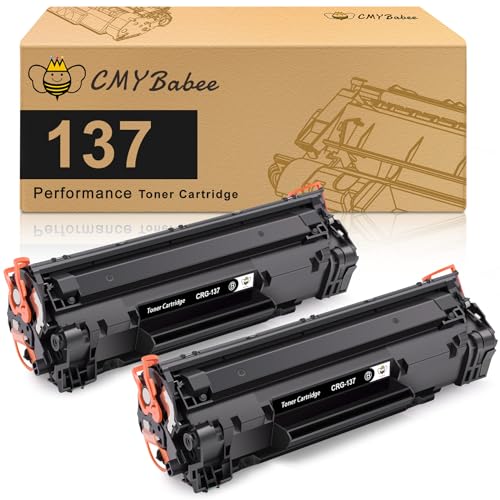
Best Compact Laser Printers: Buying Guide 2026
Disclosure: We may earn a commission when you buy through links on this page, at no extra cost to you. As an Amazon Associate I earn from qualifying purchases. Learn more

Best compact laser printers for home desks: compare mono and color models, toner yield, duplex printing and wireless setup.
Choosing best compact laser printers starts with a simple question: how much space do you really have, and how much do you print each week? The comparison table below gives a quick overview of the main choices, and this guide explains size, speed, and running cost in plain terms.
Compact laser printers trade some features for a smaller footprint. They suit desks, shelves, and small rooms, but paper capacity and duplex speed can vary a lot. Knowing your weekly volume helps you avoid a printer that is either too small or needlessly large.


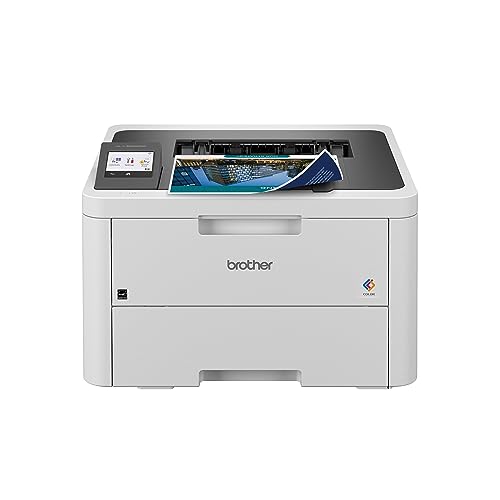

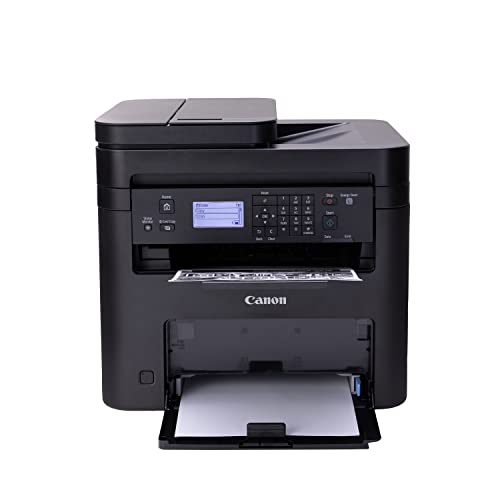
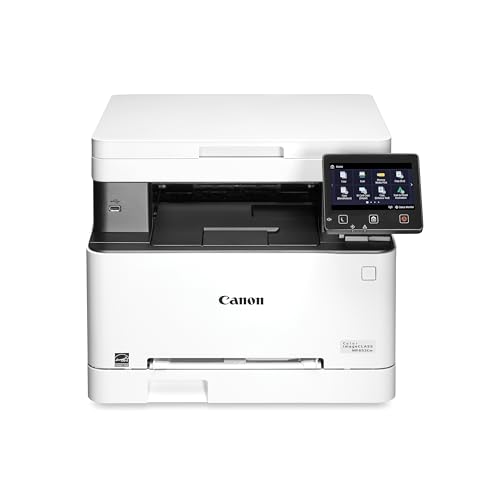
Who This Choice Suits Best
Compact laser printers suit home workers, students, and small offices with limited desk space. They also suit anyone who prints mostly text and wants sharp, smudge free pages without waiting for ink to dry.
They are a weaker fit for heavy photo printing or large shared offices with very high volume. In those cases, a larger printer with bigger trays and faster output may save time and money.
Types Compared
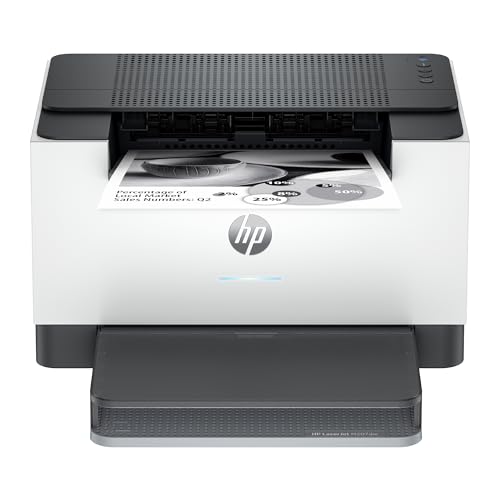
Compact mono laser printers
Mono laser printers print in black only and are usually the smallest and cheapest to run. They suit text, forms, and homework where color is not needed.
They cannot print color charts or photos. If you print color even occasionally, a color model or a separate color printer may be worth the extra space.
Compact color laser printers
Color laser printers add color toner for charts, presentations, and school projects. They suit home offices that need occasional color without a large machine.
They are larger and cost more to run than mono models, since they use four toner cartridges. Check the price of a full toner set before you buy.
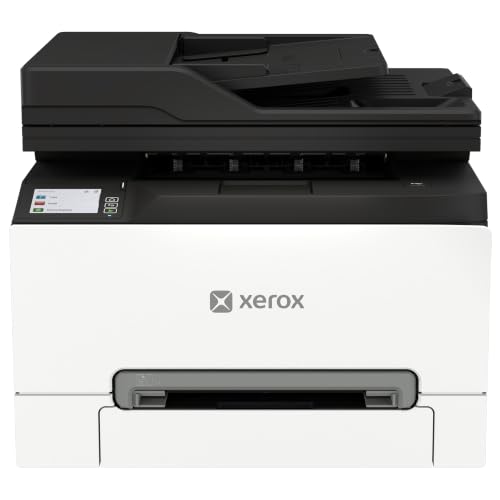
Compact multifunction laser printers
Multifunction models add scanning and copying, and sometimes fax, in one small box. They suit small spaces where a separate scanner would clutter the desk.
They can be taller than print only models, so measure height as well as width. Check whether the scanner lid handles books and thick documents comfortably.
Key Features to Compare
Size and placement
Measure the space with the paper tray open and the output tray extended. Printers often look compact in photos but need extra room at the front for paper to exit.
Allow airflow around the printer and easy access to the toner door. A tight shelf that blocks the toner door will make routine changes frustrating.
Print speed and quality
Speed is usually quoted in pages per minute for simple text. Real world speed is slower for mixed documents and first page out time matters if you print one page at a time.
Laser text should look sharp at normal reading sizes. If you print small fonts or fine lines, test a sample page rather than trusting resolution numbers alone.
Running cost and toner
Toner yield is quoted for a standard coverage level, and real use varies. Divide the toner price by its quoted yield to compare running costs fairly across models.
Starter cartridges often hold less toner than standard ones. Ask what is included in the box, and check whether high yield cartridges are available for your model.
Connectivity and setup
Most compact printers offer wireless, USB, and mobile printing. Wireless setup should be simple, and the printer should wake reliably from sleep without repeated reconnects.
Check driver support for your computer and phone. A printer that works well with one device but not another can become a daily annoyance.
Related guides that help you narrow things down: best laser printers, best compact photo printers, best colour laser printers, best compact home printers and best multifunction laser printers.
Common Mistakes to Avoid
A common mistake is buying on size alone and ignoring running cost. A cheap printer with expensive toner can cost more over two years than a slightly larger model with cheaper cartridges. Another mistake is forgetting paper capacity, which leads to constant refilling.
Do not place a printer where the output tray hits a wall or the paper path bends sharply. Poor placement causes jams and makes the printer feel unreliable even when the machine itself is fine.
Getting the Most From Your Choice
Keep the printer on a level surface, use dry paper stored flat, and run a cleaning cycle if pages show streaks. Replace toner when print fades rather than shaking a nearly empty cartridge repeatedly, which can cause uneven output.
The product table above helps you compare types at a glance. Match size to your desk, speed to your volume, and toner cost to your budget, and the right compact model becomes clear.
Toner, Starter Cartridges And Real Running Cost
Laser printers are cheap per page once you buy them, but the first cartridge in the box is often a starter size that runs out early. Look at the yield of the replacement toner before you buy, then divide its price by that yield. A printer that costs a little more but accepts a high yield cartridge often wins after a year of regular printing.
If you print a few pages a month, shelf life matters more than yield. Toner does not dry out like ink, which is why a compact laser suits occasional printing so well. You can leave it for weeks and the first page still comes out crisp.
Duplex, Scanning And Paper Handling
Automatic duplex saves paper and is worth having if you print school or work documents. A single-function model with a single-sheet bypass is fine for text only, while a multifunction model adds a scanner glass or an automatic feeder. Check whether the feeder is included, since scanning a ten-page contract by hand is tedious.
Paper trays on compact models hold fewer sheets than office machines. If you print long reports, a larger tray saves reloading, and a rear slot helps with envelopes and labels.
Setup, Wireless And Phone Printing
Most compact lasers join your Wi-Fi from the printer screen or a phone app in a few minutes. Keep the printer on the same band as your computer and give it a fixed address if you notice dropped connections. Mobile printing from iPhone and Android is common, but confirm support for the apps you use.
A USB cable is a useful backup if your router is far away or crowded with devices.
Frequently Asked Questions
Are compact laser printers good for photos?
They handle color charts and simple graphics well, but they are not the best choice for high quality photos. For frequent photo printing, a dedicated photo printer gives richer color and smoother gradients.
How much desk space does a compact laser printer need?
Allow the printer footprint plus room for paper to exit and for the toner door to open. Measure with trays extended, not just the closed box size quoted in listings.
Do compact laser printers cost more to run?
Running cost depends on toner price and yield, not size alone. Compare the cost per page using standard yield figures, and check whether high yield cartridges exist for the model.
Can a compact laser printer handle duplex printing?
Many can, but duplex speed is slower than single sided speed. If you print double sided often, check that automatic duplex is included rather than manual flipping.
Is wireless printing reliable on compact models?
Usually yes, provided the printer sits within good wireless range and wakes from sleep cleanly. If your router is far away, USB or a wired connection may be more dependable.
Final Thoughts
A good compact laser printer fits your space, keeps up with your volume, and stays affordable to run. Measure carefully, compare toner costs, and test connectivity before settling. With those checks done, best compact laser printers become a quiet, reliable part of a small workspace rather than a source of daily friction.