
Best Compact Printers For Home Office Buying Guide 2026
Disclosure: We may earn a commission when you buy through links on this page, at no extra cost to you. As an Amazon Associate I earn from qualifying purchases. Learn more
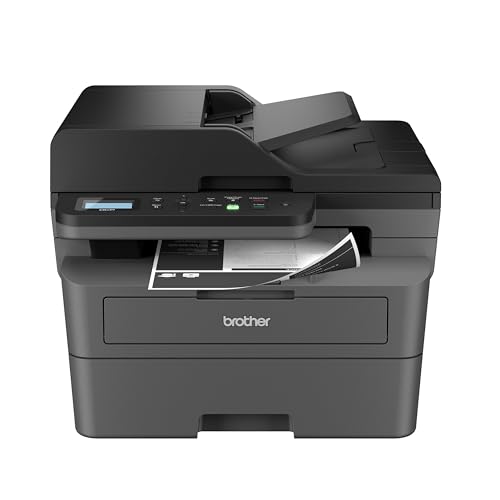
Best compact printers for home office: laser, inkjet and ink tank models compared by cost per page, scanner, feeder and network setup.
A home office printer earns its keep on the days you need a signed contract, a shipping label or a thirty-page report in your hands within minutes. The best compact printers for home office do that without taking over the desk, and the product table above lists current all-in-one and single-function models sized for a spare shelf or the corner of a desk. This guide explains how to choose between laser and inkjet, how much a scanner and document feeder matter and what the real running costs look like.
Working from home changes what you ask of a printer. You print more text than photos, you scan receipts and forms, and a jam on deadline day costs real time. Reliability, running cost and network behavior matter more than top speed or photo quality.
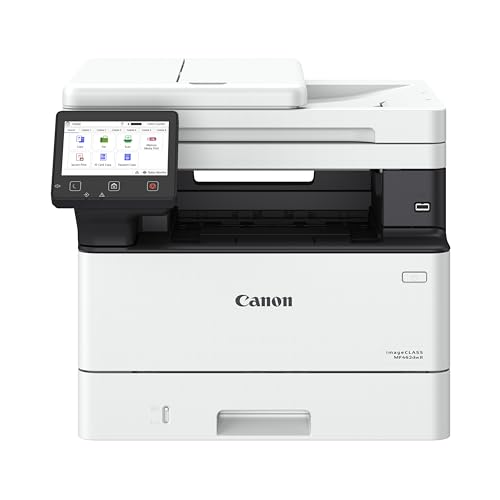
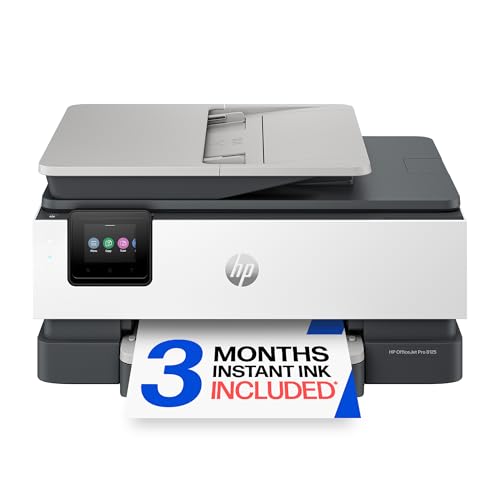

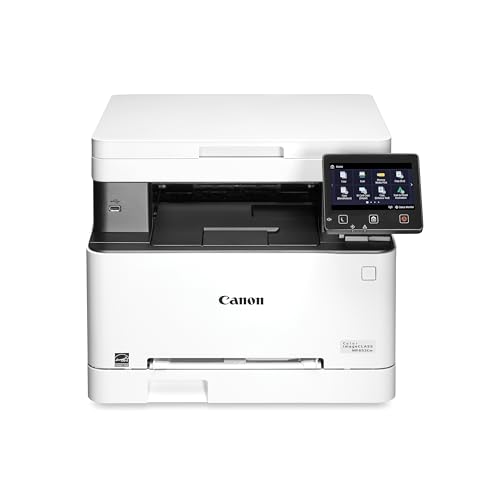


Laser Or Inkjet For A Home Office
Compact laser printers
Monochrome laser printers print sharp text quickly, hold toner for months without drying out and cost little per page. They suit people who print documents, invoices and forms. Color laser models add charts and presentations but cost more to run.
Inkjet all-in-ones
Inkjets handle color, photos and mixed documents, and many are compact. Their cartridges can dry out if the printer sits unused, and cost per page is higher with small cartridges. Buyers who print occasionally should be cautious about cartridge prices.
Refillable tank printers
Ink tank printers use bottles of ink instead of cartridges, which lowers the cost per page a great deal. They suit home offices with steady printing and a need for color. The printer costs more to buy, but ink is much cheaper over time.
Features That Matter For Paperwork In The Best Compact Printers For Home Office
Automatic document feeder
A feeder scans and copies multi-page documents without lifting the lid each time. It is a big time saver for contracts, tax papers and statements. If you only scan a page now and then, a flatbed alone will do.
Duplex printing
Automatic two-sided printing saves paper and gives a more professional look for reports. It is worth having if you print documents for clients.
Paper tray size
Compact printers usually hold fewer sheets than office machines. A 100-sheet tray means more reloading, but it can be fine for light use. Check whether the tray accepts letter and legal sizes and whether a rear slot handles envelopes.
Wireless and security
Wi-Fi printing, USB and Ethernet cover most setups. Ethernet is the most stable for a shared home network. Keep the firmware updated and set a password on the printer's web page, since a printer is a network device.
Understanding Running Cost
The purchase price tells you little. Look at toner or ink cost and the page yield. Divide the price of a replacement cartridge by its stated yield to find cost per page, then multiply by your monthly pages. A cheaper printer with expensive cartridges can cost more over two years than a higher-priced model with cheaper supplies. Check whether the printer uses a subscription for ink. Those plans can be convenient for light users but can lock you in.
Size, Placement And Noise
Measure the shelf or desk with the paper tray open and the output tray extended. Leave space behind for cables and airflow. Laser printers warm up and make a short burst of noise when printing, so a spare shelf away from video calls helps. Place it near the router if you use Wi-Fi, or run an Ethernet cable if the router is close.
Everyday Care
Keep paper dry and flat, run the printer's cleaning routine only when prints show streaks, and replace toner when output fades. Clear jams gently along the paper path and let a hot printer cool before opening it. Do not open toner cartridges near your face. Turn the printer off when you leave for a long period.
Budget Tiers In Practice
Entry-level compact printers cover occasional printing and light scanning, but they often use small cartridges that run out quickly. The middle of the range adds a document feeder, duplex printing, Ethernet and larger cartridges, which is where most home offices find a good fit. Premium compact models add faster engines, bigger trays, security controls and longer warranties, and they pay off for people who print every day.
If you only print a few pages a month, buy for reliability rather than speed, and consider a laser that will not dry out. If you print heavily, spend more up front on a tank or high-yield laser model and let the lower running cost repay the difference.
Setting Up A Printing Routine
Place the printer where you can reach it from your chair, connect it to the network and add it to your laptop and phone on day one. Print a test page, then save a profile for double-sided black and white as your default, which cuts paper and ink costs automatically. Keep a ream of paper and a spare toner or ink set in a drawer, so a low cartridge never stops a deadline.
Scan to a folder or to cloud storage and name files in a consistent way, so receipts and contracts are easy to find at tax time. If the printer offers scan to email or to a shared drive, set it up before you need it. A little preparation turns a compact printer into a small paperwork station.
Common Mistakes
The most common mistakes are buying on purchase price alone, choosing an inkjet for heavy text printing, ignoring document feeder capacity, and forgetting that setup software can be a hassle on a work laptop. Check driver support for your operating system and read the warranty and return terms in case the model does not suit your workflow.
Related Guides
For nearby options, read best compact home printers, best office printers for home, best computer printers for home, best home office printers and scanners and best multifunction printers for home office.
Frequently Asked Questions
Is a laser printer better for a home office?
For mostly text documents, yes. It prints fast, stays ready for weeks and costs little per page. Choose inkjet or ink tank for color and photos.
Do I need a scanner?
If you handle contracts, receipts or forms, an all-in-one saves a separate scanner. A document feeder helps with multi-page sets.
How much will it cost to run?
Divide cartridge price by its page yield and multiply by your monthly pages. Tank printers are the cheapest per page.
Can I print from my phone?
Most modern models support phone printing over Wi-Fi. Check that the maker's app and AirPrint or Mopria work with your phone.
How long do compact printers last?
With regular use and basic care, several years. Lasers usually outlast cheap inkjets.
Final Thoughts
List what you print, how often and in what color, then match it to laser, inkjet or tank. Use the product table to compare models on scanner, feeder and cost per page. The best compact printers for home office are the ones that stay reliable on deadline day and cost little to run.


