Best Comcast Compatible Routers: Modem Combos and Standalone Routers for Xfinity in 2026
Disclosure: We may earn a commission when you buy through links on this page, at no extra cost to you. As an Amazon Associate I earn from qualifying purchases. Learn more

The best Comcast compatible routers include modem combos and standalone routers. Learn what Xfinity approval means and how to match speed, Wi-Fi and cost.
Renting a gateway from Comcast is easy, but the monthly fee adds up, and many households do better with their own equipment. Buying a Comcast compatible router or a modem router combo can pay for itself within a year or two, and it gives you control over your Wi-Fi. The best Comcast compatible routers are the ones that match your plan speed, your home size and the approval list that Xfinity maintains.
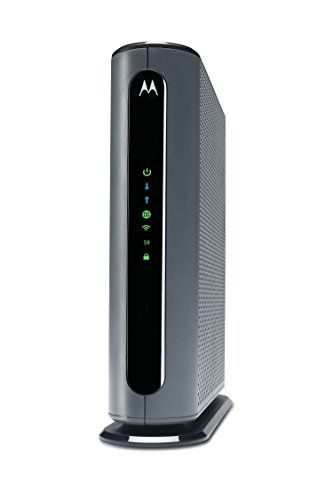
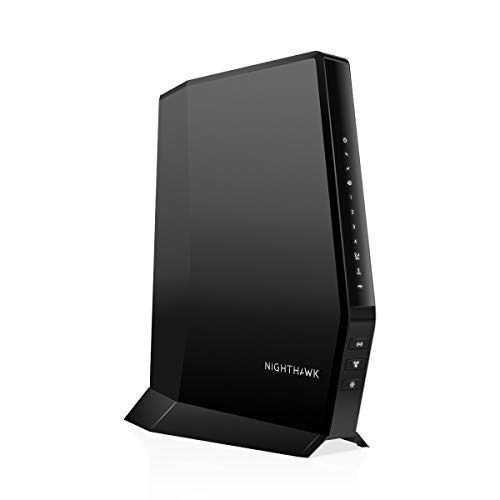
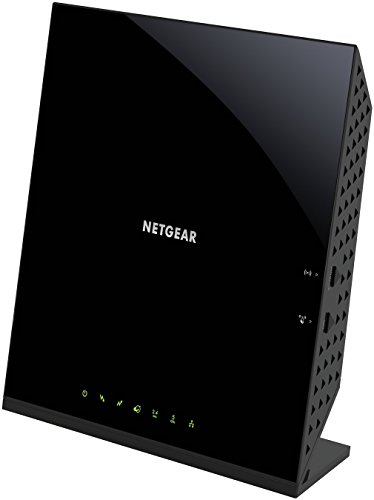
The product table above mixes cable modem router combos with standalone routers and mesh systems. The sections below explain which is which, how to check compatibility and what to consider before you return your rental.





Understanding Compatible Equipment
Modem Router Combos
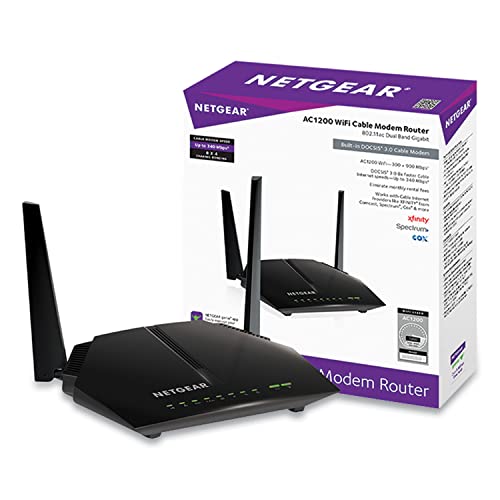
A combo is a single box that holds a cable modem and a Wi-Fi router. It connects to the coax cable from the wall and broadcasts Wi-Fi. Combos keep the setup simple and save space, but if either half becomes outdated, you replace both.
Standalone Routers
A standalone router needs a separate cable modem, or a Comcast gateway set to bridge mode. It lets you upgrade your Wi-Fi without touching the modem, and a wide choice exists, including Wi-Fi 6 and mesh systems. This is the better route for large homes or for anyone who wants strong coverage.
Approval and Speed Tiers
Comcast lists approved modems and combos by speed tier. A device that is approved for your plan speed will activate and support it, while an older device may work but limit your speed. Check the official list for your plan before you buy, and note the DOCSIS version on the box.
Choosing Among the Best Comcast Compatible Routers
Match Your Plan Speed
If your plan is modest, an older DOCSIS 3.0 combo may be enough. For faster plans, choose a DOCSIS 3.1 unit with multi gigabit ports and a modern Wi-Fi standard. Buying a device that is faster than your plan gives room for future upgrades.
Wi-Fi Standard and Coverage
Wi-Fi 6 and Wi-Fi 6E offer better performance with many devices at once. A single router covers a small to medium home, and a mesh system covers larger homes or those with thick walls. Check the coverage claim for the square footage and expect a little less in real life.
Ports and Features
Look for gigabit ports for wired devices, and a multi gigabit port if you plan to connect a fast network storage device. Features such as parental controls and guest networks are nice. Some units include a telephone port, which matters only if you use Comcast voice service.
Switching From a Rental Gateway
Before you swap, make a list of devices that rely on the rented gateway. If you have Xfinity voice or a security system that uses the gateway, check whether it will still work with your own equipment. Order the new device, then follow the activation steps, using the Xfinity app or the website.
Keep the old gateway connected until the new device is ready, then return the rental through the approved process and keep the receipt. Many users also check their next bill to confirm the equipment fee is gone. For deeper comparisons, see the best modem routers for comcast, best routers for comcast xfinity and best wifi routers for comcast.
Getting Better Wi-Fi at Home
Router placement matters as much as hardware. Put the router on a shelf or table at about chest height, and avoid cabinets, basements and corners. A central position gives even coverage, and a wired connection to a mesh node extends it far better than wireless hops alone.
Use the 5 GHz band for fast, nearby devices and the 2.4 GHz band for devices that are far away or are older. Many modern routers combine them under one name and manage the choice automatically. If a device keeps dropping, split the bands temporarily, which makes it easier to control which network it joins.
Pitfalls to Avoid
Do not buy a device that is only approved for older, slower plans if you may upgrade soon. Check the return policy, in case activation fails, and keep your receipts. If you rely on voice service or home security equipment from Comcast, confirm compatibility before you return the rented gateway.
Doing the Cost Math
Look at your current bill and find the monthly equipment fee, then multiply by twelve. Divide the price of the device you like by that number to see how many months it takes to break even. A combo that costs about the same as a year of rental fees is an easy decision, while a premium mesh system may take longer.
Remember that your own equipment also means you are responsible for it. If it fails after the warranty, you buy a new one, whereas a rental is replaced for free. Most people accept that trade for the savings and the control over their network.
Quick Buyer Checklist
- Is the device on the Xfinity approved list for your plan speed?
- Do you want a combo or a standalone router?
- Which DOCSIS version and Wi-Fi standard does it support?
- Does it have enough gigabit ports for your wired devices?
- Does your home need a mesh system?
- Do you use Xfinity voice that needs a telephone port?
- How soon will the savings cover the cost of the device?
Red Flags to Watch For
- Listings that say "compatible with all providers" without naming Xfinity.
- Used or refurbished units with no return policy.
- Devices that are not approved for your plan speed.
- Wi-Fi claims that list a huge speed but no real coverage details.
- Missing information about warranty or firmware updates.
Care Tips
Place the router in a central, open location and away from microwaves and thick metal objects. Restart it occasionally, and install firmware updates when available. Change the default Wi-Fi password and use WPA3 or WPA2 security.
FAQ
Can I use any router with Comcast?
You can use any router behind an approved modem. If you use a modem router combo, it must be on Xfinity's approved list.
Do I need to pay for activation?
Activation is normally free through the Xfinity app or website. Check the current process on the official page.
Will my speeds improve with a new router?
Wi-Fi speeds may improve, especially at a distance. Wired speeds depend mostly on your plan and modem.
Check approval, match the plan speed and pick the Wi-Fi coverage your home needs. Then use the product table above to compare the best Comcast compatible routers and put the rental fee to rest.