
Best Compact Routers 2026: Everything to Know Before Your First Purchase
Disclosure: We may earn a commission when you buy through links on this page, at no extra cost to you. As an Amazon Associate I earn from qualifying purchases. Learn more
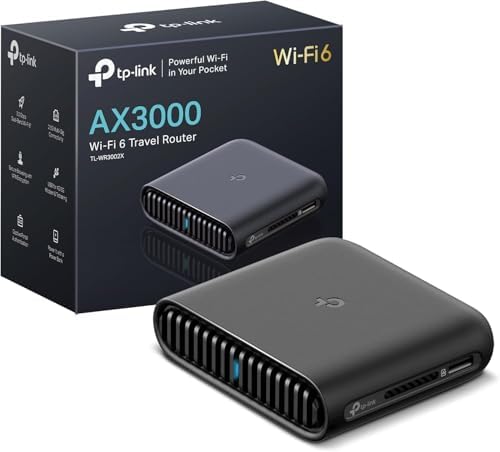
Best compact routers for apartments and travel: WiFi standards, speed ratings, coverage, ports and setup explained for first-time buyers.
A compact router fits where a full size router cannot: a small apartment shelf, a travel bag, or a crowded desk. The best compact routers question starts with a trade off, though. Smaller size can mean fewer antennas, fewer ports, and less coverage, so you need to know what you are giving up. The comparison table below previews compact router types, and this guide explains the basics for first time buyers.
This guide explains WiFi standards, speed ratings, coverage, and setup in plain language, then lists rookie mistakes to avoid. No product rankings appear here, only the knowledge that helps a first time buyer choose a router that actually covers their home.


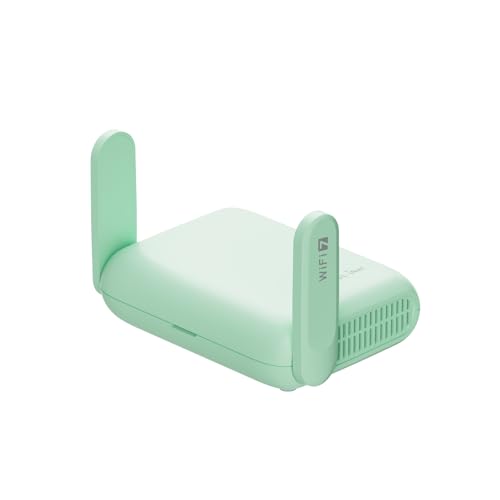
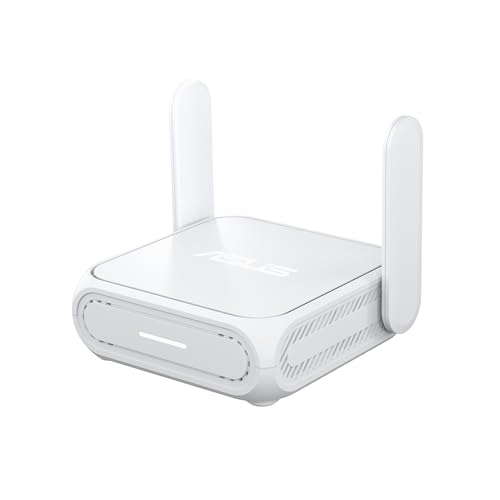
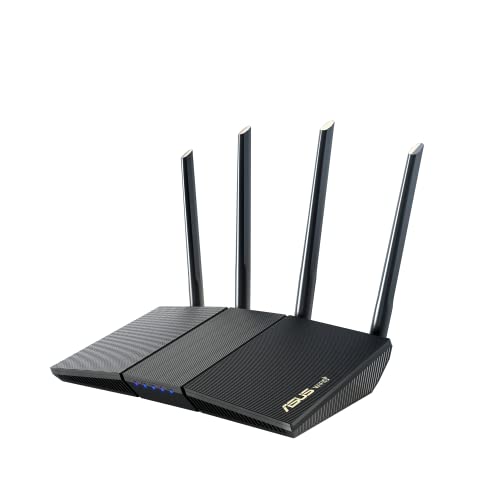

The Basics of the Best Compact Routers
A router connects your home devices to the internet and to each other, creating a local WiFi network. Your internet provider supplies the connection, while the router distributes it wirelessly and through ethernet ports. A modem may be built in or separate, depending on your provider and plan.
Compact routers do the same job in a smaller case, often with internal antennas instead of tall external ones. That saves space but can reduce range slightly. Travel routers add battery or USB power and a simpler setup for hotel and mobile use, while compact home routers prioritize stable all day coverage.
Key terms to know: WiFi standard (the generation of wireless technology), bands (2.4 GHz for range, 5 GHz and 6 GHz for speed), and speed rating (a theoretical maximum, not a guaranteed speed). Your real speed will always sit below the rating, limited by your internet plan and your walls.
Key Specs Explained in Plain English
Measuring for Size and Portability
Measure the shelf or bag where the router will live, including ventilation space around it. Routers need airflow to avoid overheating, so a tight cabinet without vents will throttle performance. Weight matters for travel routers, while footprint matters more for home shelves.
Port count is a hidden size trade off. Compact routers often offer one or two ethernet ports instead of four, which suits wireless heavy homes but frustrates users with wired desktops, consoles, and smart hubs. Count your wired devices before choosing a compact model.
WiFi Standard
WiFi 6 handles many devices efficiently and suits most homes today. WiFi 6E adds a 6 GHz band for less crowded, faster connections on supported devices. WiFi 7 offers even higher speeds and lower latency, but needs compatible devices to show its full benefit.
Choose the standard that matches your devices. A WiFi 7 router will not speed up a WiFi 5 phone, though it may future proof your network for a few years. For most first time buyers, WiFi 6 or 6E offers the best balance of price and performance.
Speed Ratings vs Your Internet Plan
Speed ratings like AX3000 describe combined theoretical speeds across bands, not the speed any single device will reach. Your internet plan sets the real ceiling: a gigabit plan can feed fast WiFi, while a 100 megabit plan cannot, no matter how fast the router claims to be.
Check your plan speed first, then choose a router that comfortably exceeds it. That headroom ensures the router is not the bottleneck. If your plan is slow, spending on a top tier router wastes money that could go toward a faster plan instead.
Coverage and Home Size
Coverage depends on walls, floors, and interference, not just router power. A single compact router suits a small apartment or a single floor home. Larger homes or multi floor homes often need a mesh system, where multiple units share one network name and hand devices between them smoothly.
Place the router centrally and elevated, away from thick walls and metal objects. A router hidden in a corner or a cabinet covers half the home poorly. If dead zones persist after good placement, add a mesh node or an access point rather than buying a more powerful single router.
Setup and App Management
Modern routers set up through a phone app in minutes, guiding you through network naming, password creation, and firmware updates. Check whether the app requires an account or a subscription for basic features, since some makers lock parental controls or security reports behind a paywall.
Good management tools include guest networks, device lists, and automatic firmware updates. Guest networks keep visitors off your main devices, while automatic updates patch security flaws without your attention. Set a strong admin password during setup, since the default password is a known security risk.
Rookie Mistakes to Avoid
- Buying the fastest router while keeping a slow internet plan that caps real speed.
- Hiding the router in a cabinet or corner, then blaming the router for dead zones.
- Ignoring port count and discovering too late that wired devices have nowhere to plug in.
- Leaving the default admin password and WiFi password unchanged after setup.
- Skipping firmware updates that patch security flaws and improve stability.
A final note on related gear: compact routers pair well with compact modems and small switches, but each added device needs power and ventilation. Keep the setup simple for a first purchase, and expand only when a real need appears. Readers comparing wireless options may also find guides to best wlan routers useful for the broader wireless category.
Securing Your Home Network From Day One
Security setup takes ten minutes and protects your network for years. Start by changing the admin password from the factory default, since default credentials are widely known. Create a strong WiFi password with a mix of letters, numbers, and symbols, and store it in a password manager rather than on a sticky note beside the router.
Enable automatic firmware updates so security patches install without your attention. Set up a separate guest network for visitors and smart home devices, which keeps guests off your main devices and limits what a compromised gadget can reach. Disable remote management unless you specifically need it, since an internet facing admin panel invites attacks.
Finally, review connected devices monthly in the router app. An unfamiliar device may be a neighbor borrowing WiFi or a compromised gadget, and removing it takes seconds. These simple habits protect your data far more than any premium security subscription, and they cost nothing beyond a few minutes of setup.
Frequently Asked Questions
Do compact routers cover a whole house?
A compact router covers a small apartment or a single floor home well, but it may struggle in a large or multi floor house. Walls and floors reduce signal more than router size alone suggests. Place the router centrally and check every room before deciding. For larger homes, a mesh system usually beats a single powerful router.
Is WiFi 7 worth it for a first router?
WiFi 7 is worth it if your devices support it and your internet plan is fast enough to benefit. For most first time buyers with mixed devices, WiFi 6 or 6E offers better value. WiFi 7 future proofs the network, but the premium only pays off when devices catch up. Check your newest phone and laptop standards before deciding.
Can I use a compact router while traveling?
Yes, travel compact routers are designed for hotels, rentals, and mobile hotspots. They often run on USB power and create a private network from a hotel ethernet port or a phone hotspot. Check power requirements and whether the router needs a separate modem for your connection type. A travel router also adds security on public networks.
Why is my WiFi slow even with a new router?
Slow WiFi with a new router usually traces to a slow internet plan, poor placement, interference, or an old device. Run a speed check over a wired connection first to isolate the plan from WiFi issues. Move the router centrally, update firmware, and try a newer device. If wired speed is also slow, contact your provider.
Should I rent a router from my provider?
Renting suits users who want provider support and easy replacement, but monthly fees add up over years. Buying your own router usually costs less long term and offers better features. Check provider compatibility before buying, since some services require approved modems. Keep the rented unit as a backup during the transition if possible.
Do I need a separate modem with a compact router?
It depends on your internet service. Cable and fiber services often need a separate modem or an optical terminal, while some compact routers include a modem for DSL. Check with your provider before buying, since an incompatible router cannot connect at all. Many providers list approved modems and routers, which removes the guesswork from the purchase.
Final Thoughts
A compact router is a smart first purchase when you match it to your home size, your internet plan, and your wired device count. Place it well, secure it properly, and keep firmware updated. Review the product table above, and your best compact routers choice will deliver steady WiFi without taking over your shelf.


