Best Compact Cameras with GPS in 2026: Location Tagging Guide
Disclosure: We may earn a commission when you buy through links on this page, at no extra cost to you. As an Amazon Associate I earn from qualifying purchases. Learn more
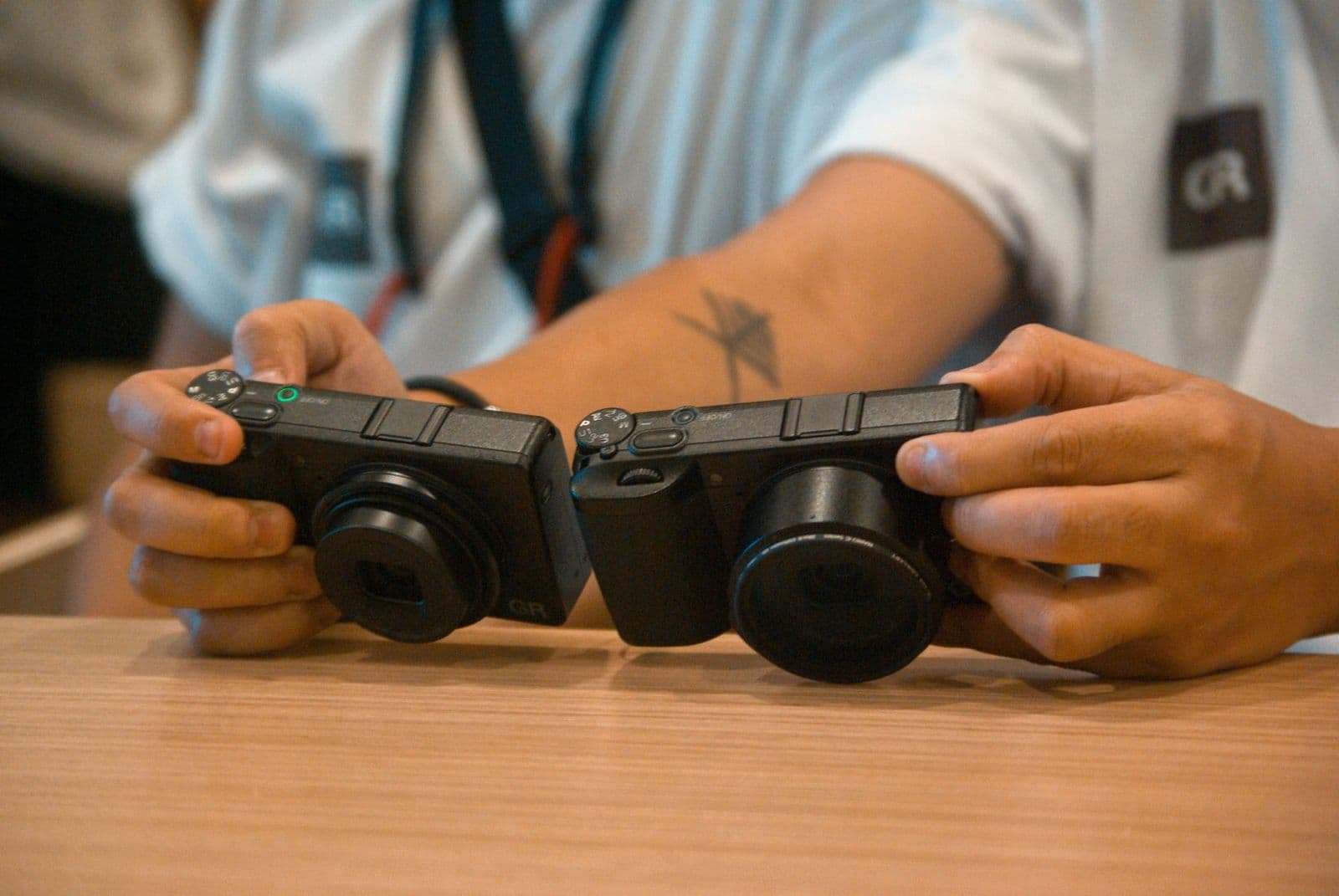
Location tagging explained: built in receivers versus phone linked tags on the best compact cameras with GPS, and the battery trade off.
Months after a trip, most people remember the view but not the exact trailhead, beach, or small town where a favorite photo was taken. A compact camera that records location closes that gap every time you press the shutter. This guide to the best compact cameras with gps explains how tagging works, what it costs in battery life, and which features deserve your money.
This guide compares the two ways cameras record place, built in receivers and phone linked tagging, then walks through sensor size, zoom, autofocus, and video. Read the sections that match your trips to decide which style fits you.
Who Should Buy a Compact Camera With GPS?
Location tagging only earns its place if you will use the data later. The three groups below use it differently, and that difference decides whether you need a receiver inside the camera or can rely on your phone.
Travelers Who Want a Map of Their Trip
City breaks and road trips produce hundreds of photos across many stops, and location tags turn that pile into a map you can retrace later. Photo apps can then group your shots by town or park. A receiver inside the camera keeps tagging even when your phone stays in a pocket with roaming off. If travel is your main use, also see our guide to the best compact cameras for travel for packing advice.
Hikers and Outdoor Photographers Far From Phone Signal
Trails, lakes, and back roads often sit beyond reliable phone signal, so a phone linked camera may record nothing for hours. A built in receiver talks directly to satellites and logs your position with no signal at all. That record helps you return to a viewpoint or share a route later. Choose a weatherproof body for this use, since dust and light rain are normal outdoors, and check that the screen stays readable in bright sun.
Everyday Photographers Who Want Albums Sorted by Place
For birthdays, school events, and weekends close to home, tagging still helps because photo apps sort by place as well as by date. You may not need a built in receiver here, since your phone is usually nearby and charged, and a phone linked model often costs less and runs longer. One caution applies to everyone though. Location tags can reveal your home address when you share images online, so check the sharing settings in your app before posting pictures taken at home.
How to Choose: Key Features to Compare
The details below explain how each factor changes your photos and your day of shooting, so you can weigh body size against sensor and zoom.
Size, Weight, and Portability
Weights vary widely across this class. The smallest slip into a jacket pocket, while larger ones need a small belt pouch. A very small body is easy to carry all day, yet tiny buttons can frustrate you in gloves. Handle your shortlist in a store if you can, and check that the grip and zoom control feel natural.
Built In GPS Versus Phone Linked Tagging
When you compare the best compact cameras with gps on paper, listings rarely explain where the location data comes from. Built in receivers are uncommon in pocket compacts and show up mostly in rugged waterproof models, so many buyers end up with a phone linked camera. A built in receiver finds satellites on its own and works with the phone switched off, though it may take a short while to lock on after you step outside.
Phone linked tagging borrows the position from an app over Bluetooth, which sips power but fails without warning when the app closes. For a wider look at location features, see our guide to the best gps cameras.
Sensor Size and Image Quality
Sensor size shapes image quality more than the megapixel count on the box. A one inch sensor gathers far more light than the tiny sensors in older compacts, so indoor and evening photos hold detail with less grain. APS C sensors do even better in dim light but push body size and price upward.
Megapixels mainly decide how large you can print or how hard you can crop, and about 20 megapixels suits most buyers. Readers can also see our guide to the best compact digital cameras.
Zoom, the Objective Lens, and Magnification
Optical zoom moves the glass inside the objective lens, so quality stays sharp across the whole range, while digital zoom simply crops the image and throws detail away. Judge a lens by its range in everyday terms. A 24 to 100 mm range suits streets and interiors, while 24 to 360 mm reaches across a stadium or down a valley. Magnification numbers on the box can mislead, because a long reach on a small sensor may still look soft.
Ease of Use and Controls for Your Skill Level
Strong auto modes matter because a compact camera should be ready faster than your phone. Look for a reliable full auto setting and a touchscreen that lets you tap to focus. WiFi transfer makes sharing simple, and a companion app often handles location syncing too.
If you enjoy control, confirm the camera offers aperture and shutter priority modes plus a dial you can reach without digging through menus. Beginners should value clear menus over long feature lists they will never open.
Video Capabilities
Many compacts now record 4K video, which gives you crisp footage and room to crop while editing. Check the frame rates on offer, because 4K at 60 frames per second suits action while 24 or 30 suits a calmer look. A screen that flips forward helps you frame yourself for travel diaries, and a microphone input, rare in this class, improves voices greatly outdoors.
Autofocus and Image Stabilization
Modern autofocus tracks faces and eyes, which keeps portraits sharp even when your subject moves toward the camera. Check the spec sheet for animal detection if you photograph pets or wildlife. Image stabilization matters just as much, because small cameras are easy to shake at long zoom settings.
Optical stabilization inside the lens calms that shake, while a few larger models shift the sensor instead. Either system lets you use slower shutter speeds indoors, keeping colors cleaner.
Main Types of Compact Cameras Explained
Compact cameras split into three broad families, and the right one depends on your priorities. You can also browse our best cameras compact guide for a broader view of the class.
Point and Shoot Compacts
Point and shoot compacts are the smallest and simplest option, with a fixed zoom lens, full auto shooting, and prices that suit a first camera or a family spare. The better models use a one inch sensor, so quality clearly beats a phone in dim rooms. You give up manual control and lens choice, and tagging may rely on your phone at this level. Choose it if you want to shoot with no thought about settings.
Advanced Compacts With a Fixed Lens
Advanced compacts keep the lens fixed but add a larger sensor, a brighter lens, raw file support, and proper manual dials. They suit photographers who want one versatile focal length or a moderate zoom and value quality over flexibility. Bodies stay small enough for a coat pocket, though prices climb toward those of larger cameras.
Compact Mirrorless Cameras
Compact mirrorless models use interchangeable lenses, so one body can pair with a small prime lens for evenings or a travel zoom for trips. They deliver the strongest quality in this guide and grow with your skills, but the system only stays compact if you choose small lenses. Most rely on a phone app for location tags, which keeps the body smaller. If you are weighing this route against larger bodies, our guide to the best digital cameras explains the wider landscape.
Common Mistakes to Avoid
Most regrets with this purchase come from GPS habits and spec sheet shortcuts rather than from image quality itself.
- Buying a phone linked model and expecting tags on every photo, then finding gaps whenever the app was closed or the phone battery had died.
- Leaving location logging switched on around the clock, which drains the battery and can leave you with a dead camera by evening.
- Posting photos online without removing location data, which can show strangers exactly where you live or where your children go to school.
- Judging a lens by its digital zoom or magnification figure alone, which leads to soft, cropped images that look worse than phone photos.
- Choosing the smallest body for rough trips without any weather sealing, which lets dust and moisture creep in and shorten the life of the camera.
How to Make Your Compact Camera Last Longer
A compact camera travels in pockets and bags, so small habits decide how long it keeps working well. The GPS hardware needs no special care, but the lens, battery, and contacts do.
- Wipe the lens with a clean lens cloth rather than your shirt, since grit held in fabric can leave fine scratches on the coating.
- Carry a spare battery on long days out, because location logging and heavy screen use shorten the time between charges.
- Store the camera in a dry padded bag away from sand and sunscreen, and let it warm slowly indoors after cold weather.
- Update the firmware when the maker releases it, since updates often improve autofocus speed and fix small tagging faults.
- Charge a stored battery to about half and top it up every few months, which slows the natural loss of capacity over time.
Frequently Asked Questions About Compact Cameras With GPS
How much should you spend on your first compact camera with GPS?
Most buyers should plan on about $500 for a camera that feels like a clear step up from a phone, with simpler models under $300 and advanced models costing more. Set a little money aside beyond the camera itself for a spare battery, a fast memory card, and a small case. Those extras stop a dead battery from ending a day of shooting.
Is a smartphone enough instead of a compact camera with GPS?
A smartphone is enough if you only take casual photos in good light and share them straight away. A dedicated camera earns its place when you want real optical zoom, stronger results after dark, and controls that work with gloves or damp hands. It also keeps your phone free for maps and payments. Your photos stay on the camera card even when phone storage fills up, which is a quiet but real advantage on long trips.
What specs matter most for beginners buying a compact camera with GPS?
Beginners should put sensor size, a simple auto mode, and reliable autofocus at the top of the list. Those three shape nearly every photo you take. Look for a clear GPS indicator on the screen as well, so you can see at a glance that tagging is active before you start shooting.
Which sensor size is better for low light photos on a compact camera?
A larger sensor handles low light better than a smaller sensor with the same megapixel count. Bigger sensors collect more light for each pixel, so evening and indoor shots show less grain and steadier color. You can help any model by resting it on a railing or table, which allows a slower shutter speed without shake.
Does GPS drain the battery on a compact camera quickly?
Yes, a built in GPS receiver uses extra power, so runtime drops compared with shooting with tagging switched off. You can soften the impact by setting the position update interval longer in the menu, since the receiver then wakes less often. Downloading GPS assist data through the maker app before a trip also speeds up the first satellite lock, which saves the power a long search would burn.
Final Thoughts
Start with how your camera will record place, because that choice shapes battery life, reliability, and price more than any other in this class. Then weigh sensor size against body size.
Choose the best compact cameras with gps that fits the way you actually travel and shoot, and its location tags will quietly turn everyday photos into a record you can revisit for years.