
Best Claw Gaming Mouse: Matching the Right Model to Your Routine for 2026
Disclosure: We may earn a commission when you buy through links on this page, at no extra cost to you. As an Amazon Associate I earn from qualifying purchases. Learn more

Claw grip players get clear guidance on the best claw gaming mouse: shell size, hump shape, polling rate, switches, and wireless options worth paying for.
Claw grip sits between a relaxed palm grip and a fingertip grip, with the back of your palm lightly touching the mouse and your fingers arched for quick clicks. Because hand size, desk time, and game pace vary so much, the best claw gaming mouse for one person can feel cramped or sluggish for another.
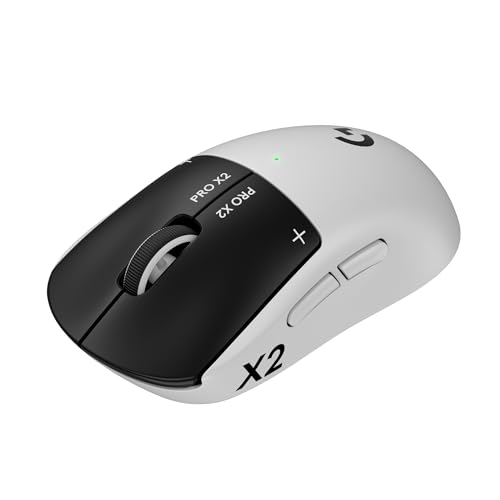
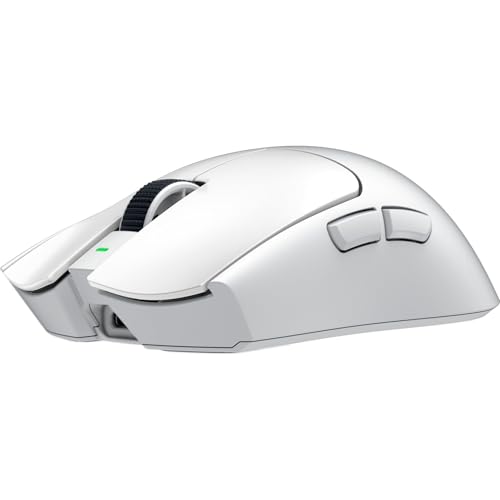
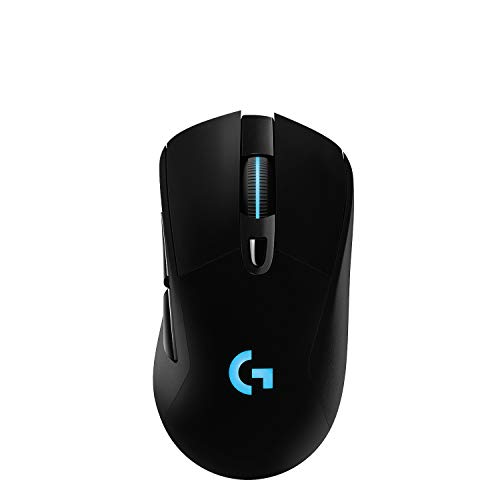
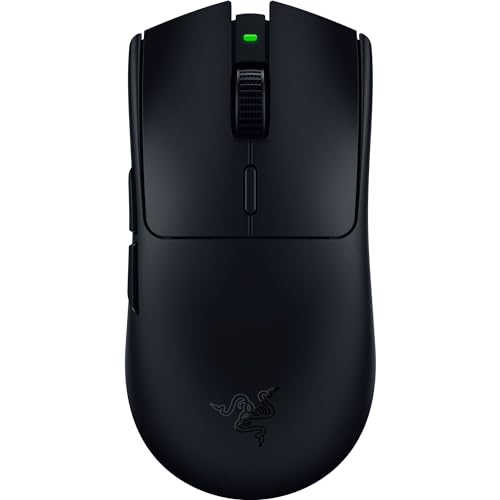
This guide sorts the choice by how you actually play and work, then walks through shape, sensor behavior, switches, and connection options in plain language. Use the comparison table below to line up sizes and core specs side by side before you settle on a shape.




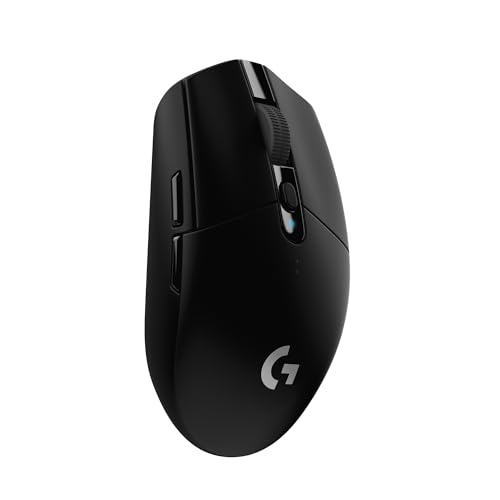

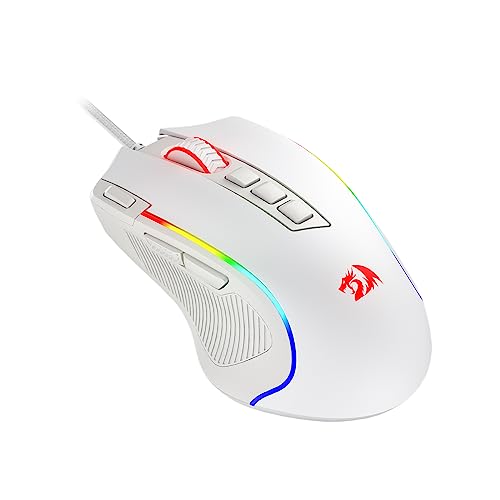
Who Should Buy a Claw Gaming Mouse for Each Routine?
Start with the routine that sounds most like yours. Each group below points to the shape traits and features that matter most for that routine, so you can safely ignore the rest.
For Remote Workers and Creators
If your mouse earns its keep in spreadsheets, timelines, and chat apps before it ever sees a game, comfort across long hours matters more than raw speed. Look for ergonomic models with a gentle hump that supports an arched hand without forcing your fingers into a tight curl. A medium size usually suits this relaxed claw posture best.
Connection flexibility helps here as well. Bluetooth lets you pair with a work laptop, while a 2.4 GHz receiver gives you a steadier link for evening play. Extra side buttons can hold editing shortcuts, and a battery that lasts for weeks keeps charging off your chore list.
For Gamers and Power Users
Fast paced shooters and real time strategy titles reward a mouse that moves exactly when your hand does. Prioritize a high polling rate, low wireless latency, and a sensor that tracks cleanly during quick flicks and sudden stops. A lighter shell also helps, since claw players lift and reset the mouse often during long matches.
Crisp mechanical switches suit rapid clicking, and onboard memory lets you carry DPI steps and button layouts between computers. If you want a broader view of grip styles, see our guide to the best mouse for gaming for context on how claw compares with other grips.
For Students and Everyday Users
Students and casual players usually need one mouse that handles homework, browsing, and weekend gaming without fuss. Wired models make sense here because they never need charging and tend to cost less for the same sensor quality. A medium shell with a simple shape also fits a wide range of hands in shared rooms and dorms.
Durability deserves more attention than headline specs at this level. Switches rated for tens of millions of clicks will serve you longer than extreme DPI numbers you will never use. Simple software, or none at all, keeps setup quick on shared computers.
For Travelers and Commuters
A claw mouse that travels needs a short, compact body that still leaves room for your fingers to arch without dragging on the shell. Light weight matters, but so does a sturdy feel, because a travel mouse gets tossed into bags and used on uneven hotel desks. A protective case or at least a snug pouch is worth having.
USB C charging is handy because one cable can serve your phone, earbuds, and mouse on the same trip. Check whether the receiver stores inside the body, since a loose receiver is easy to lose in a laptop bag.
Choosing a Claw Gaming Mouse for Your Situation
Claw grip is not one fixed posture, and there is no single best claw gaming mouse for every version of it. How much of your palm stays on the mouse changes which shapes feel natural, and the two variations below call for different priorities.
Best Lazy Claw Gaming Mouse: What to Prioritize
A best lazy claw gaming mouse suits players who rest more of the palm on the shell and keep a relaxed arch in the fingers. This posture favors a longer body with a higher hump toward the back, which fills the palm and spreads pressure across the hand. That support helps during long, slower paced sessions where comfort beats constant lifting.
Moderate weight is fine here, and a slightly wider grip gives your hand a stable base for smooth tracking. Look for soft, quiet clicks if you play near others, and choose a shape that lets your ring finger rest instead of gripping the side.
Best Fingertip Claw Gaming Mouse: What to Prioritize
A best fingertip claw gaming mouse fits players who keep palm contact minimal and steer mostly with the fingers. This style needs a short body and a low hump, so your fingers can pull the mouse backward without the shell pushing into your palm. A narrow waist helps you lift and reposition the mouse in small, quick corrections.
Light weight matters more here than in any other claw style, because your fingers do nearly all of the work. A centered sensor position keeps small movements predictable, and textured sides help your fingertips hold on during fast turns.
Key Features to Compare
Ergonomics, Size, and Grip Style
Shape decides whether a claw mouse feels right long before the sensor matters. Measure your hand from fingertip to wrist crease, then compare that number with mouse length, since claw players generally do well with a shell a bit shorter than a palm grip pick. Hump position matters too, because a hump placed toward the middle supports an arched grip best.
Width shapes how hard your fingers must squeeze during lifts, and a waist that is too wide tires smaller hands quickly. If you want a deeper look at shape language and grip fit, see our guide to the best claw grip gaming mouse for more detail on how these shells differ.
Compatibility Across PC, Mac, and Console
Most claw gaming mice work as basic pointing devices on any system the moment you plug them in. The differences show up in the software, because full driver suites with macro tools and lighting controls are often built for Windows first. Mac users should check whether DPI changes and button remapping are offered in a Mac app or saved onboard instead.
Console support is narrower still. Many consoles accept a mouse only in specific games that allow it, and features tied to XInput style controllers do not carry over to a mouse. If you play across systems, onboard profiles are the safest bet, since your settings travel with the mouse.
Wired vs Wireless Connections
Wired models remain the simplest option, with no battery to manage and a connection that never drops. Modern wireless has closed most of the gap, though, and a good 2.4 GHz link now delivers wireless latency low enough that most players cannot feel a difference. Bluetooth is the slowest option and suits office work better than competitive play.
Higher polling rate settings drain a wireless battery faster, so daily players often balance speed against charging habits. If cable free play is your priority, see our guide to the best wireless gaming mouse for claw grip for a closer look at receivers, battery claims, and charging options.
Durability, Switches, and Warranty
Click feel and click life both come from the switches under the main buttons. Mechanical switches give a crisp, familiar snap and carry ratings that often reach tens of millions of clicks, while optical switches use light to register presses and avoid the worn contact problems that cause accidental double clicks over time. Either type can serve a claw player well, so hand feel should guide the choice.
A few models offer hot swappable main switches, which lets you replace a worn switch without soldering or buying a new mouse. Warranty length tells you how long the brand stands behind those parts, so compare coverage alongside the click rating.
Common Mistakes to Avoid When Buying a Claw Gaming Mouse
- Chasing the highest DPI number on the box, which leads buyers to pay for sensor range they never use while ignoring shape fit.
- Choosing a size from photos alone without measuring your hand, which often ends with fingers cramped on a shell that is too short.
- Picking the lightest mouse available for a relaxed claw posture, which can leave your hand unsupported and tired during long sessions.
- Skipping software checks for your operating system, which can lock you out of DPI changes and button remapping after you buy.
- Ignoring warranty terms and switch ratings, which leaves you paying full price again when a main button wears out early.
Tips to Get the Most From Your Claw Gaming Mouse
Clean the sensor lens regularly with a dry microfiber cloth, since dust and hair near the lens cause the small tracking skips that players often blame on the sensor itself. Keep crumbs and dust away from the switches as well, and use gentle air from a hand blower rather than shaking the mouse.
Update firmware through the companion app when a new version appears, because updates often refine tracking behavior and battery reporting. Save your main profile to onboard memory after each change, so your settings survive a move to another computer. If you raise the polling rate for a competitive weekend, lower it again afterward to stretch battery life on wireless models.
Your surface shapes tracking as much as your sensor does, and a worn or glossy desk makes fine claw corrections feel unsteady. If you are pairing a new mouse with a new surface, see our guide to the best gaming mouse and pad for sizing and material ideas. For a single surface upgrade on a smaller desk, see our guide to the best gaming mouse mat instead.
Claw Gaming Mouse Questions Answered
What DPI Does a Claw Gaming Mouse Need for Fast Paced Games?
Most claw players play comfortably between 400 and 3200 DPI, so a sensor that covers that range with clean tracking is enough. What matters more is your effective sensitivity, which combines the DPI setting with the sensitivity slider inside each game. Set DPI once and fine tune inside the game, so your aim habits stay consistent across titles.
Does a Claw Gaming Mouse Work With Mac and Console Systems?
Yes, a claw gaming mouse works for basic pointing and clicking on Mac and on consoles that accept mouse input in supported games. One practical catch is updates, because many brands release firmware tools for Windows only, so you may need brief access to a Windows computer to update the mouse. Keep the included cable in your desk for that job, even if you normally play wirelessly every day.
Is a Wired or Wireless Claw Gaming Mouse Better for Competitive Play?
Wireless is better for most competitive claw players today, because a modern 2.4 GHz link feels as responsive as a cable while letting you flick without cord drag. The habit that makes wireless work is simple charging between sessions, since a mouse left uncharged for a week of matches will eventually run low at a bad moment. Wired still wins for players who never want to think about a battery at all.
How Do I Know If a Claw Gaming Mouse Fits My Hand Size?
A claw gaming mouse fits when your fingers arch naturally, your fingertips land flat on the main buttons, and the hump touches your palm without pushing your hand backward. Try one extra check beyond measuring, and rest your hand on the shell with your fingers fully relaxed for a minute. If your pinky drifts or your wrist lifts off the desk, the shape is fighting you, and a different length or hump position will feel better.
How Long Do Switches on a Claw Gaming Mouse Last?
Switches on a claw gaming mouse typically last for years of daily play, because rated lifetimes run into tens of millions of clicks for most current models. The earliest sign of wear is a main button that registers two clicks from one press or misses presses during holds. Before you replace the mouse, try it on another computer to rule out software, then check the warranty, since switch faults are commonly covered.
Final Thoughts
The product table above pulls the core specs together, so use it to confirm size, connection type, and switch style once your routine points you toward a shape family. Three things decide satisfaction for most readers: shell length, hump position, and a connection that fits daily habits.
Relaxed claw players should favor support and comfort, fingertip claw players should favor short and light shells, and everyone should value clean tracking over headline DPI numbers. Chosen that way, the best claw gaming mouse becomes a simple fit decision rather than a gamble, and your hand will thank you during every long session that follows.


